How to play 3D 2048: slide, twist and turn the cube
3D 2048 takes the sliding number puzzle and puts it on a cube with six faces. This guide shows you how to play 3D 2048: how to slide the front face, how to twist a row to bring tiles round from the other sides, and how to turn the whole cube. Then you follow a first game, key by key. The game is free and runs in your browser at 3d2048.vlvd.net, on a computer or a phone.
What 3D 2048 is
The game's own help box puts it in one line: the puzzle is a cube like a Rubik's cube, with six faces of nine squares. That is 54 squares in all. Your goal is the same as in the original game: make a tile with 2048 on it.
If you have played the original 2048), you know its board: one flat 4 by 4 grid of 16 squares. Here each face is 3 by 3, so one face holds only nine tiles. That sounds tighter, and it is. The difference is that the other five faces are there too, and you can bring their tiles to the front.
A new game starts with two tiles on the front face. Above the cube you see three counters, Score, Best and Moves, plus a New game button, a How to play button and Settings.
How to play 3D 2048: slide, twist and turn
There are three moves. Learn what each one does and the rest of the game follows.
- Slide. Swipe the front face, or press the arrow keys or W A S D. Tiles slide as in 2048, and two equal tiles merge into their sum. Two 2s make a 4, two 4s make an 8, and so on.
- Twist. Drag a row on the right face sideways, or a column on the top face. That layer turns a quarter and carries its tiles to the next face. Use it to bring a tile from the side next to its match on the front.
- Turn. Drag the empty space around the cube, or press Shift and an arrow key. The whole cube turns, so another face comes to the front. The game says it plainly: turning is free.
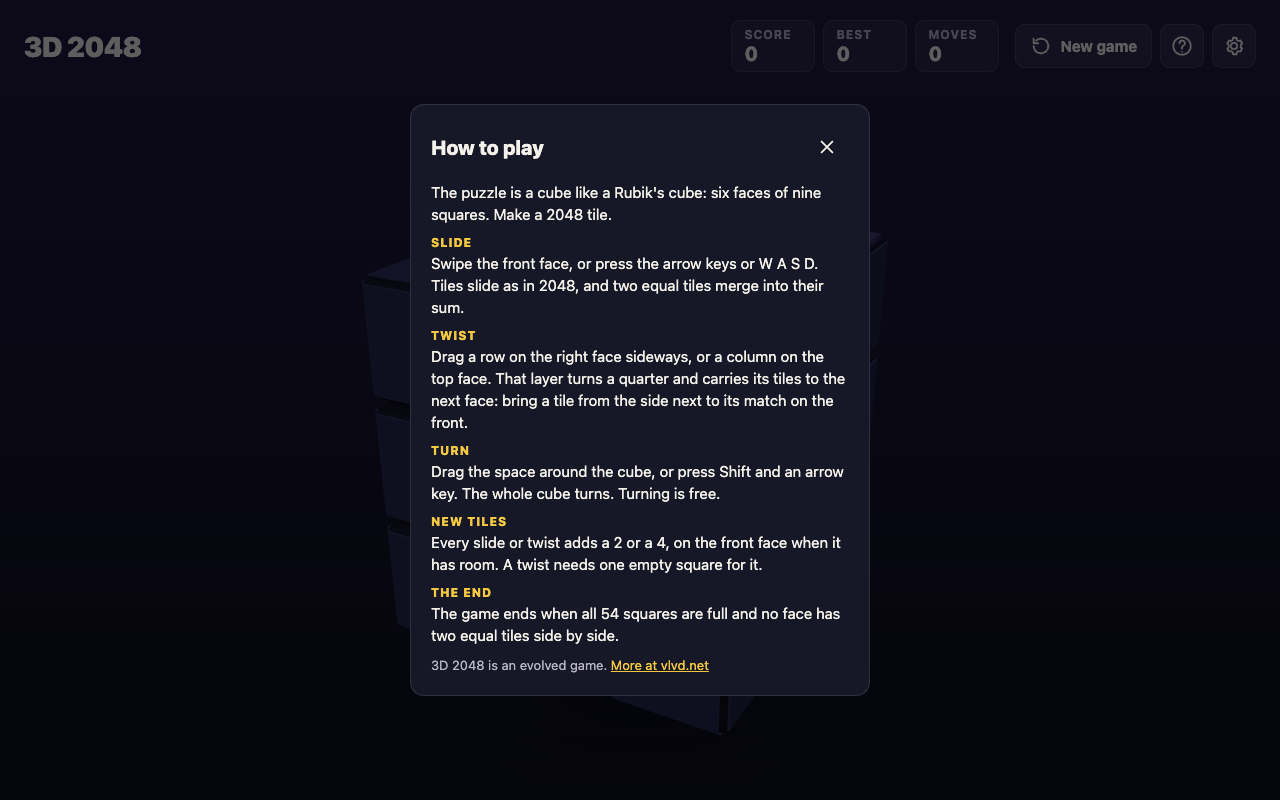
The How to play box. Press H or ? at any time to open it.
Only the slide works the way the flat game does. The twist is the new idea: it moves a whole layer of the cube, tiles and all, from one face to the next. The turn changes nothing on the board. It only changes which face you are looking at and sliding.
Where new tiles appear, and why turning is free
The rule for new tiles is short. Every slide or twist adds a 2 or a 4, on the front face when it has room. A twist needs one empty square for that new tile.
A turn adds no tile at all. That is what "free" means in practice. You can spin the cube to check every face before you commit to a move, and it costs you nothing. When we played a test game, turning the cube with Shift and Left left the Moves counter exactly where it was.
This gives you a simple habit. Before each slide or twist, turn the cube and look. Find where your big tiles are, find the pairs that could merge, and only then make a move that adds a tile.
A first game, step by step
Here is a short first game you can follow on a computer. On a phone, swipe instead of pressing the arrow keys, and drag the space around the cube instead of pressing Shift.
Part one: your first slides.
- Open the game. Go to 3d2048.vlvd.net. You see the cube with two tiles on the front face, and a tip marked "1 of 3": swipe the front face to slide the tiles. The next two tips cover the twist and the turn. Read them, or press Skip.
- Slide left. Press the Left arrow. Every tile on the front face slides as far left as it can. If two equal tiles meet, they merge. A new 2 or 4 appears on the front face.
- Slide up. Press the Up arrow. In our test game, these two slides joined two 2s into a 4, and the top bar read Score 4 and Moves 2.
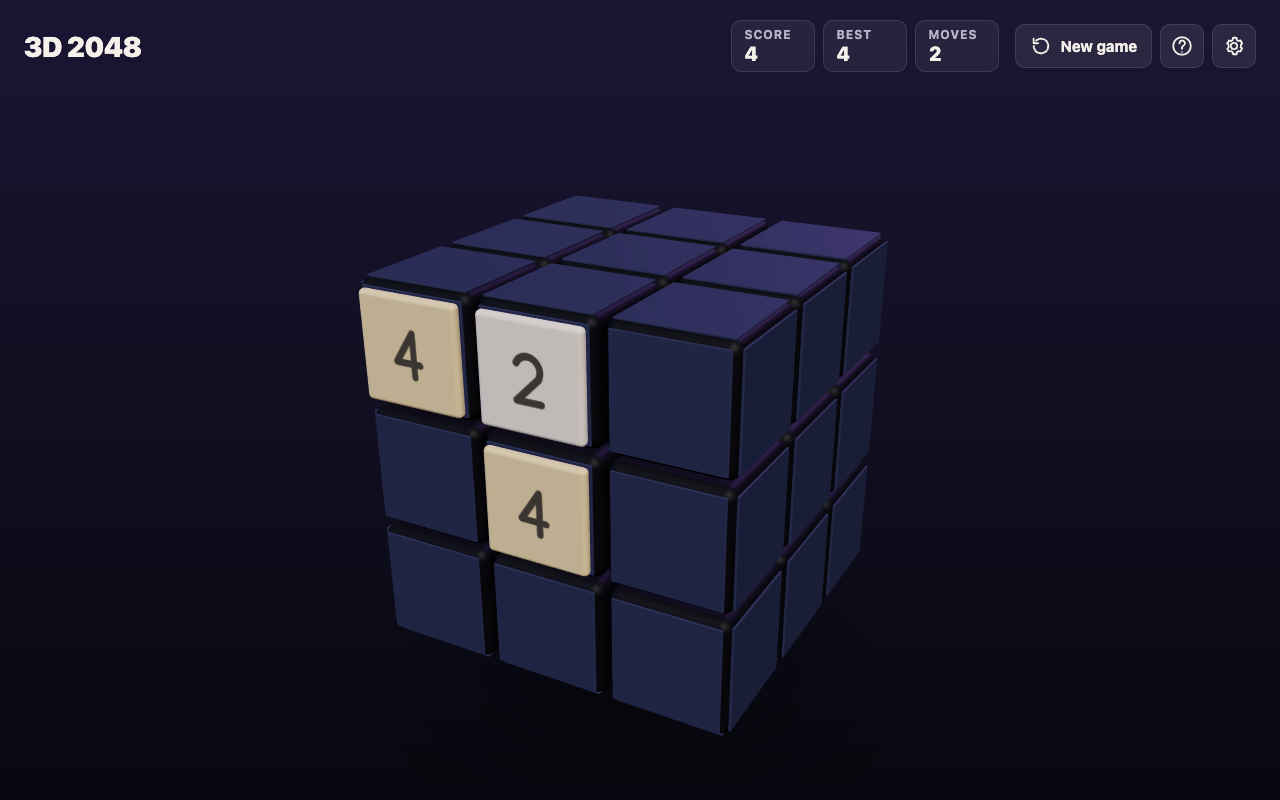
After two slides: two 2s have merged into a 4.
Part two: turn, look and twist.
- Turn the cube. Press Shift and Left. The whole cube turns, and a new face comes to the front. In our test game that face had no tiles yet, and Moves still read 2.
- Look around. Keep turning with Shift and the arrow keys until you know where every tile is. It is free, so take your time.
- Twist to make a pair. Look for a tile on the right face that matches a tile on the front. Drag that row of the right face sideways. The layer turns a quarter and carries its tiles to the next face. Aim to land the tile next to its match on the front. A twist adds a new tile too.
- Slide to merge. Now slide the front face toward the pair. The two equal tiles merge into their sum.
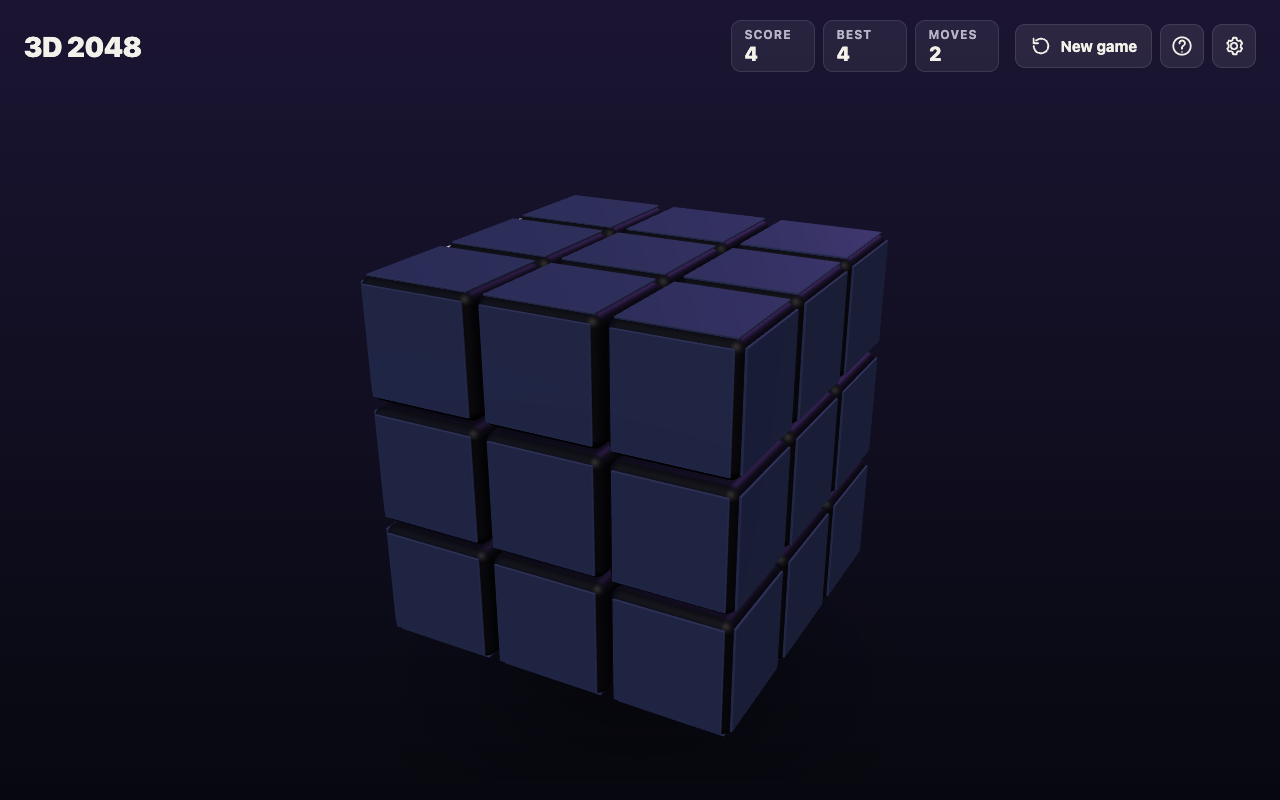
After Shift and Left: the cube has turned to a face with no tiles, and Moves still reads 2.
That loop is the whole game: look, twist to line up a pair, slide to merge. Repeat until a 2048 tile appears.
When the game ends, and what happens at 2048
The game ends when all 54 squares are full and no face has two equal tiles side by side. A box titled No moves left shows your score, with one piece of advice from the game itself: next time, keep room on one face so a twist can still bring tiles round to their match.
That advice matters because a twist needs one empty square for its new tile. If every face is packed, you lose the move that makes this version different.
When you make a 2048 tile, a box tells you how many moves it took: "You made 2048 in" your number of moves, then "Keep going for 4096, or start again." Press Keep going to carry on with the same cube, or New game to start over.
Pressing New game in the middle of a game asks first. The game ends, and its score is kept only if it is your best.
Settings, and what is saved
The Settings button has four controls:
- Master volume, Sound effects and Music, each set to Off, Low, Mid or High.
- Reduced motion, set to Device, On or Off. Device follows your computer or phone's own setting.
Under the controls the game says: "Your game, best score and settings are saved on this device." There is no account to create. Close the tab and come back on the same device, and your game is still there. A game on your phone and a game on your laptop are separate.
Frequently asked questions
Is 3D 2048 free?
Yes. The page says it is free in your browser on a computer or a phone, and there is nothing to sign up for.
Does turning the cube count as a move?
The game says turning is free. Only slides and twists add a new tile, and in our test game the Moves counter did not change after a turn.
What are the keyboard controls?
Arrow keys or W A S D slide the front face, Shift and an arrow key turn the whole cube, and H or ? opens How to play. You twist a row or column by dragging it.
Can I play 3D 2048 on a phone?
Yes. Swipe the front face to slide, drag a row on the right face or a column on the top face to twist, and drag the space around the cube to turn it.
What happens after I make 2048?
The game shows how many moves it took and offers Keep going, for 4096, or New game.
Get started
Open the game, skip or read the three tips, and try the first game above: two slides, a free turn to look around, then a twist to bring a tile to its match. If you are curious where the sliding rule comes from, the original 2048's code is on GitHub.
Play 3D 2048: it is free and plays in your browser on a computer or a phone.
Comments
No comments yet.
Sign in or make an account to comment.