Retro tank game in your browser, on a computer or phone
If you grew up with the 8-bit tank games, you remember the rules without thinking: guard the base, break the brick walls, never let an enemy reach the bottom of the map. A retro tank game that runs in a browser tab lets you play that again in a spare minute, with nothing to install. Tank City Reboot is one: free, no account, and it plays on a computer or a phone.
This guide covers how it plays, how to clear a stage, and what each power-up and wall does, with a simple plan for your first stage.
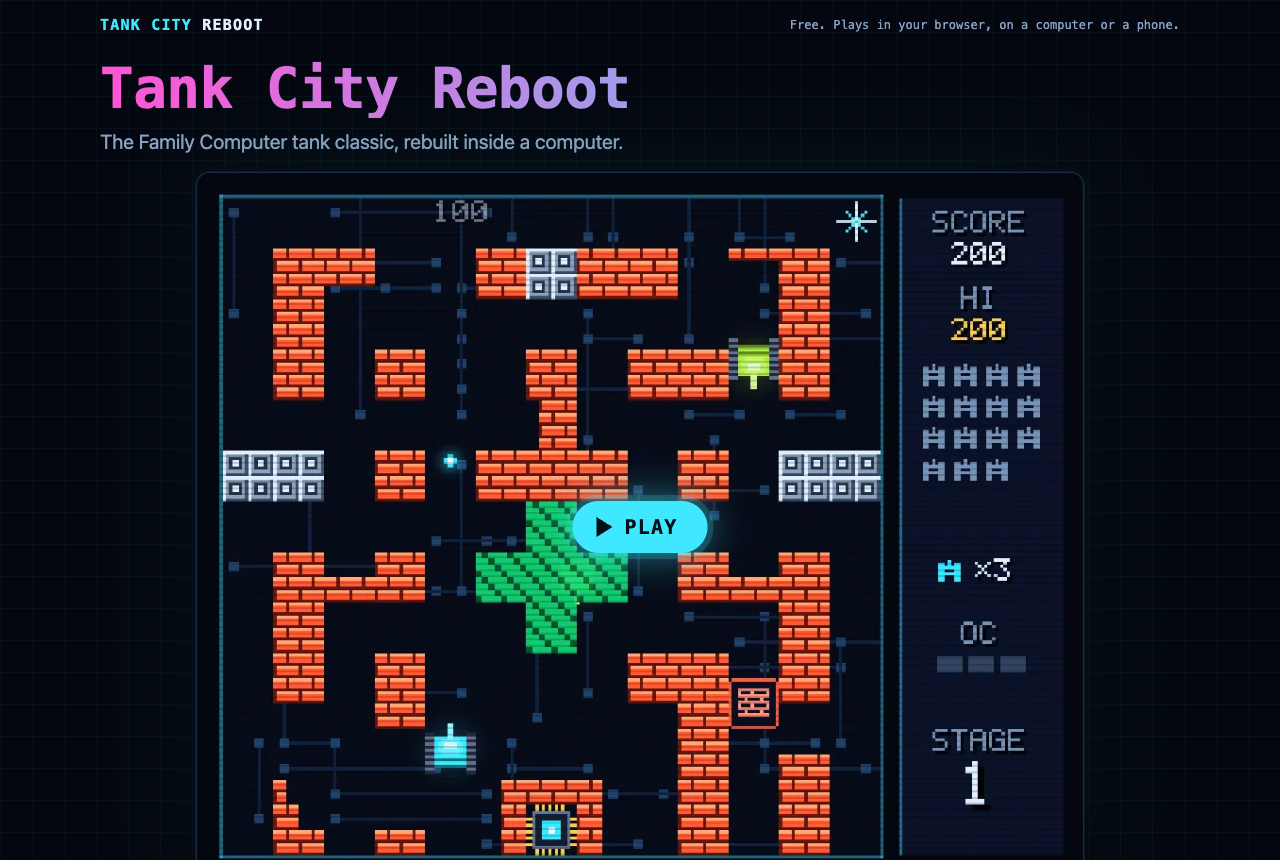
Tank City Reboot at tankcityreboot.vlvd.net, before you press Play.
What kind of retro tank game it is
Tank City Reboot is an original game inspired by the tank classics of the Family Computer, rebuilt inside a computer. The base you guard is the CPU core at the bottom of a circuit board. The enemies are malware tanks. The walls are firewalls, silicon, coolant and encrypted zones.
The rules will feel familiar. Twenty malware tanks come at the core each stage, four at a time. You win the stage by destroying all twenty before any of them hits the core.
The twist is that every name is real. Each stage opens with a true fact about how computers work, and the page under the game explains the real idea behind every enemy, power-up and wall.
How to start playing
- Open tankcityreboot.vlvd.net in a current Chrome, Edge, Firefox or Safari. The game needs WebGL 2, which these browsers have.
- Press Play, then click the game so it takes your keys.
- Move with the arrow keys or WASD. Fire with Space, J or Z. Pause with P, Enter or Escape.
- A gamepad works too: the stick or direction pad moves, button A fires, and Start pauses.
- On a phone, a touch pad appears over the game when it starts, with Fire and Pause buttons. Press Full screen to fill the screen, in portrait or landscape.
The game remembers your best score in that browser, so you have something to beat next time.
Know the four malware tanks
Each enemy plays differently, so learn them before stage two.
- Worm: the basic tank. Slow, and one hit destroys it.
- Trojan: moves twice as fast as a worm. It reaches the core quickly, so shoot it first.
- Spyware: fires fast shots. Do not trade shots with it in the open.
- Rootkit: armored, and takes four hits. Start shooting early, before it gets close.
Use the walls, do not just hide behind them
The map is your best tool. Each kind of tile behaves in its own way:
- Firewall (the brick walls) breaks under fire, a block at a time. You can open a lane, or close one by leaving it alone.
- Silicon stops every shot until your cannon is fully overclocked. Use it as cover.
- Coolant stops tanks, but shots fly over it. You can fire across it at an enemy that cannot reach you.
- Encrypted zone hides any tank inside it, including enemies. Watch where they go in.
- Data bus is slippery: tanks slide before they stop. Let go of the key a little early.
The power-ups, and when to grab them
Every power-up is named for the computer idea it borrows.
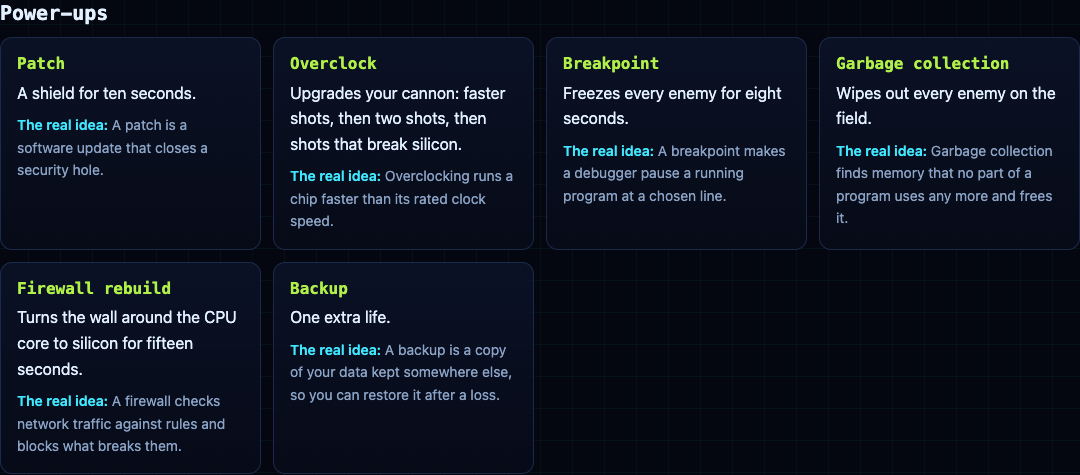
- Patch: a shield for ten seconds. Good for pushing out to clear a crowded lane.
- Overclock: upgrades your cannon in steps: faster shots, then two shots, then shots that break silicon.
- Breakpoint: freezes every enemy for eight seconds. Use those seconds on the tanks closest to the core.
- Garbage collection: wipes out every enemy on the field.
- Firewall rebuild: turns the wall around the core to silicon for fifteen seconds.
- Backup: one extra life.
A plan for your first stage
Stage one is called FIREWALL, and it opens with a fact: "A firewall checks network traffic against rules and blocks what breaks them." Here is a plan you can follow on your first try.
- Stay near the core at the start. Your tank starts just to the left of it. Enemies come in from the top-left, top-middle and top-right, so let them come to you.
- Keep the firewall around the core whole. Do not shoot the bricks right beside the core. Those are the core's protection.
- Open one firing lane. Break a single gap in a wall above you, so enemies coming down have to cross your line of fire.
- Shoot the fast ones first. If a trojan appears, it gets your next shots, because it reaches the core soonest.
- Take Breakpoint and Firewall rebuild when it is busy. With four tanks on the field, freezing them or hardening the core wall buys you the seconds you need.
- Count down to twenty. The side panel shows the enemies still to come. When it empties and the last tank falls, the stage is clear.
Each of the six stages is named for a part of a computer, and the card before it gives you one true fact to read while the enemies line up:
- FIREWALL: a firewall checks network traffic against rules and blocks what breaks them.
- CACHE: a CPU cache keeps recently used data next to the core, because main memory is much slower to reach.
- COOLANT: when a chip gets too hot, it lowers its own clock speed to cool down. This is called thermal throttling.
- ENCRYPTION: encrypted data looks like random noise to anyone who does not hold the key.
- DATA BUS: a bus is the set of shared lines that carries data between the processor, memory and devices.
- KERNEL: the kernel is the core of an operating system. It decides which program runs on the processor, and when.
After stage six the stages loop, with faster enemies, so a long run gets harder every round. That is where the habits from stage one pay off: a whole wall around the core, one lane to defend, and the fast tanks shot first.
When you want more: Tank City Zero Day
Once the classic rules feel easy, try Tank City Zero Day on the same site. It is a modern take: you move and fire in eight directions, you can dash straight through enemy fire, and every wave is a freshly generated arena. After each wave you pick one of three upgrades, and every fifth wave a zero-day boss breaks through the walls.
Frequently asked questions
Is Tank City Reboot free?
Yes. It is free, it plays in your browser, and you do not need an account.
Can I play this retro tank game on my phone?
Yes. A touch pad appears over the game when it starts, and the Full screen button fills the screen in portrait or landscape.
Does it work with a gamepad?
Yes. The stick or direction pad moves, button A fires, and Start pauses.
Why does the game not start in my browser?
It needs WebGL 2. Try a current version of Chrome, Edge, Firefox or Safari.
Get started
Play Tank City Reboot: it is free, plays in your browser on a computer or a phone, and needs no account. Follow the stage-one plan above and see how far past the KERNEL stage you get.
Comments
No comments yet.
Sign in or make an account to comment.