Tower defense game in your browser, on a computer or phone
A good tower defense game is easy to start and hard to put down: you place your defenses, the enemy marches in, and every wave asks one more question of your plan. Two Towers is one you can open in a browser tab right now. It is free, it plays on a computer or a phone, and there is nothing to install.
This guide covers how it plays, what each tower and attacker does, and a simple plan for your first stages so the city stands a little longer.
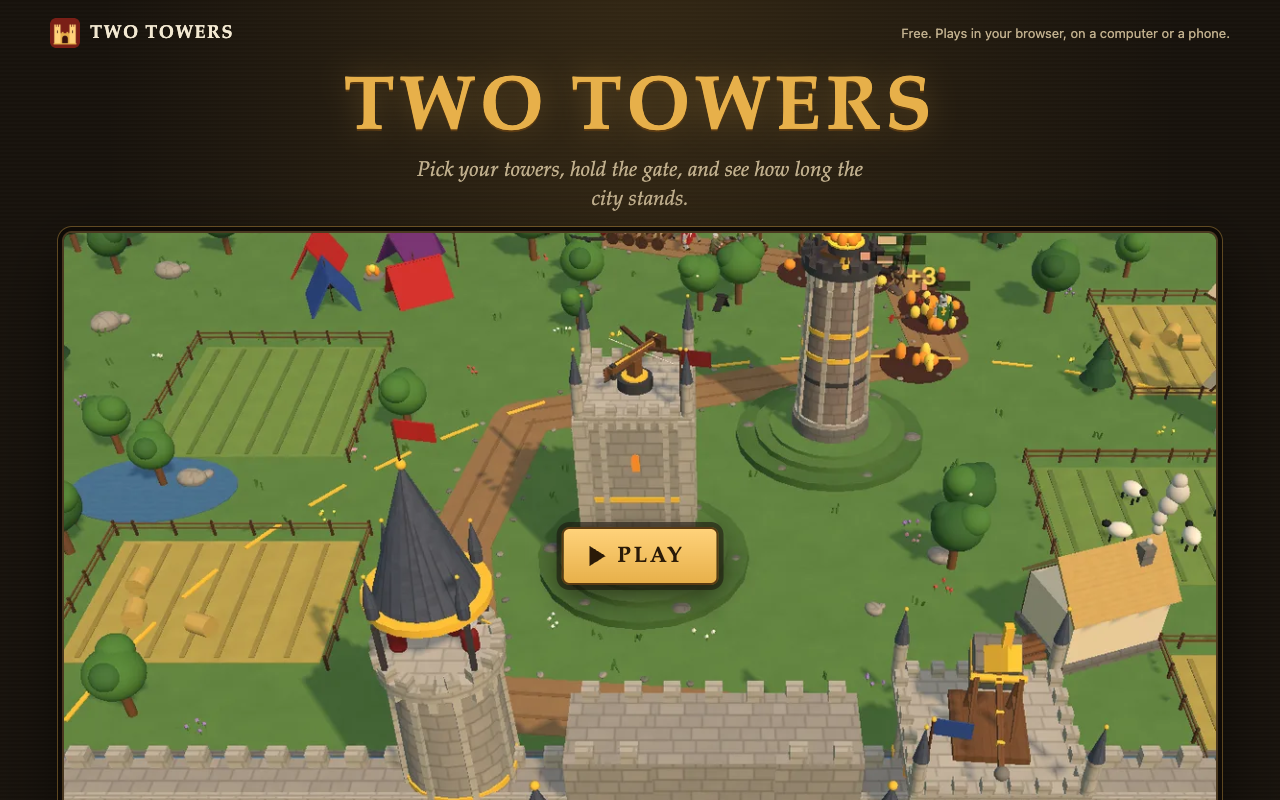
Two Towers at twotowers.vlvd.net, before you press Play.
What kind of tower defense game it is
Two Towers is an original medieval tower defense game. Attackers march out of the woods toward the city gate, and your towers stand between them and it. If the gate falls, the game is over.
The name comes from how you start. You pick the two towers that guard the gate, one for each side, from four kinds. As you win gold you upgrade them, and you can buy two more towers for the hills on either side. Every stage comes stronger, faster or in greater numbers than the last, and there is no final stage, so the real question is how long you can hold.
There is a second layer too. Every tower and every attacker on the page comes with a short "In history" note, so you learn what a trebuchet or a battering ram really was while you play.
How to start playing
- Open twotowers.vlvd.net in a current Chrome, Edge, Firefox or Safari. The game needs WebGL 2, which these browsers have.
- Press Play. On a phone, press Full screen to give the field the whole screen.
- On the title screen, pick the tower for each side of the gate.
- Click or tap a tower, on the field or in the tabs along the bottom, to upgrade it.
- Use the keys if you have them: Space pauses, F doubles the speed, Enter starts the next stage early, and M and N turn off the sound and the music.
You do not need to sign in to play. Signing in is only for putting a defender name on the kingdom boards, and it asks for a name and a password, never an email. When we checked, the boards were resting, and your best was kept on your device.
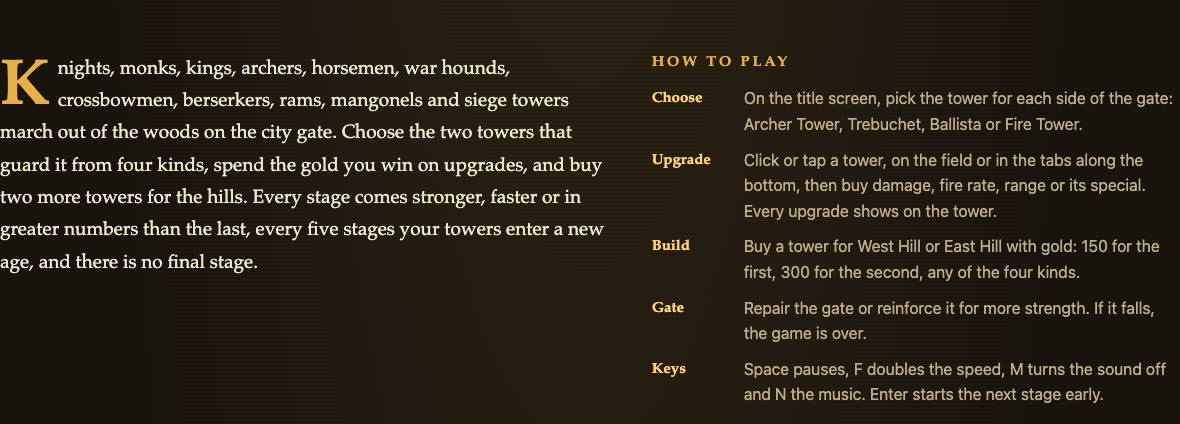
The four towers
Each tower answers a different problem, so your first choice matters.
- Archer Tower: fast arrows at one attacker, and with the Volley special at up to four. Good against a steady stream of light attackers.
- Trebuchet: slow, long-range stones that hurt everyone where they land. Good against crowds bunched on the road.
- Ballista: a heavy bolt through a line of attackers that ignores armor. Good when armored attackers walk in single file.
- Fire Tower: fire pots that leave the road burning, and fire burns through armor. Good for holding a stretch of road.
Every upgrade shows on the tower itself, from Plain through Trimmed, Fine and Grand to Masterwork, so you can read the state of your defense at a glance.
Know the attackers
The attackers are where the plan gets tested. A few to watch for early:
- Knight: armored, so every hit loses a few points.
- Shieldbearer: a tall shield stops most arrows, but stones, bolts and fire still hurt him.
- Monk: heals the attackers around him.
- Cavalry and war hounds: fast. Riders reach the gate first, and hounds come in packs of three.
- Battering ram: slow and heavily armored, and it strikes the gate hardest.
- King: arrives every fifth stage, very strong, and hurries those around him.
Later stages bring standard bearers who lend armor to the attackers near them, mangonels that stop far off and hurl stones at the gate, and siege towers that release three shieldbearers when they fall or reach the wall.
A plan for your first five stages
Here is one way to play your first run. It uses only what the game tells you, and it is a starting point, not the one right answer.
- Pick one tower for single targets and one for groups. For example, an Archer Tower on one side and a Trebuchet on the other. Arrows deal with the fast riders and hounds; stones deal with crowds of peasant levies.
- Spend early gold on the towers you have. Each tower offers damage, fire rate, range or its special, and early on your two towers are all that hold the gate, so they come first. Check the tower after each upgrade; its look changes as it improves.
- Watch for shields and armor. Arrows struggle against shieldbearers and knights. That is the moment your second pick matters: stones, bolts and fire still hurt them.
- Save for a hill tower. The first tower on West Hill or East Hill costs 150 gold. A Ballista or Fire Tower there covers the armored attackers your first two towers find hard.
- Keep the gate strong before stage five. Between attacks, repair the gate and reinforce it. The King arrives on the fifth stage, and he hurries everyone around him, so that wave hits the gate faster.
- Use the speed keys wisely. F doubles the speed when a stage is under control, and Enter starts the next one early. Slow back down when the King or the rams appear.
Every five stages your towers enter a new age and are rebuilt stronger, from Timber to Legendary. If you reach that point with the gate repaired, your second hill tower (300 gold) is the next goal.
Learn some history while you play
Each card on the page pairs a game piece with a line of real history. The trebuchet card, for example, says a counterweight trebuchet, from the 12th century on, could hurl stones of 50 to 100 kilograms against walls. The city gate card says the gatehouse was a castle's weak point, so it was usually built as its strongest part.
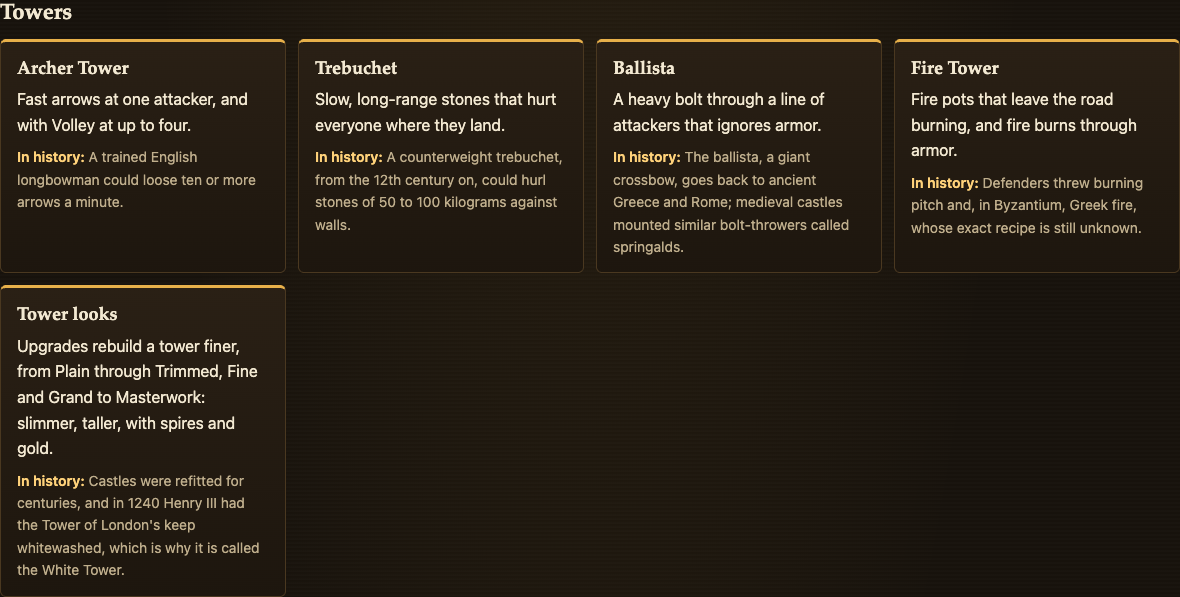
These are one-line notes, not a history course. If you want the fuller story of how real sieges worked, English Heritage's guide to medieval siege warfare explains the machines and the defenses in plain words.
Frequently asked questions
Is Two Towers free?
Yes. It is free and plays in your browser on a computer or a phone.
Can I play this tower defense game on my phone?
Yes. Tap a tower to upgrade it, and press Full screen to give the field the whole screen.
Do I need an account?
No. You can play without signing in. Signing in only puts a defender name on the kingdom boards, and it never asks for an email.
Why does the game not start in my browser?
It needs WebGL 2. Try a current version of Chrome, Edge, Firefox or Safari.
Get started
Play Two Towers: it is free and plays in your browser on a computer or a phone. Pick one tower for single targets and one for crowds, keep the gate repaired, and see how many stages the city stands.
Comments
No comments yet.
Sign in or make an account to comment.