2048 best score: where it is kept and when it resets
You beat your old record and the top bar still says something lower. Or you started over and wondered if your 2048 best score survived. In Evolved 2048 the Best number follows a few plain rules, and we tested each one in a fresh browser, signed out. This post shows what we saw, where the number lives and the one action that wipes it.
What the Best box shows
Open the game and look at the top bar. It has three boxes in a row: Score, Best and Moves. Score is the points in the game you are playing now. Moves counts your slides and twists. Best is the highest Score the game has kept for you on this device.
In a fresh browser all three read 0. There was no sign-in and no setup. The game made its saved entries the moment it opened, including one just for the best score.
How Best rises as you play
We played 14 slides with the arrow keys, in the order Left, Up, Right, Down, repeated. The bar then read Score 60, Best 60 and Moves 14.
Best and Score were equal the whole way up. That is the first rule: while your Score is the highest you have reached, Best is simply your Score. It follows you move by move, so you do not have to finish a game to set a record.
If you want to know where those points come from, our post on how 2048 scoring works counts them merge by merge.
What New game does to your best score
Pressing New game does not start over at once. The game first opens a box titled "Start a new game?" It reads: "This game ends and its score of 60 is kept only if it is your best." Two buttons follow, Keep playing and New game.
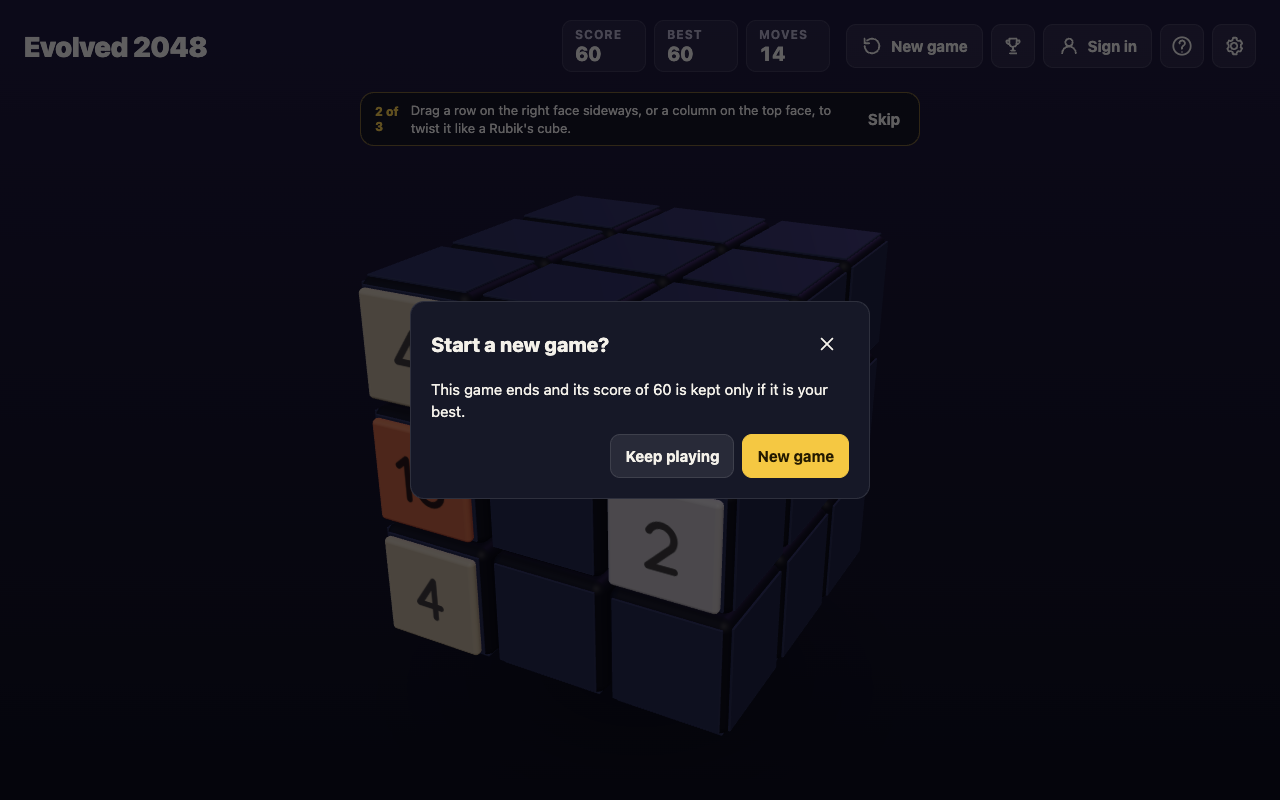
Read that sentence slowly, because it is the rule in full. A game that ends keeps its score only if the score is your best. A lower score is dropped, and a higher one becomes the new Best. In our test the score of 60 was the best, so it stayed.
We chose New game. The bar read Score 0, Best 60 and Moves 0. The record was still there and the new game was empty. Starting over never lowers Best.
A lower score does not replace Best
In the new game we made 3 slides. The bar read Score 4, Best 60 and Moves 3.
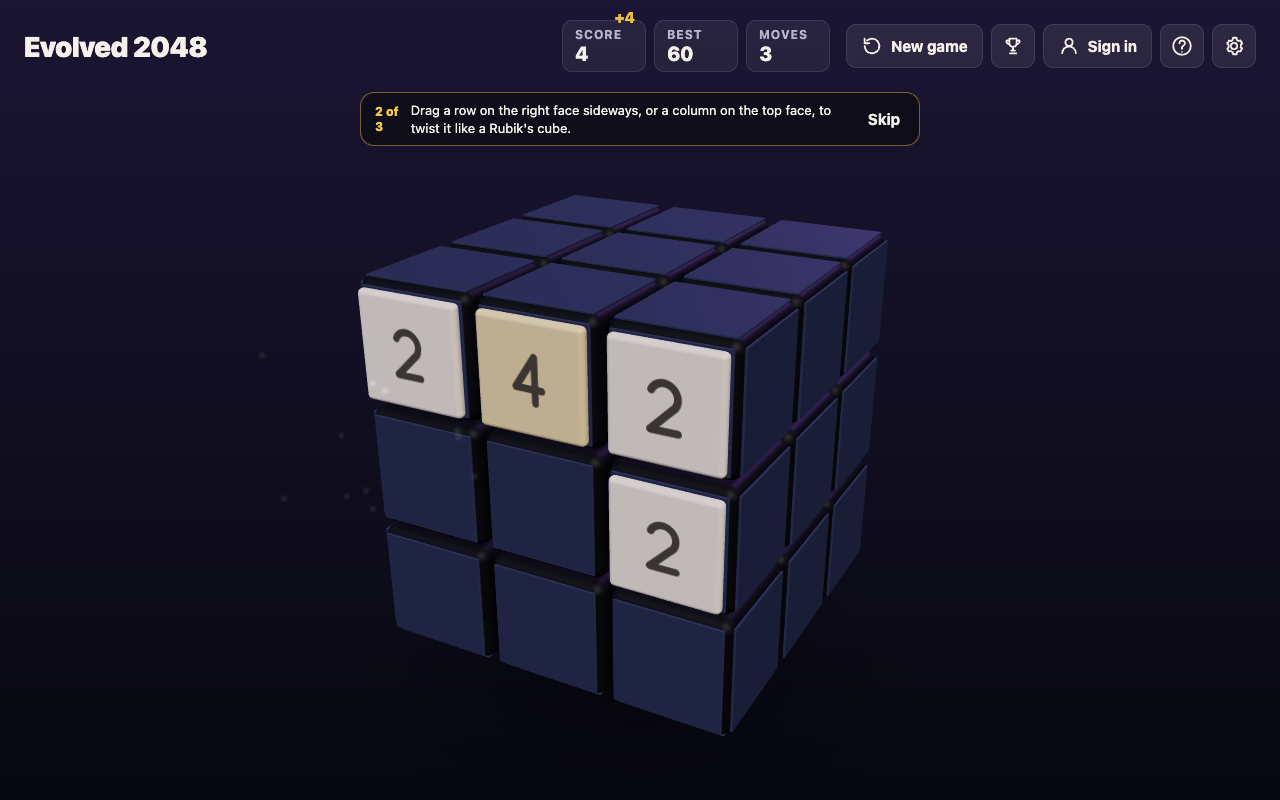
This is the second rule. Best only goes up. A new game with a smaller Score leaves it alone, so the Best box is the high-water mark of every game you have played on this device, not the result of your last one.
It also means you can restart as often as you like without losing your record. If a board looks bad, what to do when no moves are left helps you decide whether to fight on or start fresh.
Does a reload reset the 2048 best score?
No. We reloaded the page in the middle of that game. The same Score 4, Best 60 and Moves 3 came back.
That matches what the game says on its own pages. Settings reads "Your game, best score and settings are saved on this device." The Privacy page says "Your game in progress, best score and settings are saved in your browser, on your device only." It also says "You can play without an account, and then nothing about you is kept by the game's server."
So closing the tab, switching off the phone or coming back next week does not touch Best. The game keeps it in the browser, and the browser keeps it until something deletes it. Our post on saving a 2048 game covers the same storage for the board.
When the best score does reset
The game's script saves the best score in the browser's storage under the name 3d2048.best. The board sits next to it under 3d2048.game, the settings under 3d2048.settings and the first-game tips under 3d2048.coach.
We deleted only the 3d2048.best entry and reloaded the page. Best read 0. The Score of 4 and the 3 Moves stayed, because the board is saved separately.
That is the third rule, and it is the one that catches people. Best is a saved entry, not something the game works out again from your history. Anything that clears the site's saved data in your browser clears Best with it. Because the game says it keeps Best on your device only, clearing the site's data in your browser's settings should do the same, and another browser or device has its own store, so it starts at 0. The game has no copy to bring the number back from.
We did not test every browser's own clear-data screen or a second device. We tested the one case above, deleting the entry itself.
A worked example: keep your record safe
Here is a short routine that keeps your best score from vanishing by accident.
- Play in one normal browser window. Another browser or device starts with its own empty Best.
- Do not clear site data for evolved2048.vlvd.net when you tidy your browser. If you must, write your Best down first.
- Restart freely. New game cannot lower Best, so a bad opening costs you only the game.
- Use one device for records. Your phone and your laptop each keep their own Best.
- Use the new address. The old address 3d2048.vlvd.net moves you to the new one with your saved game, best score and settings, so an old bookmark still works.
Follow it for a week and the Best box becomes what you hoped it was: a record of your strongest game.
Frequently asked questions
Does the 2048 best score reset when I press New game?
No. In our test the bar went from Score 60 and Best 60 to Score 0 and Best 60. Only a higher Score replaces Best.
Why does Best equal my Score during a game?
When your current Score is the highest you have reached, Best rises with it. The two boxes separate as soon as you start a new game with a lower Score.
Will I lose my best score if I reload the page?
No. After a reload the same Score, Best and Moves came back, because the game saves them in your browser.
Can I lose my best score by clearing browser data?
Yes. The game saves Best on your device alone, under the entry 3d2048.best. When we deleted that one entry, Best went back to 0.
Do I need an account to keep a best score?
No. You can play without an account, and the game saves your best score in your own browser. The page also has optional accounts and a Sign in button.
Get started
Play a game, watch Best climb with your Score and then press New game to see it hold. If you want a higher number to protect, our high score guide shows where the points come from. Play Evolved 2048, free in your browser on a computer or a phone.
Comments
No comments yet.
Sign in or make an account to comment.