2048 game over: what to do when no moves are left
A 2048 game over comes when the board has no empty square and no two equal tiles side by side, so no slide can change anything. On a flat board that moment is final. On a cube it often is not, and many players stop a game that still had moves in it. This guide gives the rule, a four-step check to run before you give up, what the end screen tells you, and what to change in the next game.
When is it 2048 game over?
According to Wikipedia's 2048 article), the classic game ends when the player has no legal moves: there are no empty spaces and no adjacent tiles with the same value. The original game's code does the same check after every move, and marks the game over when no move is available.
Both parts matter. A full board is not game over while two equal tiles touch, because a slide can still merge them and free a square. And a board with one empty square is never game over, because the next slide has somewhere to put a tile.
Why a stuck front face is not the end on a cube
3D 2048 puts the puzzle on a cube you turn like a Rubik's cube: six faces of nine squares, 54 in all. You slide only the front face, so it is easy to fill the front and think you are finished. You are not. The game's own rule is wider: with edge merges on, the game ends only when all 54 squares are full and no two equal tiles sit side by side, on a face or across an edge.
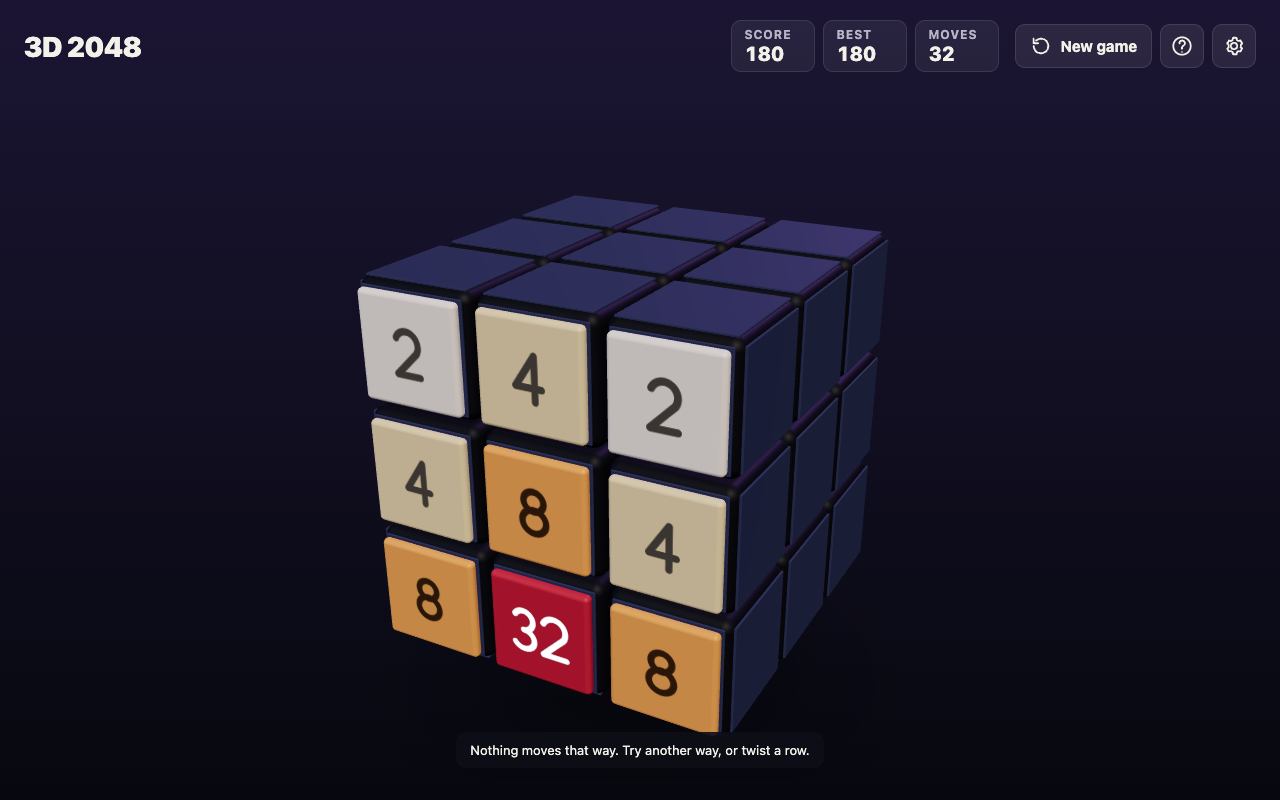
A test game shows the gap. A script that only slid the front face got stuck at move 46: the front was full and could not slide, while the other five faces sat empty. When a slide is refused, the game shows "Nothing moves that way. Try another way, or twist a row." That message is the game telling you the front is stuck, not that you have lost.
A four-step check before you give up
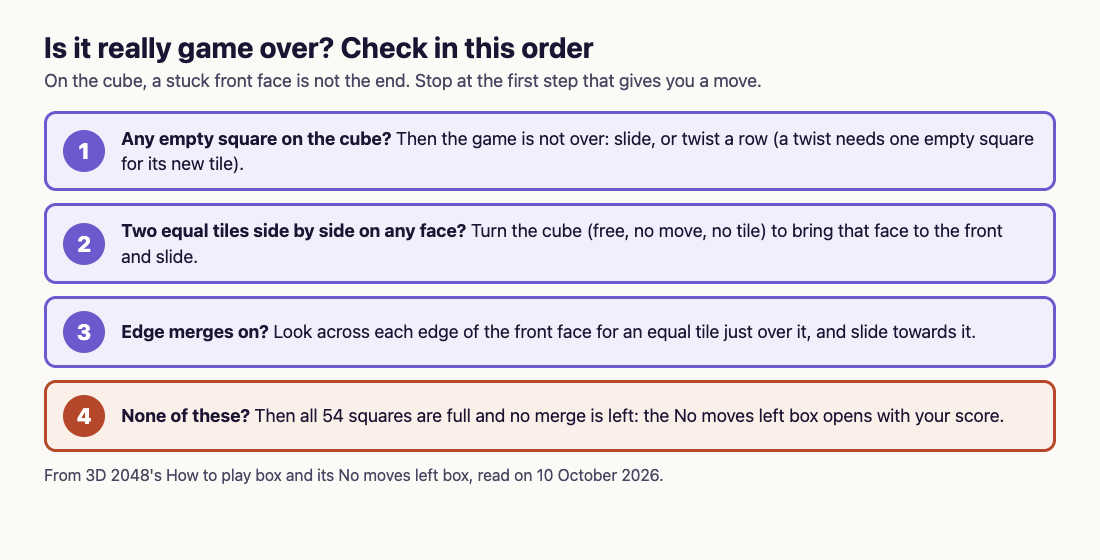
Run these in order and stop at the first one that gives you a move. It takes less than a minute.
- Look for an empty square anywhere on the cube. If there is one, the game is not over. Twist a row on the right face sideways, or a column on the top face, to carry tiles round; a twist needs one empty square for its new tile.
- Look for two equal tiles side by side on any face. Turn the cube by dragging the space around it, or with Shift and an arrow key, to bring that face to the front, then slide. Turning is free: it adds no move and no tile.
- Look across the edges of the front face. Edge merges are on unless you switch them off in Settings. A slide towards an edge also merges the tile at that edge with an equal tile just over the edge, on the next face.
- If none of these work, it is over. All 54 squares are full and no merge is left.
If a twist is refused with "The cube is full. Merge two tiles on a face to make room before you twist.", go back to steps 2 and 3: a merge on any face, or across an edge, frees the square the twist needs.
A worked example: the game that was not over
Here is the test game that shows why the check matters. A script played slides, and twisted whenever the front was stuck.
- At move 36 it had a 64, with every tile still on the front face.
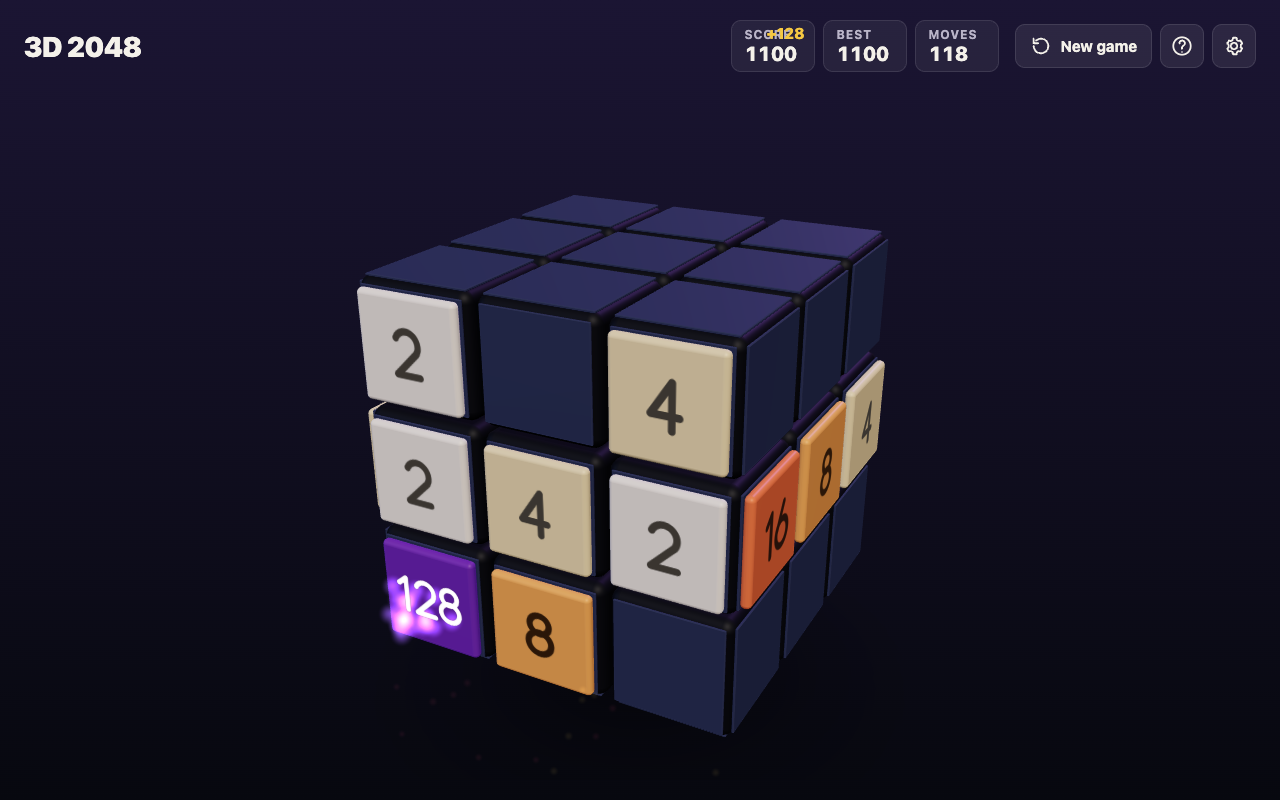
- At move 118 it had a 128 in the bottom left corner of the front, with tiles twisted onto the right face.
- At move 165, after 39 twists, all 54 squares were full.
The slides-only game, which never twisted, was stuck at move 46 with five faces empty. And even at move 165, with every square full, the game was not over: the front had no slide, but other faces still held equal tiles side by side. Step 2 of the check would have found them. The script simply never turned to look, which is the habit the check fixes.
What the No moves left box tells you
When the game really is over, 3D 2048 opens a box titled No moves left. It says why, in the rule that applies: with edge merges on, "All 54 squares are full and no two equal tiles sit side by side, on a face or across an edge." It shows your score, adding "your best yet" when it beats your best, or your best score beside it when it does not. Then it gives one piece of advice: "Next time, keep room on one face so a twist can still bring tiles round to their match." A New game button starts again.
Your best score is kept on your device with your settings, so a lost game does not lose your record. For how the score is counted, see how 2048 scoring works.
How to last longer next game
Most game overs are built many moves earlier. These habits push the end back:
- Keep room on one face. The game's own advice: an empty square somewhere is what lets a twist bring a tile round to its match.
- Keep your biggest tile in a corner. A big tile in the middle splits small tiles apart, and they stop meeting.
- Turn before you twist. A free look at every face often shows a pair you can use without spending a move.
- Do not press New game in a hurry. It asks "Start a new game?" first, and no undo was seen once you confirm.
For the flat-board causes of a stuck game, see why you keep getting stuck in 2048, and for the cube's controls, how to play 3D 2048.
Frequently asked questions
When does 2048 end?
When there are no empty squares and no two equal tiles side by side, so no move can change the board. In 3D 2048 that check covers all 54 squares, and with edge merges on, tiles across an edge too.
Is my game over when the front face is full?
Not on the cube. Turn to look at the other faces, twist a row if there is an empty square, and check the edges before you stop.
Can I keep playing after the No moves left box?
No. That box only opens when no move is left, and its button starts a new game. Your best score is kept.
Do I lose my best score when the game ends?
No. The best score is saved on your device, and the end box tells you whether this game beat it.
Get started
Play a game and, the first time the front face fills, run the four-step check instead of stopping. Turn the cube, look across the edges, and twist a row to bring a tile round. You may find, like the test game, that there was a lot of game left.
Play 3D 2048: it is free and plays in your browser on a computer or a phone.
Comments
No comments yet.
Sign in or make an account to comment.