2048 keyboard controls: arrow keys, WASD and Shift
The 2048 keyboard controls in 3D 2048 go further than the arrow keys. 3D 2048 is the 2048 puzzle on a cube you turn like a Rubik's cube, with six faces of nine squares, and every one of its three moves has a key: you slide, you twist a row or column, and you turn the whole cube. This guide lists each key, what it costs you, and a short game you can follow with your hands never leaving the keyboard. The keys below come from the game's How to play box, and each key group was tried in the live game on 11 October 2026, reading the saved board after every press.
2048 keyboard controls at a glance
Here is the full map:
- Arrow keys, or W A S D: slide the tiles on the front face. Equal tiles merge into their sum. Each slide adds 1 to Moves.
- Shift and an arrow key: turn the whole cube, so another face comes to the front. Shift with W, A, S or D did the same in the test. Moves does not change.
- 1, 2 and 3: twist the top, middle and bottom row to the right.
- 4, 5 and 6: twist the left, middle and right column up.
- Shift and a number from 1 to 6: twist that row or column the other way.
- H or ?: open the How to play box. Escape closes it.
Keys that did nothing: 7, 0, N, Z, Space and Enter. There is no undo key, and no undo was seen anywhere in the game.
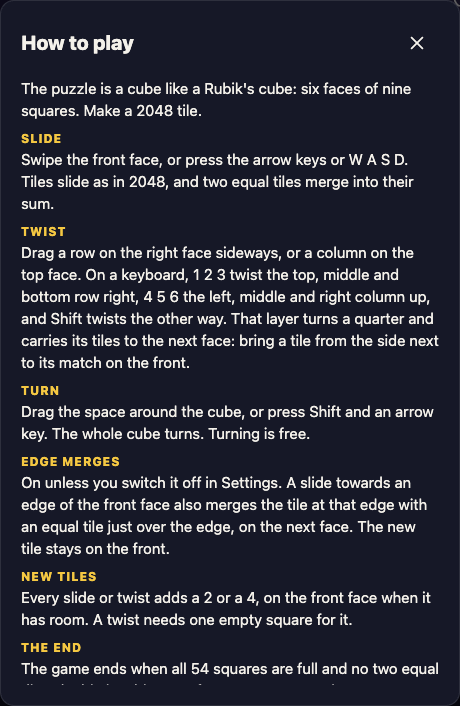
Press H in the game to see this box. The Twist part names the number keys.
Slides: arrow keys and W A S D
A slide moves every tile on the front face as far as it can go in one direction. When two equal tiles meet, they merge into one tile worth their sum, and the value goes on your score. The How to play box puts it in one line: "Swipe the front face, or press the arrow keys or W A S D."
The arrow keys and W A S D are two ways to do the same thing. In the test, W, A, S and D each slid the tiles and added 1 to Moves, exactly like the arrows.
Every slide also adds a new tile, a 2 or a 4, on the front face when it has room. That is the cost of a slide: one move and one more tile to deal with. If you want the exact rules for which tiles join, see 2048 merge rules, tested.
One setting changes what a slide can reach. Edge merges is on unless you switch it off in Settings. With it on, a slide towards an edge of the front face also merges the tile at that edge with an equal tile just over the edge, on the next face. Edge merges has a worked case.
Turns: Shift and an arrow key
Holding Shift changes an arrow key from a slide into a turn of the whole cube. The game's own words are "The whole cube turns. Turning is free." In the test, every turn changed which face sat at the front, while Moves stayed where it was and no new tile appeared.
Shift with W, A, S or D turned the cube too. The How to play box only names Shift and an arrow key, so treat the letter version as a bonus that worked on the day of the test.
Turns matter because slides only touch the front face. If another face holds a pair of equal tiles, a turn brings it to the front, and the next slide can merge it. Since turns are free, you can look at every face before you commit to a slide. Cube rotations x, y and z explains how these whole-cube turns are named on a real cube.
Twists: the number keys 1 to 6
A twist turns one layer of the cube a quarter and carries its tiles to the next face. On a computer you can drag a row on the right face sideways, or a column on the top face. The How to play box now adds a keyboard way: "On a keyboard, 1 2 3 twist the top, middle and bottom row right, 4 5 6 the left, middle and right column up, and Shift twists the other way."
Here is what the test showed:
- Pressing 1 took the front's top row, which read 2, empty, 2, and moved it to the top row of the right face, still in that order. Moves went up by 1.
- Pressing 2, 3, 4 and 6 each twisted a layer and added 1 to Moves.
- Pressing 5 changed nothing, and Moves stayed the same, at a moment when every square in that middle column ring was empty. A twist with nothing to carry is not a move.
- Shift and 1 brought the right face's top row back to the front: the same layer, the other way.
A twist costs a move and adds a tile, like a slide. It also needs one empty square for that new tile, so a full cube cannot twist. For when a twist beats a slide, read when to twist a row in 3D 2048 instead of sliding.
A worked example you can follow
Open a new game and keep one eye on Moves in the top bar. New tiles land at random, so your board will differ, but each key will do the same kind of thing.
- Press H to read the rules, then Escape to close the box.
- Press Left. The front tiles slide left, a new tile appears, and Moves reads 1.
- Press 1. The front's top row moves to the right face. Moves reads 2, and a new tile lands on the front. If that row is empty on every face it passes, nothing happens; press 2 or 3 instead.
- Press Shift and Left. The cube turns and a different face is in front. Moves still reads 2.
- Press Shift and Right to turn back. Moves still reads 2.
- Press Shift and 1. The right face's top row comes back to the front. Moves reads 3.
After six keys you have used all three moves, and you have seen that only slides and twists are counted. That is the whole skill of the keyboard: turn as much as you like to look, then spend a slide or a twist only when it merges something.
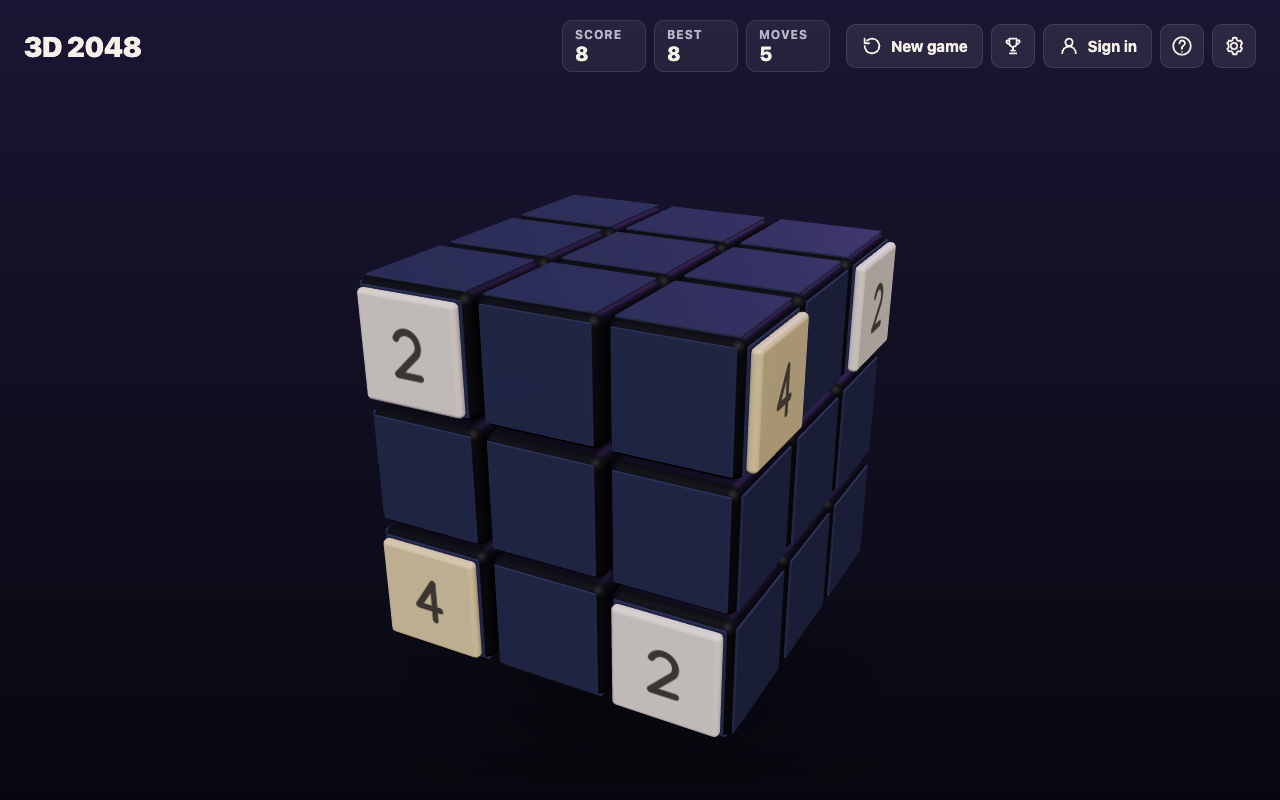
After a few slides, a twist and two turns: tiles now sit on more than one face.
A two-hand layout that fits the game
Because every move has a key, you can play without a mouse. Two layouts work well:
- Left hand on W A S D, right hand on 1 to 6. Slides and twists sit under different hands, and your left little finger rests on Shift for turns.
- Right hand on the arrows, left hand on 1 to 6 and Shift. The arrows feel like classic 2048, and your left hand handles every twist and turn.
Pick one and keep it for a few games. The key groups are small enough that your hands learn them fast.
Common keyboard mistakes
Forgetting Shift
An arrow key without Shift is a slide, which costs a move and adds a tile. If you meant to look at another face, that tile is now on the board. Hold Shift first, then press the arrow.
Mixing up rows and columns
The numbers 1 to 3 are rows, and 4 to 6 are columns. If the wrong layer moves, press Shift and the same number to twist it back, but remember both twists count as moves and each adds a tile.
Twisting on a full cube
A twist needs one empty square for its new tile. When the cube is nearly full, use free turns to find a face with a pair, and slide to merge first. With edge merges on, the game ends when all 54 squares are full and no two equal tiles sit side by side, on a face or across an edge.
Frequently asked questions
Can you play 3D 2048 with only a keyboard?
Yes. Slides use the arrow keys or W A S D, turns use Shift and an arrow key, and twists use the number keys 1 to 6.
What does Shift do in 3D 2048?
With an arrow key, Shift turns the whole cube, which is free and adds no tile. With a number key, Shift twists that row or column the other way, which counts as a move.
Is there an undo key?
No. Z and the other keys tried did nothing, and no undo was seen in the game, so use free turns to look before you move.
Can you change the keys?
No option for it was seen. Settings has Master volume, Sound effects, Music, Reduced motion and Edge merges, and they are saved on your device.
Get started
Open 3D 2048, press H, and try the six keys from the worked example. If you are new to the game, how to play 3D 2048 covers the rules first. It is free and plays in your browser on a computer or a phone.
Comments
No comments yet.
Sign in or make an account to comment.