2048 undo move: can you take a move back? Tested
You slid the wrong way and now you want a 2048 undo move. Can you take it back? In Evolved 2048, no: a slide or a twist stands once you make it, and no key we pressed took one back. This post shows the test, explains why the game works that way, and gives you what the cube offers instead.
2048 undo move: what the game gives you
Open the game and look at the top bar. It holds the Score, Best and Moves counters, then a New game button, a trophy button, a Sign in button, a How to play button and a Settings button. None of them takes a move back.
So the honest answer is that the game has no undo, and a plan that depends on one will fail. The rest of this post is about the two things that come close and the habit that makes you need neither.
The test: seven keys that might undo a slide
We did not want to guess, so we tested it. We put a small board in the game's saved state: a 2 and a 2 on the front's top row, a 4 on the middle row and a 2 on the bottom row. Then we pressed the left arrow.
The two 2s merged into a 4. The Score read 4 and Moves read 1, and one new 2 appeared on the front's bottom row.
Then we pressed seven keys a player might try, one after another: Control and Z, Command and Z, Backspace, Z, U, Escape, and Control, Shift and Z. After all seven, the board, the Score and Moves were exactly the same. A reload changed nothing either.
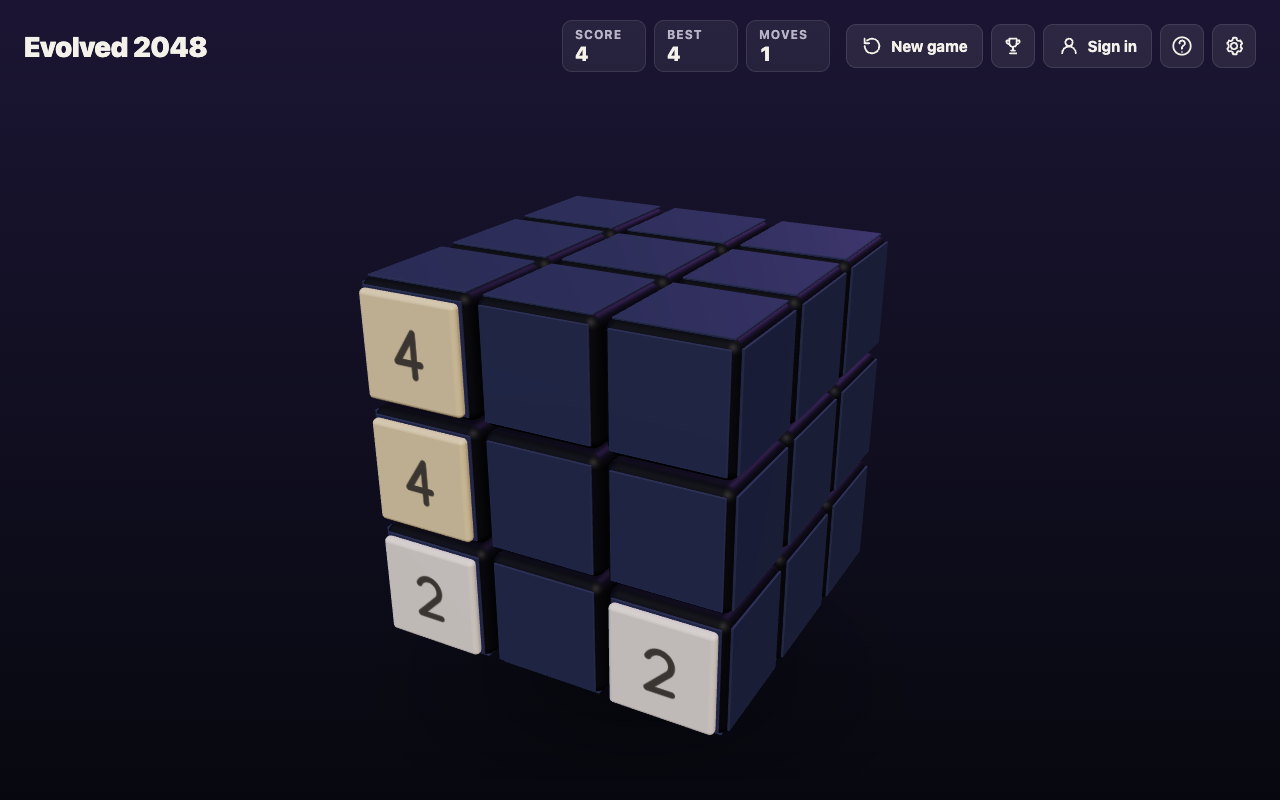
This was one browser on one computer, signed out, with the keys on that list. It is a test of those keys, not a proof about every possible one, which is why we say "no key we pressed" and not "no key exists".
Why a slide is hard to take back
A slide does three things at once. Tiles move, equal tiles merge, and a new tile appears. Each makes a reversal less obvious than it looks.
A merge throws information away. A 4 on the board could be two 2s that just joined or a 4 that was always there, and the board alone does not say which. The new tile is also random: the game's script makes it a 2 when a random number is under 0.9, and a 4 otherwise. A true undo would have to remove that tile and restore the old one exactly.
The original 2048 shows the same shape. Its game_manager.js does not contain the word undo, and it adds a random tile only after a move that moved something. Its README does not mention undo either. A game can add one, but the original never did, and Evolved 2048 keeps to that idea: each move is final.
Twisting back: the nearest thing to an undo
The cube gives you one move that looks like an undo: a twist you reverse. Keys 4, 5 and 6 twist a column up, and holding Shift twists it the other way. We tested it on a set-up board with a 2, a 4 and an 8 down the front's left column, and a 16 on the right face.
Pressing 4 carried the 2, 4 and 8 off the front onto the top face. Moves read 1, and one new 2 appeared on the front. Then Shift and 4 brought the same three tiles back down the left column.
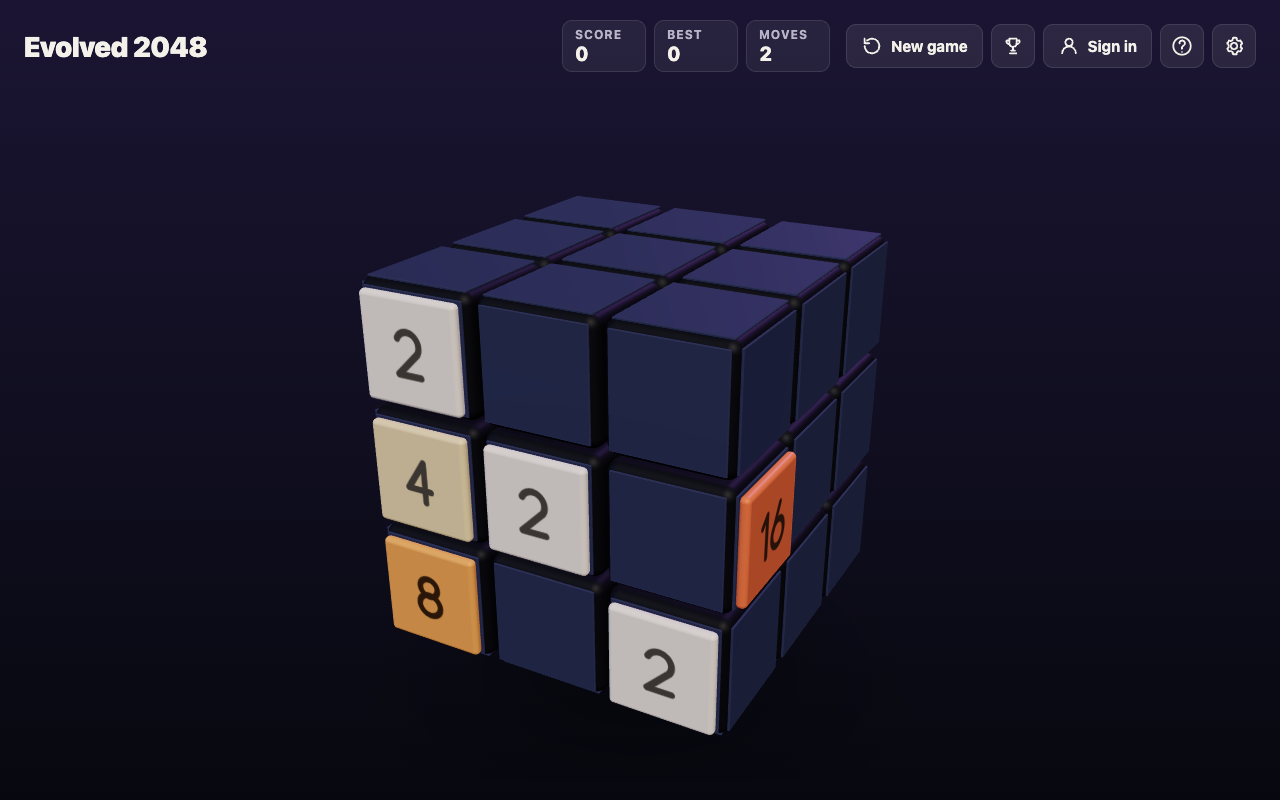
The tiles were back, but this is not an undo. Moves read 2, because the second twist counted as a move. A second new 2 had appeared on the front, and the first one stayed. We started with 4 tiles and ended with 6, and the Score stayed at 0 because twists add no points.
Use a twist back when the price is worth paying. The moves and the extra tiles are real, and an extra 2 on a crowded face can cost more than the tile you saved. For more on when a twist is worth it, read when to twist a row instead of sliding, and for the keys, the twist keys from 1 to 6.
A check that replaces undo: turn, then slide
Turning the whole cube is free. You drag around the cube, or press Shift with an arrow key, and in our tests Moves stayed the same and no tile was added. That is the tool you want before a slide, because it costs nothing.
Here is a worked example of the check, in three steps you can use on any turn:
- Turn the cube and look at every face. Find where each pair of equal tiles sits, and what the slide you are about to make would push away from them.
- Name the result before you press. Say it out loud: "left merges the two 2s on the top row, and moves the 4 and the 2 to the left edge." If you cannot say it, you do not know the slide yet.
- Check what the new tile does. A slide always adds one tile, a 2 about nine times in ten. Ask whether you can live with a 2 landing on any empty square.
In our test, step 2 for the left arrow would have read "the two 2s merge, the 4 and the 2 slide to the edge." That is exactly what happened, so the slide held no surprise. The slides you regret are the ones where this sentence would have been wrong.
What a reload and New game do
Two other things look like escapes, and neither is one.
A reload keeps your mistake. The game keeps the board in your browser's storage, as we saw in the test, and the same board came back. Our post on saving a 2048 game covers where it lives and how long it stays.
New game ends the game you are in. It first asks "Start a new game?" and says the score is kept only if it is your best, with a Keep playing button to go back. That is a restart, not a take-back. If you find yourself wanting one because the board looks lost, what to do when no moves are left shows how to check whether it really is.
Frequently asked questions
Is there an undo in Evolved 2048?
No key we tried took a move back, and the top bar has no button for it. Each slide or twist counts toward Moves and stays.
Does reloading the page take my last move back?
No. In our test the same board, Score and Moves came back after a reload, because the game saves them in your browser.
Can I reverse a twist?
You can twist the same column or row the other way by adding Shift to the key. The tiles come back, but it counts as another move and adds another new tile, so it is a repair and not an undo.
Does the original 2048 have an undo?
Its main script and README do not mention one. Other versions made by other people may add one, so check the game you are playing.
Get started
Play one game with a simple rule: turn the cube and say what a slide will do before you press it. You will make fewer moves you want back. Play Evolved 2048, free in your browser on a computer or a phone.
Comments
No comments yet.
Sign in or make an account to comment.