Abstract Particle Backgrounds for a Podcast Intro Video
If you want abstract particle backgrounds for a podcast intro video, the job is small: a few seconds of drifting light behind your show title, with your theme music under it. This guide covers what to look for, which Wavecrate loops fit, how to build a seamless intro, and which license covers it.
Wavecrate licenses royalty-free videos and music, including 4K abstract particle loops for intros, and every download comes with a license certificate and a code anyone can check on its verify page.

Why particle backgrounds work for a podcast intro
A podcast has no natural picture. Listeners come for a voice, so the video has to supply a look without competing with it. Slow points of light do that. They move enough to feel like video, but they have no faces, no text and no story, so they never pull attention from the host.
They also suit a show on any topic. Linked points read as "data" or "network" for a tech show, and as stars or dust for a calmer one. You get a mood without a literal image.
What makes a particle background look professional
Most weak particle clips share the same faults. Look for the opposite.
- Slow movement. Fast, busy particles tire the eye in seconds. You want drift, not sparkle.
- Depth. Points at different distances look richer than a flat field. Wavecrate describes its Particle plexus Loop in Purple as drifting points of light in three depth layers, linked by fine lines.
- Dark, quiet space. Empty areas are where your title will sit. A clip that fills every corner leaves nowhere to put text.
- A clean loop. If there is a jump when the clip restarts, viewers will see it too.
- Enough resolution. Start from a 4K clip so you can scale or reframe without softness.
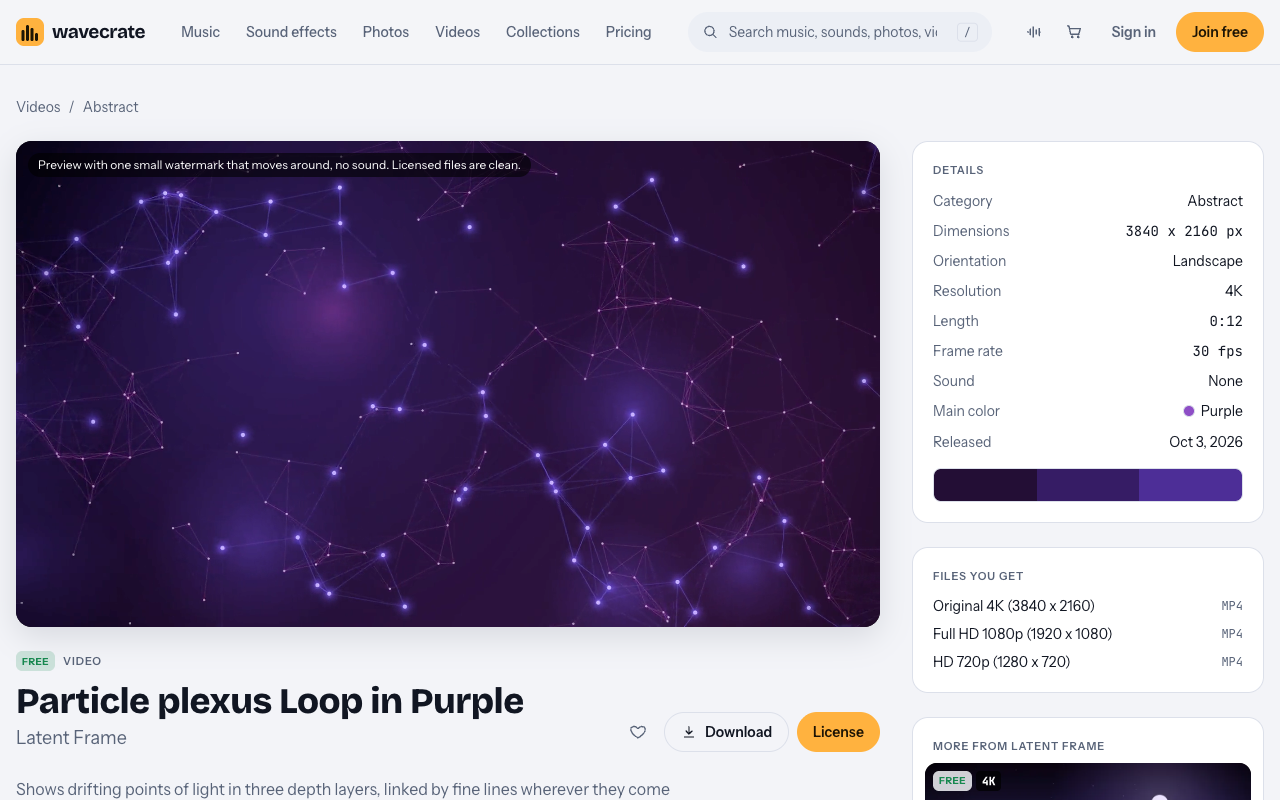
The Particle plexus Loop in Purple page: Free, 4K, 12 seconds, silent.
Abstract particle backgrounds for a podcast intro video: pick the color first
Pick the color before the clip. It sets the tone of the whole intro, and it should agree with your cover art and your theme music.
- Blue tends to read as calm and technical, which suits interviews, business and science shows.
- Purple tends to read as late night and a little mysterious, which suits culture, storytelling and tech opinion.
- Pink or warm tones feel softer and more personal, which suits a conversation show.
On the video browse page you can filter by orientation, color, resolution, mood and length. Set the resolution to 4K and the length to 10-30 s, then pick the color that matches your artwork. The mood list includes calm, dreamy and mysterious, the three that fit most intros. Match the clip to the sound too: a slow, calm clip behind a driving track feels off.
Particle loops on Wavecrate that fit a podcast intro
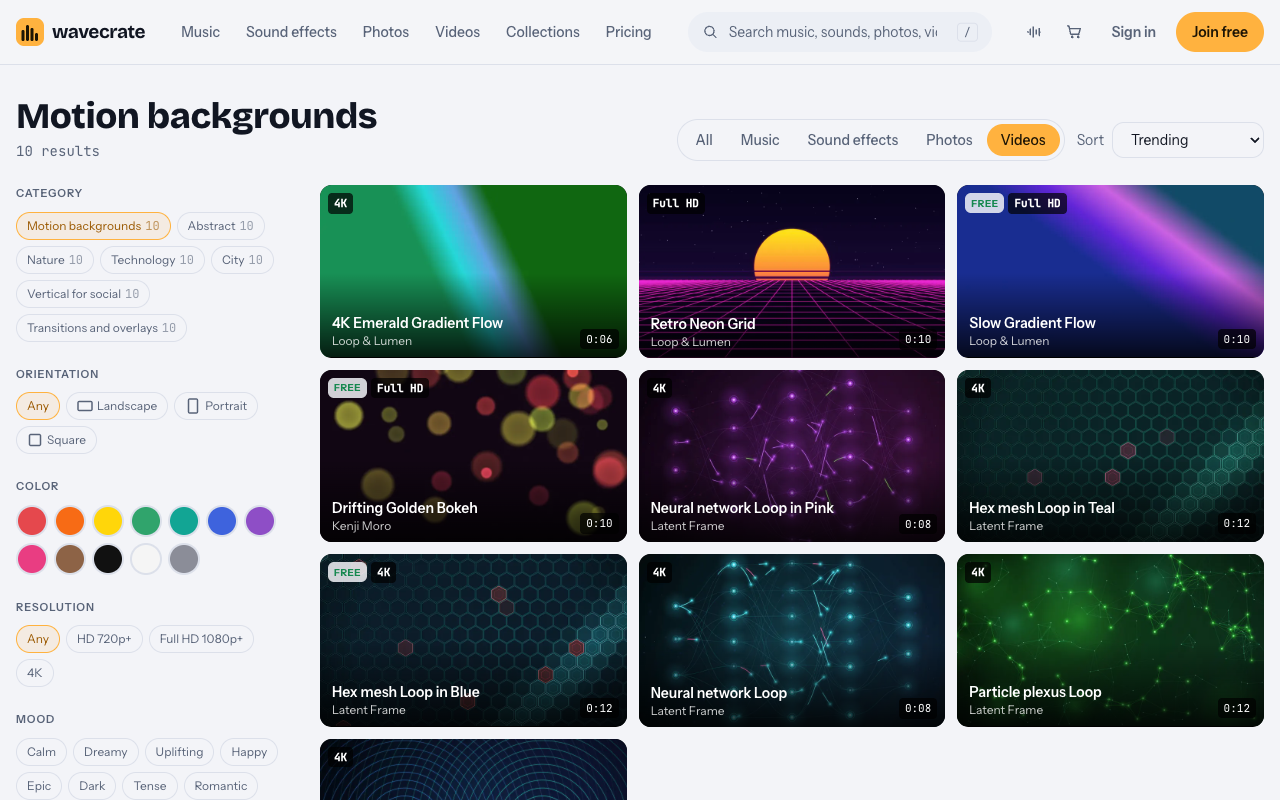
The motion backgrounds category is the place to start. Search the site for "particle" or "plexus" as well, since loops sit in more than one category. These four were on the live site when this was written:
- Particle plexus Loop in Purple. Abstract category, marked Free, 12 seconds, 4K, silent, tagged calm and dreamy.
- Particle plexus Loop. The same family in green, marked Premium, 12 seconds, 4K, silent.
- Flow field Loop. Marked Free, 8 seconds, 4K, silent, tagged dreamy and calm, mostly pink.
- Hex mesh Loop in Blue. Marked Free, 12 seconds, 4K, silent, tagged confident and mysterious, a honeycomb of hexagon cells.
Free and Premium labels can change, so check the item page the day you download.
Which license covers a podcast intro
An item marked Free comes with the Free license: online and social posts, with credit. A free account gets 3 free downloads a month, and the credit line goes in your episode description. Standard is listed at $29 on the video pages read, and it covers your own websites, social, presentations and marketing without a credit. Extended is listed at $99 and covers paid ads, broadcast, products for resale and client work. Paid licenses are not on sale yet (Wavecrate says purchases open soon), so these are the listed prices for when sales open, while loops marked Free can already be downloaded with a free account.
So for your own show on your own channel or site, a Free loop with credit is enough. If you run the intro inside a paid ad, or build it for a client's show, you need Extended, even when the loop is marked Free. Pro covers Standard licenses only, never Extended. The pricing page has the full comparison.
One honest note: the item pages do not mention podcasts by name for videos. They list online and social posts, so read your own use against the card wording, and when in doubt, plan for the wider license.
Build a seamless looping intro, step by step
A 12 second loop can sit behind an intro of any length. These steps work in any video editor.
- Download the 4K file. The loops come as an Original 4K, a Full HD 1080p and an HD 720p file, all mp4.
- Set your project to 1920 x 1080 and drop the clip in. A 4K source in a Full HD project gives you room to scale in.
- Time the intro from your music. A 20 second intro over a 12 second clip needs the loop to play about twice.
- Repeat the clip, end to start. Put the second copy right after the first, with no gap and no crossfade. Play the join several times to confirm it is clean.
- Trim to the music, not the loop. Cut the stack at the last note of your theme. You do not need to end on a loop boundary.
- Add a short fade. A one second fade in and a fade out makes the intro feel finished.
Because the item pages list the sound as none, nothing from the clip fights your audio. Your music and voice are the only sound.
Add your title, logo and audio without clutter
The background is doing its job when you barely notice it, so keep everything on top simple.
- One title, one line. Your show name. Add the episode title only if viewers need it.
- Put text in the calm areas. Slow particles leave open dark space. Center the title or set it low, and check it on a phone screen.
- Use a plain, heavy font. Thin type disappears among moving points.
- Bring the logo in last. Fade it in over the final second or two, then hold.
For sound, keep it short and leave room for the host. The ambient music page lists tracks at 51 to 65 BPM. Slow Tide is marked Free, runs at 60 BPM and has a 30 second edit and a loop, and its page says it leaves plenty of room for voice. Music with a Free license needs credit in the description too, so add one line for the loop and one for the track.
Export, and keep proof of your license
Check each platform's current upload guidance, since specs change. What stays the same is the shape of your file.
- Main intro (16:9). Export at 1920 x 1080, or 3840 x 2160 if your episode is 4K.
- Vertical clips (9:16). Filter the browse page by portrait orientation for clips built for 1080 x 1920. Do not crop a landscape loop to vertical, or your title falls off the edges.
- Keep one master. Render the intro once as its own file and drop it at the start of every episode.
- Check the audio level. Match the intro music to the average level of your voice track, not above it.
Every download comes with a license certificate and a code. Paste the code in your episode description. Anyone can enter it on the verify page to see the licensee, the item and the license type, with no account needed. The site does not say any platform will clear a claim for you, only that a reviewer can confirm the license without contacting Wavecrate.
Frequently asked questions
How long should a podcast intro video be?
Keep it short. Ten to twenty seconds is enough to show your title and play the theme. A 12 second particle loop repeated once covers that.
Can I use a free particle background for a monetized podcast channel?
Items marked Free have a Free license for online and social posts with credit, which the pricing page lists for online videos and podcasts. Standard removes the credit line. Paid ads and client work need Extended.
Do these clips come with sound?
The particle loops listed here are silent, with sound shown as none. Add your own theme music or a track from the catalog.
What resolution should I download?
Download the 4K original. You can then export at Full HD or 4K and scale without softness.
Get started
Open the motion backgrounds category, filter for 4K and a color that matches your cover art, and preview a few loops. Pick one, add a calm ambient track and test your title on a phone. Joining is free, and the free items are a good way to try a loop before you decide on a license.
Browse Wavecrate: you can join free and download items marked Free now, paid licenses are not on sale yet (purchases open soon), and every download comes with a license certificate and a code anyone can check on its verify page.


Comments
No comments yet.
Sign in or make an account to comment.