Blueprint grid backgrounds for an engineering walkthrough
A blueprint grid is a quiet backdrop of fine lines that tells viewers "this is a design explanation" before you say a word. If you want blueprint grid backgrounds for an engineering walkthrough, you have two routes: draw the grid yourself in CSS, which takes a few lines, or license a looping clip and put your titles on it. This post covers both, and how to keep diagrams and code readable on top.
If you would rather start from a finished loop, Wavecrate licenses motion backgrounds you can filter by color and resolution, and every download comes with a certificate that anyone can check on its verify page.

Why a grid suits an engineering walkthrough
A grid gives the eye a reference. When you draw a system diagram or point at a block of code, faint lines behind it make the content feel measured. Deep blue is familiar from technical drawings, so viewers read it as precise without thinking about it.
It also fixes an empty screen. A plain black or white frame feels bare in the intro and outro of a recording. A grid fills that space without competing with your content. If viewers notice the grid more than your diagram, it is too loud.
Blueprint grid backgrounds for an engineering walkthrough: what to look for
- Low contrast. Lines should sit just above the background color: visible on a quiet slide, nearly gone behind text.
- Two line weights. A fine minor grid plus a slightly bolder major line every few cells gives the drafting-paper look and helps people judge scale.
- Little or no motion. Fast movement behind a code listing makes people stop reading. A static grid is safest, and a moving one should be slow.
- Enough resolution. Thin lines shimmer when a background is scaled down or compressed. Match your recording size, usually 1920 x 1080.
Pick colors and spacing
Start with the base color. A dark navy works because bright diagrams and light text stand out on it. Make the line color by lightening the base a little, not by using full white.
These numbers are a starting point for 1080p, not rules:
- Minor lines: 1 pixel wide, 20 pixels apart, at about 8 percent opacity.
- Major lines: 1 pixel wide, 100 pixels apart, at about 16 percent opacity.
- Base color: a deep blue, a clear step darker than the lines.
Spacing is the setting people get wrong most. Too tight and the grid looks like screen texture; too wide and it stops feeling like a grid. A 5 to 1 ratio between major and minor spacing is a reliable default. Record ten seconds, watch it on a laptop, and adjust.
Build the grid in CSS
You do not need an image file, because stacked gradients draw the lines. Set a background color on a full-screen element, then layer four gradients on it.
- Set
background-colorto your navy. - Add two
linear-gradientlayers for the minor lines, one horizontal and one vertical, each a faint line for 1 pixel and then transparent, withbackground-size: 20px 20px. - Add two more layers for the major lines with a slightly stronger color and
background-size: 100px 100px. - List the major layers first so they draw on top of the minor ones.
Each vertical layer follows the pattern linear-gradient(to right, rgba(255,255,255,0.08) 1px, transparent 1px), and each horizontal one uses to bottom. Raise the alpha for the major layers. Save it as a small HTML file, open it in a browser, and you can tune the look in seconds. A radial-gradient layer on top darkens the edges and pulls attention to the center.
Or license a looping clip
If you want a moving backdrop behind a title card, the Motion backgrounds category held 10 videos when this post was written on 20 October 2026. None is named a blueprint, so treat them as technical backdrops, not exact grid paper.
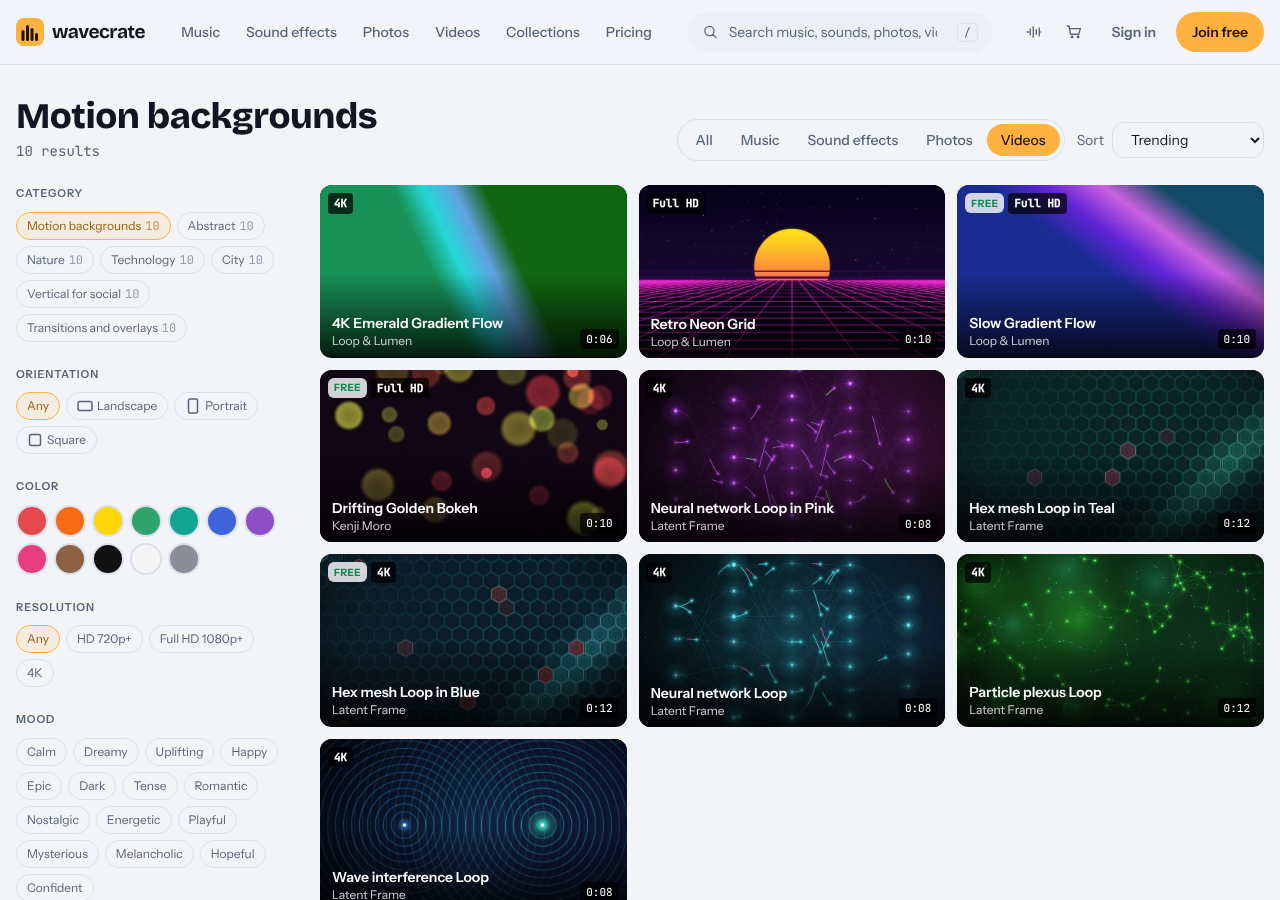
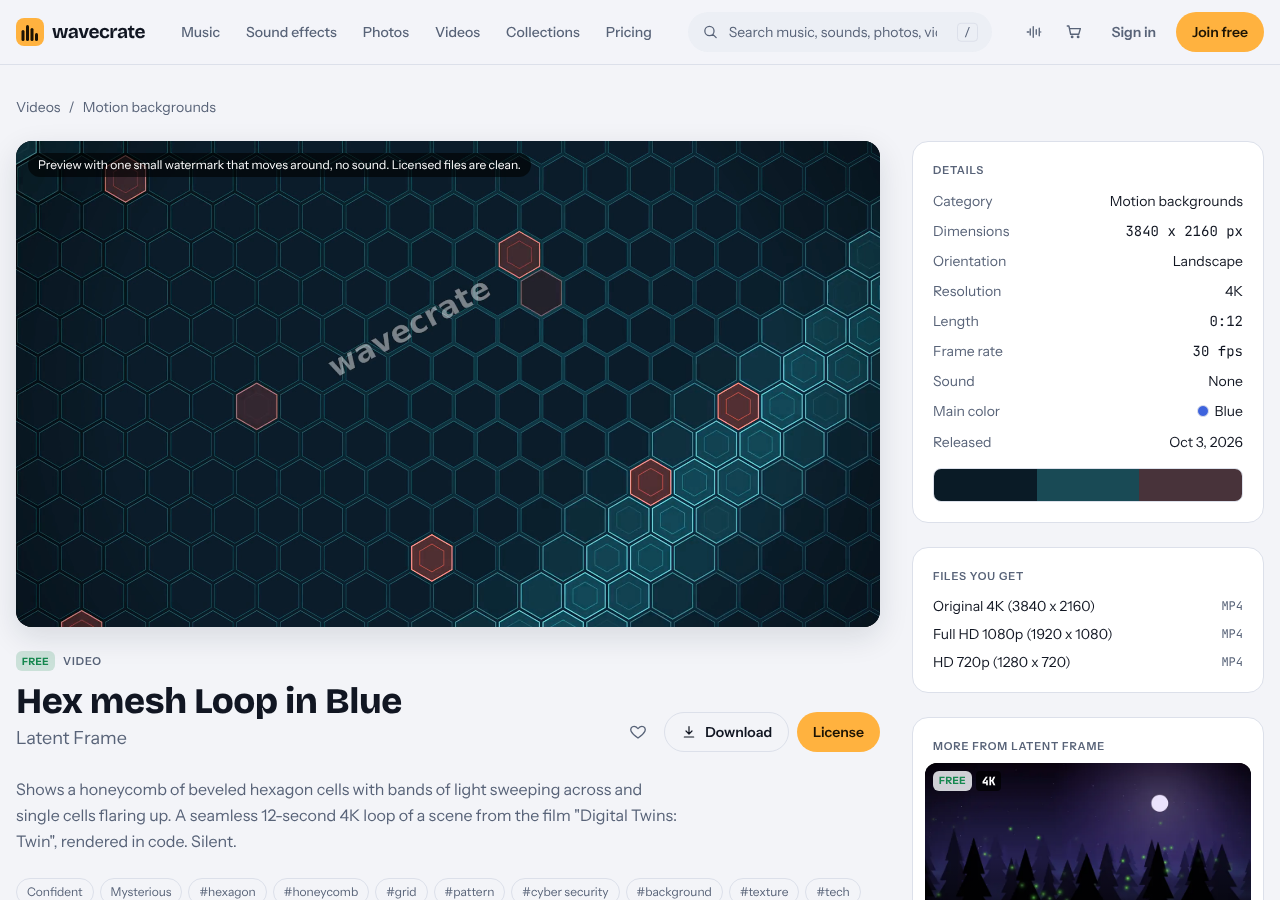
Two are worth a look. Hex mesh Loop in Blue is a 12 second 4K loop with the tags grid, pattern, background and texture, and its page calls it a honeycomb of beveled hexagon cells with bands of light sweeping across. It was marked Free on 20 October 2026. Retro Neon Grid is closer to a literal grid but is a 10 second purple synthwave scene with a striped sun, so it suits a game or music topic better than a systems diagram. It is Premium. Both have no sound, so your voiceover stays clean.
Which license your walkthrough needs
Take Hex mesh Loop in Blue across three uses. Items change between Free and Premium, so read the page on the day you download.
- Your own channel or blog. The Free license covers websites, blogs and social media posts and monetized channels. It asks for credit text next to the item or in the description, so put it in the video description, and a free account gets 3 free downloads a month.
- Your company's own marketing. A product tour on your company site is your own marketing and brand content. That row starts at Standard, listed at $29 for a video, which needs no credit and lists websites, social media, apps and presentations. The Free card does not list it, so this use points to Standard once purchases open.
- Client work or a paid ad. A walkthrough you make for a client, or one you pay to promote, is Extended, listed at $99 for a video.
The pages do not name internal training videos or conference screenings, so treat those as not covered by Free and read the cards for the item you pick. Pro, which is not on sale yet either, gives Standard licenses on the whole catalog, never Extended. Paid licenses are not on sale yet (Wavecrate says purchases open soon), so the prices above are the listed prices for when sales open; items marked Free, like Hex mesh Loop in Blue, can already be downloaded with a free account.
Layout tips so diagrams and code stay readable
- Put code on panels. A solid dark rectangle with padding keeps lines from running through text.
- Keep diagram lines brighter than grid lines. A warm yellow or bright cyan reads well on navy.
- Snap boxes to the major lines. It costs nothing and looks intentional.
- Leave margins. Keep key content away from the edges, where player controls can cover it.
- Use large type. Viewers often watch on small screens, so keep code at 20 pixels or bigger in a 1080p recording.
Avoid these mistakes too:
- Lines too bright. If you can count the squares from across the room, dim them.
- Tight spacing under small text. It vibrates visually. Use panels or widen the spacing.
- Too many colors. A blue grid with pink diagrams, green code and an overlay becomes noise. Pick one accent.
- A moving loop during code. A slow drift is fine on a title card. Switch to a static background while people read.
- Ignoring compression. Fine lines can flicker after a platform compresses the video. Upload a short unlisted clip first.
Frequently asked questions
What color should a blueprint grid background be?
A deep navy base with lines only slightly lighter than the base. Keep minor lines faint and major lines a little stronger, so text and diagrams are the brightest things on screen.
Can I make a blueprint grid without an image editor?
Yes. Layered CSS linear-gradient backgrounds draw the minor and major lines, and you change spacing and opacity by editing a few numbers.
Does Wavecrate have a blueprint grid background?
No item is named a blueprint grid. The Motion backgrounds category has technical loops such as Hex mesh Loop in Blue, and a search of the catalog shows what is current.
Do I need to credit a free background?
Yes. The Free license asks for credit text next to the item or in the description. Standard needs no credit.
Get started
Browse Wavecrate: you can join free and download items marked Free now, paid licenses are not on sale yet (purchases open soon), and every download comes with a license certificate and a code anyone can check on its verify page.
Build the CSS grid first, because it costs nothing and shows how much contrast your diagrams need. Then decide whether you want a moving loop behind your intro. You can browse items marked Free, compare the plans and licenses, or check any certificate on the verify page.


Comments
No comments yet.
Sign in or make an account to comment.