Bubble pop sounds for a kids explainer video: pick, sync and license
Bubble pop sounds for a kids explainer video do one small job well. A pop tells the viewer that something new just appeared on screen. This guide covers how to pick a pop, where to place it, how to mix it so it never grates, and which license covers each way you might use it.
Wavecrate licenses royalty-free music, sound effects, photos and videos, and every download comes with a license certificate and a code anyone can check on its verify page.

Why bubble pop sounds for a kids explainer video help
Kids explainers move fast. A diagram builds, a label slides in, a character waves, a new fact appears. Each of those moments asks the viewer to look somewhere new.
A short pop marks that moment. It says "look here" without words.
Used without care, it does the opposite. Too many pops, or pops that are too loud, turn a calm lesson into noise. Most of this guide is about holding back.
What to listen for in a pop
Play a few pops back to back before you choose one. Listen for these things:
- Length. A pop should be over almost as soon as it starts. A long tail smears into your narration.
- Brightness. A pop with a lot of high end can feel sharp after the tenth time. A rounder pop wears better across a whole video.
- Clean start. You want the sound to begin right on the frame you place it. A pop with silence at the front will land late.
- Fit with your voice. Play the pop under a line of your narration. If it fights the voice, try another.
On Wavecrate, Bubble Pop is one option. Its page describes it as "a clean, ready-to-drop interface sound for pop and cartoon moments." It is by Wavecrate Foley Lab, tagged playful, pop, cartoon and ui. The page lists its length as 0:00, so it runs under a second.
Other interface sounds that pair with a pop
A pop works best when it has one clear meaning in your video. Other moments can get their own sound. The Interface category on Wavecrate held these on 11 October 2026:
- Soft UI Click, marked Free, "for button and tap moments." Use it when something is selected.
- Success Chime, marked Free, "for win and complete moments." Use it when a quiz answer is right or a step is done.
- Gentle Notification, marked Free, "for alert and chime moments."
- Error Buzz, marked Premium, "for wrong and fail moments." Its page lists Standard at $3 and Extended at $9.
The category also lists Data Beeps, Glass Notification, Scanner Sweep and two UI Tap sounds. Wavecrate groups many of these in its Interface sound kit collection, described as "Clicks, pops and chimes for apps, games and explainers."
Pick one sound per meaning and stick to it. If a pop means "something appeared," do not also use it for "that was right." Viewers learn the pattern quickly, and a steady pattern makes the video easier to follow.
How to time pops to animation
The general rule in editing is simple: sync the pop to the moment something appears, not to the moment it finishes moving.
- Find the first frame. Step through your timeline frame by frame. Place the pop on the frame where the element first becomes visible.
- Nudge if it feels late. If the pop feels behind the picture, slide it one or two frames earlier. Sound that arrives a hair early often feels more in sync than sound that arrives late.
- Match the count. If three labels appear one after another, use three pops, one per label. If they appear all at once, use one pop.
- Leave gaps. Do not pop every word or every small motion. Save pops for new objects, new labels and new scenes.
Mixing tips: keep the pop under the voice
Your narration carries the lesson. The pop is decoration. Mix it that way.
- Put pops on their own track. Then you can turn them all up or down at once without touching the voice or the music.
- Set the level by ear, under the voice. Play a section with narration and pops together. Lower the pops until they sit clearly below the voice but are still easy to hear.
- Vary the pitch a little. The same pop repeated many times can sound mechanical. A small pitch change on some copies keeps it fresh.
- Check on small speakers. Many viewers watch on a phone or tablet. Listen there before you publish, since a pop that sounds fine on headphones can feel sharp on a small speaker.
If you use background music, duck it slightly where pops cluster. That keeps each pop clear without making it louder.
Worked example: one explainer, one pop, three uses
Here is how the license works for Bubble Pop in practice. Bubble Pop was marked Free on the day of writing, 11 October 2026. Items on Wavecrate can change between Free and Premium, so re-read the page on the day you download. Paid licenses are not on sale yet (Wavecrate says purchases open soon), so the prices below are the listed prices for when sales open; items marked Free, like Bubble Pop, can already be downloaded with a free account.
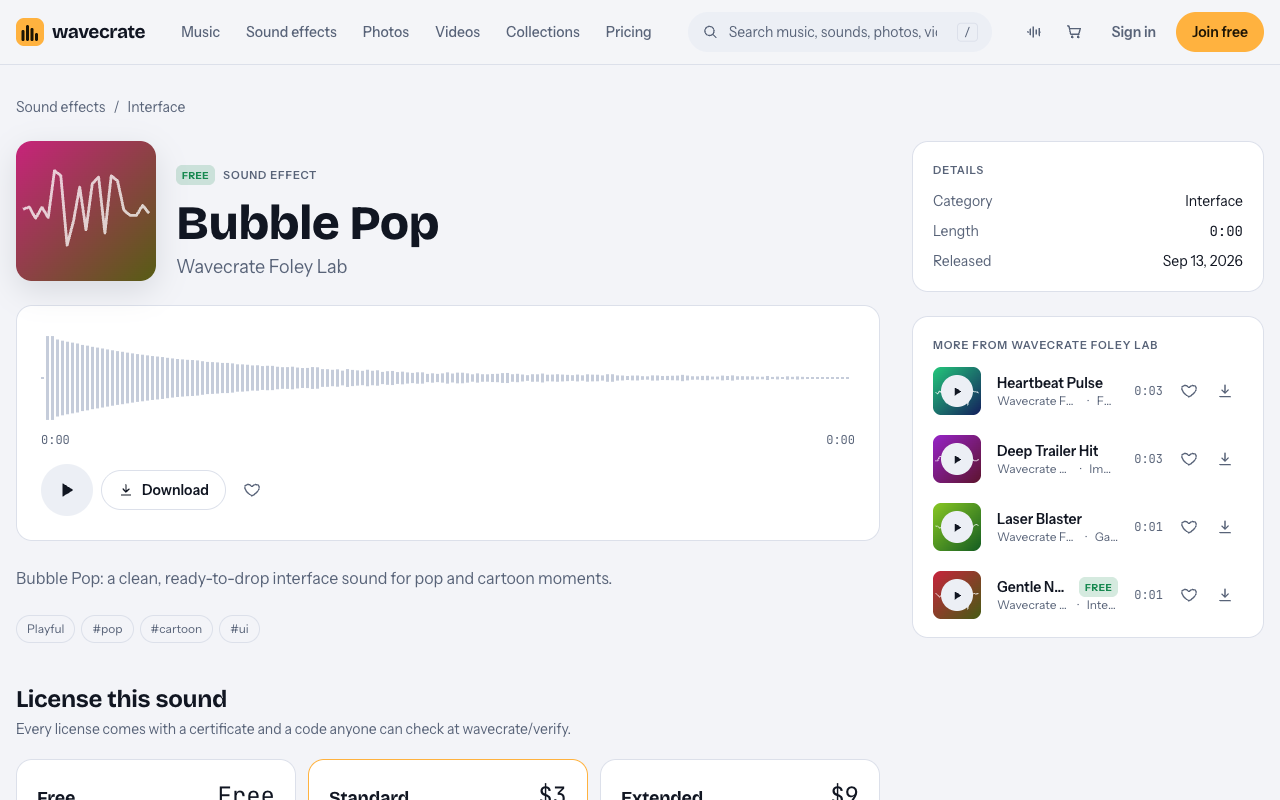
Say you make a three minute explainer called "How do plants drink water?" A pop plays each time a new label appears on the plant diagram. Now take that same video through three uses.
Use 1: your own channel, with credit (Free)
You post the explainer on your own YouTube channel. The Free license on Bubble Pop covers "Online videos and podcasts, with credit." It names YouTube, TikTok, Instagram, Twitch and podcasts, and it covers monetized channels.
The catch is credit. The Free license says "Credit text required in the description." Wavecrate's pages give no fixed wording, so paste any credit text you are given exactly as written. A free account gets 3 free downloads a month.
Use 2: your own business or brand video (Standard $3 or Pro)
Now say you run a small learning startup, and the same explainer goes on your company channel to show off your lessons. That is your own business and brand content.
The Free license does not cover that row. On the pricing page, "Your own business and brand content" starts at Standard. Bubble Pop's Standard license is listed at $3. It covers "Online content for one creator or business, no credit needed" and "Your own business and brand videos." Registered channels are printed on the certificate.
Pro also gives a Standard license on everything. It is listed at $99 a year (shown as $8.25 a month billed yearly) or $12 month to month, and it is not on sale yet. Content you publish while subscribed stays covered.
Use 3: client work, a paid ad or inside an app (Extended $9)
Now say a client hires you to make the explainer for them. Or you pay to promote the video as an ad. Or the pop plays inside a kids learning app or game you ship.
Each of these needs Extended. Bubble Pop's Extended license is listed at $9 and covers "Paid ads, broadcast, apps, games and client work." Pro does not include Extended, so a subscription alone does not cover these uses. Wavecrate's pages do not define "paid advertising" further, so treat a boosted post as a paid ad.
Kids content and platform rules
Platforms have their own rules for videos made for children. Those rules are separate from your sound license. Check your platform's rules for children's content before you publish.
Every Wavecrate license comes with a certificate and a code anyone can check on the verify page. If you get a copyright claim, Wavecrate's pricing page says: "Send the platform your license code or certificate link." Keep that code with your project files.
Frequently asked questions
Is Bubble Pop free for any kids video?
No. It was marked Free on 11 October 2026, and its Free license covers online videos and podcasts with credit in the description. Your own business videos need Standard, and client work, paid ads, apps and games need Extended.
How many pops are too many?
There is no fixed number. Pop when something new appears, not on every word or small motion, and cut any pop that does not mark a new object, label or scene.
Does Pro cover a pop inside my kids app?
No. Pro gives a Standard license on everything, and apps, games and software need Extended. Bubble Pop's Extended license is listed at $9.
Where does the credit go?
The Free license says credit text is required in the description. Wavecrate's pages give no fixed wording, so paste any credit text you are given as written.
Get started
Open Bubble Pop, play it under a line of your narration, and check whether it is still marked Free. Then pick your license by use: Free with credit for your own channel, Standard for your own business, Extended for clients, ads and apps. Join free to get 3 free downloads a month.
Browse Wavecrate: you can join free and download items marked Free now, paid licenses are not on sale yet (purchases open soon), and every download comes with a license certificate and a code anyone can check on its verify page.


Comments
No comments yet.
Sign in or make an account to comment.