Coin pickup sounds for a budgeting app tutorial: which license?
A short coin sound tells a viewer that something good just happened. If you are looking for coin pickup sounds for a budgeting app tutorial, the sound itself is the easy part. The harder part is the license, because the same sound can be used in three very different ways. This guide follows one sound, Coin Pickup on Wavecrate, through each of those uses and shows which license card fits.
Why a coin sound fits a budgeting tutorial
A budgeting tutorial is mostly a screen recording and a voice. You tap, you type a number, you explain. A coin sound gives the viewer a clear marker for the moment that matters, such as logging money into savings.
It also helps pacing. One short cue tells the viewer that a step is done and the next one is coming. You do not need music or a long effect for that. One second is enough.
The style is a choice, not a rule. Coin sounds come from games, and that playful tone can suit a tutorial about money. If your channel or brand is calm and serious, you may prefer something softer. Either way, pick one sound and use it with care. On Wavecrate, you can play short sounds one after another and read each one's license cards before you pick.

Meet Coin Pickup
Coin Pickup is a sound effect by Wavecrate Foley Lab. It sits in the Game category and runs 0:01. It was released on Sep 1, 2026. The page describes it as "a clean, ready-to-drop sound effect for coin and retro moments." Its tags are playful, coin, retro and score.
On 11 October 2026, Coin Pickup was marked Free. Items on Wavecrate can switch between Free and Premium, so read the page on the day you download it. What the page says that day is what counts.
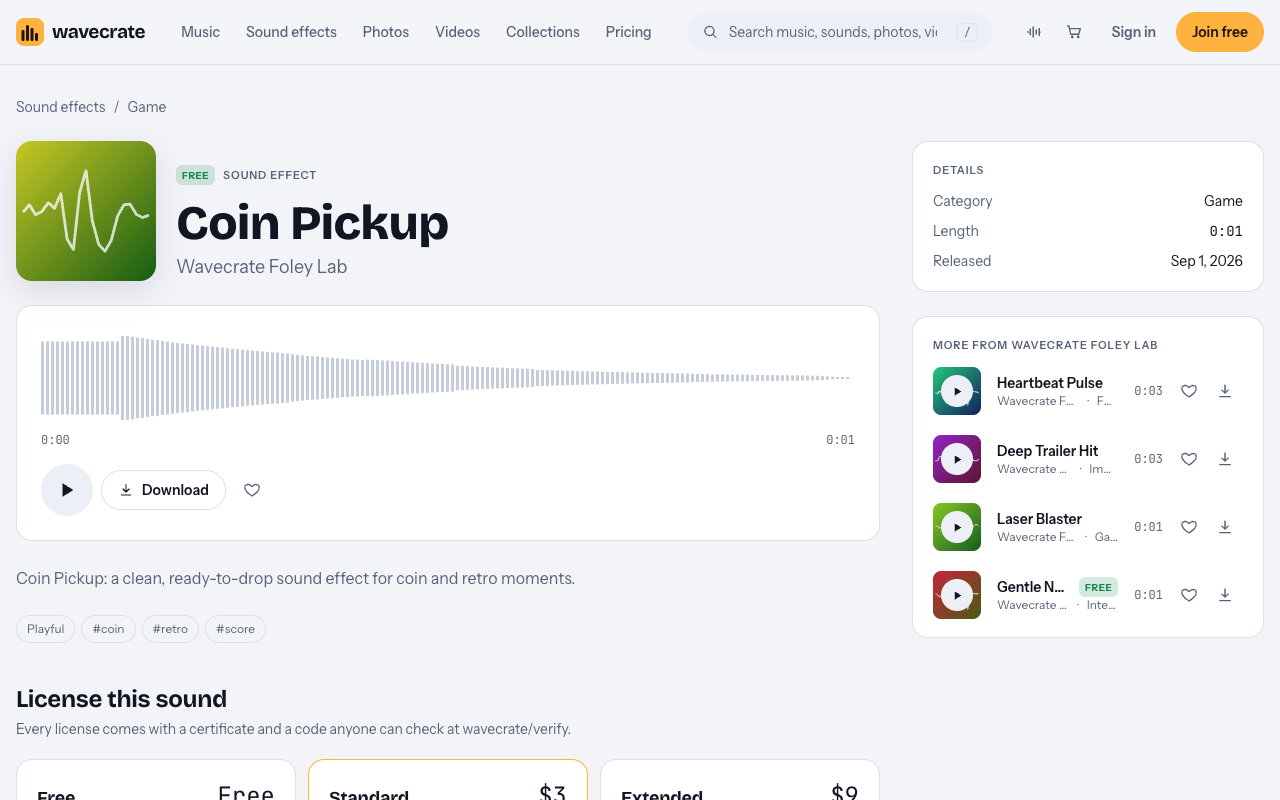
The page shows three license cards:
- Free: "Online videos and podcasts, with credit." It covers YouTube, TikTok, Instagram, Twitch and podcasts, and monetized channels. Credit text is required in the description. A free account gets 3 free downloads a month.
- Standard, listed at $3: "Online content for one creator or business, no credit needed." It covers all online platforms, monetized, and your own business and brand videos. No credit is required. Registered channels are printed on the certificate. It is also included with Pro.
- Extended, listed at $9: "Paid ads, broadcast, apps, games and client work." It includes everything in Standard, plus paid advertising and TV or radio broadcast, apps, games and software, and client work with unlimited impressions.
The Game category name does not limit how you use a sound. The license cards decide that. A finance app can use a game sound if the card matches the use.
Paid licenses are not on sale yet: Wavecrate says purchases open soon, so these are the listed prices for when sales open. Items marked Free can already be downloaded with a free account.
Use one: your own budgeting tutorial
Say you run a YouTube channel or a TikTok account. You film a tutorial on how you budget with an app. Each time you log money into savings, you play the coin sound.
This is your own online video. The Free card covers YouTube and TikTok, and it covers monetized channels. The one condition is credit. You must put the credit text in the description of the video.
So for this use, Free works. Write a credit line for Coin Pickup in each video's description and keep it there. Wavecrate's pages do not give fixed credit wording, so if you are given credit text, paste it as written. If you post the same clip on Instagram as well, add the credit there too.
If you would rather not add credit, Standard (listed at $3) covers the same video with no credit needed, once purchases open.
Use two: the app company's own walkthrough video
Now say you work for the company that makes the budgeting app. You make a walkthrough video for the website. You add short clips to the help center. You post a feature tour on the company's social accounts.
These are your own business and brand videos. The Free card does not include "Your own business and brand content." That line belongs to Standard. So for a company's own tutorial, help center videos and social posts, you need Standard (listed at $3) or Pro.
Pro is listed at $99 a year or $12 month to month, and it is not on sale yet. It gives Standard on the whole catalog. It never gives Extended. Content you publish while you are subscribed stays covered. If the company makes a lot of help videos, Pro may be simpler than a separate Standard license for each sound.
Use three: the coin sound inside the app
The third use is different. The company wants the coin sound to play inside the app itself, for example when a user hits a savings goal.
That is no longer a video. The sound becomes part of the software. The Extended card is the one that lists "Apps, games and software." So this use needs Extended (listed at $9). Standard does not cover it, and Pro does not either, because Pro never gives Extended.
Two more cases also need Extended:
- A paid ad. If the company runs the walkthrough as a paid ad, that is paid advertising.
- A tutorial made for a client. If you are a freelancer and you make the tutorial for the app company, that is client work.
Here is the short version of all three uses:
- Your own creator tutorial on YouTube or TikTok: Free with credit in the description, or Standard with no credit.
- The company's own walkthrough, help center and social videos: Standard or Pro.
- The sound built into the app, a paid ad, or a tutorial for a client: Extended.
How to place coin pickup sounds for a budgeting app tutorial
A coin sound only works if it means one thing. Keep these habits:
- Land the coin on the tap that logs savings. Line it up with the exact moment the number goes in. If it lands late, it feels off.
- Keep it under the voice. Your explanation matters more than the effect. Set the coin lower than your voice so it never covers a word.
- Use the same sound for the same event. If the coin means "saved," do not also use it for "deleted" or "opened a menu."
- Do not overuse it. If every tap gets a coin, the viewer stops hearing it. Save it for the moments you want people to remember.
Other sounds in the Game category
The Game sound effects category had 10 sounds on 11 October 2026. A few may suit a budgeting video:
- Level Complete, Medium, Warm by Signal Lab, happy and uplifting, 0:02. It could mark the end of a full budgeting session.
- 8-Bit Power-Up, Medium, Bright by Signal Lab, playful and happy, 0:01.
- Magic Sparkle by Wavecrate Foley Lab, dreamy, 0:03.
- Laser Blaster by Wavecrate Foley Lab, energetic. It was Premium, with Standard at $3 and Extended at $9.
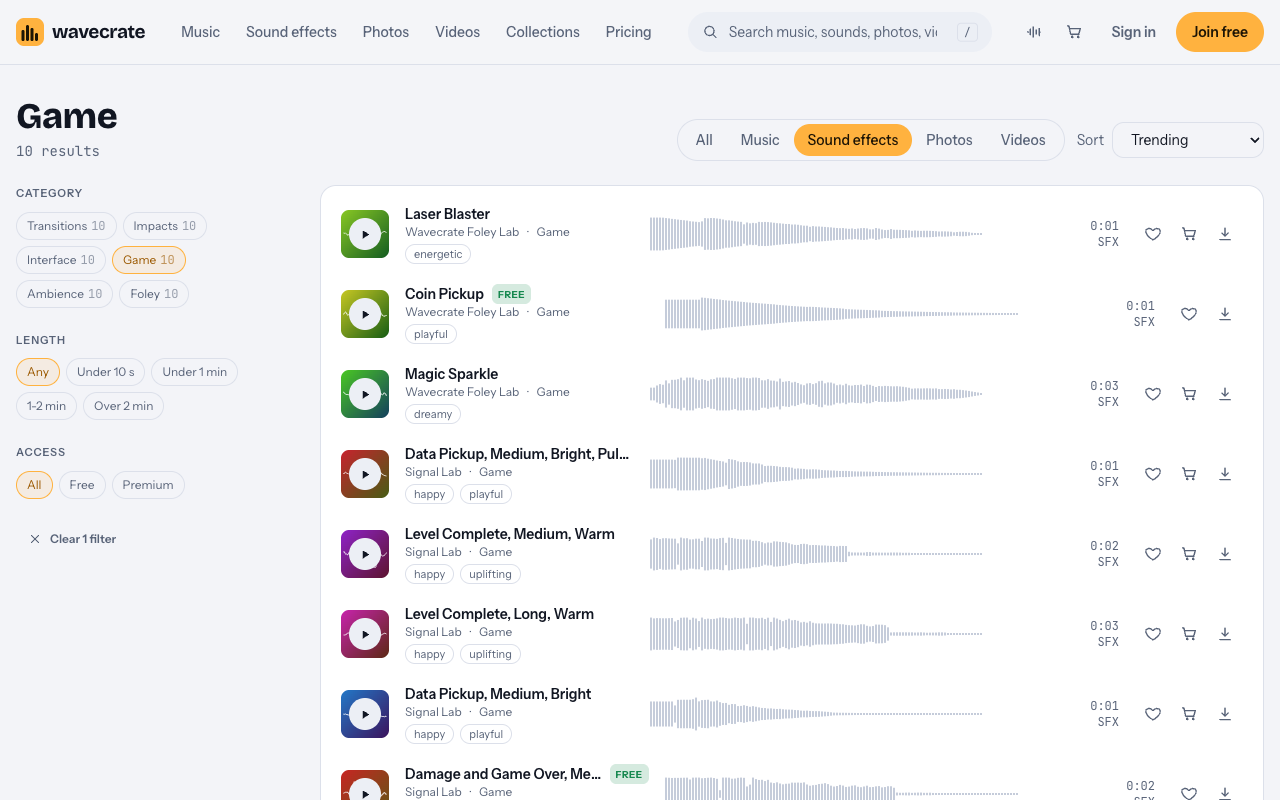
Only two sounds in the category were marked Free that day: Coin Pickup and Damage and Game Over, Medium, Deep. For the Signal Lab sounds, listed prices differ by item, so read each item's page.
Frequently asked questions
Can I use Coin Pickup for free in my own YouTube tutorial?
On 11 October 2026 it was marked Free, and the Free card covers YouTube and TikTok, including monetized channels. You must put the credit text in the description. Check the page on the day you download, since items can switch to Premium.
Does the Free card cover a company's help center videos?
No. The Free card does not include your own business and brand content. A company's walkthrough, help center and social videos need Standard or Pro.
Which license do I need to put the sound in the app?
Extended. It is the only card that lists apps, games and software. Pro does not cover it, because Pro gives Standard and never Extended.
How can someone check that I have a license?
Every license comes with a certificate and a code. Anyone can check the code at the verify page without contacting Wavecrate.
Get started
Browse Wavecrate: you can join free and download items marked Free now, paid licenses are not on sale yet (purchases open soon), and every download comes with a license certificate and a code anyone can check on its verify page.
Open the Coin Pickup page, read the cards on the day you download, and match your use to the right one. You can compare what Free, Standard, Extended and Pro cover on the pricing page. To download items marked Free, create a Wavecrate account.


Comments
No comments yet.
Sign in or make an account to comment.