Countdown timer sounds for a workout video: what to use
Countdown timer sounds for a workout video tell the viewer when to move, when to stop and when to get ready, without a glance at the screen. Wavecrate has no sound named a countdown timer, so this guide builds the cues from short interface sounds, shows how to place and mix them, and says which license each use needs. Every detail about Wavecrate comes from its pages as read on 17 October 2026.
Wavecrate licenses royalty-free sound effects and music, including short interface sounds that work as workout cues, and every download comes with a license certificate and a code anyone can check on its verify page.

Why a workout video needs sound cues
People watching a workout are often on the floor, mid-plank, facing the wall. A visual timer is useless then. A sound is not.
Cues also let you talk less. If a short sound marks the start of each work interval and another marks rest, you do not need to say "go" and "stop" fifty times. Your voice can stay on form tips.
What Wavecrate has, and what it does not
The sound pages describe clicks, chimes, beeps and whooshes. None is described as a countdown, a gym bell or a stopwatch tick. You build the countdown from short cues.
The Interface sound kit collection is the easiest place to start. It holds six items: Soft UI Click, Bubble Pop, Gentle Notification, Success Chime, Error Buzz and Air Cut Whoosh. Five of them were marked Free on the day of writing, and all are about two seconds or shorter.
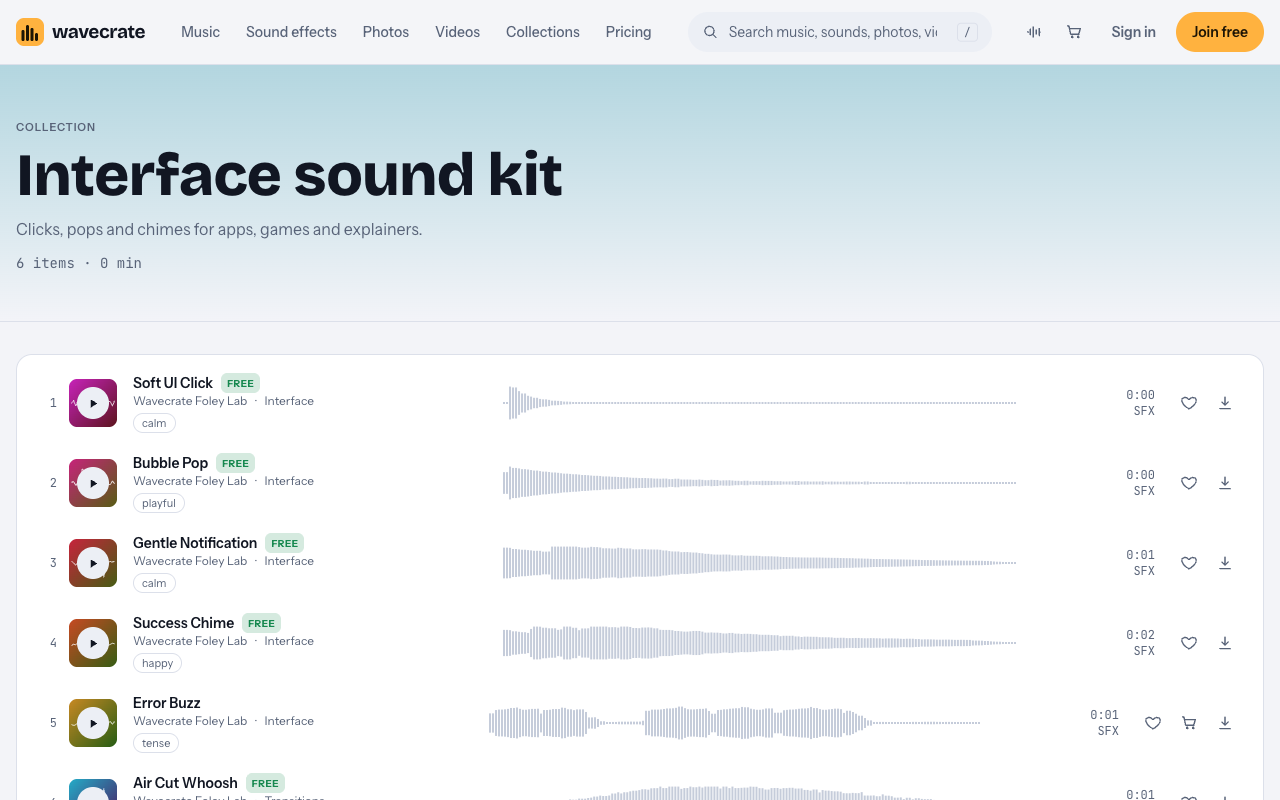
The Interface category lists ten sounds, none longer than two seconds. Five are the Wavecrate Foley Lab sounds above, and the rest come from Signal Lab, with names like Data Beeps, UI Tap and Scanner Sweep.
Whatever you pick, give every moment in the workout one job and one sound.
- Work starts. A sharp sound with no long tail, so it lands on the exact second.
- Last seconds of work. Three identical short sounds, one per second.
- Work ends. A sound that feels like a reward.
- Rest starts. A softer sound, clearly different from the work start.
Countdown timer sounds for a workout video: a worked example
Here is one way to fill those jobs with sounds from the pages above.
- Work starts: Air Cut Whoosh, one second, described for transition and swipe moments. Marked Free.
- Last three seconds of work: Soft UI Click, under a second, described for button and tap moments. Marked Free. Place it three times, one per second.
- Work ends: Success Chime, two seconds, described for win and complete moments. Marked Free.
- Rest starts: Gentle Notification, one second, described for alert and chime moments. Marked Free.
- Last three seconds of rest (optional): Data Beeps, Medium, Crisp, a one second Premium sound described as a quick run of computer beeps. Its page listed Standard at $5 and Extended at $19.
- Final round only: Deep Trailer Hit, a three second Premium impact described for boom and trailer moments. Its page lists Standard at $3 and Extended at $9.
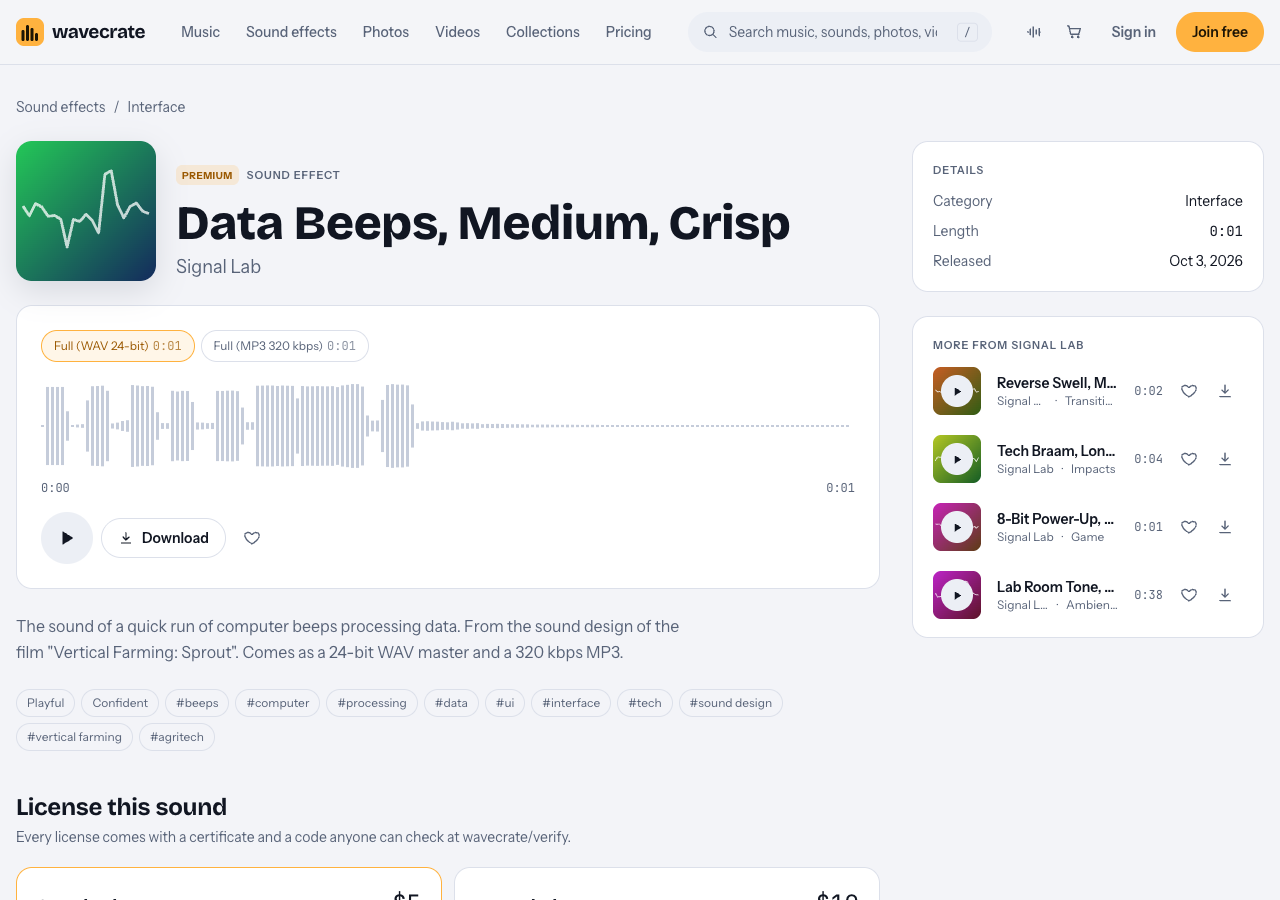
Each of these sounds is short, so none leaves a tail that runs into the next cue. Check each page on the day you download, because an item can move between Free and Premium.
Choosing music that leaves room for the cues
Cues cut through best when the music does not sound like them. If the music is full of bright plucked synths, a bright beep gets lost, while a dry click or a low hit stands out.
For a high-energy interval video, the music page has a house genre. City Lights Run, a Premium house track by Juno Vale, runs at 124 BPM and its page says it is good for fitness and ads. It comes as a full track of 1:19, a 30 second edit of 0:31 and an 8 bar loop of 0:15, so you can lay the loop under a work interval and repeat it.
Mixing so every cue is heard
- Build the music bed first. Set it under your voice, then place the cues on top.
- Make cues a little louder than the music, not louder than everything. Then listen on a phone speaker, because that is where many people watch.
- Do not stack a cue on your voice. If you say "three, two, one", drop the beeps or drop the words.
- Duck the music for a second. A small dip right at the cue makes it clearer without raising its volume.
- Use the same sound for the same event every time. Viewers learn it within two rounds.
To audition a sound against your music before downloading, every Wavecrate page plays on Space, and Left and Right skip 5 seconds.
Placing the cues on the timeline
- Write the plan. Work seconds, rest seconds, rounds. Here that is 30 and 15, eight rounds, a 6 minute main block.
- Put the music on its own track.
- Drop a marker at every change. At 0:30, 0:45, 1:15 and so on.
- Put each kind of cue on its own track. You can then adjust a whole group at once.
- Align each sound to its marker. Put the third click exactly on the second work ends, not before it.
- Play it back with the screen off. If you can follow the workout by ear alone, the cues work.
Which license your workout video needs
Take one sound, Soft UI Click, across three uses. It is marked Free, so it shows the trap most people hit.
- Your own channel, with credit. The Free license covers online videos, podcasts and social posts, monetized channels included, with credit text in the description. A free account gets 3 free downloads a month.
- A video for your own gym or coaching business. The license table lists "Your own business and brand content" at Standard, not Free. The Free item is not enough here, so it needs the Standard license, listed at $3 on this sound's page, or Pro once it is on sale.
- A video for a client, or a paid ad. Client work and paid advertising are Extended. Pro never includes Extended.
Pro is listed at $99 a year or $12 month to month and gives Standard licenses on the whole catalog. Pro and the paid licenses are not on sale yet (Wavecrate says purchases open soon), so these are the listed prices for when sales open, while sounds marked Free, like Soft UI Click, can already be downloaded with a free account. See the pricing page for the full table. The pages do not name live classes or screenings, so playing a track out loud in a room is not shown as covered.
Every download comes with a license certificate and a code. Put the code in your video description, and anyone can check it on the verify page. A license lets you use an item, it does not make you its owner.
Frequently asked questions
Does Wavecrate have a countdown timer sound?
Not by that name. The pages read describe clicks, chimes, beeps and whooshes, so you build a countdown from short sounds like Soft UI Click.
How long should a cue be?
About one or two seconds at most. A short cue lands on the exact second, and a long tail runs into the next beat.
Can I use a Free sound in a monetized workout video?
Yes, on your own channel, with credit text in the description. If the video promotes your own gym or business, that row starts at Standard.
How many different cues do I need?
Four is enough: work start, last seconds, work end and rest start. Add one special sound only for the final round.
Get started
Browse Wavecrate: you can join free and download items marked Free now, paid licenses are not on sale yet (purchases open soon), and every download comes with a license certificate and a code anyone can check on its verify page.


Write your interval plan, then audition a few interface sounds against your music.
Comments
No comments yet.
Sign in or make an account to comment.