Data beeps for a dashboard walkthrough video: timing and licenses
Data beeps for a dashboard walkthrough video are the short sounds that tell your viewer something just changed. A chart fills, a number loads, a filter applies, and a quick run of beeps marks the moment. Used with care, they make a screen recording feel finished. Used everywhere, they get in the way. This guide shows you where to put them, how to keep them under your voice, and which license each kind of walkthrough needs.
Why data beeps for a dashboard walkthrough video help
Dashboards change quietly. Nobody hears a chart redraw. Your viewer has to watch closely to notice that a number moved.
A beep does two jobs. It points the eye to the change, and it gives the video a steady rhythm. Your viewer learns the pattern fast. After a few cues, they know a beep means "new data" and a click means "I pressed something".
Sound should confirm what the viewer sees, not compete with it. That is the whole craft. Pick a small set of sounds, give each one a single job, and keep them quieter than your voice.
Wavecrate, the sound library used as the example in this guide, keeps its beeps, clicks and chimes in one Interface category, and every download comes with a license certificate and a code.

What Wavecrate's Interface sounds hold
On 11 October 2026, the Interface sound effects category listed these items:
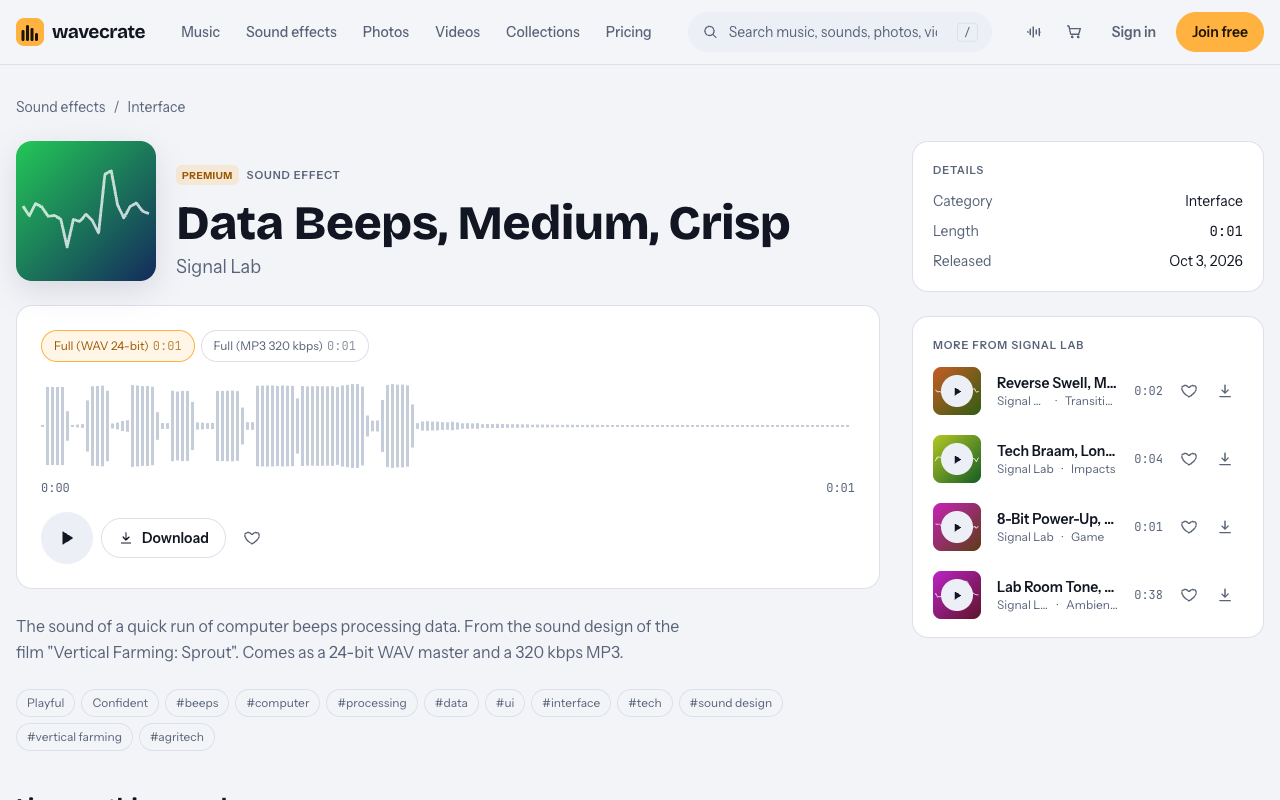
- Data Beeps, Premium. The page for Data Beeps, Medium, Crisp describes it as "the sound of a quick run of computer beeps processing data." It is by Signal Lab, one second long, and tagged beeps, computer, processing, data, UI and tech.
- Soft UI Click, marked Free, listed "for button and tap moments".
- Two UI Tap sounds, for taps and presses.
- Success Chime, marked Free, "for win and complete moments".
- Gentle Notification, marked Free, "for alert and chime moments", and Glass Notification.
- Scanner Sweep, Premium, listing Standard at $5 and Extended at $19 on the day of writing.
- Error Buzz, Premium, and Bubble Pop, marked Free.
That is a short list, not a huge library. For most walkthroughs it is enough: one beep for data, one click for presses, and maybe one chime for a finished task.
Data Beeps comes as a 24-bit WAV master and a 320 kbps MP3. Use the WAV in your edit if you plan to trim, fade or EQ it.
Where to place the beeps and clicks
The rule is simple: one action type, one sound. Here is how that works in practice.
- Beeps when data loads. Put Data Beeps on the moment a chart fills, a table appears or a number settles. Place it on the result, not on the cursor moving toward it.
- A click on each UI click. Use Soft UI Click when you press a button, open a dropdown or switch a tab. Skip scrolls, hovers and stray cursor clicks.
- One sound per change. If one filter updates three charts at once, play one beep, not three.
- Save the chime. If you use a chime, keep it for the end of a task, like an export or a saved report.
Write a short cue sheet before you edit. List each moment, its time and its sound. It keeps you from adding a beep everywhere later.
Leave quiet stretches too. While you explain a chart, let the screen sit with no sound at all. The next beep will mean more.
If a visual change is fast, nudge the sound a frame or two early. A beep that lands late feels wrong, even when the viewer cannot say why.
Mixing sounds under your voiceover
Your voice is the main event. Beeps and clicks sit under it.
- Record and clean your narration first.
- Drop in your cues from the cue sheet.
- Lower the cues until they sit clearly under the voice. Adjust by ear.
- Check on laptop speakers and on headphones. The beeps should be noticeable on the first and never sharp on the second.
- If a beep lands on an important word, move the beep or drop it. Never move the word.
Keep the same volume for each sound across the whole video. A click that is loud in one scene and soft in the next sounds like a mistake.
Which license your walkthrough needs
This is where most people slip. The license depends on where the video goes and who it is for, not on how short the sound is.
Most dashboard walkthroughs are a company's own product video. On Wavecrate's pricing page, "Your own business and brand content" starts at Standard. The Free license for sounds covers online videos and podcasts with credit, on YouTube, TikTok, Instagram, Twitch and podcasts, including monetized channels. It does not tick your own business and brand content. So even a sound marked Free needs Standard in your company's product video.
Paid licenses are not on sale yet: Wavecrate says purchases open soon, so the prices below are the listed prices for when sales open. Sounds marked Free can already be downloaded with a free account.
Data Beeps has no Free license at all. Its Standard license is listed at $5 and covers online content for one creator or business on all online platforms, monetized, including your own business and brand videos, with no credit required. Registered channels are printed on the certificate. Standard is also included with Pro.
Extended is listed at $19 for Data Beeps. It covers paid advertising and TV or radio broadcast, apps, games and software, and client work with unlimited impressions. In the pricing table, paid advertising, TV radio and cinema, apps games and software, and client work are all Extended rows.
Pro is listed at $99 a year (about $8.25 a month) or $12 month to month, and is not on sale yet. It gives a Standard license on everything, and content you publish while subscribed stays covered. Pro never covers Extended, so client work, paid ads and sounds inside software still need an Extended license for each sound.
Wavecrate's pages do not define "paid advertising" further. If you pay a platform to promote your walkthrough, treat it as a paid ad.
Worked example: one 60 second walkthrough, three uses
Say you make one 60 second dashboard walkthrough. It uses Data Beeps (Premium) when each chart fills, and Soft UI Click (marked Free on the day of writing) on each button press. Items can change between Free and Premium, so re-read both pages on the day you download. Here is the same video in three places.
- A tutorial on your personal channel. Soft UI Click can use the Free license, with credit text in the description. Data Beeps needs Standard, listed at $5, or Pro.
- Your company's own product video. This is your own business and brand content. Both sounds need Standard. That is listed at $5 for Data Beeps, plus Standard for the click, or Pro would cover both.
- A video for a client, a paid ad, or sounds placed inside the dashboard software itself. Both sounds need Extended. Data Beeps Extended is listed at $19. Pro does not help here.
The third case catches people. If you add the beeps to the app's own interface, so users hear them when data loads, that is "Apps, games and software", which is Extended.
Keep your license certificates and codes together. Anyone can check a certificate or code on the verify page. If a platform asks, Wavecrate says to send it your license code or certificate link.
Frequently asked questions
Can I use a Free sound in my company's product walkthrough?
Not with the Free license. It does not cover your own business and brand content, so you need Standard or Pro, even for a sound marked Free.
Does Pro cover a walkthrough I make for a client?
No. Pro gives you Standard licenses only, and client work needs Extended. For Data Beeps, Extended was listed at $19 on the day of writing.
Should every click in a screen recording get a sound?
No. Give sound to the clicks that change what the viewer sees, like applying a filter. Leave out scrolls, hovers and stray clicks.
What if I want the beeps to play inside my dashboard app?
That counts as apps, games and software, which needs Extended. A Standard license or Pro does not cover it.
Get started
Browse Wavecrate: you can join free and download items marked Free now, paid licenses are not on sale yet (purchases open soon), and every download comes with a license certificate and a code anyone can check on its verify page. Write your cue sheet, pick one beep and one click, and check the license for where your video will go. When you are ready, create a free Wavecrate account to download the sounds marked Free. A free account gets 3 free downloads a month of items marked Free.


Comments
No comments yet.
Sign in or make an account to comment.