Data center photos for a cloud startup pitch: pick and place
Most cloud founders reach for data center photos for a cloud startup pitch in the last hour before a meeting. They grab the first blue server aisle they can find and drop it behind a title. That image does more work than you think. It sets the tone for every claim you make about reliability, security and scale. This guide shows you how to pick images that support your story, where to get ones you can use, and how to place them so investors read your numbers, not your wallpaper.
Wavecrate licenses royalty-free music, sound effects, photos and videos, and every download comes with a license certificate and a code anyone can check on its verify page.

Why data center photos for a cloud startup pitch matter
Investors cannot see your infrastructure. They see a slide. A data center image is shorthand for "this runs somewhere real, and we take that seriously." Used well, it gives a reader a visual anchor before you get to architecture, cost or uptime.
Used badly, it says the opposite. A generic glowing aisle with no connection to your product reads as filler. The same kinds of server shots show up in deck after deck. Your goal is not to impress with hardware. Your goal is to make a technical claim feel concrete.
What investors notice in server room and infrastructure images
Check each image for four things:
- Fit with the claim. A rack photo next to "we run on our own hardware" makes sense. The same photo next to "we are a thin layer on a public cloud" raises a question you did not mean to raise.
- Visual noise. Busy cabling, lens flare and text over bright lights all compete with your headline. A darker, calmer image leaves room for words.
- Quality. A blurry or stretched image on a projector looks careless. That impression spills over onto your engineering.
Real photos vs. stock vs. renders: which to use and when
You have three broad options, and each has a job.
Real photos of your own setup
If you operate your own racks, colocation space or lab, a real photo is your strongest proof. Even a plain shot of your cage with your label on it beats a polished generic image. Use it on the slide where you claim control over hardware.
Licensed stock images
Stock works for mood and section breaks: the cover, the "how it works" divider, the closing slide. It should never pretend to be your facility. If a viewer could mistake it for your building, add a caption or pick something more abstract.
Illustrated or rendered scenes
Illustrated server scenes and abstract data visuals are honest by design. Nobody thinks a glowing isometric data tunnel is a photo of your office. That makes them a safe choice when you run on someone else's infrastructure and want a tech feel without implying ownership.
Where to find data center photos you can legally use
The legal side is simple if you check one thing: what the license covers for a pitch deck. A deck shown to investors is a presentation for your own company. On Wavecrate, the photo license cards spell this out.
- Free license (only on items marked Free): websites, blogs and social media posts, and monetized channels, with credit text next to the photo or in the description. A free account gets 3 free downloads a month.
- Standard license: "Your own websites, social, presentations and marketing, no credit needed." It also covers apps and print up to 500,000 copies. Photo item pages checked in October 2026 listed Standard at $9.
- Extended license: paid ads, broadcast, products for resale and client work. Photo item pages listed Extended at $39.
The trap is a picture marked Free on a slide. Take Data center in Black through three uses: a post on your startup's blog is covered by the Free license with credit next to the picture; the same picture in your investor deck is a presentation, which starts at Standard ($9 listed on its page), even though it is marked Free; and a deck an agency builds for a paying client is client work, which needs Extended ($39 listed on its page). Pro, listed at $99 a year (shown as $8.25 a month, billed yearly) or $12 month to month and not on sale yet, gives Standard licenses on the whole catalog, but never Extended. Paid licenses are not on sale yet (Wavecrate says purchases open soon), so these are the listed prices for when sales open; items marked Free, like Data center in Black, can already be downloaded with a free account.
Here is a worked example. Open the photos browse page and press / to jump to search. Type data center. Then narrow it down with the filters: orientation set to landscape for a 16:9 slide, color set to black or blue to match a dark deck theme, and resolution set to Full HD 1080p+ or 4K. The Technology category, read on 11 October 2026, listed three data center scenes: Data center in Black (marked Free, a 2880 by 2880 square) and two Premium ones, including Data center, Synapse (3840 by 2160, the 16:9 shape of a slide). They are illustrated scenes, which suits a startup that rents its servers. On 10 October the Business category had Coffee and code, Rack (marked Free) and KPI dashboard in Blue, which work well for a traction slide.
Every download comes with a license certificate and a code. Anyone can paste that code into the verify page and see the licensee, the item and the license type. If a due diligence reviewer ever asks where your deck images came from, you have an answer that takes seconds to check. Remember that you get a license to use the image; Wavecrate keeps the copyright.
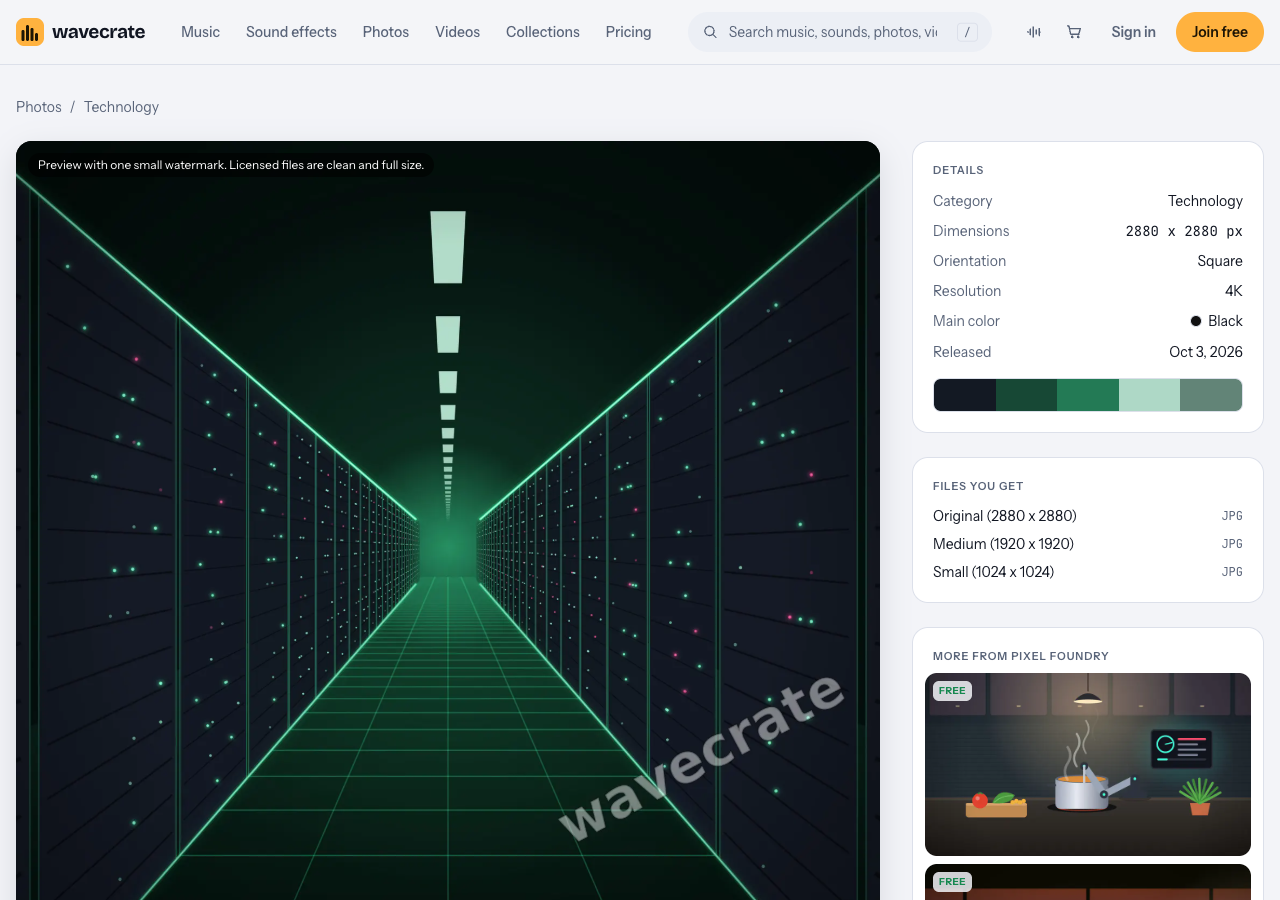
Data center in Black, read on 11 October 2026.
How to place data center images on pitch deck slides
A good image on a bad layout still fails. Use these rules:
- One image per idea. The cover gets one strong visual. The infrastructure slide gets one. Do not tile four server shots.
- Darken before you type. Put a semi-transparent black layer over the photo before you add a headline. White text on a busy aisle is hard to read on a projector.
- Use the empty side. Many server aisle shots have a strong vanishing point. Put your text on the quieter half of the frame.
- Size for the screen. A standard 16:9 slide is 1920 x 1080. On Wavecrate, a 4K business photo like Growth chart in Yellow comes as an Original at 3840 x 2160 and a Medium at 1920 x 1080. Use the Original if you might crop or zoom; use the Medium to keep the file small for email.
- Match the palette. Filter by color so your cover, divider and closing slide share a main color.
If you also send a short video version of your pitch, the transition videos category had silent 2 second 4K transitions, a few of them marked Free, that work as stingers between sections.
Pairing visuals with proof: uptime, security, and multi-tenant isolation
A data center photo creates an expectation. The next slide has to pay it off with evidence. Pair each infrastructure image with something a technical investor can check.
- Uptime. Show your real numbers from your own monitoring, with the date range. Never round up. If you are pre-launch, say so and show your target and how you will measure it.
- Security. A short list of what you have actually mapped is more convincing than a lock icon.
- Multi-tenant isolation. For any cloud product that hosts customer data, investors will ask how one customer is kept from seeing another. A simple diagram next to the photo does more than any image.
Common photo mistakes that make a cloud startup look generic
- The endless blue aisle on every slide. Use it once, if at all.
- Implying you own a building you rent. If you run on a public cloud, an abstract data visual is more honest than a hyperscale hall.
- Using an image you cannot trace. A photo pulled from a search result has no license behind it. Keep the certificate for every image in your deck folder.
- Skipping the credit when the license needs one. Free license images require credit text. If you do not want a credit line on your slides, that is what Standard is for.
- Low resolution on a big screen. Filter for Full HD 1080p+ or 4K before you fall in love with an image.
Frequently asked questions
Can I use photos of AWS or Google data centers in my pitch?
Only if you have permission or a license from whoever owns the photo. Even then, a provider's facility photo can suggest a partnership or ownership you do not have, so a neutral licensed image or a clear diagram is usually safer.
Do I need photos of my own servers if I run on a public cloud?
No. Say plainly where you run, use abstract or illustrated tech visuals for mood, and spend your proof slides on architecture, costs and isolation instead.
What image resolution works best for a pitch deck?
Aim for at least 1920 x 1080 for a full-bleed 16:9 slide. A 4K original gives you room to crop without losing sharpness.
Get started
Start with three images: a cover, an infrastructure divider and a closing slide, all filtered to the same color. Search data center on the photos page, check each item's license card against how you will use it, and see the pricing page for what Free, Standard, Extended and Pro cover. You can join free to get 3 free downloads a month on items marked Free.
Browse Wavecrate: you can join free and download items marked Free now, paid licenses are not on sale yet (purchases open soon), and every download comes with a license certificate and a code anyone can check on its verify page.


Comments
No comments yet.
Sign in or make an account to comment.