Drone coast loops for a travel agency website: an honest fit
If you are looking for drone coast loops for a travel agency website, start with one honest question. Do you need to show a real place, or do you need a calm moving background behind your headline? This guide looks at one Wavecrate loop, Drone over the coast Loop. It explains what it is, where it fits, and which license each use needs.
Short version: it is not filmed drone footage. It is a stylized scene, rendered in code. That makes it a good fit for some travel brands and a poor fit for others.
What the Drone over the coast Loop actually is
The Drone over the coast Loop sits in the Nature category. It is by Latent Frame and marked Premium. The page describes it like this: it "shows a drone hovering over a rocky coastline at sunset, its scanner sweeping the waves below." It is "a seamless 8-second 4K loop" that is "rendered in code." It is silent.

So the drone is in the picture. You are looking at the drone, not through its camera. Its scanner sweeps over the water. The look is stylized, not a photo of a real beach.
The details on the page:
- 3840 x 2160, landscape, 4K
- Length 0:08 at 30 fps
- Sound: None
- Main color: Black
- Released Oct 3, 2026
- Tags include hopeful, calm, drone, coast, ocean, sunset, aerial, travel, cliffs, mapping, seamless and background
You can download three files: the Original 4K (3840 x 2160) mp4, a Full HD 1080p (1920 x 1080) mp4 and an HD 720p mp4. The preview has one small watermark that moves around and no sound. The licensed files are clean.
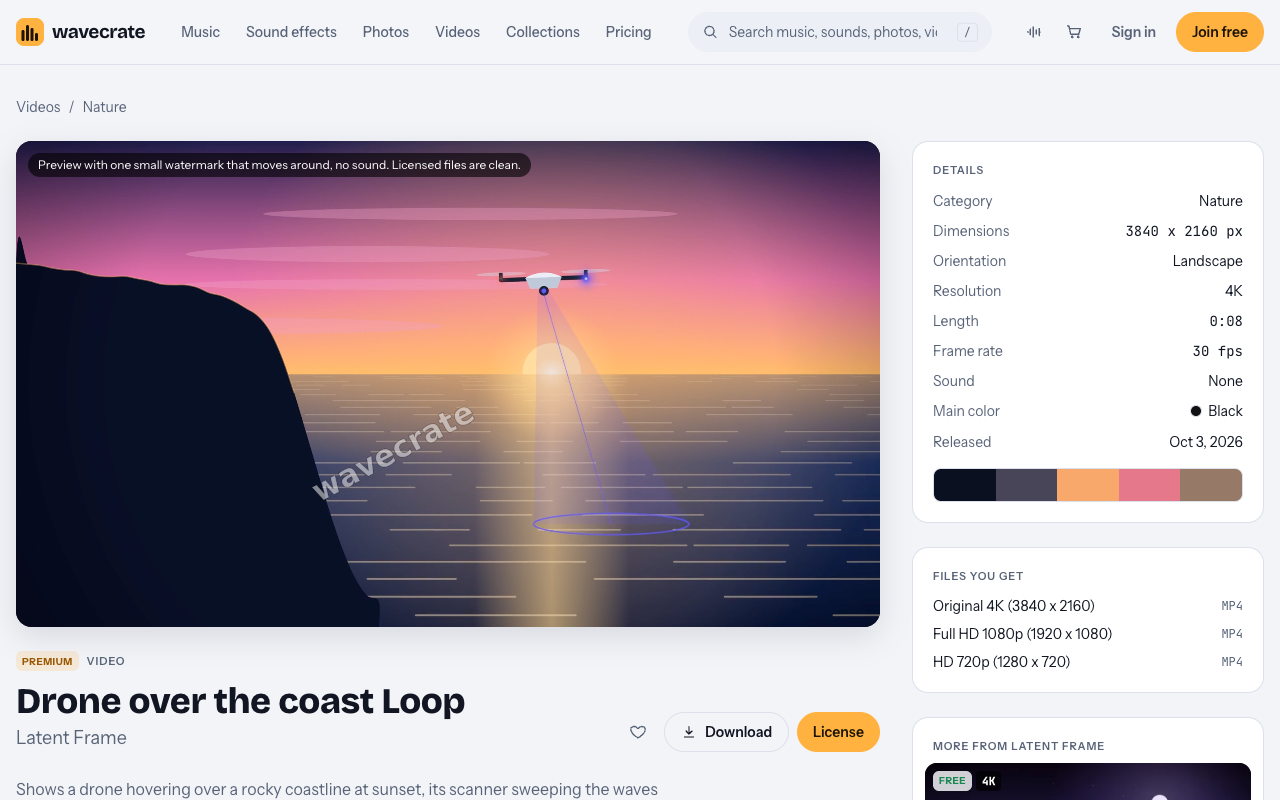
There is also a Drone over the coast Loop in Black. It is the same scene, and it is also Premium.
When it fits a travel agency and when it does not
Be plain with yourself about what your page needs to do.
It fits if your brand leans on technology. Think of a trip planning app, or a travel agency that sells itself on smart planning. A drone scanning a coastline says "we map the trip for you." It also fits as a hero background, the wide strip at the top of a page with your headline on top. In that spot it sets a calm, hopeful mood without fighting your text.
It does not fit if you want to show a real destination. A customer who is choosing between two islands wants to see those islands. A stylized coast cannot show them the beach they will stand on. For that, film the place yourself or source real footage of it.
Many agencies can use both. Put the stylized loop on the home page as a brand mood. Use real footage or photos on each destination page.
Other loops in the Nature category
The Nature videos category holds 10 loops, all by Latent Frame. Every one is a stylized scene with technology in it. You will find Digital forest, Drone over the coast, Satellite farm fields and Wireframe mountains. None of them is filmed footage.
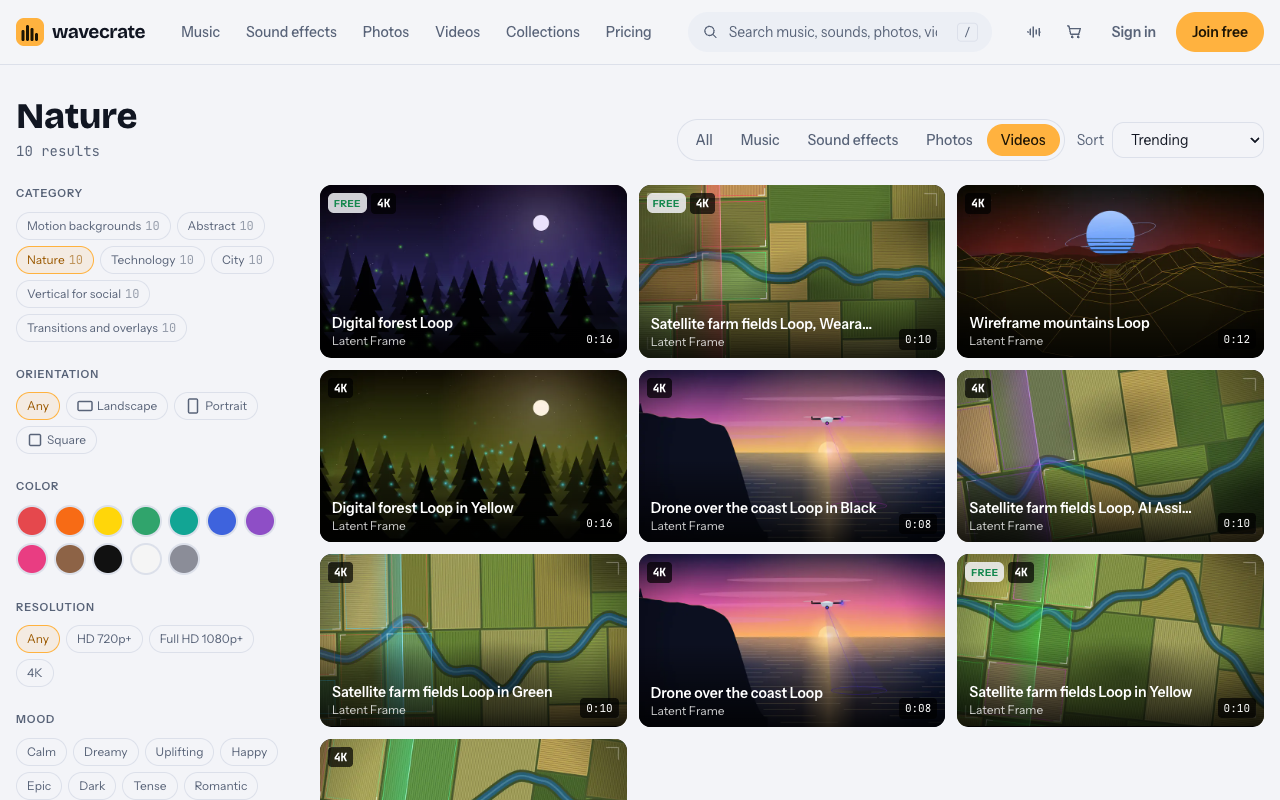
On 11 Oct 2026, three items were marked Free: Digital forest Loop, Satellite farm fields Loop in Yellow, and one item named "Satellite farm fields Loop, Wearables." The Free card for videos covers online and social posts, with credit. It does not cover your own marketing. So it would not cover an agency's own website anyway. Items can also switch between Free and Premium, so read the page on the day you download.
How to place a drone coast loop on your site
A few plain habits keep a background loop working well.
- Use the 1080p file for the web. The 4K original is large. A background rarely needs it, and the 1080p file keeps the page lighter.
- Remember it repeats often. The loop is 8 seconds long. Visitors who stay on the page will see it many times. A calm scene like this one holds up to that better than a busy one.
- Keep text readable. Put a dark overlay between the video and your headline. White text on moving waves is hard to read without it.
- Test it on a phone. A wide landscape scene gets cropped on a tall screen. Check that the drone and the coast still read well.
- Have a still image ready. Some visitors will not see the video play. A still frame as a fallback keeps the page from looking empty.
Worked example: one loop, three uses
Say a travel agency that sells itself on smart planning wants this loop. Here is how the license changes with the use. This item is Premium, so there is no Free card on its page. The choice is between Standard and Extended.
Paid licenses are not on sale yet: Wavecrate says purchases open soon, so the prices below are the listed prices for when sales open. Items marked Free can already be downloaded with a free account, but this loop is not one of them.
Use 1: the agency's own site, social posts and sales deck
The agency puts the loop behind the headline on its own website. It also uses clips in its social posts and as the opening slide of a sales presentation. All of this is the agency's own website and marketing.
That is the Standard license, listed at $29. The card reads: "Your own websites, social, presentations and marketing, no credit needed." It covers websites, social media, apps and presentations, plus your own marketing and brand content. Pro would also include this use.
Use 2: the same loop in a paid ad or a boosted post
Now the agency runs the loop in a paid ad, or pays to boost a social post that uses it. The site does not define paid advertising any further. Treat a boosted post as a paid ad to be safe.
That needs the Extended license, listed at $99. The card reads: "Paid ads, broadcast, products for resale and client work." Standard does not cover paid advertising.
Use 3: a web designer or a template seller
A web designer builds the agency's site and uses the loop in it. That is client work. Or someone builds a website template with the loop inside and sells it to many agencies. That is a product for resale, and templates are named on the card.
Both need the Extended license, listed at $99. It covers products for resale, including templates, and client work.
What Pro covers and what it does not
Wavecrate Pro is listed at $99 a year or $12 month to month, and is not on sale yet. It gives Standard on the whole catalog. It never gives Extended. So Pro covers Use 1 above, but not Use 2 or Use 3. Content you publish while subscribed stays covered. You can compare the cards on the pricing page.
Every license comes with a certificate and a code. Anyone can check that code on the verify page without contacting Wavecrate. Keep the certificate with your project files, so you or a client can look it up later.
Drone coast loops for a travel agency website: a quick checklist
- Decide first: brand mood, or a real place? Stylized loop for mood, real footage for a real place.
- Read the item page on the day you download. Check whether it is Free or Premium.
- Match the license to the use: own site and marketing is Standard or Pro, paid ads and client work are Extended.
- Download the 1080p file for a web background.
- Add a dark overlay, test on a phone, and set a still image as a fallback.
- Save the license certificate and its code.
Frequently asked questions
Is the Drone over the coast Loop real drone footage?
No. It is a stylized scene rendered in code, showing a drone whose scanner sweeps the waves. It does not show a real destination.
Can I use it free on my agency's website?
No. The item is Premium and has no Free card. Even the Free card on other videos covers online and social posts with credit, not your own marketing.
Does Pro cover a paid ad with this loop?
No. Pro gives Standard on the whole catalog, never Extended. A paid ad or a boosted post needs the Extended license.
Which file should I use for a website background?
Use the Full HD 1080p file to keep the page lighter. Keep the 4K original for places that need the extra size.
Get started
Browse Wavecrate: you can join free and download items marked Free now, paid licenses are not on sale yet (purchases open soon), and every download comes with a license certificate and a code anyone can check on its verify page. Open the loop's page, watch the preview, and decide whether a stylized coast fits your brand. If it does, create a Wavecrate account and note the license that matches how you will use it.


Comments
No comments yet.
Sign in or make an account to comment.