Food photos for a restaurant menu: shoot, style and license
Good food photos for a restaurant menu do one job: they show a guest what will arrive at the table, clearly enough that they want to order it. You do not need a studio. You need a window, a plan, a few cheap props, and the discipline to shoot every dish the same way. This guide walks through each step with a worked example, a small cafe shooting six dishes in one morning, and ends with where stock pictures fit and which license each use needs.
Wavecrate licenses royalty-free photos, including paper textures and backgrounds for print and web, and every download comes with a license certificate and a code anyone can check on its verify page.

Shoot your own food, not stock
A menu photo is a promise about a dish. A stock picture of someone else's pasta cannot keep it: the plate, the portion and the garnish will not match what your kitchen sends out. So the dishes on your menu should be photographed in your own kitchen.
Stock still has a place on a menu, just not on the plate. Paper textures behind the text, a background for your online menu page, a picture for the cover: those are the parts this guide licenses at the end.
Plan a shot list before you pick up a camera
Most menu shoots go wrong in the kitchen, not behind the lens. Plates come out in a rush, the first ones go cold while you fiddle with settings, and the light fades before the last dish. Here is the cafe's list for six dishes:
- Avocado toast. From above, on a wooden board. Shoot first, because avocado browns fast.
- Shakshuka in a pan. From above, while the yolks are glossy.
- Stack of pancakes. At 45 degrees, to show height.
- Burger. Straight on, at plate level, to show the layers.
- Grain bowl. From above.
- Iced latte. Straight on, last, with fresh ice.
Next to each line, write the plate, the background and the garnish. Agree a pace with the kitchen, for example one dish every ten minutes, and book a quiet morning before service, when the light is steady.
Light: a window, not a flash
Flash makes food look flat and throws hard shadows behind the plate. Turn it off, and turn off the overhead lights too, because mixed light gives color casts that are hard to fix later.
Set a small table next to a large window. If the sun shines straight in, tape baking paper or a thin white curtain over the glass. Put the light to the side of the dish or slightly behind it: side light shows texture like the crust on bread, back light makes sauces and drinks glow. On the side away from the window, stand a piece of white card to bounce light into the shadows.
On a phone, tap the food to focus, then hold to lock focus and exposure. Slide the exposure down if the white plate glows; a plate with no detail is the most common menu photo mistake.
Angle and styling for each dish
- From above: flat food with an interesting top, such as pizza, bowls, toast and anything in a pan.
- 45 degrees: dishes with a top and some height, such as pasta and plated mains. This is close to how a guest sees the plate when it lands.
- Straight on: tall food with layers, such as burgers, cakes and drinks in a glass.
Once you pick an angle for a kind of dish, keep it, so the menu looks planned. Then style for the camera: wipe the rim with a damp paper towel, brush a little oil on meat and vegetables to bring back the shine, and garnish only with what is in the dish. Keep it honest. The photo should match what the kitchen serves on a normal night. Plain, matte plates keep the eye on the food.
Keep every menu photo consistent
A menu is a set, not a gallery. Lock three things for the whole shoot:
- One background, the same board or tabletop for every dish, two at most.
- One crop shape, decided before you shoot so you leave room around the food.
- One light setup, with the table position marked in tape so it does not drift.
Edit lightly and in the same order every time: crop and straighten, fix white balance so the plate looks white, set exposure so highlights keep detail, add a little contrast and stop. Copy those settings to every photo from the shoot, then adjust only what really differs.
Size for print and for your online menu
A common rule for print is 300 pixels per inch at the printed size, so a photo printed 3 inches wide needs about 900 pixels across. Send your printer the full size file and let them scale it. For an online menu, a JPEG around 1200 to 1600 pixels on the long side stays sharp and loads quickly on a phone. Name files by dish so anyone on your team can find them.
Food photos for a restaurant menu: where stock fits, and its license
It helps to know what a stock site actually has before you search. On Wavecrate, the Food and drink photos read on 11 October 2026 were ten illustrated scenes: smart kitchens with a robot arm stirring a pot, coffee beside a laptop, and vertical farms. No plated restaurant dishes. They suit a food tech blog more than a menu, which is one more reason to shoot your own dishes.
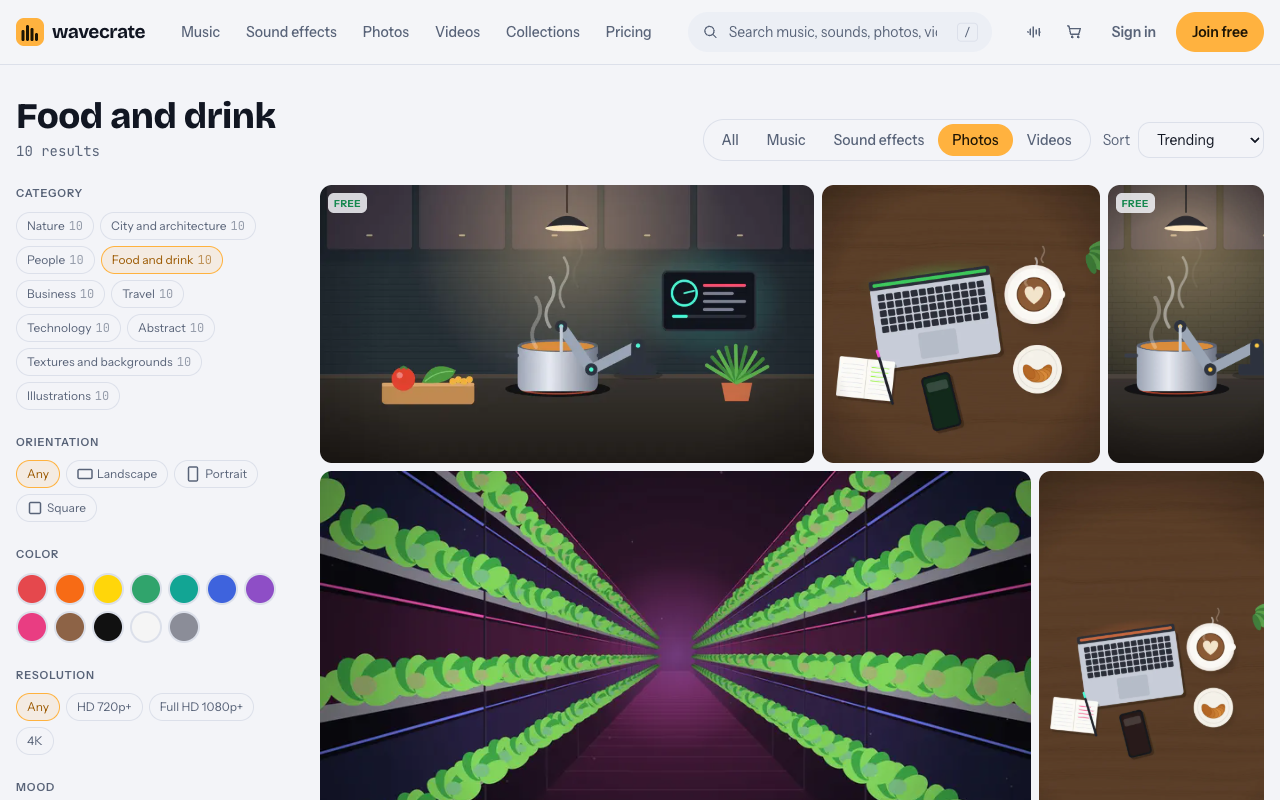
The Food and drink category on 11 October 2026: illustrated scenes, no plated dishes.
Where stock fits a menu is behind it. In Textures and backgrounds, Warm Paper Texture is "cream paper with fine fibers and soft unevenness, for print and web backgrounds," 4000 by 2667 pixels, marked Free when read. Take it through three uses, using its page and the license table on the pricing page:
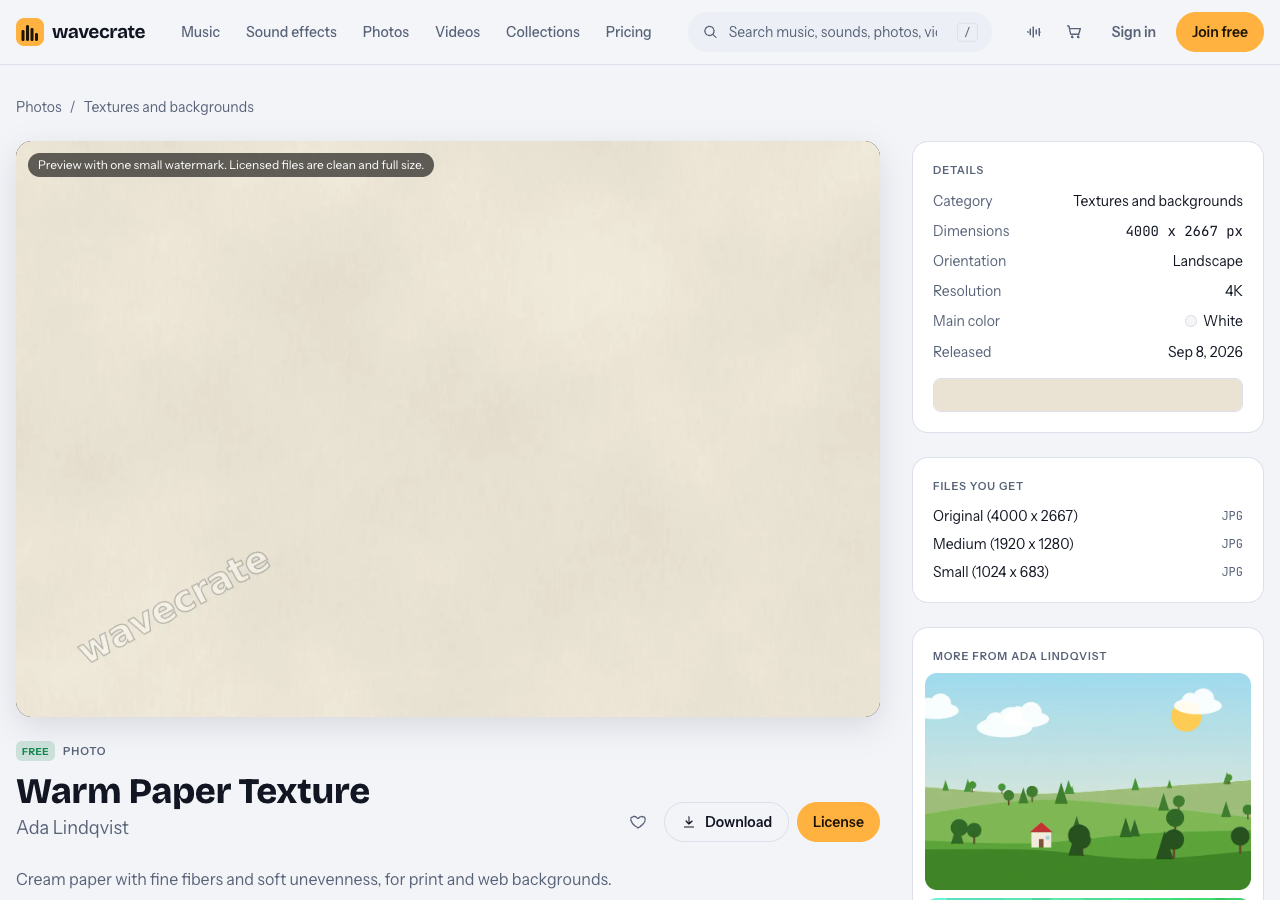
Warm Paper Texture, read on 11 October 2026.
- Behind the menu on your website. The Free license covers "websites, blogs and social media posts" with credit next to the photo or in the description. The table also lists "your own marketing" as a Standard row, and does not say which of the two a restaurant's own menu page is, so the careful choice for a business site is Standard (listed at $9 on this page, no credit).
- Your printed menu. Print is not on the Free license at all. Standard covers your own marketing and "print up to 500,000 copies", which is far more than a restaurant's menus.
- A designer's client job, or a menu template you sell. A menu you design for a restaurant that pays you is client work, and a template you sell is a product for resale. Both need Extended (listed at $39 on this page).
Pro (listed at $8.25 a month billed yearly, $99 a year or $12 month to month) gives Standard on the whole catalog, never Extended. Pro and the paid licenses are not on sale yet (Wavecrate says purchases open soon), so the prices above are the listed prices for when sales open, while pictures marked Free, like Warm Paper Texture, can already be downloaded with a free account. Items can change between Free and Premium, so read the page on the day you download. Every download comes with a certificate and a code your printer or client can check on the verify page.
Frequently asked questions
Can I shoot menu photos with a phone?
Yes. A recent phone, window light, a steady hand or small tripod, and locked focus and exposure give photos that work on a printed menu or an ordering page.
Can I use stock food photos instead of my own dishes?
For the dishes themselves, no: the picture should show what you serve. Use stock for backgrounds, textures and cover pictures, with the license that matches print or web.
Which license covers a printed menu?
On Wavecrate, Standard: it covers your own marketing and print up to 500,000 copies. The Free license does not include print.
I design menus for clients. Which license do I need?
Extended, because work a client pays you for is client work. Pro does not include Extended.
Get started
Write your shot list tonight and book a morning by the window. Then pick one background for your printed menu from the photos, and check its card for print before you send the file.
Browse Wavecrate: you can join free and download items marked Free now, paid licenses are not on sale yet (purchases open soon), and every download comes with a license certificate and a code anyone can check on its verify page.


Comments
No comments yet.
Sign in or make an account to comment.