How to edit your own article before you publish it
To edit your own article well, start with one rule: do not edit while you write. Drafting and editing are different jobs, and each needs its own sitting. This guide walks through five passes you can run on any article, shows them on a made-up example, and explains how Electrified's draft and preview tools fit in.
Why you should edit your own article before you publish it
You know what you meant, so your eye fills the gaps in your own draft. A reader has only the words on the page. Editing is where you close that gap.
A good edit mostly removes things: a repeated point, a vague claim, a sentence that sounds smart and says little. It rarely adds much.
Electrified gives you room to do this, because saving is not publishing. After the first save the editor says: "Saved as a draft. Only you can see it until you publish it." A draft is seen only by its author and never by a search engine, so you can edit in several passes over several days.
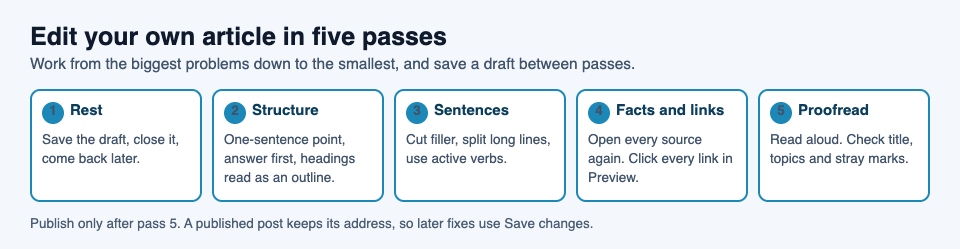
The five passes, from the biggest problems down to the smallest.
Step away from the draft first
Press Save draft and close the tab. Then leave it alone.
- For a short piece, an hour is a fair gap.
- For a long article, wait until the next day.
- If you cannot wait, change how you read it: read it aloud, or read it in the Preview tab instead of the Write tab.
The editor's body box has Write and Preview tabs, and the preview looks like the published page. Reading it that way makes the text feel like someone else's. A heading that is too long, a paragraph that runs on, or a list that should have been one sentence is easier to see.
Edit for structure and the main point
Do the large edits first. There is no point polishing a sentence you will delete in the next pass.
Ask these questions about the whole piece:
- Can I state the point in one sentence? If not, the article has no point yet. Write that sentence on a scrap of paper.
- Does the answer come early? Put the answer first, then work through an example. How to write an article introduction that gets to the point covers the opening in detail.
- Does every section earn its place? If you can delete a section and the point survives, delete it.
- Is the order right? Move sections until each one sets up the next.
- Do the headings tell the story? Read only the headings. They should work as an outline.
In an Electrified article you start a section with ## and a heading, and you can have as many sections as you need. A long block with no headings is hard to scan, so break it up where the subject changes.
Check the ending too. How to write an article conclusion that sticks covers how to finish with something the reader can act on.
A worked example
This example is made up. Say you have drafted an article that explains a notes app to new users. The first version opens with two paragraphs on why you built it, then a feature list, then a short example at the end.
On the structure pass you ask what a new user wants first: what the app does and how to try it. So you move the example up, cut the backstory to two sentences, and turn the feature list into the three features the example uses. The article is shorter, and the point is on the first screen. Nothing in this edit needed a new fact, only a new order.
Cut wordiness and tighten every sentence
Now work at the sentence level, one paragraph at a time.
- Delete throat clearing. "It is important to note that" adds nothing. Start with the note.
- Prefer short words. "Use" beats "utilize". "Start" beats "commence".
- Replace vague words with specific ones. "A lot of users" is weak. If you have no number, say what you actually know.
- Cut stacked hedges. One "quite", "very" or "really" is usually one too many.
- Split long sentences. If you run out of breath reading one aloud, break it.
- Use active verbs. "You save the draft" is clearer than "the draft should be saved".
Here is a before and after from the made-up notes app article.
Before: "It is worth mentioning that there are a number of different ways in which you might potentially want to consider organizing your notes."
After: "Organize your notes by project."
The second version is not only shorter. It is also a clearer instruction.
If your article states a price, a plan or a number, be especially plain. How to explain your pricing in an article goes into that.
Check your facts, claims and links
This is the pass many writers skip, and it protects your credibility. Go through the article and mark every statement a reader could check: names, dates, numbers, quotes, product features and steps.
For each one, ask:
- Where did I get this?
- Can I open the source again right now and see it?
- Is my wording stronger than the source's?
The last question catches the most errors. A source says "may be linked to" and your draft says "causes". Pull your wording back to what the source supports. If you cannot find a source for something, cut it, or rewrite it as your own opinion and say so.
If you describe what a person said or believed, check that you have not put words in their mouth: open their own words, not a summary of them.
Links
Click every link in the Preview tab. In the editor you write a link as [link text](https://...), so a missing bracket or a typo in the address is easy to make. Make sure each link goes where its text says, and use descriptive link text, not "click here".
Be honest about why you link. Most writers' links on Electrified carry nofollow ugc, so link because it helps the reader, not because you expect search credit.
Proofread for grammar, spelling and typos
Proofread last. If you proofread earlier, you will fix sentences you later delete.
- Read it aloud. Your ear catches missing words your eye skips.
- Read it backward, sentence by sentence. This breaks the flow so you see each sentence alone.
- Search for your known weak spots. Everyone has a few: "their" and "there", a doubled word, an inconsistent spelling of a product name.
- Check the title. A title is at most 140 characters in the editor. Make sure it matches what the article delivers.
- Check formatting marks. A stray
*or an unclosed**can turn a whole paragraph bold or italic. The preview shows this at once.
Check the topics too. You can add up to 5, separated by commas, each under 40 characters, and each topic links to a page of every post about it. Pick topics a reader might browse, such as Writing guides.
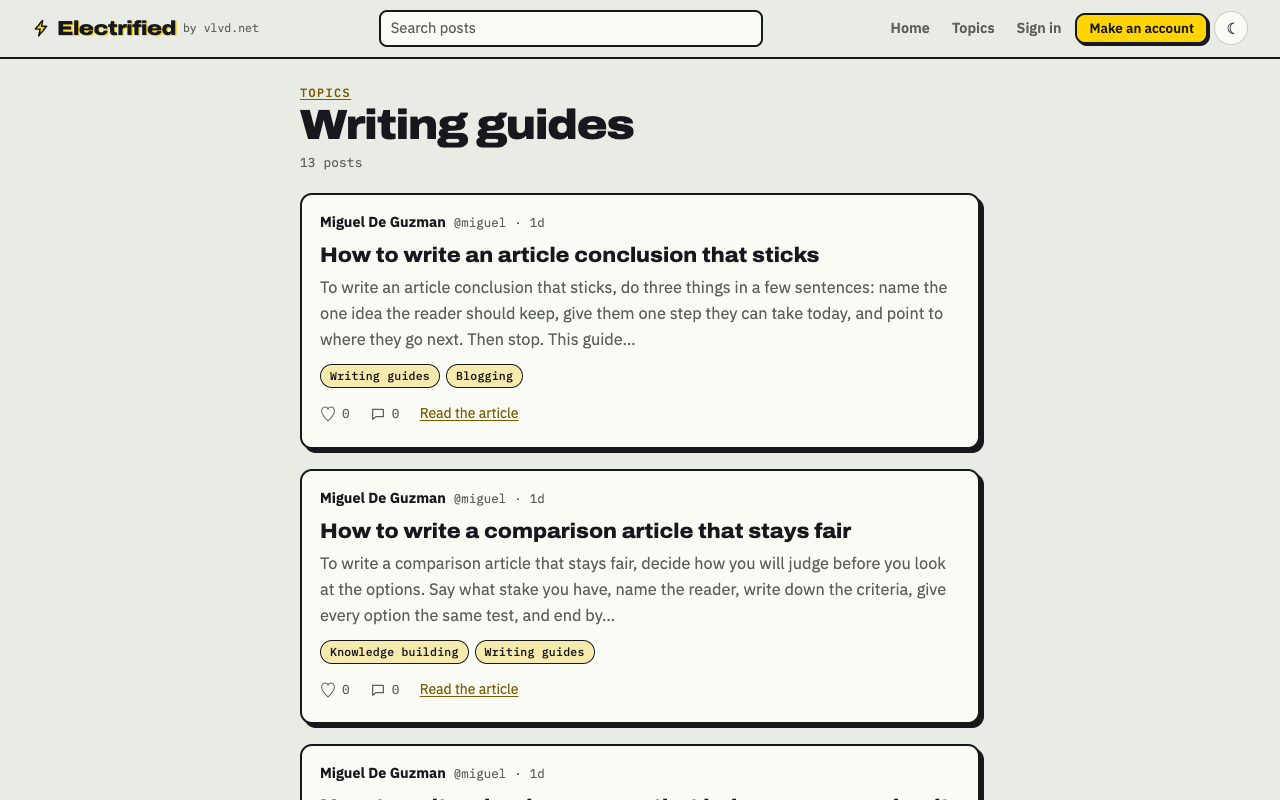
Electrified's Writing guides topic page, where guides on writing are filed together.
A final pre-publish checklist
Before you press Publish, run through this list.
- I waited before the final read.
- I can state the point in one sentence, and the opening gives the answer.
- Every section earns its place, and the headings read as an outline.
- I cut filler and split long sentences.
- Every fact, number and quote traces back to a source I can open.
- I clicked every link in the preview.
- I proofread aloud and checked the title.
- My topics are specific, and there are no more than 5.
- The ending tells the reader what to do or remember.
Publishing is always done by a person on the site. If you use a writing assistant with a personal token, it can start and edit your drafts only. It cannot publish, delete, like, comment or follow, so the last decision stays yours.
Once published, a post keeps its address. You can still fix a typo with Save changes, or unpublish the post back to a draft. Even so, do the work before you publish, so the version people first find is the edited one.
Frequently asked questions
How long should I wait before editing my own article?
For a short piece, an hour is a fair gap. For a long article, wait a day. If you cannot wait, read the text in the Preview tab or aloud, so it looks unfamiliar.
Can anyone see my draft while I edit it?
No. A draft is seen only by its author and never by a search engine. Its page says "This is a draft. Only you can see it."
Can I fix an article after I publish it?
Yes. Open it and use Save changes, or unpublish it back to a draft. A published post keeps its address.
What should I edit first?
Start with structure and the main point, then tighten sentences, then check facts and links, and proofread last. Fixing small errors first wastes effort on text you may cut.
Get started
Write a draft, leave it for a day, then run the five passes above. If you need a way to end the piece, the FAQ section guide shows how to close with questions your reader will have.
Make an account on Electrified: write about your product, topic or idea on your own page, one article at a time.
Comments
No comments yet.
Sign in or make an account to comment.