How to save a 2048 game and finish it later
If you want to know how to save a 2048 game and finish it later, the short answer is that you do not press anything. Browser versions of 2048 keep your game in the browser itself, on your device, after every move. This guide shows where that save lives, proves it with a reload test on 3D 2048, lists what can wipe it, and ends with a routine for picking a run back up.
How to save a 2048 game: there is no save button
2048 has no save menu because it does not need one. Each time a move lands, the game writes the board, the score and the move count to a small store the browser keeps for that site. When you open the same page again, the game reads that store and puts the board back.
That makes saving automatic, but it also sets the limits. The save is not a file you can see or copy. It sits in one browser, for one site address, on one device. Keep that in mind and almost every lost game makes sense.
Where the original 2048 keeps your game
You can read this in the original game's code. Its storage file on GitHub keeps the game under the name gameState and your best score under bestScore, in the browser's local storage. If the browser will not allow local storage, the code falls back to a store held only in memory, so the game lasts only as long as the page stays open.
Local storage is a standard part of every major browser. As Wikipedia's web storage article explains, it is kept per origin (the protocol, host name and port of the site), it stays after the browser is closed, and browsers give you a way to clear it. Those three facts are the whole story of saving 2048.
How 3D 2048 saves your game
3D 2048 is the 2048 puzzle on a cube you turn like a Rubik's cube: six faces of nine squares, 54 in all. It saves the same way. Its Settings box says it plainly: "Your game, best score and settings are saved on this device."
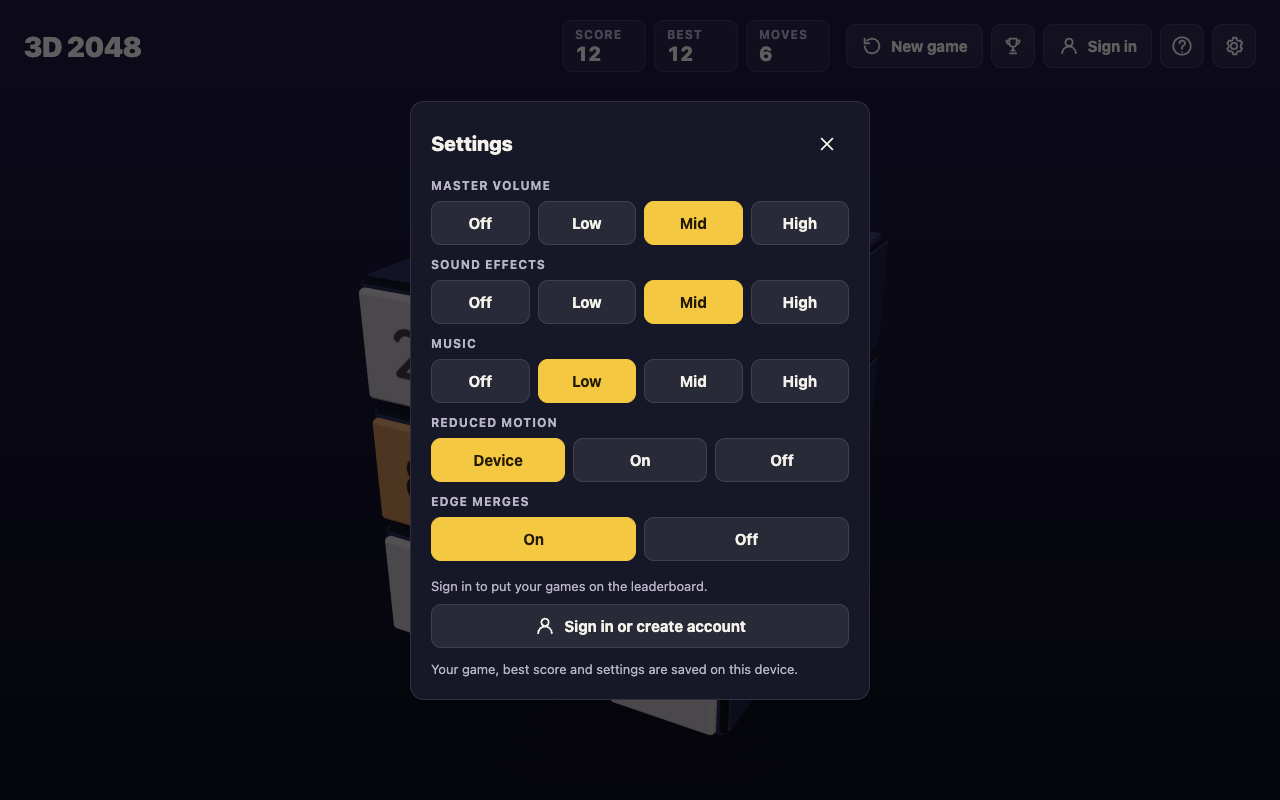
Under the hood, the page's script keeps three entries in local storage: 3d2048.game for the cube (every square, the score, the move count and the seed that picks new tiles), 3d2048.best for your best score, and 3d2048.settings for sound, motion and the edge merges choice. You do not need an account for any of it. The top bar has a Sign in button too, and in the game's own words: "Sign in to put your games on the board. Playing without an account is still fine."
A reload test: Score 64 and Moves 14 came back
Here is a test you can repeat in two minutes. We ran it on 10 October 2026 with a simple script, signed out, in a fresh browser profile with nothing saved.
- Open 3D 2048. Our fresh profile showed a new game: Score 0, Moves 0 and two tiles on the front face.
- Play a few moves. The script pressed the arrow keys 14 times (Left, Up, Right, Down in turn). The top bar then read Score 64, Best 64 and Moves 14, with 6 tiles on the cube.
- Reload the page, or close the tab and open the address again in the same browser.
- Check the top bar. After the reload it read Score 64, Best 64 and Moves 14, and the same 6 tiles sat in the same squares.
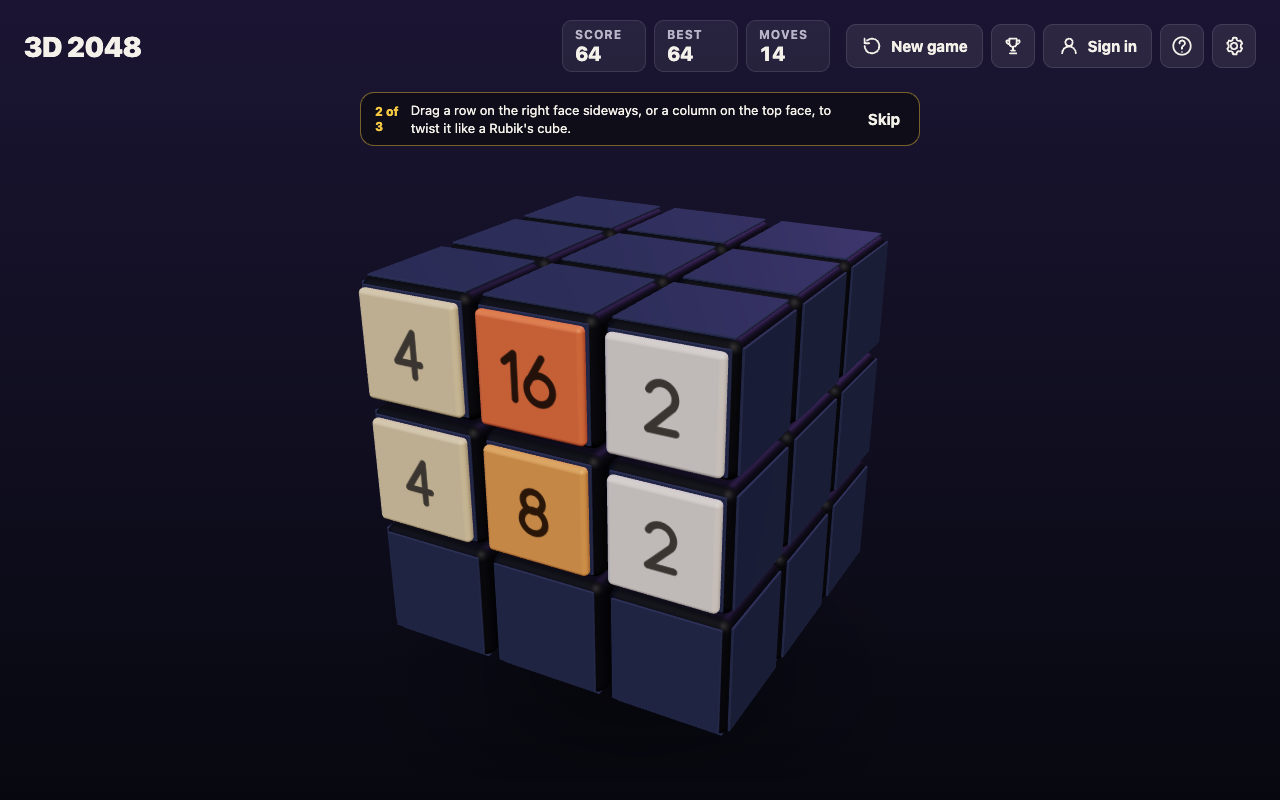
If your numbers come back, your browser is saving the game and you can stop at any point. If they do not, the next section covers why.
What can wipe a saved 2048 game
Because the save is browser storage for one site, these are the usual ways to lose it:
- Clearing site data. Browsers let you clear a site's stored data, and that removes its local storage, with the game in it. Read the boxes before you confirm a clean-up.
- A different browser or device. Each browser keeps its own store, and a phone does not share it with a laptop. Our test's fresh profile is what any new browser sees: a new game at Score 0.
- A different address. Storage is kept per origin, so open the game at the same address every time and bookmark it.
- Pressing New game. This is the one the game guards against. It asks "Start a new game?" first, with "This game ends and its score of 12 is kept only if it is your best." (the number is your current score) and two buttons, Keep playing and New game.
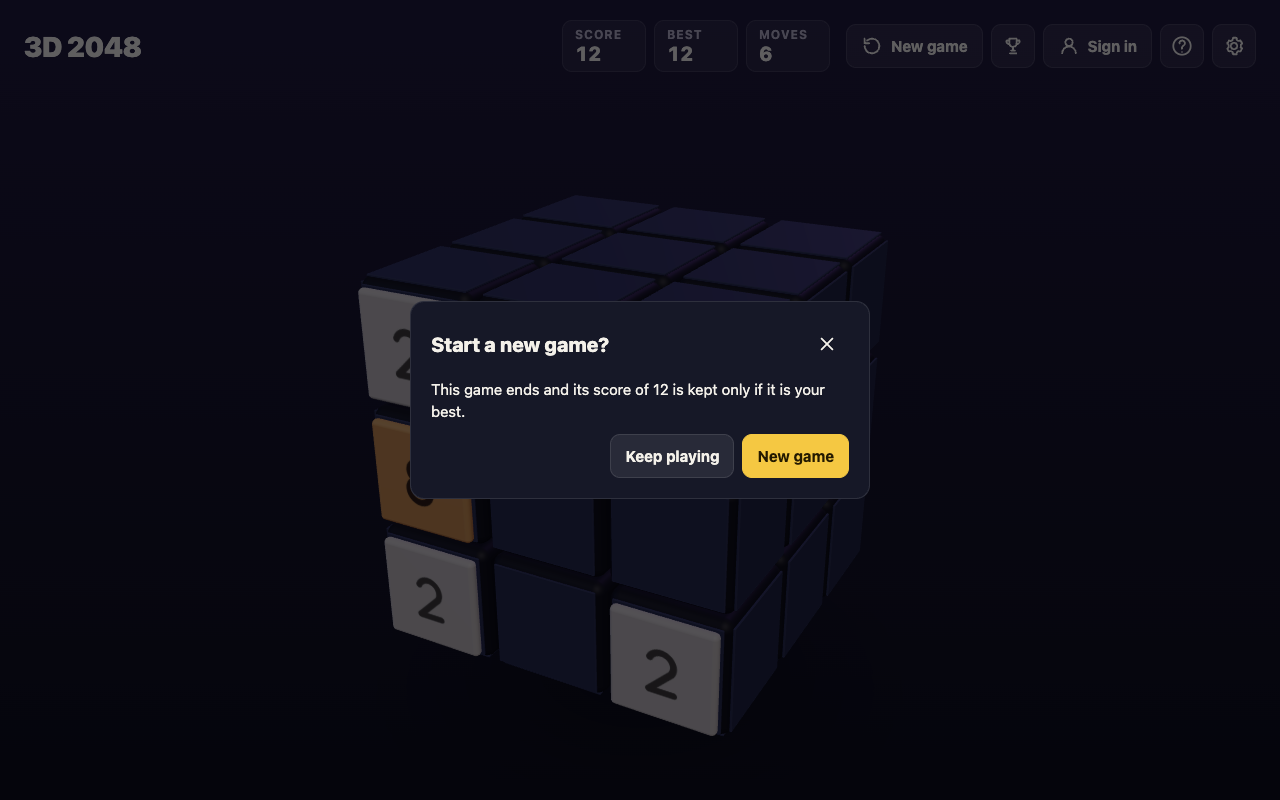
No undo was seen in 3D 2048, so if you press New game in that box, the old cube is gone. Your best score stays, since it is kept apart from the game.
Picking up where you left off on the cube
A saved game is only half the job. Coming back cold to a busy cube is where many runs end, because you slide before you look. This routine takes under a minute.
- Look at every face first. Drag the space around the cube, or press Shift and an arrow key. The whole cube turns, and turning is free: it adds no move and no tile.
- Count the empty squares on the front. Every slide or twist adds a 2 or a 4 on the front face when it has room, and a twist needs one empty square for it.
- Look across the edges as well as on each face. Edge merges are on unless you switch them off in Settings: a slide towards an edge of the front face also merges the tile at that edge with an equal tile just over the edge, on the next face.
- Twist when the front is stuck. Drag a row on the right face sideways, or a column on the top face, to bring a tile round next to its match.
- Read any message. "Nothing moves that way. Try another way, or twist a row." means the front cannot slide that way. "The cube is full. Merge two tiles on a face to make room before you twist." means you need a merge first.
The game is not over while a merge is left anywhere. With edge merges on, it ends only when all 54 squares are full and no two equal tiles sit side by side, on a face or across an edge. For more on finding the move you missed, see why you keep getting stuck in 2048, and for the controls on a touch screen, 3D 2048 on a phone.
Frequently asked questions
Does 2048 save automatically when I close the tab?
Yes, in browser versions that use local storage, which the original 2048 does. In our test, 3D 2048 brought back Score 64 and Moves 14 after a reload, in the same browser.
Will clearing my browser data delete my 2048 game?
Clearing the site's stored data removes its local storage, so the game goes with it. Leave the game's site data alone while a run is going.
Can I carry a saved game to another device?
Not with the save on your device: each browser keeps its own copy, and a new one starts a new game. Plan to finish a run in the browser where you started it.
Does pressing New game lose my best score?
No. 3D 2048 asks first and says the game's score is kept only if it is your best, and the best score is stored apart from the game. The game itself is gone once you confirm.
Get started
Open the game in the browser you use every day, bookmark it, and start a run. Slide with a swipe, the arrow keys or W A S D; twist a row to bring tiles round; turn the cube whenever you want a look. When you need a break, just leave it, and the cube will be waiting on this device. New to the cube? Start with how to play 3D 2048.
Play 3D 2048: it is free and plays in your browser on a computer or a phone.
Comments
No comments yet.
Sign in or make an account to comment.