How to write a beginner's guide to your topic
To write a beginner's guide to your topic, start with one reader, not the whole subject. A good beginner's guide takes one person who is new to your topic and walks them to one result they can check, in plain words, one step at a time. This article shows you how, with one worked example the whole way through: a short guide that helps a newcomer follow one writer by feed.
The short version: picture one real beginner, name the one thing they will be able to do at the end, explain each new word the first time it appears, order the steps from what they already know to what is new, and test the draft on a real newcomer before you publish.
How to write a beginner's guide: start with what it is for
A beginner's guide is a path. It starts where the newcomer stands and ends at one thing they can now do. It is not a survey of your field, a list of everything you know, or a place to show how much you know.
The test is simple. When your reader finishes, can they do the thing? If your guide on following a writer by feed drifts into how feeds were invented and which format is best, it has stopped being a beginner's guide. Those can be later articles.
Writing a beginner's guide also helps you. To explain a topic to someone new, you have to find the order it really goes in and the words it really needs. That is a good way to build up what you know about a topic, one clear article at a time.
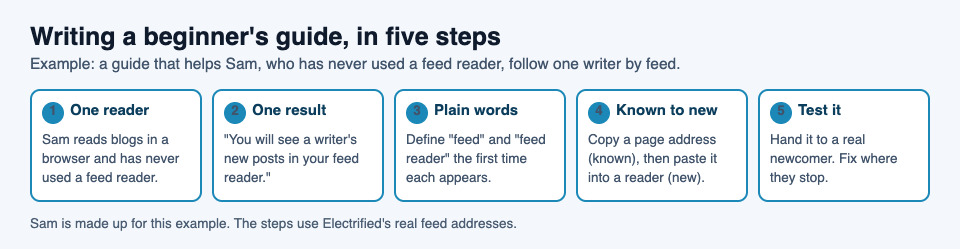
The five steps, shown on the example in this article. Sam is made up.
Picture one real beginner before you write
"Beginners" is too vague to write for. Pick one person. Write down three things about them:
- What they already know. Sam (a reader made up for this example) reads blogs in a browser and knows how to copy a web address.
- What they want. Sam wants to see new posts from one writer without visiting the writer's page every day.
- What worries them. Sam has never used a feed reader and thinks it will be technical.
Now each choice gets easier. Should you explain what a feed is? Yes, because Sam has never used one. Should you compare feed formats? No. Sam does not need to know there are two to follow one writer.
Keep this note open while you write. When a sentence feels unclear, ask: would Sam follow this?
Choose one result your reader can check
Write one sentence that finishes "By the end of this guide, you will be able to..." Make it something the reader can check for themselves.
Weak: "By the end, you will understand feeds."
Strong: "By the end, you will see a writer's new posts in your feed reader."
Put that result near the top. Then open with the answer, before the details. Electrified's home page says its guides do this: the answer comes first, then the guide works through an example. For Sam's guide, the opening could be: "To follow a writer, copy the address of their page and paste it into a feed reader. Here is each step."
That opening is useful even to someone who stops reading there. Everything after it is detail for the reader who needs it.
Explain each new word the first time it appears
Every topic has words that insiders stop noticing. Beginners notice all of them. Read your draft and mark every term a newcomer might not know. In Sam's guide, that list is "feed", "feed reader", "Atom" and "subscribe".
For each word, choose one of three things:
- Cut it. If the guide works without "Atom", leave it out.
- Define it where it first appears. "A feed is a page a program can read that lists a writer's newest posts."
- Swap it for plain words. "Subscribe" can become "add the writer to your feed reader".
Define a word once, in the sentence where it first appears, so the reader never has to scroll away to find it. Then keep the same word. If you call it a "feed reader" in step one, do not call it a "news app" in step three. A beginner will think it is a new thing.
Order the steps from what they know to what is new
Start from something the reader already does, then add one new thing per step. Sam already copies web addresses, so step one uses that. Here are the steps of Sam's guide, using Electrified's real addresses:
- Open the writer's page. Every Electrified writer has a page at
/@handle, such aselectrified.vlvd.net/@miguel. - Copy its address. Sam already knows how to do this.
- Paste it into your feed reader's add box. The writer's page names its own feed in a part of the page readers do not see, so a feed reader given the page address can find the feed.
- If that does not work, use the Feed link. Each writer's page has one. It goes to
/@handle/feed.xml, for example /@miguel/feed.xml. Copy that address and paste it in instead. - Check the result. The writer's posts appear in your feed reader. Each Electrified feed holds the writer's newest 100 posts.
Notice what each step does. It changes one thing. It tells the reader what to do, not what to think about. It ends with something they can see, so they know the step worked. Step four is there so that a beginner who hits a dead end has a way forward.
Number your steps when the order matters, and use bullets when it does not. Give each section a heading that says what happens in it, so a reader who comes back later can find their place. How to write a how-to guide with a worked example goes deeper on showing every step done once.
Test your guide on a real newcomer
You cannot see your own blind spots, because you already know the topic. Find one person who matches your reader and ask them to follow the guide. Do not explain anything. Watch, or ask them to note each place they paused.
Then ask them three questions:
- Where did you get stuck?
- Was there a word you did not know?
- What did you skip?
Fix the places they got stuck first. Then look at what they skipped. If they skipped it and still reached the result, it may not belong in this guide. A shorter guide that works beats a longer one that covers everything.
Their questions are useful twice. The ones you answer in the steps make the guide clearer, and the ones left over make a good set of questions to answer at the end. How to write an FAQ section that answers real questions shows how to turn them into one.
On Electrified you can do all of this before anyone else sees the guide. The first time you save an article, it is kept as a draft that only you can see, and search engines never see drafts. The editor's Preview tab shows the page as it will look once published. If you find a problem after you publish, you can edit the post and press Save changes, and the post keeps its address.
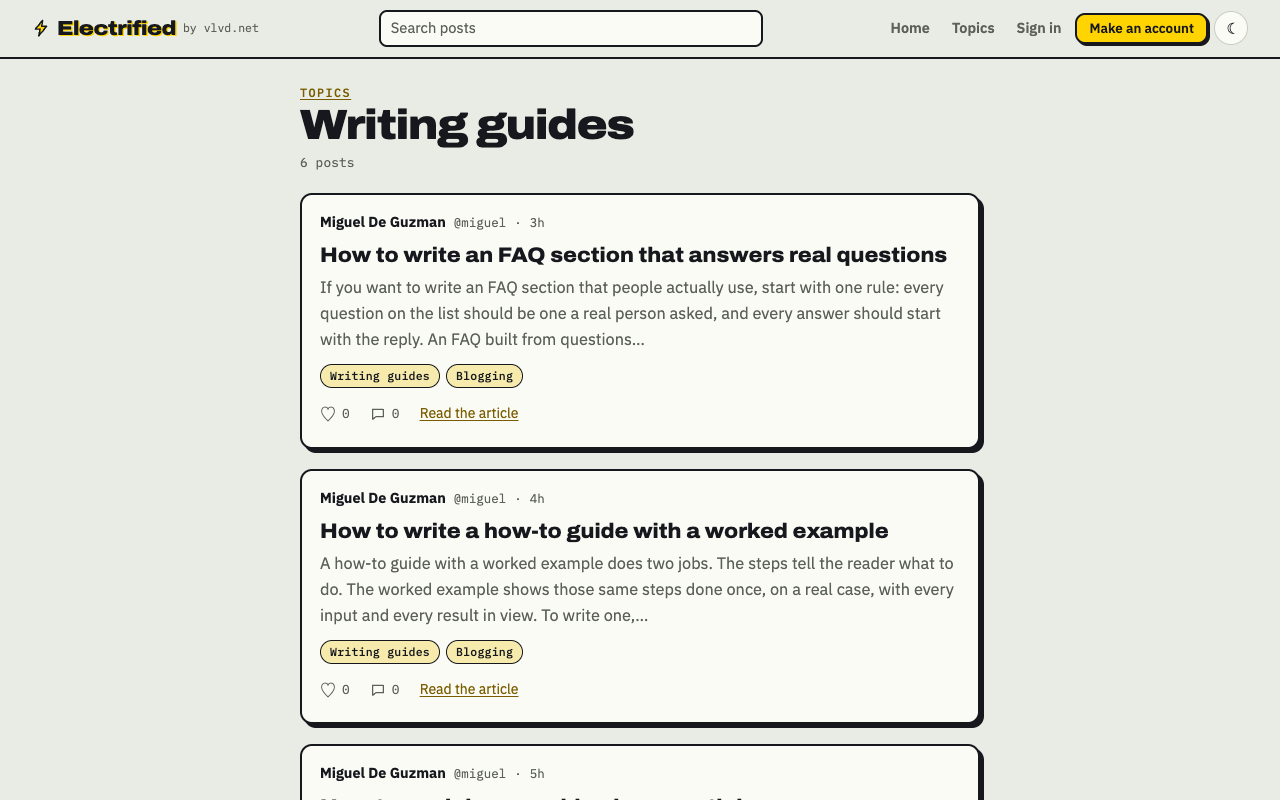
Each topic you add to a post links to a page like this one, listing every post about it.
Frequently asked questions
How long should a beginner's guide be?
Long enough to get one reader to one result, and no longer. Let your tester decide: cut what they skipped and still reached the result without.
How do I know what my reader already knows?
Ask one or two real newcomers what they have tried and which words confuse them. Then write for that person, and test the draft on someone like them.
Should I add advanced tips to a beginner's guide?
Usually not. Put them in a follow-up article and link to it at the end, so the beginner's path stays clear.
What makes a good title for a beginner's guide?
Name the task and the result in plain words, such as "How to follow a writer by feed". A reader should know from the title alone whether the guide is for them.
Get started
Here is a workflow you can follow today:
- Make an account. You choose a name, a handle, an email and a password, and you get your own page at
/@handle. - Open the editor and choose Article. A note is a short post of up to 500 characters with no title, so a guide belongs in an article.
- Write a title of up to 140 characters. Start each section with
##and a heading. - Write the result sentence first, then the steps, numbered, each ending with something the reader can see.
- Add up to 5 topics, separated by commas. Each topic links to a page of every post about it, such as Knowledge building.
- Press Save draft, read it in Preview, test it on one newcomer, then Publish.
One guide is a start. A run of them on the same topic builds a body of knowledge around it, and your readers can follow every new one through your feed at /@handle/feed.xml.
Make an account on Electrified and write about your product, topic or idea on your own page, one article at a time.
Comments
No comments yet.
Sign in or make an account to comment.