How to write a glossary for a topic you are learning
To write a glossary for a topic you are learning, pick the words that keep stopping you, define each one in your own words, then check it against a good source. Add one real example, one related term and the place you checked it. Keep the list somewhere you will open again, and add to it every week. Built this way, a glossary is a study tool, not a dictionary: writing each entry tests whether you understand the word.
This guide walks through each step with one worked example: a learner building a glossary of the files websites use to talk to crawlers.
Why you should write a glossary while you learn
Every new field has its own words. Until you know them, you cannot follow the explanations. You read a paragraph, meet three words you do not know, and lose the thread.
A glossary helps in two ways. First, it makes you stop and pin down what a word means instead of guessing from context. Second, putting a definition in your own words is a test. If you cannot explain a term in one plain sentence, you do not understand it yet. You find that out at your desk, before it matters.
It also leaves a record. A list of terms you once did not know shows you how far you have come, and it is the start of the notes you may later turn into articles.
Decide which terms belong in it
Do not try to define every word in the field. Start with the terms that block you. A simple rule: a word goes in if you had to look it up, or if you looked it up and forgot it a week later.
Use these filters:
- It comes up again and again. If a term appears in every page you read, it earns a place.
- It means something different here. Everyday words with a special meaning in your field are the easiest to get wrong. A "feed" on a website is not something you eat.
- It is easy to confuse with another term. Words that sound alike, or do similar jobs, belong in the glossary together.
- You need it to understand other terms. Some words are building blocks. Define those first.
Here is the worked example. Ana (made up for this guide) is learning how websites talk to crawlers, the programs that visit sites to read their pages. Her first list has four terms: robots.txt, sitemap, feed and llms.txt. Four is enough to start.
Define each term in your own words, then check it
Write the definition before you look at your source again. Use plain words, in one or two sentences. Then open the source and compare.
Ana's first try at one entry:
First try. robots.txt: a file that hides parts of a website from people.
Then she opens a real one, Electrified's robots.txt. It is a short text file. It names crawlers, such as Googlebot, GPTBot and ClaudeBot. It allows the site, then lists paths crawlers should not visit, such as /write, /settings and /signin. Its last line points to the sitemap.
Her first try was wrong in a useful way. The file speaks to crawlers, not to people, and it does not hide anything: anyone can open it and read it. So she rewrites the entry:
Fixed. robots.txt: a plain text file at the root of a site that tells crawlers which paths they may visit and which to skip. It can also say where the sitemap is.
That correction is the point of the exercise. The mistake was found, fixed and written down. Keep a short note of errors like this one: they show where your understanding was weak, and they make good material if you write about what you are learning, as in learning in public.
Three rules for good definitions:
- Do not use the term inside its own definition.
- Do not define a hard word with three other hard words. If you must use one, give it its own entry.
- Say what the thing does or is for, not only what it looks like.
Give every entry an example, a related term and a source
A bare definition is easy to forget. Three small additions make each entry stick, and they turn a list of words into a map of the topic.
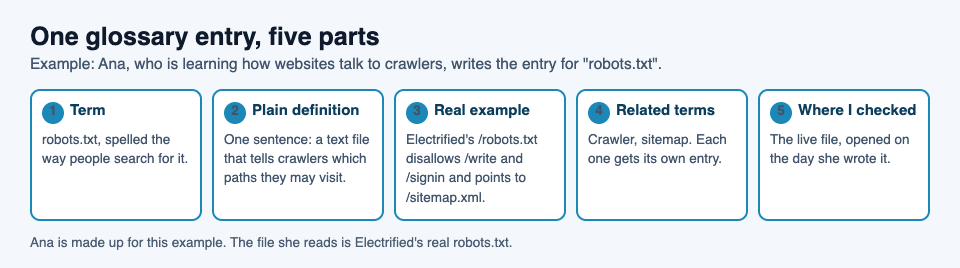
- A real example. One concrete case you have seen. For "sitemap", Ana opens Electrified's
/sitemap.xml: a list of the site's pages, each with its address and the date it last changed. - A related term. A word close in meaning, or one people mix up with it. For "sitemap", the related term is robots.txt, since that file points to it.
- Where you checked it. The page, book or lecture, and the date. When you later doubt a definition, you can go straight back to the source instead of searching again.
A full entry then looks like this:
Feed: a file that lists a site's newest posts in a fixed format, so a feed reader can show new posts without you visiting the site. Example: Electrified's
/feed.xmlis an Atom feed of the newest 100 posts, each with its title, address, dates, author, a summary and the post in full. Related: feed reader, sitemap. Checked: the live file, on the day the entry was written.
Notice how "feed" and "sitemap" now point at each other. Both are lists of pages, but a feed carries the posts themselves, newest first, while a sitemap lists addresses and dates. Writing the related term is what made that difference clear.
Order it so you can find terms fast
There are two common ways to order a glossary, and each suits a different stage.
By theme is best while you are learning how the ideas fit together. Ana could group hers as files for crawlers (robots.txt, sitemap) and files for readers and tools (feed, llms.txt).
Alphabetical is best for lookup, once you mostly need a quick answer. With a long list you can do both: themed sections, then a short A to Z list of terms at the end.
If you write the glossary as an article on Electrified, the editor makes either order simple. An article has a title and as many sections as it needs, and you start a section with ## and a heading, so each theme or each letter becomes its own section. Put each term in bold with **robots.txt**, use - for lists and > for a line quoted from your source. The body box has Write and Preview tabs, and the preview looks like the published page.
Keep it growing as you study
A glossary is never finished. Each week you meet new words and sharpen old definitions. Here is one way to keep that going on Electrified:
- Start it as a draft. In the editor, choose Article, give it a title such as "Website files glossary" and click Save draft. A draft is seen only by you and never by a search engine, so you can fix mistakes in private.
- Catch new words as notes. A note is a short post of up to 500 characters with no title, about right for one term and a first try at its meaning. Later, move the checked version into the glossary.
- Add topics. A post takes up to 5 topics, separated by commas, and each topic links to a page of every post about it. You can see what people already write about on the topics page.
- Publish when it helps you. Once the core entries are checked, click Publish. A published post keeps its address, so your other notes and articles can link to it. When you learn more, edit it and click Save changes.
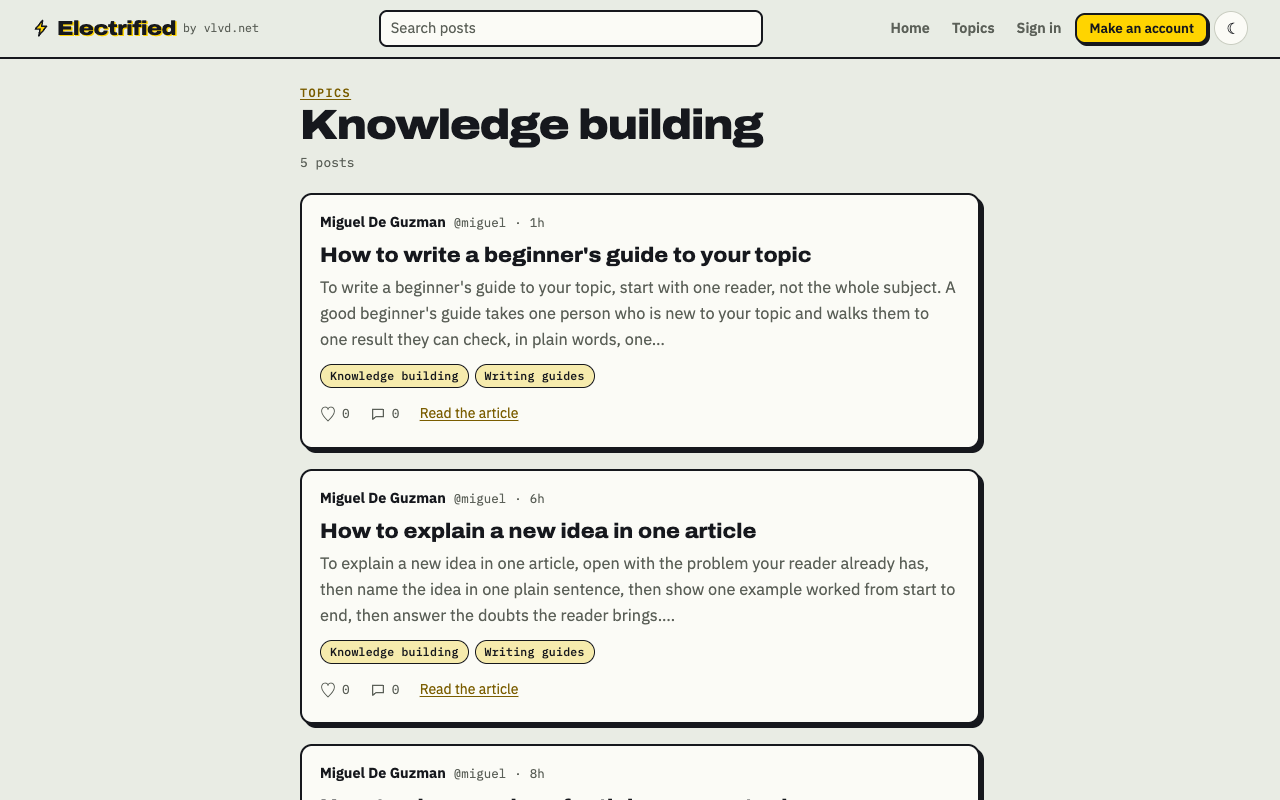
Each topic you add to a post links to a page like this one, listing every post about it.
Ana's next entry is llms.txt. She opens Electrified's file and sees a heading, a one-line summary in a quote, then lists of recent articles, topics and data files. Her first try at a definition starts from what she saw, and she checks it against the proposal that describes the file before she moves it into the glossary. Each new entry follows the same five parts. You can find more writing of this kind under knowledge building.
Frequently asked questions
How many terms should a learning glossary have?
Start with the few that block you right now. Add terms as you meet them; a glossary that grows with your study is more useful than one you try to finish on day one.
Should I copy definitions or write my own?
Write your own first, then check it against your source. Copying skips the step where you find out what you do not understand, so note the source next to each entry instead.
Should my glossary be public?
Only when you want it to be. On Electrified it stays a draft that only you can see until you click Publish.
Can I turn my glossary into a guide for others?
Yes. It already holds the words a newcomer needs, in plain language, with examples. Order the terms in the sequence a beginner meets them and add an opening, as in how to write a beginner's guide to your topic.
Get started
Pick the topic you are learning and list the words you had to look up this week. Give each one a definition in your own words, check it, and add an example, a related term and a source. Save it as a draft, and publish when it helps you.
Make an account on Electrified: write about your product, topic or idea on your own page, one article at a time, and let readers follow along.
Comments
No comments yet.
Sign in or make an account to comment.