How to write a product launch post people actually read
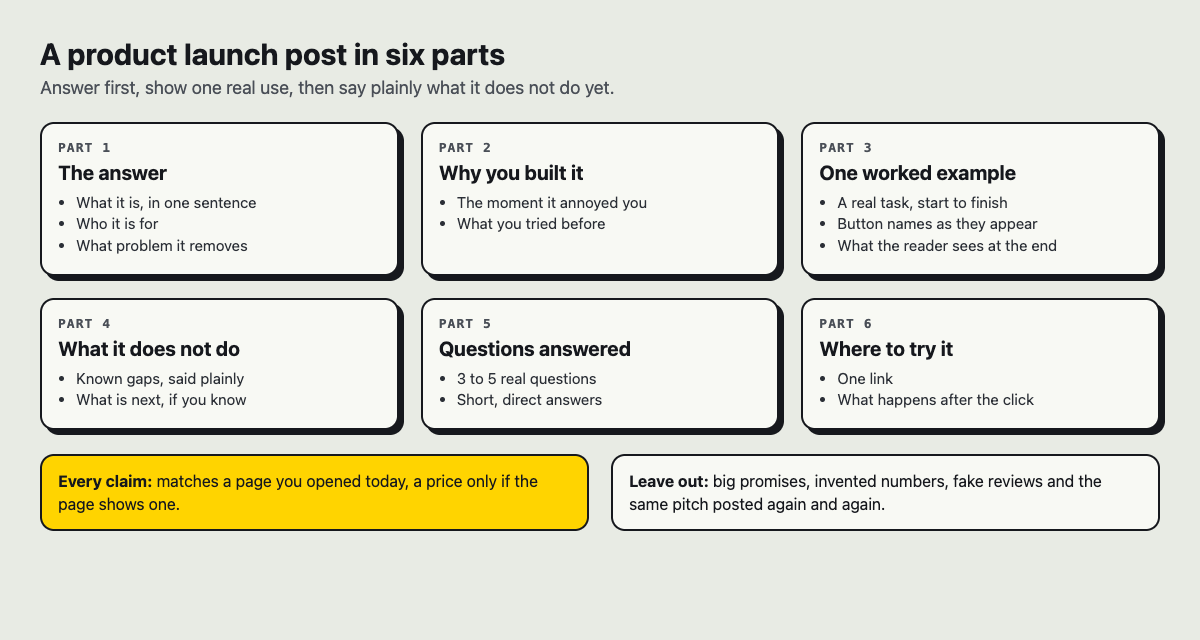
If you want to know how to write a product launch post people actually read, start here: open with the problem your reader has, show the product solving it in one real task, say plainly what it does not do yet, and close with a single next step. Everything else is decoration. This guide walks through each part with one worked example, gives you a structure you can copy, and shows how to draft and publish the post on Electrified.
Why most product launch posts get ignored
Most launch posts are written for the team that built the product. They open with "We're excited to announce," list twelve features, and end with three links. The reader has to work out alone why any of it matters to them.
People skim. They decide in a line or two whether a post is about their problem. If the first thing they see is your company name and the word "excited," many leave. That is not a failure of the product. It is a failure of order.
The fix is simple to say and hard to do: put the reader first in every section. Their problem, their before and after, their next step.
Start with the reader's problem, not your product
Before you write a word, answer one question in a single sentence: what is annoying, slow or broken for my reader today? If you cannot answer it, you are not ready to write the post.
Here is the worked example this guide follows. Say you built a small timesheet tool for freelancers, and you called it Sheetwise (a made-up name for this example). A product-first opening looks like this:
Today we're launching Sheetwise, a smart time tracking platform with AI categorization, invoicing and 14 integrations.
A problem-first opening looks like this:
If you bill by the hour, you probably rebuild your week from memory every Friday and undercharge for the bits you forgot. Sheetwise fills in your timesheet as you work, so Friday takes a few minutes.
The second version names a specific person (someone who bills hourly), a specific pain (rebuilding the week from memory), a cost (undercharging) and a result. The product name shows up only after the reader has nodded.
A good test: read your first paragraph aloud to someone in your audience. If they say "yes, that's me," keep going. If they say "okay," rewrite it.
Write a headline and first line that earn the scroll
Your headline has one job: tell the right reader this post is for them. Clever wordplay usually hurts. Plain outcomes usually help.
- Weak: Introducing Sheetwise 1.0
- Better: Sheetwise: a timesheet that fills itself in while you work
- Also good: Stop rebuilding your week from memory every Friday
The first line should deliver on the headline straight away. Do not warm up, and do not tell the story of how you founded the company. Give the answer first, then explain it. That is how vlvd.net's own guides on Electrified are built: they open with the answer, then work through an example.
Keep the headline short enough to read in one glance. On Electrified an article title can be up to 140 characters, but aim for well under that.
Show the product working with one real task
Telling people your product is easy is weak. Showing one real task from start to finish is strong. Pick one job your reader does and walk through it. For Sheetwise, that might be:
- You start work on a client project at 9:10.
- Sheetwise notices the project folder and starts a timer for that client.
- At 11:45 you switch to email. The timer pauses.
- On Friday you open the week view, fix one wrong entry, and export the invoice.
Notice the details: times, a mistake, a fix. Real use has small rough edges, and showing them makes the rest believable. Use your product's real button names, exactly as they appear on screen, so a reader who tries it finds what you described.
Screenshots help when they show the result of a step, not your whole dashboard. Crop tight; one per step is plenty. If you publish on Electrified, know that the editor has no picture button. An article can show pictures uploaded to Electrified (PNG, JPEG or WebP, up to 2 MB each) through the site's images API with a personal token. If you do not want to set that up, a clear numbered walkthrough in text works well on its own.
Add proof without sounding like an ad
Proof is anything that lets the reader trust you without taking your word for it. Be specific, and use only what is true.
- Your own measurements. If you timed the Friday timesheet before and after, give both times and say how you measured them. If you did not measure, do not invent a number.
- Limits. "It does not work offline yet." Naming what the product cannot do makes your claims about what it can do more believable.
- Real quotes, with permission. If an early user said something useful, ask whether you can quote them by name. Never make one up, and never write a review posing as a customer.
- A way to try it. The strongest proof is letting people check for themselves.
Cut adjectives like "powerful," "seamless" and "revolutionary." They tell the reader nothing and signal that you are selling. Replace each one with a fact you can show. "Seamless sync" becomes "a change on your phone shows up on your laptop," and only if it does.
End with one clear call to action
Pick one thing you want the reader to do next. Try it. Join the waitlist. Read the setup guide. Not all three.
Write the call to action as a plain sentence with one link: "Try Sheetwise on your next client project and see how long Friday takes." Put it at the end. Every extra link competes with the one that matters.
How to write a product launch post: a structure you can copy
Here is a skeleton you can paste into any editor and fill in. On Electrified, start each section of an article with ## and a heading, and the editor turns it into a section.
- Headline: the outcome, in plain words.
- Opening paragraph: the reader's problem, what it costs them, and one sentence on what your product does about it.
- ## How it works: one real task, step by step.
- ## What it does not do yet: two or three honest limits.
- ## Why we built it: three or four sentences, only if it helps the reader trust you.
- ## Questions people ask: three to five short answers to the doubts you hear most.
- Call to action: one sentence, one link.
If you draft with an AI writing assistant, give it the structure and your real facts, and ask it to keep to them. A prompt that works:
Draft a product launch post using this structure: [paste structure]. The reader is a freelancer who bills hourly. Their problem: rebuilding their week from memory every Friday. Use only these facts: [paste facts]. Do not add features, numbers or quotes I did not give you. Plain sentences, no hype words.
On Electrified you can create a personal token in Settings so a tool like that can save drafts to your account. A token can start and edit drafts only. It cannot publish, delete, like, comment or follow, so you always read the draft and press Publish yourself.
Frequently asked questions
How long should a product launch post be?
Long enough to show one real task and answer the main doubts, and no longer. If a section does not help the reader decide, cut it.
Where should I publish my launch post?
Somewhere it can live at a stable address you can link to. On Electrified a published post keeps its address, sits on your own page and in your feed, and can carry up to 5 topics you choose, each linking to a page of every post on that topic.
Should I write the launch post before the product is finished?
Drafting early helps, because writing the problem paragraph shows gaps in the product. On Electrified a draft is seen only by you, and never by a search engine, until you publish it.
How do I get people to share my launch post?
Write something useful enough that a reader would send it to a colleague with the same problem, and make the example concrete. Do not post the same pitch over and over, buy engagement or pose as a customer.
Get started: publish your launch post on Electrified
Electrified is a site to write and be read, and posts are not limited to vlvd.net's own subjects: you can write about a product, a topic or an idea. When you make an account you get your own page at /@handle where your notes and articles live, and your own Atom feed, like this one for Miguel's posts. People can follow you, and like and comment on what you publish.
A practical workflow:
- Open the editor, choose Article, and paste the structure above.
- Use the Preview tab to check it. The preview looks like the published page.
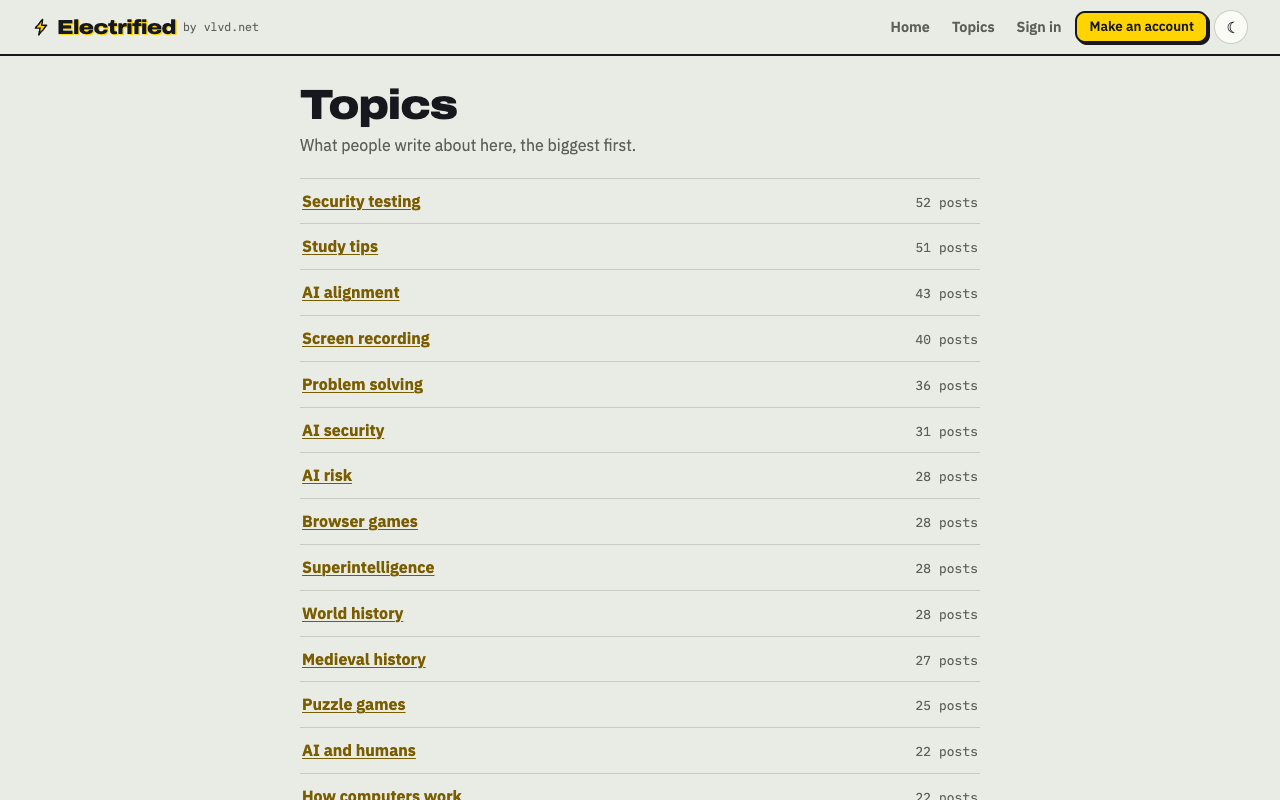
- Add up to 5 topics, separated by commas. Browse the Topics page to see what people already write about.
- Click Save draft, and reread it the next day with fresh eyes.
- Click Publish when it is ready. You can unpublish it back to a draft later if you need to.
One launch post is a start. A run of follow-up articles, each solving one more reader problem, builds up what people can learn about your product in one place, on your own page.
Make an account on Electrified: write about your product, topic or idea on your own page, one article at a time, and let readers follow along.
Comments
No comments yet.
Sign in or make an account to comment.