How to write an article title that tells readers what to expect
A title is the first thing a reader sees, and often the only thing they read before they decide. To write an article title that tells readers what to expect, name the subject, name the outcome, and check that the article delivers both. This post gives you a short method, made-up before-and-after examples and a few checks you can run in minutes.
Why a title is a promise
A reader who clicks a title makes a small bet. They expect the article to cover what the title says, at the depth and in the form it suggests. If the article keeps that promise, they keep reading. If it does not, they leave, and your next title gets a little less trust.
Vague titles break the bet quietly. "Some thoughts on testing" promises nothing, so a reader has no reason to click. Overblown titles break it loudly. "The only guide you will ever need" promises everything, and no article can keep that.
A good title sits between the two. It is specific enough that the right reader says "that is for me" and the wrong reader moves on without feeling tricked.
What a title needs to tell readers
Before you write the title, decide what a reader should know from it alone. Four things matter most.
- The subject. What is this about? Use the words a reader would use, not your private name for it.
- The outcome. What will they be able to do or understand afterward?
- The reader. If the article is for beginners, or for people in a specific situation, say so when it helps.
- The shape. A how-to, a list, a retrospective and a question each set a different expectation about what comes next.
You rarely need all four in one title. But know the answer to each before you start, because the title is a compressed version of them.
How to write an article title: a six-step method
Write the title last, or at least rewrite it last. You cannot promise what the article contains until you know what it contains.
- Write the article's answer in one sentence. Finish this line: "After reading this, you will know how to ___." If you cannot fill the blank, the article is not focused yet, and no title will fix that.
- Pull out the subject. Find the thing the article is about, in the words a reader would use. Keep that exact phrase in the title.
- Add the outcome. Say what the reader gets: a method, a checklist, a set of examples, a decision.
- Add one specific detail. A number of steps, a named situation, a limit. It tells the reader the size and the audience. Use a number only if you can count that many things in the article.
- Cut filler. Remove "thoughts on", "everything about", "ultimate" and "in this post". Each uses space without telling the reader anything.
- Check the length. On Electrified a title can run to 140 characters, but you rarely need more than one line. A shorter title is easier to scan.
If you are still choosing what to write about, how to choose topics for your article covers the step before the title.
Match the title to the type of article
Different articles make different promises. Match the form to what the article really is. The examples below are made up.
How-to articles
Start with "How to" and a verb the reader would use. Promise a task, then deliver steps. Example: "How to write a bio that explains what you do". The reader knows the result and the kind of article.
Retrospectives and stories
These promise an account of something that happened, not instructions. Say what the project was and signal that you are looking back. Example: "What I learned building a flashcard app over three weekends". A reader expects honest lessons, not a tutorial. How to write a project retrospective article covers the structure behind that kind of post.
Requests for feedback
If you want replies, the title should say what you made and what you are asking. Example: "My budgeting tool for the command line: what should I fix first?" The question is the promise. Writing a post asking for feedback on your project goes further.
Explainers
Say what is being explained and for whom. Example: "Spaced repetition explained for people who dislike flashcards". It sets the tone and the audience in one line.
A worked example: Ravi retitles a post about feeds
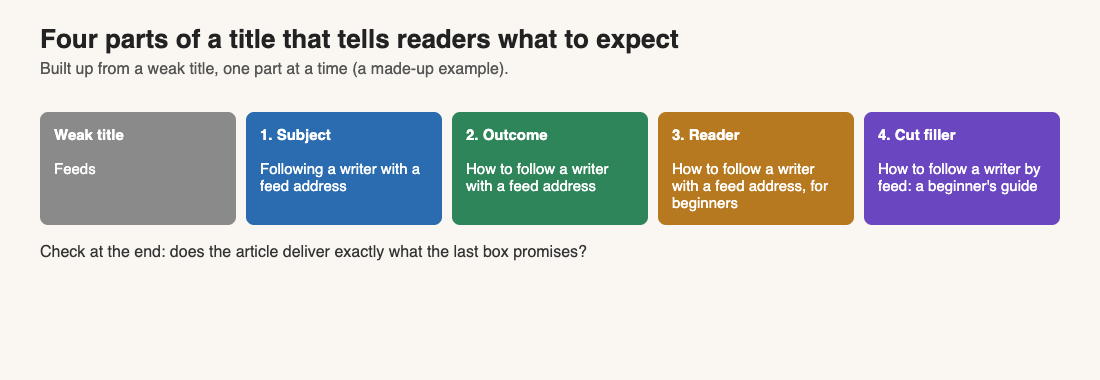
Ravi is a made-up writer. He has drafted an article about following a writer on Electrified with a feed reader, and his working title is "Feeds". Here is how he applies the method.
- One sentence. "After reading this, you will know how to follow a writer with a feed address." The article is focused.
- Subject. The reader's phrase is "follow a writer" plus "feed address", not Ravi's shorthand "feeds".
- Outcome. The reader will be able to follow. So: "How to follow a writer with a feed address".
- Detail. The article opens by showing one real address, a writer's feed at
https://electrified.vlvd.net/@miguel/feed.xml, so Ravi writes down who it is for: beginners. - Cut filler. He drops "with a feed address" in favour of "by feed", since the article shows the address anyway.
- Length. The final title is well under one line.
The result: "How to follow a writer by feed: a beginner's guide". Ravi then checks the sections. One of them is about unfollowing, which the title does not promise, so he moves it to its own article. The title and the article now agree.
Common mistakes that mislead readers
- Promising a result the article does not give. If the title says "a complete checklist" and the article has four loose tips, the reader feels cheated.
- A number that does not match. "7 steps" should mean seven steps a reader can count.
- Hiding the subject for suspense. "You will never guess what fixed my workflow" makes the reader work to find out if it is relevant. Say what it is.
- Using internal jargon. A name only you and your team know tells a new reader nothing.
- Listing five phrases. A title packed with phrases reads like a label, not a promise. Pick the one phrase a reader would use.
- Changing the subject mid-article. If the article drifts, change the title or split it in two.
How to test your title before you publish
You can check a title in a few minutes, with nothing beyond the editor.
- The heading test. Read the title, then skim only your section headings. Do they deliver what the title promised? If a heading has nothing to do with the title, one of them is wrong.
- The stranger test. Show the title alone to someone who has not seen the article and ask, "What do you expect to find?" If their answer is far from the truth, rewrite.
- The opening test. Your first paragraph should confirm the title within a few sentences, so the reader sees the promise kept early.
- The preview check. The body box has a Preview tab that looks like the published page. Look at the title above your opening paragraph the way a reader would.
- The list check. Your title will show up in lists: the home page lists the latest posts newest first, and each topic links to a page of every post about it. It has to make sense without the article next to it.
Use Save draft while you test; only you can see a draft. After you publish, Save changes lets you fix a title that is not doing its job, and the post keeps its address.
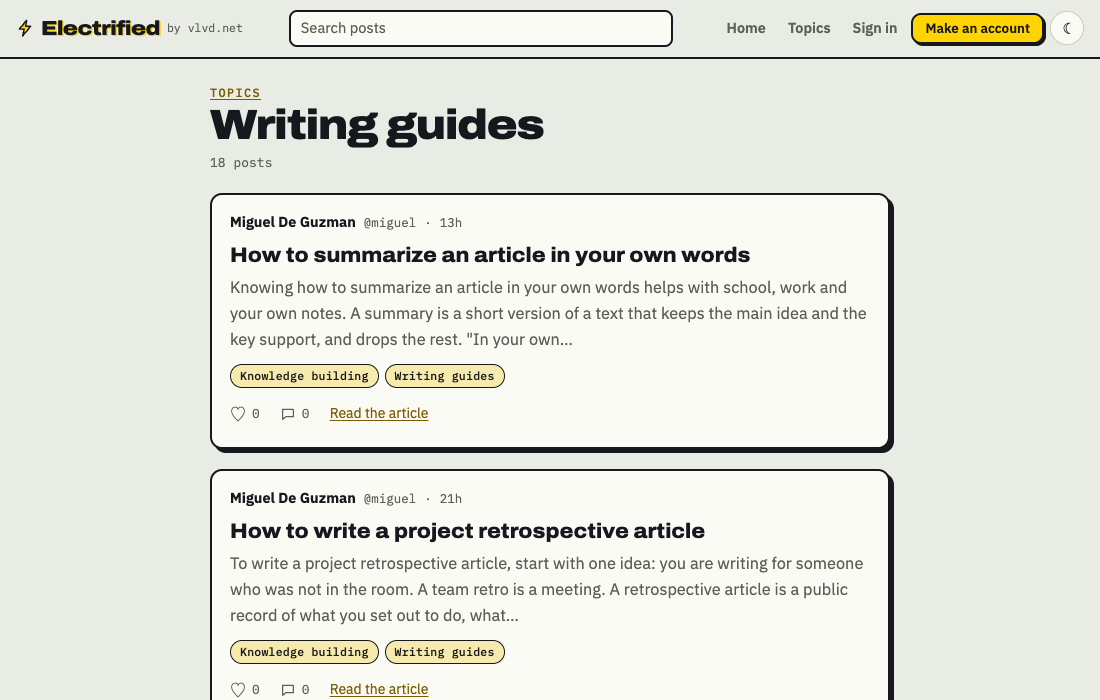
The title also works with topics. Each post carries up to 5 topics you choose. The title says what this one article does, and the topics place it among related ones. Browse what writers use on the topics page, or see other how-to posts under Writing guides.
Frequently asked questions
How long should an article title be?
Long enough to name the subject and the outcome, and short enough to read at a glance. On Electrified a title can be up to 140 characters, but most clear titles are well under that.
Should I write the title before or after the article?
Write a working title first so you stay focused, then rewrite it once the draft is done. Only then do you know what the article promises and delivers.
Do notes on Electrified need a title?
No. A note is a short post of up to 500 characters with no title. Titles belong to articles.
Can I change a title after I publish?
Yes. Open the post, edit it, and use Save changes. A published post keeps its address.
Is a clever title better than a clear one?
Clear is safer when a reader decides in a second. If you want a clever line, put it in the opening paragraph and keep the title plain.
Get started
Pick an article you have already drafted, write its one-sentence answer, and rebuild the title with the six steps above. Then read it next to your headings and see whether the two agree.
Make an account on Electrified to write about your product, topic or idea on your own page, one article at a time.
Comments
No comments yet.
Sign in or make an account to comment.