Impact and hit sound effects for trailers: a practical guide
A trailer lives on its punctuation. The right impact and hit sound effects for trailers turn a string of shots into a sequence with weight; the wrong ones make the same edit feel cheap. This guide covers the main kinds of hit, how to set one up, how to layer and time it, and which license covers your trailer, using Wavecrate's impact sounds as read on 10 October 2026.
What impact and hit sound effects for trailers do
An impact tells the viewer "this moment matters." It marks a cut, a title card, a reveal or the end of a section. With no hits, a trailer is a montage. With too many, it is noise.
- Punctuate. A hit closes a phrase, the way a full stop ends a sentence.
- Reset. A hit followed by silence clears the ear so the next part starts fresh.
- Scale. A long, deep tail makes a small shot feel big. A short, dry hit keeps things tight.
Treat each hit as a decision. If you cannot say why it is there, cut it.
Wavecrate keeps booms, braams, sub hits and stings in one Impacts category, and every download comes with a license certificate and a code, so you can see what covers a hit before it goes into your trailer.

The main kinds: booms, braams, sub hits and stings
Knowing the names helps you search and helps you talk to an editor. Wavecrate's Impacts page listed 10 sounds on 10 October 2026, one or more of each kind.
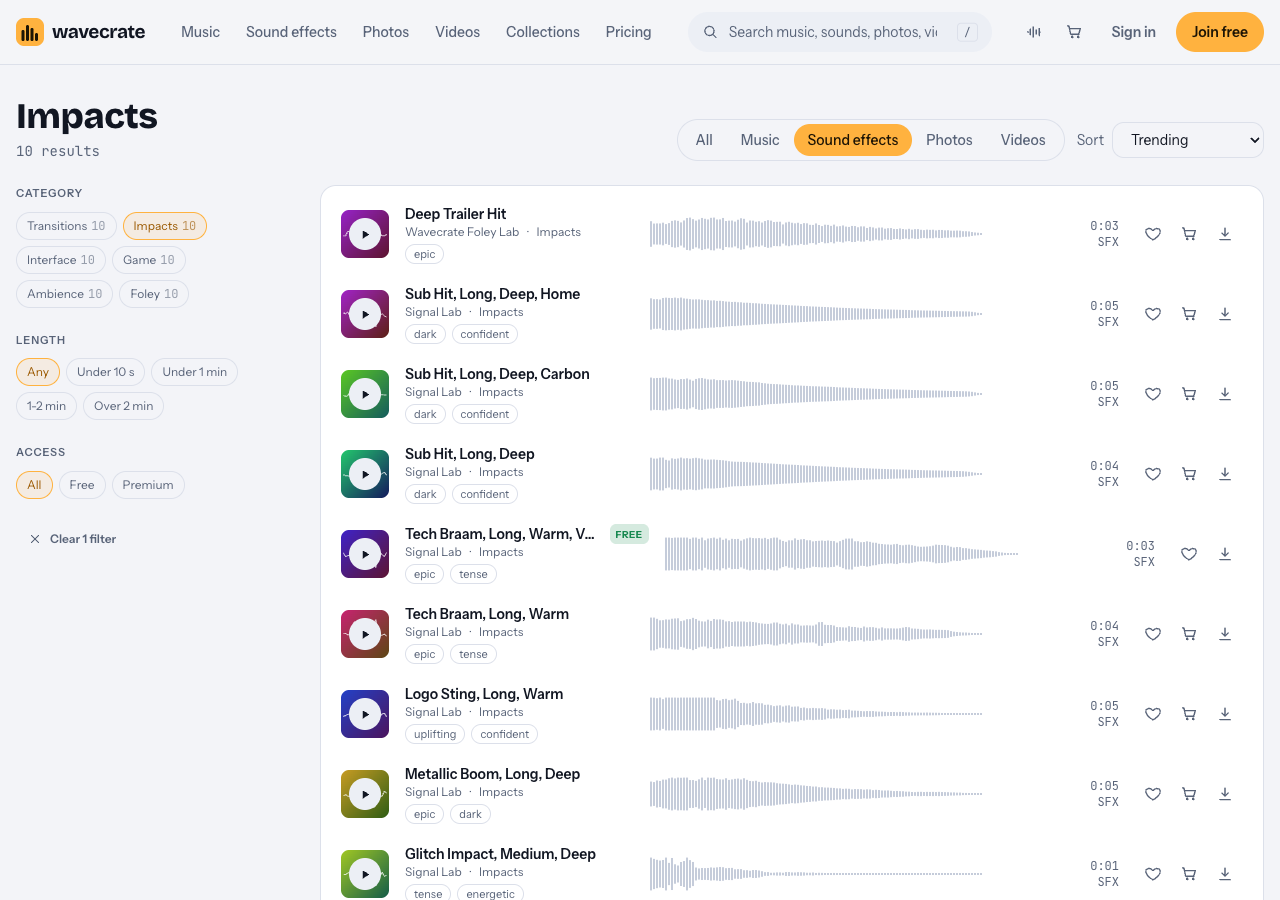
The Impacts category on 10 October 2026.
- Booms: a wide blast with a tail, for big cuts and act breaks. Metallic Boom, Long, Deep is "a cinematic boom with a ringing metallic tail in a huge space", useful when the hit should hang over a black frame.
- Braams: a huge brassy blast that swells and fades. Tech Braam, Long, Warm, Voice is "a huge low synth brass blast that opens up and fades into a big room." Save braams for your two or three biggest moments.
- Short hits: dry and quick, for fast action cuts where a long tail would smear. Glitch Impact, Medium, Deep runs one second.
- Sub hits: mostly low end, felt more than heard. You put these under other hits for weight. The page lists three Sub Hit sounds of four to five seconds.
- Stings: a short musical hit for a logo or title. Logo Sting, Long, Warm is "a short boom with a bright synth chord and bell shimmer for a logo reveal."
To audition fast, press Space to play or pause and Shift with Left or Right to jump to the previous or next sound.
Set up the hit: riser, gap, hit
A hit lands only as hard as the setup before it. The classic pattern has three parts.
- Riser. A sound that climbs for a few seconds. Tension Riser, in the Trailer and tension collection, runs four seconds.
- Gap. Cut the riser and the music a few frames before the hit. Even a quarter second of silence makes the next sound feel louder.
- Hit. Drop the impact on the first frame of the new shot.
A 10 second build into a title card might look like this:
- 0:00 to 0:06: music carries the shots.
- 0:06: start the riser under the music.
- 0:09.5: cut the music and the riser. Black frame.
- 0:10: the title appears with Deep Trailer Hit and a sub hit under it.
Try the same edit without the gap and you will hear the difference at once.
Layer impacts for a bigger, cleaner hit
Big trailer hits are often a few sounds stacked, each covering a different range:
- Low layer: a sub hit for weight.
- Body layer: a boom or braam for the main character.
- Top layer: something short and bright, so the hit still reads on a phone speaker.
Line up the first peak of each layer, so the attack stays sharp. Cut the lowest frequencies from the body and top layers, so only the sub owns the bass. Let one layer carry the tail and fade the others early.
The Signal Lab impacts read for this guide (the braam, the sting and the boom) each come as a 24-bit WAV as well as a 320 kbps MP3. Use the WAV when you layer and process, since it holds up better under heavy changes.
Time hits to cuts, titles and music
A hit two frames late feels wrong even when viewers cannot say why.
- On cuts: put the hit on the first frame of the new shot, not the last frame of the old one.
- On title cards: let the text appear on the hit, then hold the card through the tail.
- With music: put the hit on a strong downbeat, or replace that beat with the hit.
Tempo helps you find beats. Rise of the Ember, a Cinematic track "building toward a big finish", is 90 BPM, so one beat is two thirds of a second. The Trailer and tension collection ("Big hits, rising tension and epic builds.") puts it beside Tension Riser and Deep Trailer Hit, so you can try them together.
When you mix, keep the music a little below its final level so the hits have room, and dip the music for a moment under each big hit. Sub hits stack fast, so check the low end on headphones and on a small speaker.
Which license covers a trailer
You get a license, not the sound itself. The pricing page puts it plainly: "You get a license to use it. We keep the copyright." For music and sound effects, the pricing page splits it like this:
- Free, only on items marked Free: YouTube, TikTok, Instagram, Twitch, podcasts and monetized channels, with credit text in the description. A free account gets 3 free downloads a month.
- Standard: the same places with no credit line, plus your own business and brand content. Pro (listed at $99 a year, or $12 month to month, and not on sale yet) gives Standard on the whole catalog.
- Extended: adds paid advertising, TV, radio and cinema, apps, games and software, and client work. Pro never includes it.
Paid licenses are not on sale yet: Wavecrate says purchases open soon, and items marked Free can already be downloaded with a free account. The prices on each page are the listed prices for when sales open, and they differ by item. On 10 October 2026, Deep Trailer Hit listed Standard at $3 and Extended at $9, while the braam, the sting and the boom each listed Standard at $5 and Extended at $19.
A worked example: one trailer, four places
Say you made a short film and cut a 60 second trailer. You open on Logo Sting, Long, Warm and land the title on Tech Braam, Long, Warm, Voice, which is marked Free.
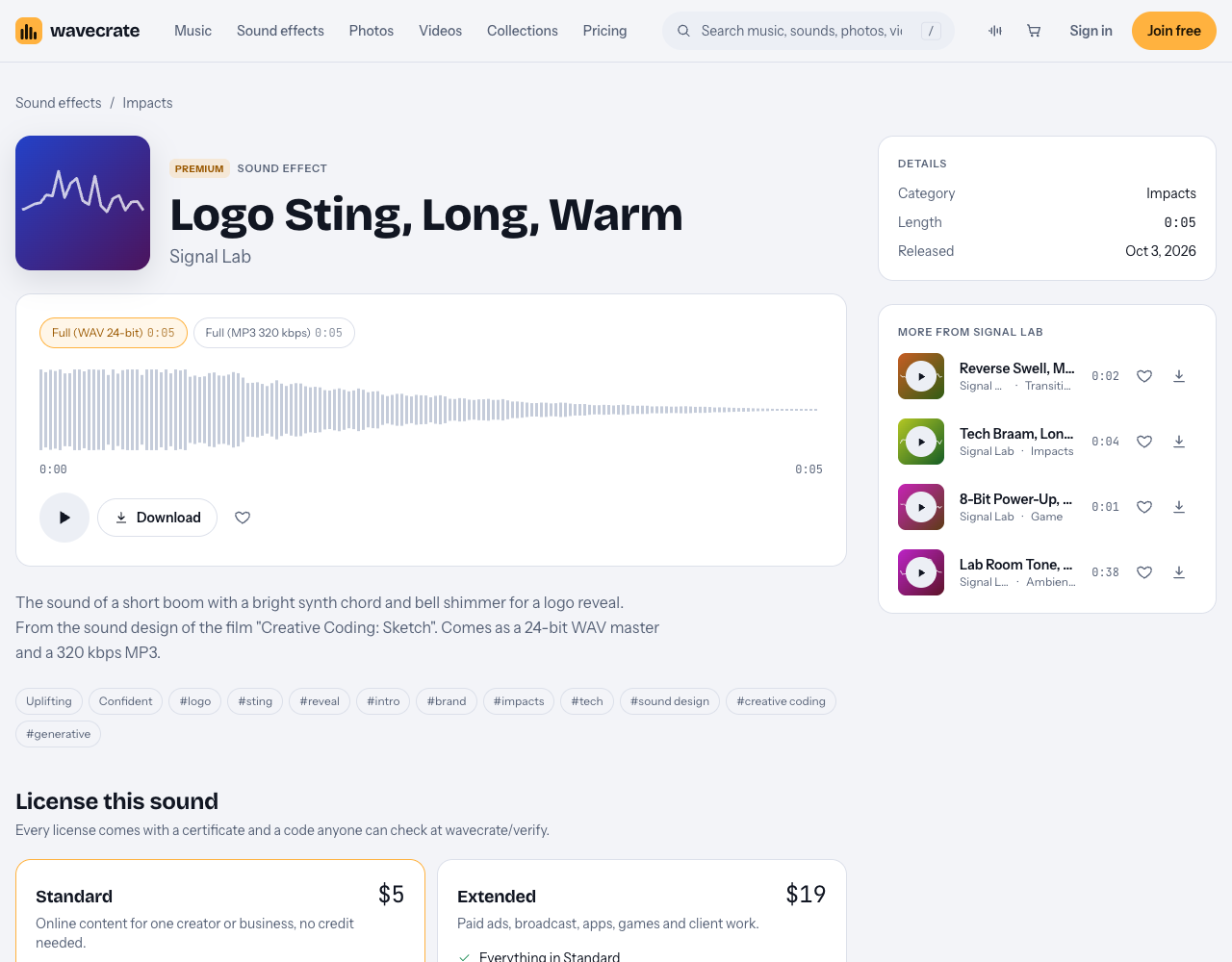
Logo Sting is Premium, so it has no Free card.
- The trailer on your own YouTube channel: the braam is covered by its Free license with credit text in the description. The sting is Premium, so it needs Standard (listed at $5 on its page, or Pro).
- The trailer on your film's own website and socials: that is your own brand content, which starts at Standard, so the braam needs Standard too, even though it is marked Free.
- A paid ad, or a screening in a cinema: paid advertising and cinema are Extended only (listed at $19 for each of these two sounds).
- A trailer you cut for a client: client work is Extended only. The pricing page says that, once purchases open, Standard can be upgraded to Extended for the difference.
Each download comes with a certificate and a code. The verify page shows the licensee, the item, the license type and your registered channels, so a reviewer can check it without contacting Wavecrate. Keep the codes for each project in one folder.
Frequently asked questions
Are there free trailer hits on Wavecrate?
On 10 October 2026 the Impacts page had one sound marked Free, Tech Braam, Long, Warm, Voice. Its Free license covers online videos and podcasts with credit text in the description.
How many big hits should a two minute trailer have?
There is no fixed number, but every hit should mark a real moment. Keep your biggest ones to two or three so they keep their weight.
Does Pro cover a trailer that runs as an ad?
No. Pro gives Standard licenses only, and paid advertising is Extended only.
What if my trailer gets a copyright claim?
The pricing page says to send the platform your license code or certificate link, so a reviewer can check it on the verify page. What the platform decides is up to the platform.
Get started
Open the Impacts page, pick one sub, one body and one top layer, and try the riser, gap, hit pattern on a title card. Then match each sound's license to where the trailer will run.
Browse Wavecrate: you can join free and download items marked Free now, paid licenses are not on sale yet (purchases open soon), and every download comes with a license certificate and a code anyone can check on its verify page.


Comments
No comments yet.
Sign in or make an account to comment.