Light leak overlays for video edits: blend, time and license
Light leak overlays for video edits are short clips of warm, glowing light on black that you lay over your footage. They add a filmic flash, soften a cut, or make a scene feel like a memory. Used well, they make an edit feel warm and handmade; used badly, they look like a template. This guide covers blend modes, timing, grading, and which license covers the clip, with a real overlay from Wavecrate read on 10 October 2026.
Wavecrate licenses royalty-free music, sound effects, photos and videos, and every download comes with a license certificate and a code anyone can check on its verify page.

What a light leak overlay is
On film cameras, stray light sometimes hit the film and burned orange or red streaks into the frame. A light leak overlay brings back that look on purpose. It is a video of colored light moving across black. You put it on a track above your footage, change its blend mode, and the black drops away. Only the glow stays.
Leaks suit some edits more than others:
- Cuts between scenes: a flash of light hides a jump in time or place.
- Warm or nostalgic moments: travel recaps, family videos, wedding films, flashbacks.
- Openings and endings: a leak that fades in over the first shot or out over the last.
They help less in tutorials and screen recordings, where viewers need to read the screen.
Choosing a clip: color, size and length
Read three things on the clip's page before you download.
- Color. Most leaks are orange, red or gold, which suit sunsets and lamplight. A leak's main color is often listed as black, because black fills most of the frame. Wavecrate's Warm Light Leaks Overlay is "Orange and red film light leaks on black, ready to blend over footage with screen mode", and its main color says Black. So read the description, not only the swatch.
- Size. That clip is 1920 x 1080, landscape, Full HD, 30 fps, with an Original Full HD mp4 and an HD 720p mp4. In a 4K or vertical timeline it will be scaled, so check it at full screen before export.
- Length. It runs 8 seconds, so you can pick the part with the shape you like and trim the rest. Most leaks need only a second or two on screen.
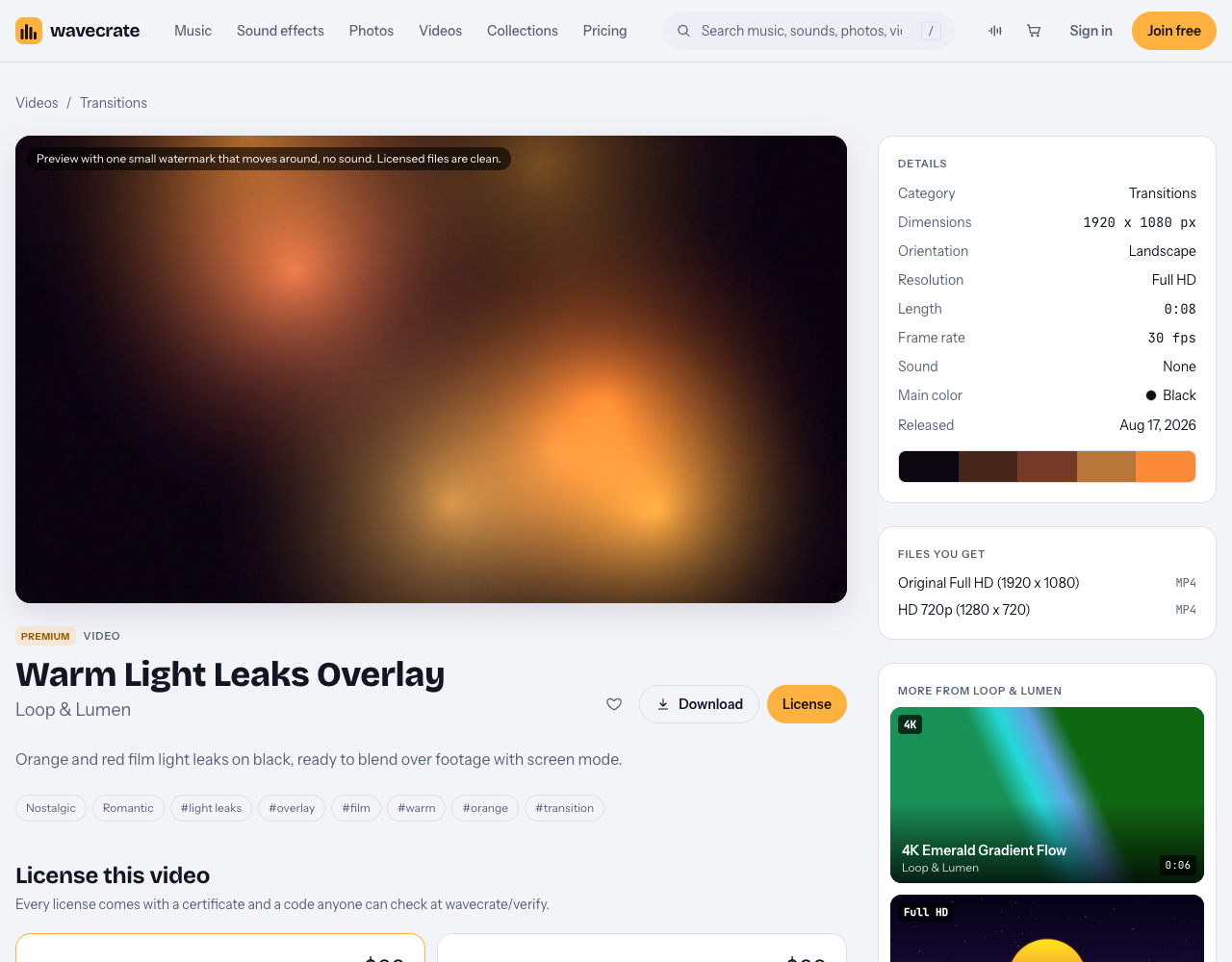
Warm Light Leaks Overlay: Full HD, 8 seconds, no sound, Premium.
Previews carry "one small watermark that moves around, no sound", and licensed files are clean. Never publish the preview.
Blend modes for light leak overlays for video edits
The workflow is the same in most editors:
- Put your footage on the lower video track.
- Drag the leak onto the track above it.
- Open the leak clip's blend or composite setting and pick Screen. The black drops out and the light brightens the picture.
- Lower the leak's opacity until it looks natural. Start around half and adjust by eye.
The common modes behave differently:
- Screen brightens gently. It is the safest default, and the one Wavecrate's leak names.
- Add (Linear Dodge in some editors) is punchier and blows out highlights fast. Use it for a hard flash on a cut.
- Lighten keeps whichever pixel is brighter. It looks flatter, but washes out dark scenes less.
Quick test: put the same leak over the same shot three times, one mode each, and switch between them.
Timing leaks to cuts and beats
Placement makes a leak feel planned. Scrub through the clip and find its brightest frame. Line that frame up with the cut, and fade the leak in a few frames before and out a few frames after. The eye goes to the flash, and the cut slips past.
If the edit is cut to music, put the brightest frame on a strong beat, like the start of a chorus, not on every beat.
You can also stack a leak on a transition to make it warmer. Wavecrate's Transitions and overlays videos listed the leak next to nine 2 second 4K transitions (slides, soft wipes, an iris, crossfades, zoom-throughs and a glitch), three of them marked Free.
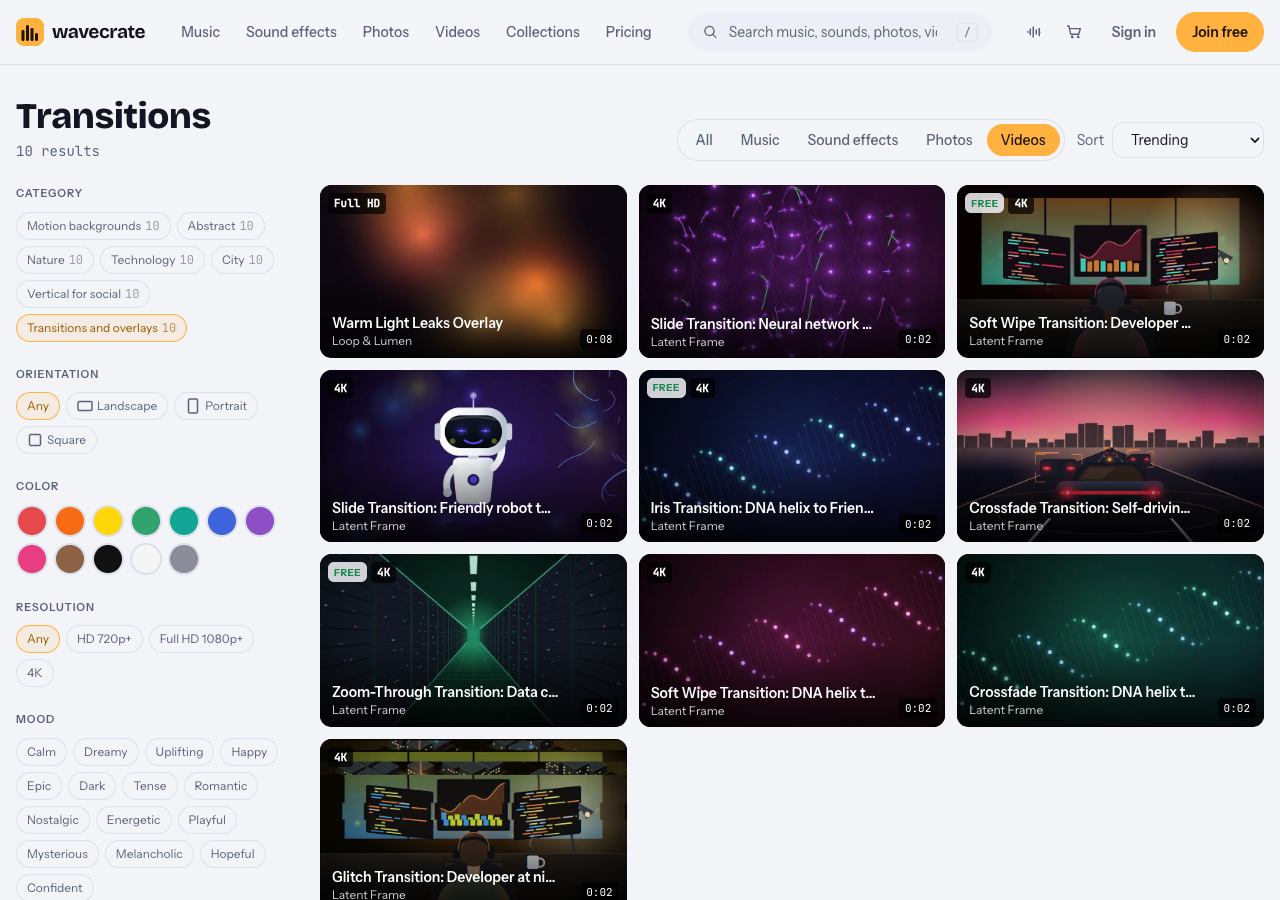
The Transitions and overlays category on 10 October 2026.
Grading leaks to match your footage
A leak that does not match your grade looks pasted on. Adjust the leak clip itself:
- Hue: shift orange toward gold for daylight, or toward pink for dusk.
- Saturation: pull it down if your footage is muted.
- Blacks: crush them a little, so no faint gray shows in Screen mode.
- Mask: keep the glow off faces and text with a soft mask.
- Flip: make the light come from the same side as the real light in your shot.
Save the settings as a preset if you make a series, so every episode matches. And keep it rare: a leak on every cut stops meaning anything.
Which license covers a light leak
For photos and videos, the pricing page splits it like this:
- Free, only on items marked Free: websites, blogs, social posts and monetized channels, with "Credit text required next to the photo or in the description".
- Standard: no credit, plus apps, presentations and your own marketing. Pro (listed at $99 a year, or $12 month to month, and not on sale yet) gives Standard on the whole catalog.
- Extended: adds paid ads and TV broadcast, products for resale (merchandise, templates, prints and packaging), unlimited print runs and client work. Pro never includes it.
Warm Light Leaks Overlay is Premium, so it has no Free license. Its page lists Standard at $29 and Extended at $99. Paid licenses are not on sale yet (Wavecrate says purchases open soon), so those are the listed prices for when sales open; items marked Free, like three of the transitions above, can already be downloaded with a free account.
A worked example: one leak, three edits
Say you edit a 60 second travel recap with a big music change at 0:24, where you cut from a city street to a beach. You put the leak on track two in Screen mode at about 60 percent, line its brightest frame up with the cut, and trim it to one second with short fades. One dimmer leak over the first shot and one over the last, and you are done: three leaks in a minute.
Now check the use:
- The recap goes on your own YouTube channel and socials: Standard covers it ($29 listed on this page, or Pro once it is on sale).
- You cut the same look into a client's wedding film: client work is Extended only ($99 listed on this page). The pricing page says that once purchases open, a Standard holder will be able to upgrade for the difference.
- You build an editing template with the leak inside and sell it: "Products for resale: merchandise, templates, prints and packaging" is on the Extended card only.
Each download comes with a certificate and a code. The verify page shows the licensee, the item, the license type and your registered channels, so a client or reviewer can check it without contacting Wavecrate.
Frequently asked questions
Which blend mode is best for light leaks?
Screen is the best default, because it drops the black and brightens gently. Use Add for a harder flash, and Lighten when Screen washes out a dark scene.
Do light leaks need a transparent background?
Usually not. Most are light on black and rely on a blend mode. Warm Light Leaks Overlay is an mp4 of light on black, meant for Screen mode.
Is there a free light leak on Wavecrate?
Not on 10 October 2026. A search for "light leak" found one clip, and it is Premium. Three of the 2 second transitions in the same category were marked Free.
Does Pro cover a leak in a client's video?
No. Pro gives Standard licenses only, and client work is Extended only.
Get started
Open the Transitions and overlays videos, preview the leak over your own cut, and match the license to where the edit will live before you download.
Browse Wavecrate: you can join free and download items marked Free now, paid licenses are not on sale yet (purchases open soon), and every download comes with a license certificate and a code anyone can check on its verify page.


Comments
No comments yet.
Sign in or make an account to comment.