Light Streak Loops for a Music Visualizer Video: A Guide
Light streak loops for a music visualizer video are short, seamless clips of glowing light moving across a dark frame. You lay one behind a song, tie a little motion to the beat, and the track gets something to look at without a full edit.
First, an honest note. Wavecrate has no category named "light streaks", and a search for "streak" on the site returns no results today. What it does have are dark-background loops of glowing light that do the same job. This guide shows which ones, how to fit a loop to your track, and which licenses you need.
What a visualizer loop has to do
A visualizer has one job: keep the eye busy while the audio carries the video. A loop is the cheapest way to do it. You pick one clip of a few seconds, repeat it for the whole song, and the motion never runs out.
Light on a dark frame works well because it reads as energy even when little happens. Slow drifting light feels calm. A fast sweep feels driven. You can change the mood with speed, color and layering, without changing the footage. On Wavecrate, each loop's page lists its length, frame rate and license.

Light streak loops for a music visualizer video: what Wavecrate has today
The Motion backgrounds page lists the loops. You can filter videos by color, orientation, resolution, mood and length, and by access (Free or Premium). Previews carry one small watermark that moves around and have no sound; licensed files are clean.
Three clips read on 19 October 2026 fit a light-on-dark look:
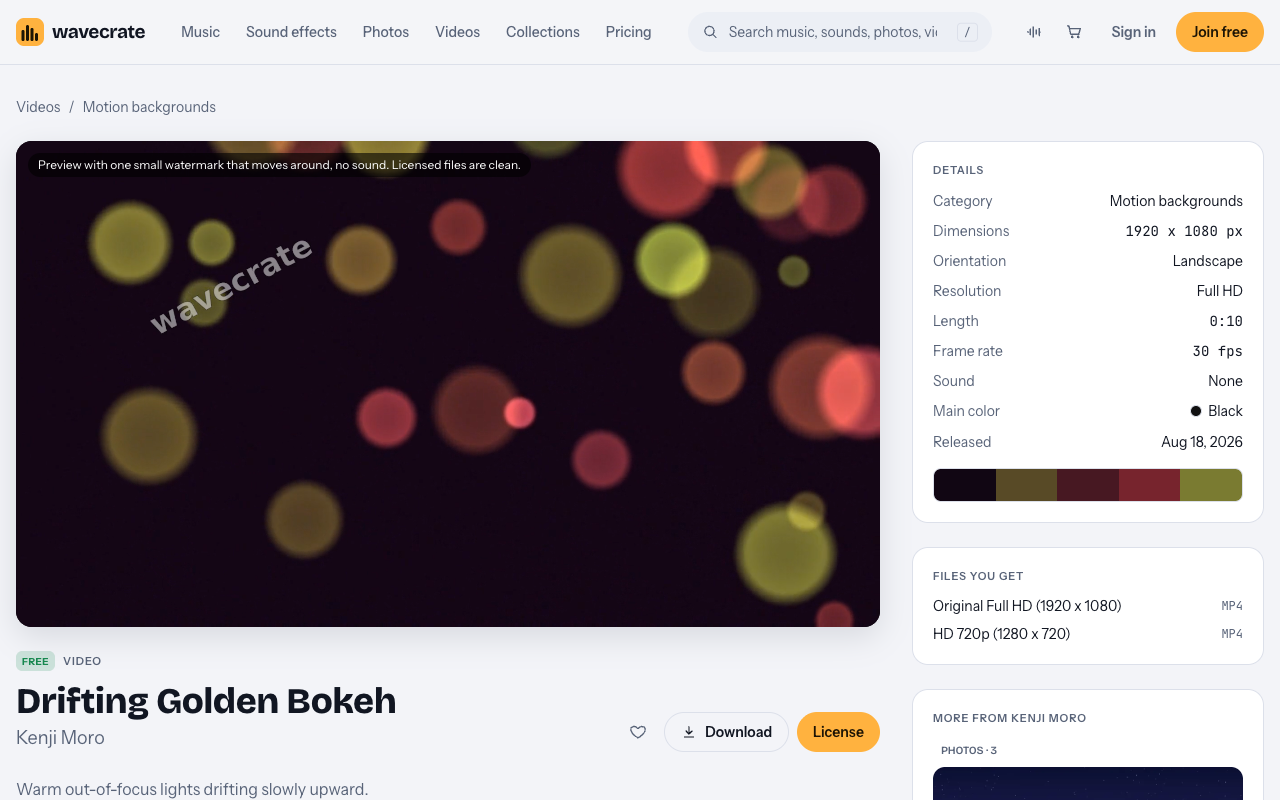
- Drifting Golden Bokeh. Marked Free. "Warm out-of-focus lights drifting slowly upward." Full HD, 10 seconds, 30 fps, no sound.
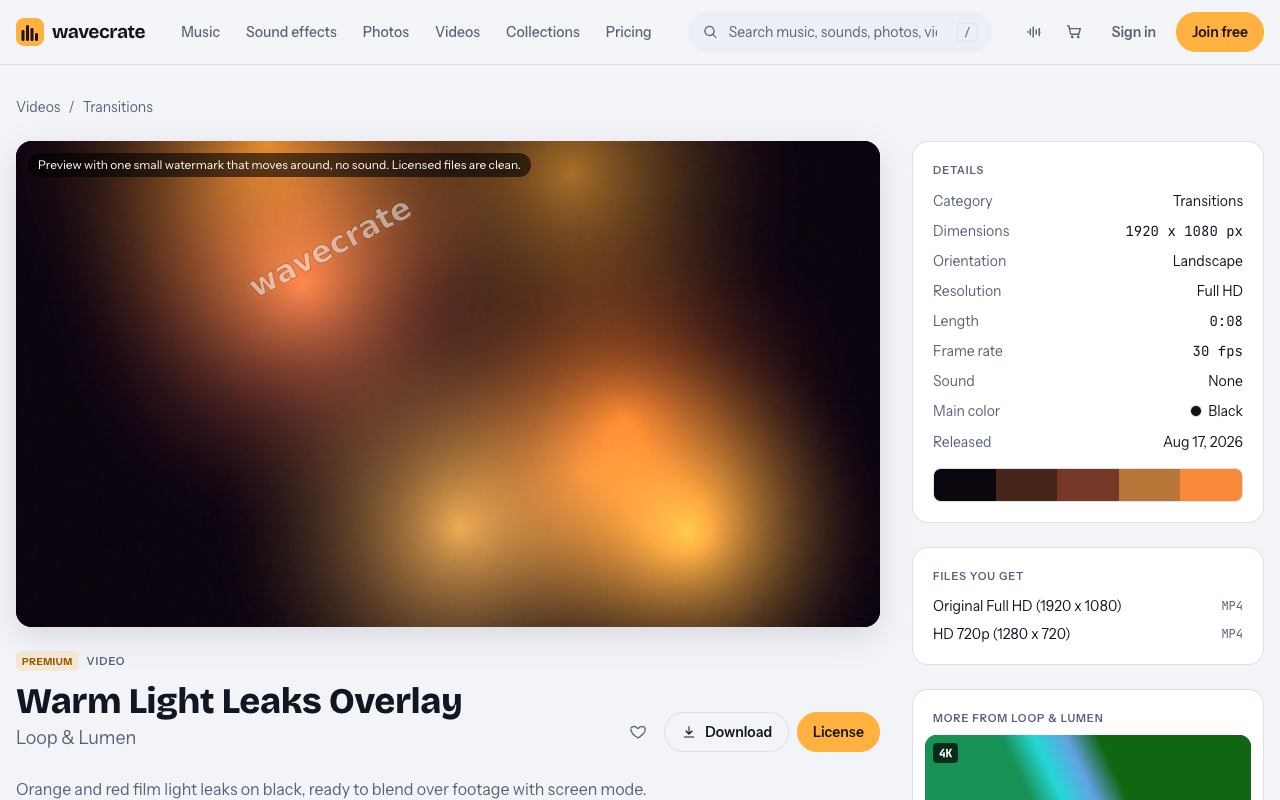
- Warm Light Leaks Overlay. Marked Premium, in the Transitions category. "Orange and red film light leaks on black, ready to blend over footage with screen mode." Full HD, 8 seconds, 30 fps, no sound.
- Slow Gradient Flow. Marked Free. Blue and violet gradients drifting slowly. Full HD, 10 seconds, 30 fps, no sound.
Free and Premium marks can change, so check the item page before you plan a video around one.
Match the loop length to your track's tempo
This is the step most people skip. If a loop restarts in the middle of a bar, you feel a small hitch each time. If the loop is a whole number of bars long, the restart lands on the beat and disappears.
The math is short. A bar in 4/4 is four beats, and a beat lasts 60 divided by the BPM, in seconds.
- At 120 BPM a beat is 0.5 seconds, so an 8 second loop is 16 beats, exactly 4 bars.
- At 96 BPM a beat is 0.625 seconds, so a 10 second loop is 16 beats, also exactly 4 bars.
- At 82 BPM a 10 second loop is about 13.7 beats, which will not land cleanly.
That gives two clean pairs from the clips above. Warm Light Leaks Overlay (8 seconds) fits a 120 BPM track such as Sunset Terrace, a Free House track listed at 120 BPM. Drifting Golden Bokeh (10 seconds) fits a 96 BPM track such as Porch Light, a Free Acoustic track listed at 96 BPM.
When the numbers do not line up, nudge the clip speed in your editor until the length fits whole bars. On slow, soft light a small change is hard to see. On sharp lines, keep it tiny. The music browse page has a tempo filter with Slow, Mid and Fast and a custom range, so you can also search for a track near the BPM your clip needs.
A worked example: a 16 second visualizer
Here is one short visualizer you can build in an afternoon.
- Choose Sunset Terrace. Its page lists an 8 bar loop version that runs 0:16, which at 120 BPM is exactly 16 seconds.
- Set your project to 1920 x 1080 at 30 fps. The clips above are Full HD at 30 fps, so nothing needs converting.
- Put a dark base on the bottom layer. Slow Gradient Flow works as a calm base.
- Place Drifting Golden Bokeh in the middle and let it run at normal speed.
- On top, add Warm Light Leaks Overlay and set its blend mode to screen, as its page suggests. The black drops out and only the light stays.
- Loop the 8 second overlay twice to fill the 16 seconds, and loop the 10 second layers so each one is cut at a bar line. Play the project on repeat and watch the joins.
Layers of different lengths are fine. An 8 second layer and a 10 second layer only line up every 40 seconds, so the combined picture does not visibly repeat. Each layer just has to loop cleanly on its own.
Sync the light to the beat
You do not need audio analysis software. Use your editor's markers.
At 120 BPM and 30 fps, one beat is exactly 15 frames, so you can drop a marker every 15 frames. At 96 BPM a beat is 18.75 frames, so you have to round, and the drift shows over a long track. For clean frame math, a 120 BPM track is the easy case.
Keep the list of events short and consistent.
- Pulse the brightness of the top layer on the kick, on every beat or every other beat.
- Change a layer's color or speed at the start of each section, such as the chorus.
- Save your biggest move, a scale push or a flash, for the one place the track builds.
Export to match where the video will live. Check each platform's current upload guidance first, since it changes. If you plan to crop or zoom, start from a 4K clip where one is offered; several Wavecrate loops are 4K.
Which licenses a visualizer needs
Two licenses are involved: one for the loop and one for the track.
The Free license on a video covers websites, blogs and social media posts and monetized channels, with a credit line. The Free license on music covers YouTube, TikTok, Instagram, Twitch and podcasts, with credit text in the description. A free account gets 3 free downloads a month.
Paid licenses are not on sale yet: Wavecrate says purchases open soon, so the prices here are the listed prices for when sales open, while items marked Free can already be downloaded with a free account. For no credit line, Standard removes it: on the item pages read, a Standard video license was listed at $29 and a Standard music license at $15. Pro, listed at $99 a year or $12 month to month and not on sale yet, gives Standard licenses on the whole catalog. Paid advertising, broadcast, products for resale and client work need Extended, which Pro does not cover. Warm Light Leaks Overlay, for example, lists Extended at $99.
Every download comes with a certificate and a code. Put the code in your video description. If a platform raises a claim, send it the code or certificate link: anyone can enter the code on the verify page and see the licensee, the item and the license type. You get a license to use the item, not ownership of it. See the pricing page for the full table.
Frequently asked questions
Does Wavecrate have a light streak category?
No. It has Motion backgrounds and Transitions categories, and a search for "streak" finds nothing today. Clips like Drifting Golden Bokeh and Warm Light Leaks Overlay fit a light-on-dark look.
How long should a visualizer loop be?
Pick a length equal to a whole number of bars at your track's tempo. At 120 BPM, 8 seconds is 4 bars. At 96 BPM, 10 seconds is 4 bars.
Can I use Free clips in a monetized YouTube visualizer?
Free video and Free music licenses both cover monetized channels and both need a credit line in the description. Check the license card on each item page, since a Premium item needs a paid license once sales open.
Do the clips include sound?
The three loops named here list "Sound: None", so your track is the only audio. Not every Wavecrate video is silent, so read the details on each item page.
Get started
Browse Wavecrate: you can join free and download items marked Free now, paid licenses are not on sale yet (purchases open soon), and every download comes with a license certificate and a code anyone can check on its verify page.
Pick a track first and note its BPM. Then browse music by mood, tempo, key and energy, and filter the motion backgrounds by color and length until a loop fits the bars. Join Wavecrate free to start with the items marked Free.


Comments
No comments yet.
Sign in or make an account to comment.