Logo sting sound effects for a brand intro: how to choose
A good brand intro lasts a few seconds, and the sound does most of the work. If you are looking for logo sting sound effects for a brand intro, this guide shows you how to pick one, how long it should run, how to line it up with your animation, and which license matches where the intro will play. The examples use real sound effect pages on Wavecrate, read on 10 October 2026.
What a logo sting is and why your brand intro needs one
A logo sting is a short sound that plays while your logo appears. It can be a single hit, a chord, a whoosh into a boom, or a small chime. It tells the viewer "this is us" before anyone says a word.
Without sound, a logo animation can feel unfinished. A sting gives the reveal a clear start and a clear peak. Use the same one every time, and people start to link that sound with your channel, podcast or product. On Wavecrate, you can play stings, hits and chimes one after another and read each one's license before you choose.

How long a logo sting should be for video, podcasts and social
Shorter is usually better. Viewers skip slow intros, and a long sting delays the content they came for.
- YouTube and longer videos: 3 to 5 seconds is enough for a reveal with a small build and a tail.
- Podcasts: there is no picture, so the sound carries everything. A 3 to 5 second sting before your music or first line works well.
- Short vertical video: 1 to 2 seconds, or skip the intro and put the sting at the end with your logo.
The impact sounds on Wavecrate fit these ranges. On 10 October 2026 the impact sounds page listed 10 items between 1 and 5 seconds long. Glitch Impact, Medium, Deep runs 1 second. Deep Trailer Hit and Tech Braam, Long, Warm, Voice run 3 seconds. Logo Sting, Long, Warm and Metallic Boom, Long, Deep run 5 seconds.
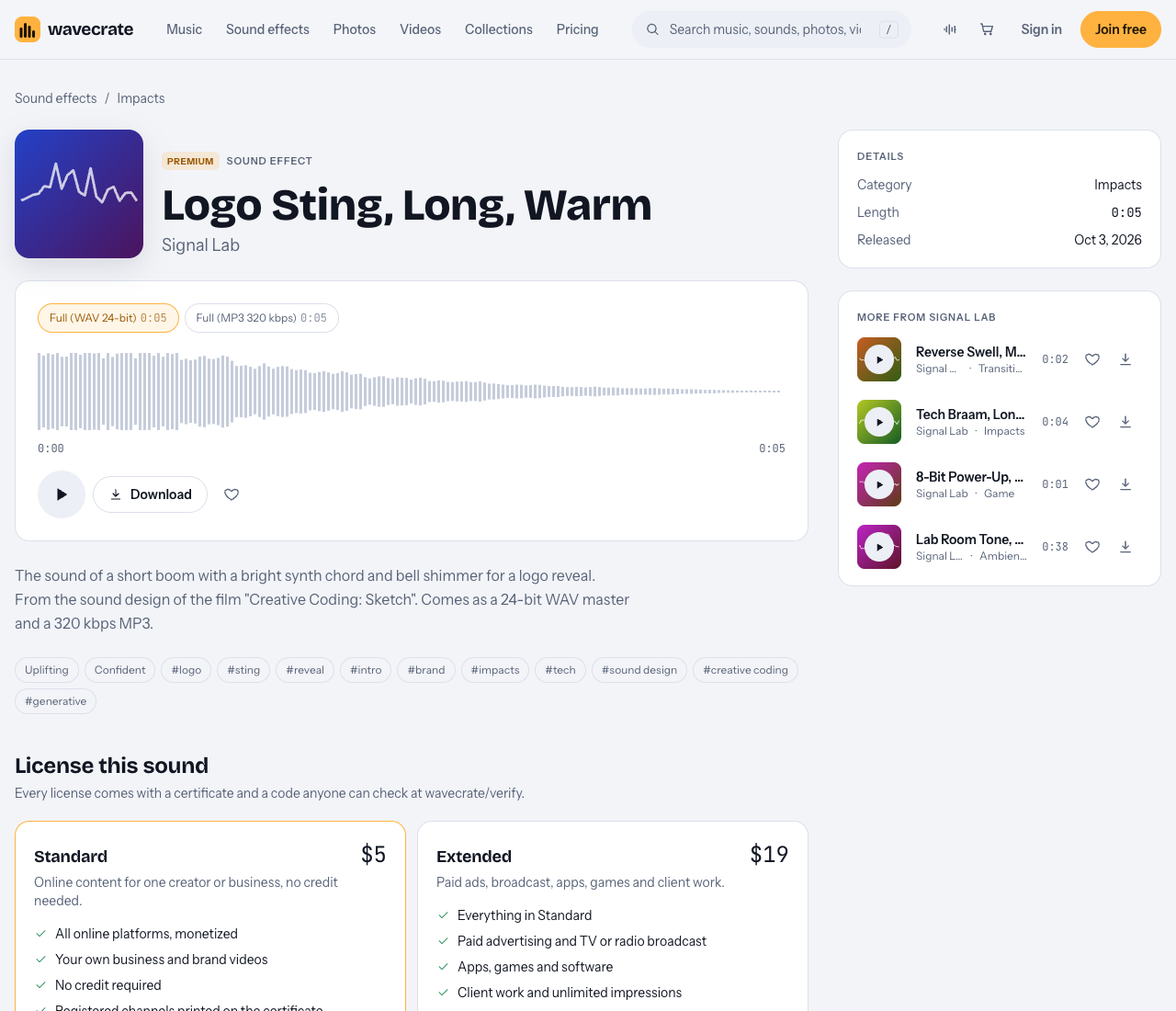
Logo Sting, Long, Warm: five seconds, Premium.
Matching logo sting sound effects for a brand intro to your brand
Before you search, write down three words that describe your brand. Then match the sound to the words, not to what sounds cool in isolation.
- Warm, friendly, approachable: look for bright chords, bells and soft tails. Logo Sting, Long, Warm is described on its page as "a short boom with a bright synth chord and bell shimmer for a logo reveal," tagged logo, sting, reveal, intro and brand.
- Bold, cinematic, serious: low hits and big rooms. Metallic Boom, Long, Deep is "a cinematic boom with a ringing metallic tail in a huge space." Deep Trailer Hit is built for "boom and trailer moments."
- Tech, product, software: synth brass and glitches. Tech Braam, Long, Warm, Voice is "a huge low synth brass blast that opens up and fades into a big room."
- Light, helpful, app-like: a chime instead of a boom. Success Chime is an Interface sound for "win and complete moments."
A quick test: play the sting, then play your first 10 seconds of content right after. If the sting feels louder or more dramatic than everything that follows, it is the wrong size for your brand.
Common logo sting styles: whooshes, risers, hits and chimes
Most stings are built from a few kinds of sound. Knowing them helps you search faster.
Whooshes
Fast air movement that carries the logo onto the screen. Air Cut Whoosh is a 1 second Transitions sound, marked Free, for "transition and swipe moments."
Risers
A sound that climbs and builds tension. Digital Riser, Long, Bright is a 4 second Transitions sound. Where it peaks is your sync point.
Hits
The punch at the moment the logo lands. This is the core of most stings. Deep Trailer Hit and the Sub Hit sounds sit here.
Chimes
A clean tone for softer brands, apps and explainers. The Interface category is where to look.
Many good stings combine two of these: a riser into a hit, or a whoosh into a chime.
Syncing the sting to your logo animation frame by frame
The sting only works if its peak lands on the exact frame your logo locks into place. Here is a simple workflow you can follow in any video editor.
- Find the hero frame. Scrub your logo animation and mark the frame where the logo is fully visible and stops moving. Put a marker there.
- Find the peak in the audio. Look at the waveform of your sting. The tallest spike is the hit. For a riser like Digital Riser, Long, Bright, the peak is at the end.
- Line them up. Drag the audio so its peak sits on your marker. Do not align the start of the file with the start of the video. Align the peaks.
- Nudge by single frames. At 30 fps, one frame is about a thirtieth of a second. Play it back and move the audio one frame earlier if the hit feels late. Sound that lands a hair early often feels more in sync than sound that lands late.
- Trim the tail. Let the ring out fade under your first shot or your music, rather than cutting it hard.
Worked example: your logo animation is 4 seconds at 30 fps, and the logo locks at 2.5 seconds. You pick Logo Sting, Long, Warm (5 seconds). Place its boom on the 2.5 second marker. The bell shimmer then rings past the end of the animation, so fade it over your opening shot for about one second.
To audition fast on Wavecrate, Space plays or pauses and Shift with Left or Right moves to the previous or next sound.
Licensing: royalty-free logo sting sound effects and what to check
A brand intro plays at the start of everything you publish, so its license matters more than for a one-off sound. Ask one question first: where will this intro appear? Paid licenses are not on sale yet: Wavecrate says purchases open soon, so the prices below are the listed prices for when sales open, and items marked Free can already be downloaded with a free account.
Your own channel, podcast or brand content
The Standard license on a Wavecrate sound effect covers online content for one creator or business, with no credit needed. It includes all online platforms, monetized channels, and your own business and brand videos. Your registered channels are printed on the certificate. On 10 October 2026, the Logo Sting, Long, Warm page showed Standard at $5, and Deep Trailer Hit showed Standard at $3. Listed prices for sound effects differ by item, so check the page of the one you want.
Ads, broadcast, apps, games and client work
If the intro will run in paid advertising, on TV or radio, inside an app or game, or in work you deliver to a client, you need the Extended license. Logo Sting, Long, Warm showed Extended at $19 on its page, and Deep Trailer Hit showed $9. The pricing page says that once purchases open, Standard can be upgraded to Extended for the difference.
This matters for agencies and freelancers. Making a brand intro for someone else is client work, so it needs Extended.
Free sounds with a credit line
Some sound effects are marked Free, such as Tech Braam, Long, Warm, Voice and Success Chime. The Free license covers online videos and podcasts, including monetized channels, but you must put credit text in the description. A free account gets 3 free downloads a month. And the Free license does not cover your own business and brand videos, so a company's intro needs Standard even when the sound is marked Free.
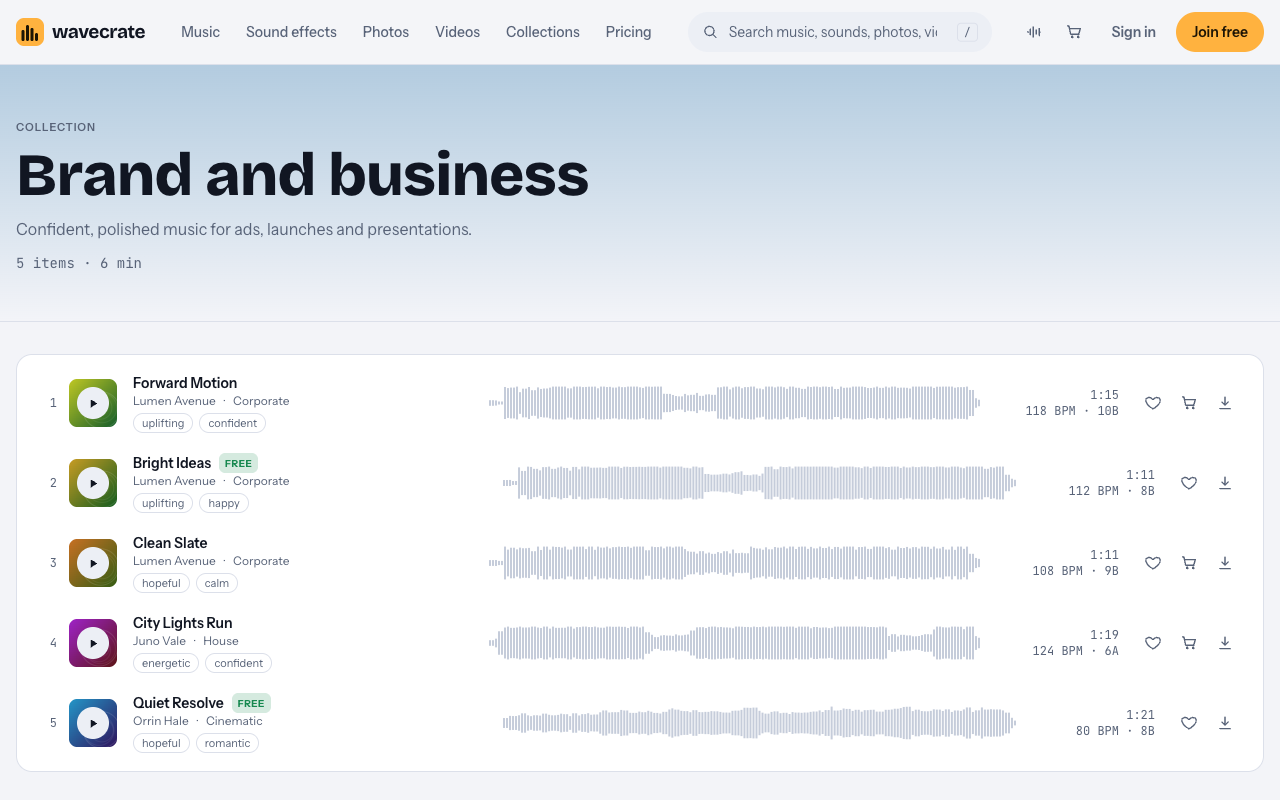
The Brand and business collection, for intros with music under the sting.
Pro
Pro gives Standard licenses on the whole catalog, and is listed on the pricing page at $99 a year or $12 month to month; it is not on sale yet. It does not include Extended. Content you publish while subscribed stays covered after Pro ends.
Keep the certificate
Every download comes with a license certificate and a code. Anyone can enter the code on the verify page, with no account, and see who holds the license, for which item, and what it covers. Keep the code with your brand files. You get a license to use the sound, not ownership: Wavecrate keeps the copyright.
Frequently asked questions
Can I use a logo sting sound effect commercially?
For your own business and brand videos online, the Standard license on a Wavecrate sound effect covers it, with no credit needed. Paid ads, broadcast, apps, games and client work need the Extended license.
Should a logo sting have music or just sound design?
Either works. A single designed sound is easier to keep short, while a music cue suits a brand with a signature track. Wavecrate's Brand and business collection has "Confident, polished music for ads, launches and presentations."
Can I layer several sound effects to make a custom sting?
Yes. A common build is a riser into a hit, or a whoosh into a chime. Each sound you use needs its own license, so check that every layer is covered for where the intro will play.
Get started
Start with the impact sounds for hits and booms, then the Brand and business collection if you want music under it. Pick two or three candidates, test each against your animation using the peak-on-the-hero-frame method, and choose the license that matches where the intro will run.
Browse Wavecrate: you can join free and download items marked Free now, paid licenses are not on sale yet (purchases open soon), and every download comes with a license certificate and a code anyone can check on its verify page.


Comments
No comments yet.
Sign in or make an account to comment.