Magic sparkle sounds for a kids storytelling video
A fairy lands on a windowsill, a stone starts to glow, a door opens onto a new world. A short shimmer tells the listener that something special just happened. This guide shows you how to use magic sparkle sounds for a kids storytelling video, using one real sound, Magic Sparkle on Wavecrate, and walks it through three kinds of project. For each one you will see which license fits and why. Everything here was read from the live pages on 11 October 2026.
Meet Magic Sparkle
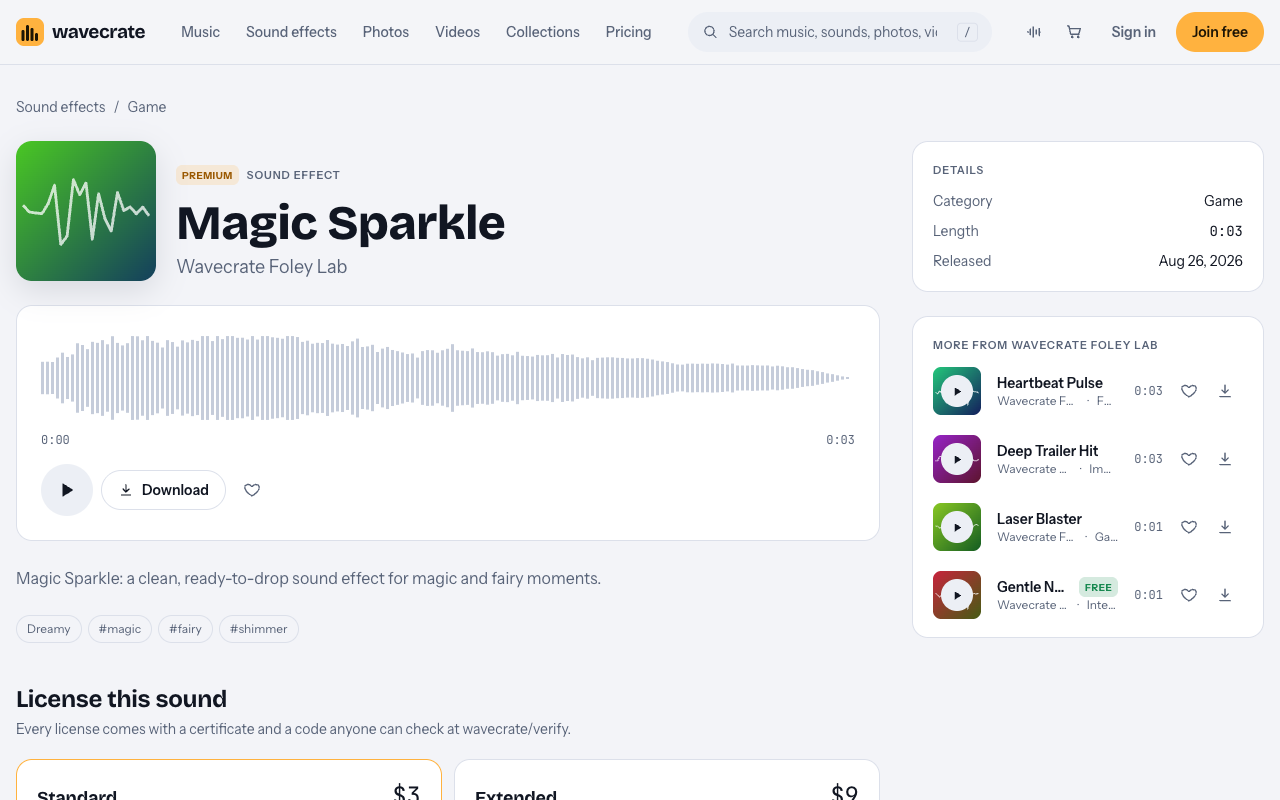
Magic Sparkle is a sound effect by Wavecrate Foley Lab. It is 0:03 long and was released on Aug 26, 2026. Its page calls it "a clean, ready-to-drop sound effect for magic and fairy moments." The tags are dreamy, magic, fairy and shimmer.

It is a Premium sound. That means there is no Free card on its page. It has two license cards instead:
- Standard, listed at $3. "Online content for one creator or business, no credit needed." It covers all online platforms, monetized. It covers your own business and brand videos. No credit is required. Your registered channels are printed on the certificate. Standard is also included with Pro.
- Extended, listed at $9. "Paid ads, broadcast, apps, games and client work." It covers everything in Standard, plus paid advertising and TV or radio broadcast, apps, games and software, and client work with unlimited impressions.
Items on Wavecrate can switch between Free and Premium. Read the page on the day you download, and go by the cards you see then.
Paid licenses are not on sale yet: Wavecrate says purchases open soon, so these are the listed prices for when sales open. Items marked Free can already be downloaded with a free account, but Magic Sparkle was not one of them.
Where to place magic sparkle sounds for a kids storytelling video
A sparkle works best when it is rare. Here are a few plain rules that hold in any editor.
- Land it on the magic moment. Put the sparkle on the page turn, the wand wave, or the instant the spell works.
- Keep it under the narrator. The voice carries the story. The sparkle should sit below it, not on top of it.
- Do not use it on every line. If everything sparkles, nothing feels special. Save it for the beats that matter.
- Use the same sound for the same kind of moment. If the fairy always arrives with Magic Sparkle, the listener starts to expect her. That small pattern helps them follow the story.
At 0:03, Magic Sparkle is short enough to sit between two sentences. You can let the narrator pause, play the shimmer, and carry on.
Use 1: your own storytelling channel
Say you read picture-book style stories on your own YouTube channel or podcast. You are one creator, posting online content. That is exactly what Standard describes: "Online content for one creator or business, no credit needed."
So for this use, the license is Standard, listed at $3. Your channel can be monetized. You do not have to put credit text in the description. Your registered channels are printed on the certificate, so it is clear which channels the license is for.
If you use a lot of sounds and music across many episodes, Pro may suit you better. It is listed at $99 a year or $12 month to month, and is not on sale yet. It gives Standard on the whole catalog. Content you publish while you are subscribed stays covered. Pro never includes Extended, though, so it does not help with the third use below.
Use 2: a small publisher's book trailer
Now say you run a small children's book publisher. You make a trailer for your new book and post it on your own website and social accounts. This is your own business and brand video.
Standard ticks "Your own business and brand videos." So again, Standard, listed at $3, covers it, or Pro. The trailer stays on your own channels. You are not paying to run it as an ad, and you are not making it for someone else.
The line moves if you change how the trailer is used. If you pay to promote it as an ad, that is paid advertising. Paid advertising sits on the Extended card, not Standard.
Use 3: an app, a paid ad or a client video
The third case covers three common jobs:
- You build a storytelling app and the sparkle plays inside it.
- You run the story video as a paid ad.
- You make the video for a client, such as a publisher or a school, who hired you.
Each of these is named on the Extended card: apps, games and software, paid advertising, and client work. So you need Extended, listed at $9. Extended also includes everything in Standard, so the same license still covers the sound in any online posts that go with the project.
Pro will not cover these jobs. Pro gives Standard only, never Extended.
If you want a Free sound for your own channel
Magic Sparkle has no Free card. If you want a Free sound for use 1 only, two Interface sounds were marked Free on 11 October 2026:
- Bubble Pop, by Wavecrate Foley Lab, "for pop and cartoon moments."
- Success Chime, 0:02, "for win and complete moments."
Both also list Standard at $3 and Extended at $9. The Free card on sounds reads "Online videos and podcasts, with credit." It covers YouTube, TikTok, Instagram, Twitch and podcasts, including monetized channels. Credit text is required in the description. A free account gets 3 free downloads a month.
The Free card does not cover your own business and brand content. So it fits a storyteller's own channel, with credit. It does not fit the publisher's trailer in use 2. For that, you still need Standard or Pro.
Browse the Game category for more magic moments
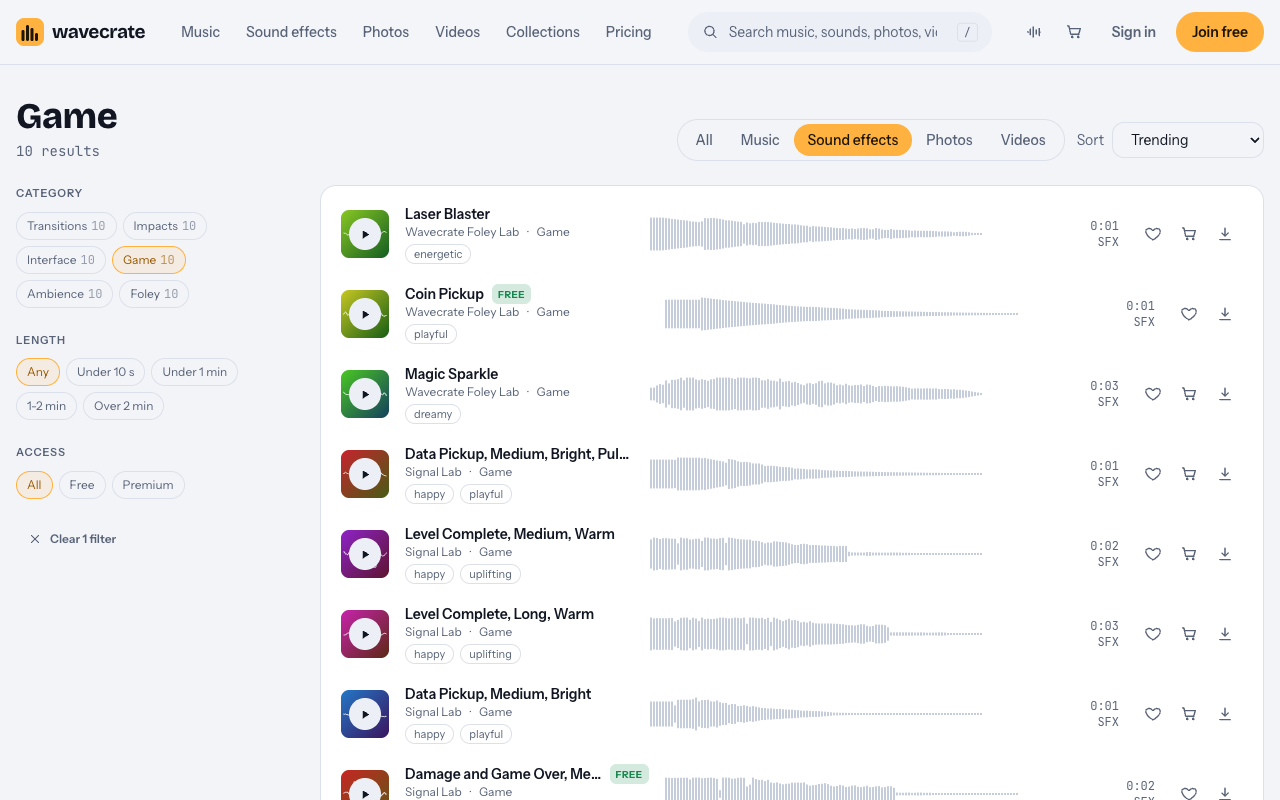
Magic Sparkle lives in the Game sound effects category. On 11 October 2026 it held 10 sounds. Among them were Laser Blaster, Coin Pickup (marked Free), Magic Sparkle, two Level Complete sounds, two Data Pickup sounds, two Damage and Game Over sounds, and 8-Bit Power-Up, Medium, Bright.
Do not let the category name stop you. A sound filed under Game can still go in a story video. The license cards decide what you can do with a sound, not the category. For example, a warm Level Complete sound could close a story on a happy note. Prices differ by item, so check each page.
Whichever license you pick, it comes with a certificate and a code. Anyone can check that code at wavecrate.vlvd.net/verify without contacting Wavecrate. Keep the certificate with your project files. If a client or partner asks where the sparkle came from, you can point them to the code.
One more case to think about. If you plan to play the sound out loud at a library story time or a school event, note that live playback is not named in the license table. Treat it as not covered.
Frequently asked questions
Is Magic Sparkle free?
No. On 11 October 2026 it was Premium, with Standard listed at $3 and Extended at $9 and no Free card. Items can switch, so read the page on the day you download.
Which license do I need for my own story channel?
Standard (listed at $3), or Pro. Standard covers online content for one creator, monetized, with no credit needed.
Does Pro cover a storytelling app?
No. Pro gives Standard on the whole catalog but never Extended. Apps, games and software need Extended, listed at $9.
Can I use Bubble Pop free in a publisher's book trailer?
No. The Free card covers online videos and podcasts with credit, but not your own business and brand content. The trailer needs Standard or Pro.
Get started
Browse Wavecrate: you can join free and download items marked Free now, paid licenses are not on sale yet (purchases open soon), and every download comes with a license certificate and a code anyone can check on its verify page. Listen to Magic Sparkle, decide which of the three uses matches your project, and note the license that names it. To download the sounds marked Free, create a Wavecrate account.


Comments
No comments yet.
Sign in or make an account to comment.