Neural network loops for an AI startup homepage, and the license
If you want neural network loops for an AI startup homepage, you need two things to line up. The loop has to sit quietly behind your headline. The license has to cover the way you actually use it. This guide takes one loop from Wavecrate, the Neural network Loop, and walks it through three common uses so you can see which license card fits each one.
What the Neural network Loop is
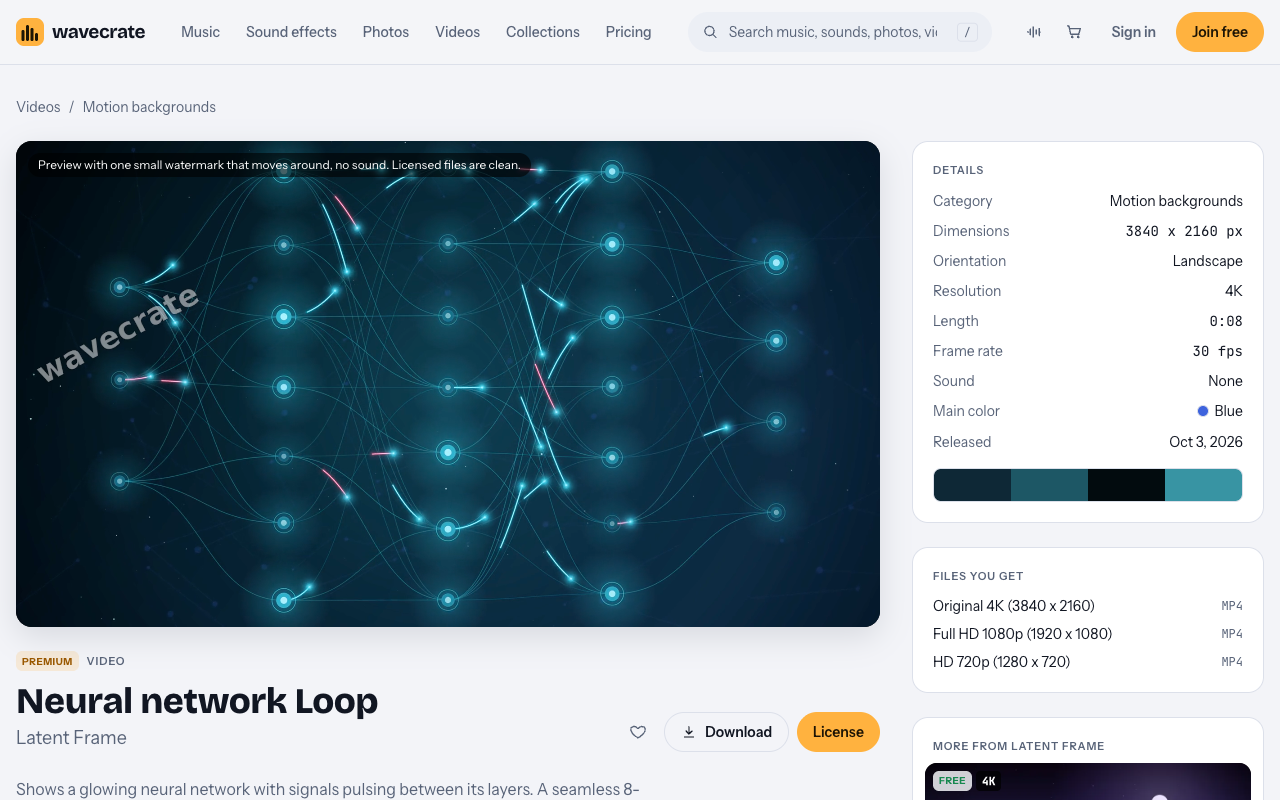
The Neural network Loop sits in the Motion backgrounds category, by Latent Frame. The page describes it this way: it "shows a glowing neural network with signals pulsing between its layers." It is a seamless 8-second 4K loop, "rendered in code," and it is silent.

Here are the details listed on the page on 11 Oct 2026:
- Size: 3840 x 2160, landscape, 4K
- Length: 0:08 at 30 fps
- Sound: none
- Main color: Blue
- Released: Oct 3, 2026
- Status: Premium, with no Free card
The tags include mysterious, confident, neural network, ai, machine learning, nodes, data, technology, glow, seamless and background. That gives you a sense of the mood. It is calm and a little moody, not loud.
There is also a Neural network Loop in Pink. It is the same scene, also Premium, 0:08 and 4K, with Pink as the main color. If your brand leans warm, look at that one too.
Files you get and the preview
The page offers three files, all mp4:
- Original 4K (3840 x 2160)
- Full HD 1080p (1920 x 1080)
- HD 720p (1280 x 720)
The preview carries one small watermark that moves around, and it has no sound. The licensed files are clean. So you can test the preview in a mockup, but swap in the licensed file before anything goes live.
Setting up neural network loops for an AI startup homepage
A few plain habits make a background loop work better:
- Use the 1080p file for the web. It keeps the page lighter than the 4K original. Keep the 4K file for slides and other large exports.
- Add a dark overlay. A semi-transparent dark layer over the video helps your headline read clearly against the glowing nodes.
- Remember it repeats often. An 8-second loop comes around many times while someone reads. Watch it for a minute and make sure the repeat does not distract you.
- Test on a phone. Check how the scene crops in a tall, narrow screen and whether your text still sits on a calm part of the frame.
- Keep a still image fallback. Take one frame as an image so the hero still looks right if the video does not load.
Use 1: your own homepage, social posts and deck
Say you run the startup. You put the loop behind your homepage hero. You cut a few seconds into social posts. You drop it on the title slide of your investor or sales deck.
All of that is your own website, your own social, your own marketing and your own presentations. The video Standard card covers exactly that. It is listed at $29 and says: "Your own websites, social, presentations and marketing, no credit needed." Its list includes websites, social media, apps and presentations, your own marketing and brand content, and print up to 500,000 copies. No credit is required.
Paid licenses are not on sale yet: Wavecrate says purchases open soon, so the prices in this guide are the listed prices for when sales open. Items marked Free can already be downloaded with a free account, but this loop is not one of them.
Note one detail. The video Standard card names "apps." So if you also use the loop inside a screen of your own app, that is listed on Standard. Sound effects work differently on Wavecrate, where app use sits on Extended, so do not assume the two match.
Standard is also included with Pro. Pro is listed at $99 a year or $12 month to month, and is not on sale yet. It gives Standard on the whole catalog, never Extended. Content you publish while subscribed stays covered. If you plan to use several loops across your site and slides, compare the two on the pricing page.
Use 2: a paid ad or a boosted post
Now say you take the same loop and put it in a paid ad. Or you boost a social post that uses it. That moves you to the Extended card.
Extended is listed at $99. Its line reads: "Paid ads, broadcast, products for resale and client work." It includes everything in Standard, plus paid advertising and TV broadcast. The site does not define paid advertising any further. A boosted post is a post you pay to show to more people, so treat it as a paid ad that needs Extended.
Pro does not help here. Pro gives Standard only, never Extended.
Use 3: client work or a template you sell
The third case is when the loop leaves your hands. Two common versions:
- A web agency builds the homepage for the startup. The agency is doing client work.
- Someone builds a website template with the loop inside and sells it. That is a product for resale.
Both sit on Extended, listed at $99. The Extended card lists products for resale, naming merchandise, templates, prints and packaging. It also lists unlimited print runs and client work.
Here is the quick map for all three uses:
- Your own homepage, social posts, deck or app screen: Standard (listed at $29), or Pro.
- A paid ad or a boosted post: Extended (listed at $99).
- Agency client work or a template you sell: Extended (listed at $99).
If one project mixes uses, go by the widest one. A homepage you also run as a paid ad needs Extended, since Extended includes everything in Standard.
Every license comes with a certificate and a code. Anyone can check that code at the verify page without contacting Wavecrate. If you are an agency, keep the certificate with the project files so your client can check it too.
What about the Free loops in Motion backgrounds?
On 11 Oct 2026 the Motion backgrounds category held 10 loops. Three were marked Free: Slow Gradient Flow, Drifting Golden Bokeh and Hex mesh Loop in Blue.
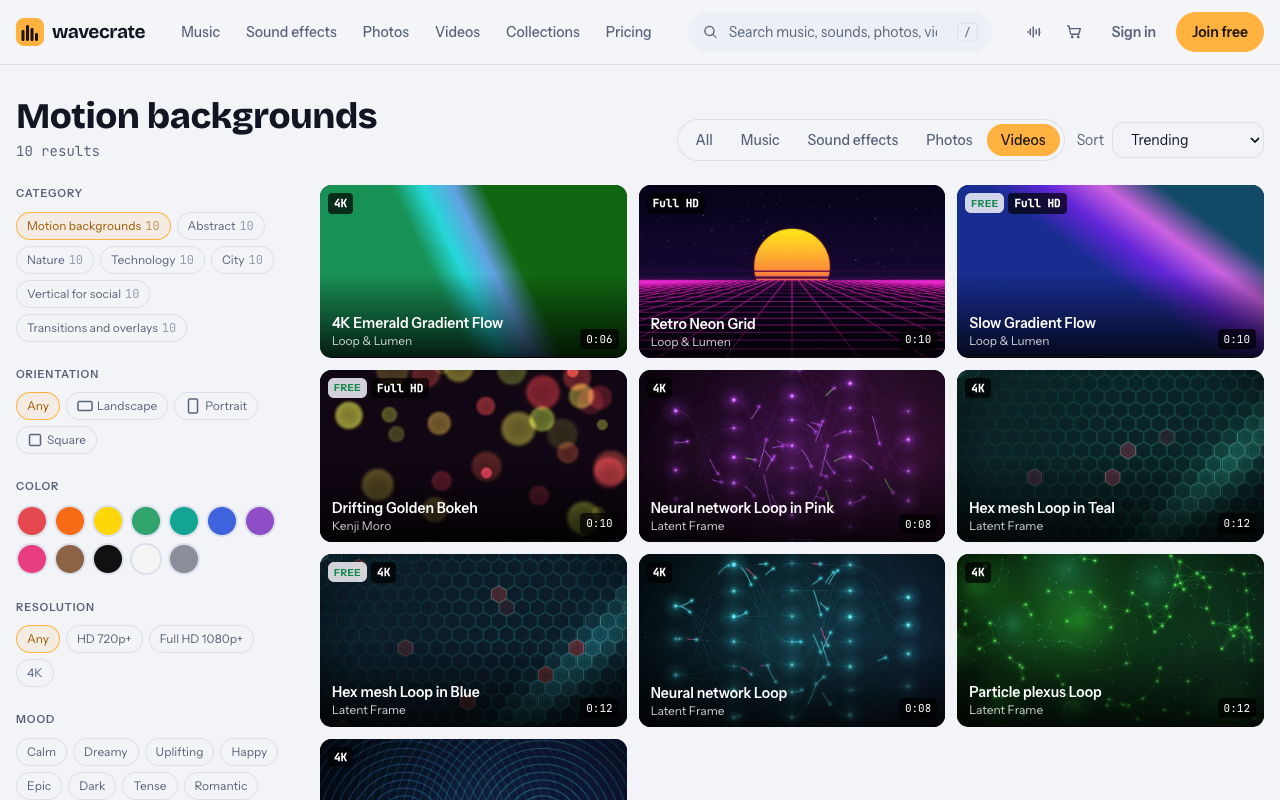
Hex mesh Loop in Blue is a 0:12, 4K loop with a similar tech feel. It is tempting for an AI brand. But read its Free card closely. The video Free card says: "Online and social posts, with credit." It covers websites, blogs and social media posts, and monetized channels. The card says "Credit text required next to the photo or in the description", so for a video, use the description.
That card does not cover your own marketing. A startup's homepage is its own marketing. So even with a Free loop, your own homepage still needs Standard.
Items also switch between Free and Premium over time. Read the page on the day you download, and go by what it says then.
Frequently asked questions
Which license do I need for my startup's homepage background?
Standard (listed at $29), or Pro. Your own website, social, presentations and marketing sit on the Standard card, and no credit is needed.
Can I use the loop inside my own app?
The video Standard card lists apps along with websites, social media and presentations, so your own app screen is on Standard. Sounds differ: for them, apps are on Extended.
Does Pro cover a paid ad?
No. Pro gives Standard on the whole catalog and never Extended, so a paid ad or boosted post needs the Extended license, listed at $99.
Which file should I put on the website?
Use the Full HD 1080p file for a web background to keep it light. Keep the 4K original for slides and other large exports.
Get started
Browse Wavecrate: you can join free and download items marked Free now, paid licenses are not on sale yet (purchases open soon), and every download comes with a license certificate and a code anyone can check on its verify page. Open the Neural network Loop page, check that it is still Premium and that the details match what you need, and note the card that fits your use. To download the items marked Free, create a Wavecrate account.


Comments
No comments yet.
Sign in or make an account to comment.