Play 2048 online free in your browser, on a cube
You can play 2048 online free in your browser, on a cube, at Evolved 2048. It is the sliding number puzzle you may know, laid onto a cube you turn like a Rubik's cube. You still merge equal tiles to reach 2048. The cube gives you six faces to work with, and that changes how you plan every move. This guide covers the rules, the controls, and a few habits that carry a game further.
Play 2048 online free in your browser: what changes on a cube
Evolved 2048 runs in a web page on a computer or a phone. It is free to play. The page needs JavaScript, and that is all it needs. You don't install anything or create an account to start.
The board is a cube with six faces of nine squares each, 54 squares in all. You slide tiles only on the front face. The other five faces act as storage and supply. You reach them in two ways: you twist a row or column to carry tiles round from another face, or you turn the whole cube to put a different face in front.
The goal is the same as in 2048. Make a 2048 tile. The game's own How to play box calls 2048 "the first milestone, and the cube plays on past it."
The game used to be called 3D 2048. Since 11 October 2026 it lives at a new address, and the old one forwards you there with your saved game, best score and settings intact.
How classic 2048 works in 60 seconds
If you have never played, here is the core. You slide all the tiles in one direction. They move as far as they can. When two tiles with the same number meet, they merge into one tile worth their sum. Two 2s make a 4, two 4s make an 8, and so on up to 2048. If you are curious why the game is named after that number, see what 2048 means and why the game is named after a tile.
After every slide or twist a new tile appears. In Evolved 2048 it is a 2 nine times in ten and a 4 otherwise; see why 2048 gives you a 4.
How 2048 on a cube works: slide, twist, turn
The cube gives you three kinds of action. Each one behaves differently with your score and move count.
Slide
A slide moves the tiles on the front face, exactly as in 2048. It adds the value of every merged tile to your score and counts as one move. A new tile then lands on the front face if there is room.
Twist
A twist turns one layer of the cube a quarter turn, the way you would turn a row on a Rubik's cube. The whole layer moves, so the front's own squares in that row leave for the next face, and tiles from the side face come onto the front. A twist adds no points, counts as one move, and adds a new tile. It needs one empty square somewhere for that tile. Middle rows and middle columns twist like any other layer.
Turn
A turn rotates the whole cube so another face comes to the front. It adds no points, counts no move, and adds no tile. The How to play box puts it simply: "Turning is free."
Edge merges
Edge merges are on by default. When you slide toward an edge of the front face, the tile at that edge also merges with an equal tile just over the edge, on the next face. The new tile stays on the front.
You can switch edge merges off in Settings if you prefer the plain rules.
When the game ends
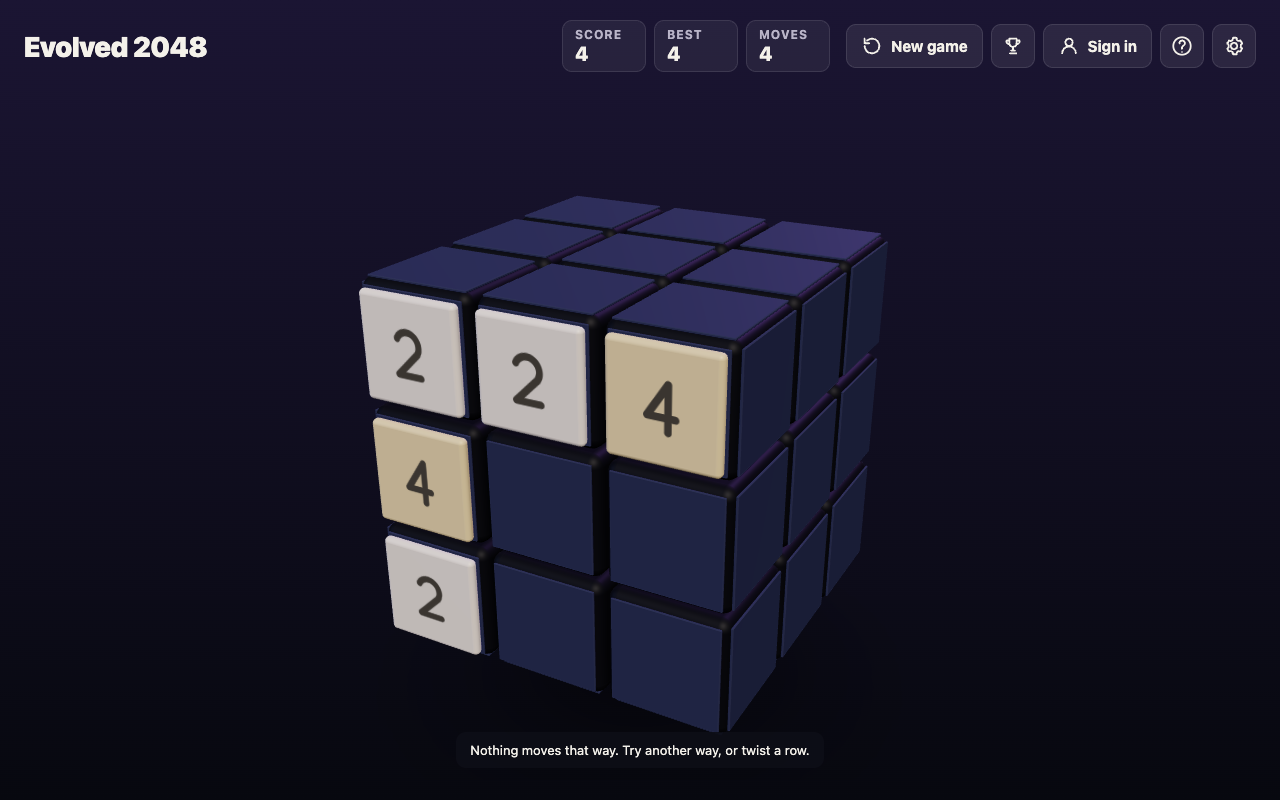
Six key presses, four moves: two slides that moved nothing were refused and not counted.
With edge merges on, the game ends only when all 54 squares are full and no two equal tiles sit side by side, on a face or across an edge. A stuck front face is not the end. The game tells you "Nothing moves that way. Try another way, or twist a row."
Controls: keyboard, mouse and touch
On a phone or with a mouse, everything is a drag:
- Slide: swipe the front face.
- Twist: drag a row on the right face sideways, or a column on the top face.
- Turn: drag the empty space around the cube.
On a keyboard you get more precise control:
- Arrow keys or W A S D slide the front face.
- Shift plus an arrow key (or Shift plus W, A, S or D) turns the whole cube.
- 1, 2, 3 twist the top, middle and bottom row to the right.
- 4, 5, 6 twist the left, middle and right column up.
- Shift plus a number twists that layer the other way.
- H or ? opens How to play.
A worked example, from a test on a set-up board, shows why the Shift direction matters. Say you have a 16 on the front's middle left square and another 16 on the right face, just over the front's top right edge. Press Shift and 1. The top row twists left, which brings that 16 onto the front's top left square, right above the other 16. Press Up and they merge into a 32 in the corner. Press plain 1 instead and the 16 goes the wrong way, round to the back face, with no merge.
A twist key does nothing if the layer it would turn holds no tiles at all. The game says "That row has no tiles to carry."
Strategy on a cube: corners, chains and free turns
Use the other faces, or you will stall
Slides alone fill the front face fast. In one test game played with slides only, the front was full and stuck at move 46 with the other five faces empty. Turning to an empty face did not help, because a fresh face has nothing to slide. In a second test that twisted whenever the front was stuck, the game reached a 128 tile at move 118 with tiles spread over four faces, and it was still alive when all 54 squares filled at move 165.
Both were single games played by a simple script, before edge merges existed. The lesson: twists are your relief valve. Plan for them.
Pick a corner and keep a chain
The old 2048 habit of building in one corner still works on the front face. A snake shaped chain makes merges cascade. In one test the front's top row read 64 32 16 and the middle row read 4 8 16. Up merged the 16s into a 32. Left merged the 32s into a 64. Left again merged the 64s into a 128 in the top left corner. Three moves, three merges in a row.
Which corner? Our corner tests were single games, not averages, so don't read too much into them. Bottom left did best on one seed and top left did best on another. Choose one and stick with it.
Keep room on one face
When the game ends, it gives you this advice: "Next time, keep room on one face so a twist can still bring tiles round to their match." A twist needs an empty square for its new tile. If the whole cube is full and you have no merge on any face, you have no way out. Keep a face loose as long as you can.
Why a cube makes 2048 harder, and roomier
A face of nine squares is small. You will fill it quickly, and the front face alone can't take you far. The cube makes up for that with six times the squares, 54 in all. More squares means more places for tiles to sit, and more ways for them to be arranged across the faces.
That is also what makes it harder. You have to track tiles you can't see, and every twist sends some of your front tiles away while bringing others in. A twist that sets up one merge can break a chain on another face. If you like counting arrangements, our piece on cube permutations and the 43 quintillion positions explains how a puzzle cube gets so large so quickly.
Frequently asked questions
Is 2048 on a cube really free to play online?
Yes. Evolved 2048 is free to play in your browser, on a computer or a phone. You can play without an account.
Do I need to install anything to play in my browser?
No. The game runs in a web page and only needs JavaScript switched on.
Can I play cube 2048 on my phone?
Yes. Swipe the front face to slide, drag a row on the right face or a column on the top face to twist, and drag the space around the cube to turn it.
Is it possible to win cube 2048, and what comes after the 2048 tile?
The first merge that makes a 2048 tile wins, and a box tells you how many moves it took. Press Keep going and your cube, score and moves carry on toward 4096, or press New game to start fresh.
Get started
Open the game and you get a cube with two tiles on the front face. A first game walks you through three short tips, which you can skip. The top bar shows Score, Best and Moves.
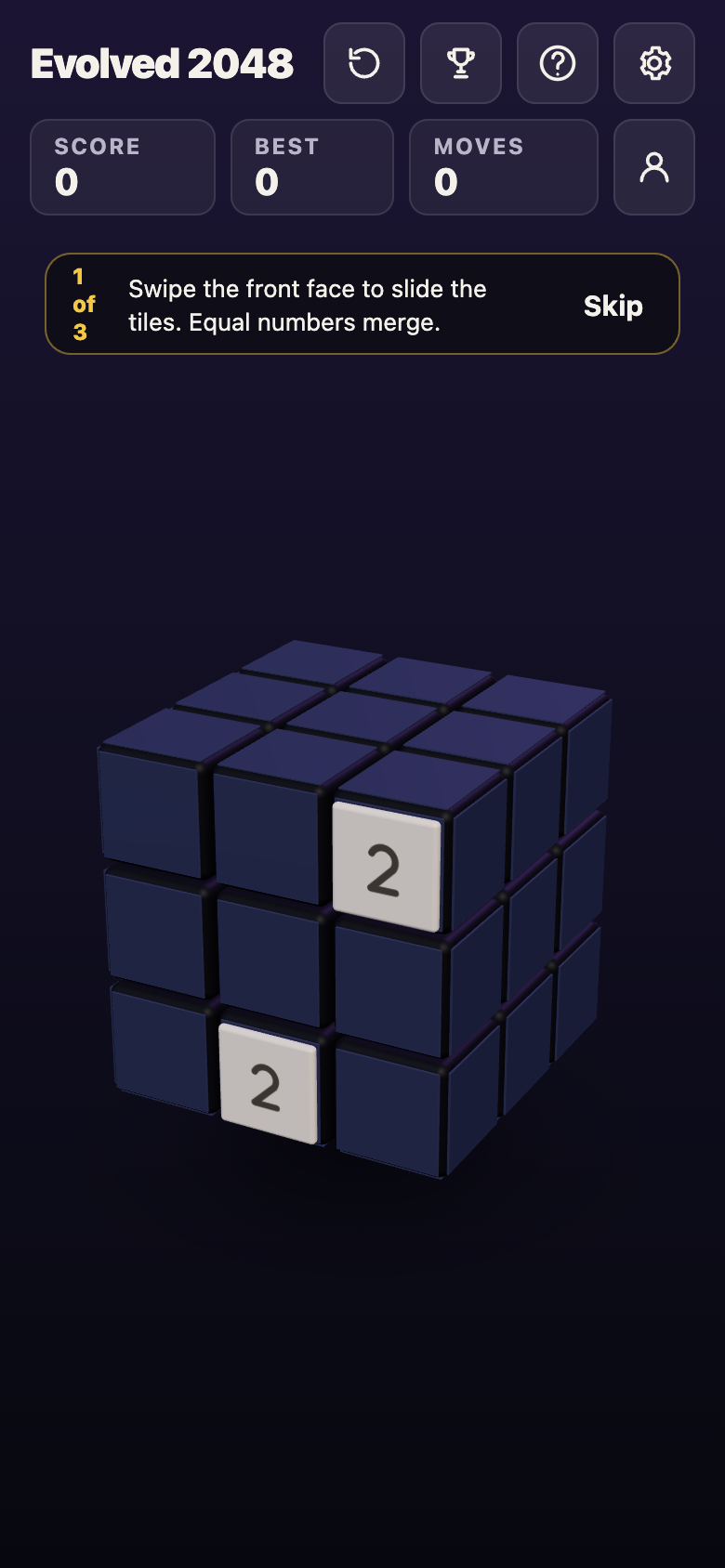
A first game in a phone-sized browser window, 11 October 2026.
Your game in progress, best score and settings are saved in your browser, on your device only. In a reload test, a game at Score 64 and Moves 14 came back exactly as it was. If you play signed out, the site's Privacy page says nothing about you is kept by the game's server. An account is optional: the game says "You can play without an account."
Start in a corner, keep one face loose, and twist when the front gets stuck.
Play Evolved 2048: it is free and plays in your browser on a computer or a phone.
Comments
No comments yet.
Sign in or make an account to comment.