Satellite farm field loops for an agritech pitch video
If you are looking for satellite farm field loops for an agritech pitch video, you want a calm moving background that says "fields, data, farming" in a few seconds. This guide looks at one real loop on Wavecrate, the Satellite farm fields Loop in Yellow. It covers what the loop shows, how to cut it into a pitch, and which license fits three common uses. Everything below was read from the Wavecrate pages on 11 October 2026.
What the Satellite farm fields Loop in Yellow shows
The Satellite farm fields Loop in Yellow sits in the Nature category, by Latent Frame. The page describes it like this: "Shows farmland seen from a satellite, a patchwork of crop rows and a river, with an AI scan band marking each field. A seamless 10-second 4K loop ... rendered in code. Silent."

So this is not real satellite imagery. It is a stylized scene. The scan band moving across the fields is what makes it fit a pitch about data, sensors or precision farming.
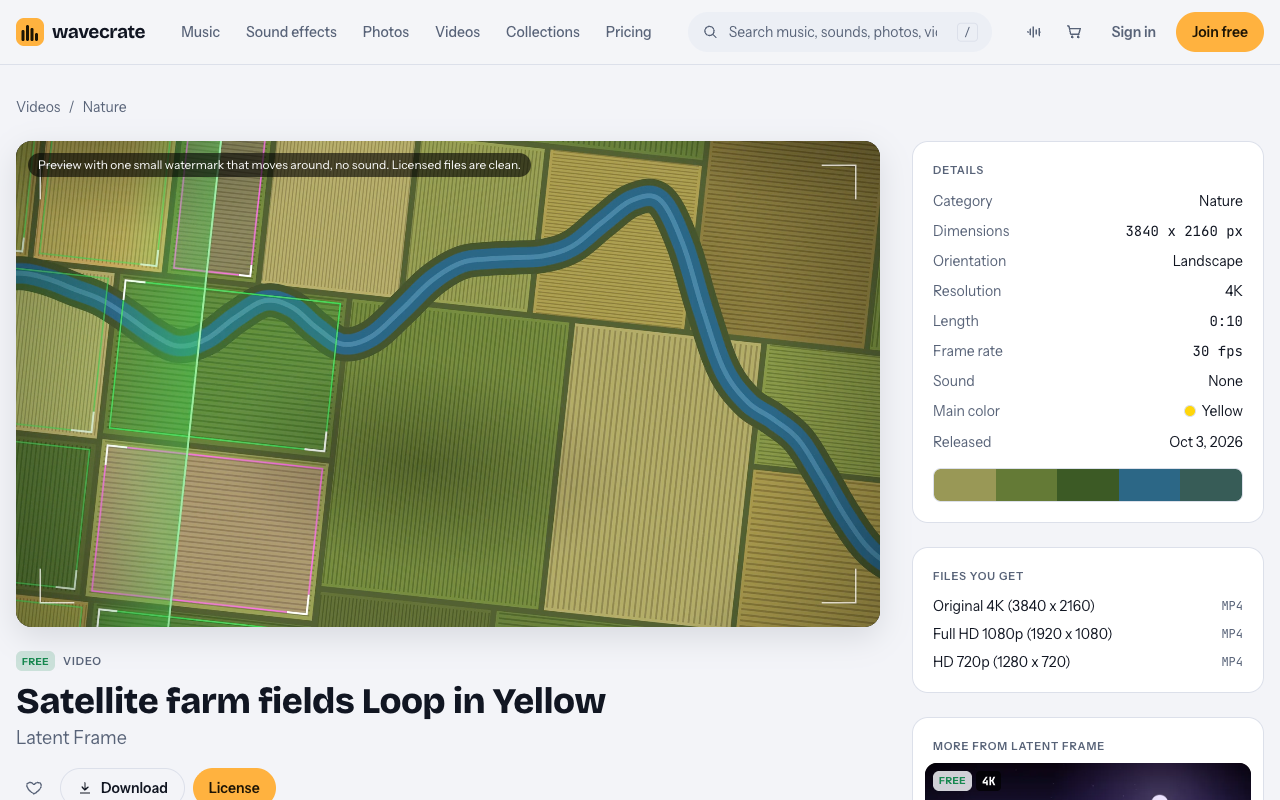
Here are the details listed on the page:
- 3840 x 2160, landscape, 4K.
- Length 0:10, at 30 fps.
- Sound: None. You add your own voice or music.
- Main color: Yellow.
- Released Oct 3, 2026.
- Files: Original 4K (3840x2160) mp4, Full HD 1080p mp4 and HD 720p mp4.
The tags include calm, hopeful, agriculture, precision farming, satellite, aerial, fields, crops, earth observation, ai, loop, seamless and background. That mood matters. A calm, hopeful background lets your founder and your numbers stay in front.
The preview on the page has one small watermark that moves around, and no sound. The licensed files are clean.
Other satellite farm field versions in the Nature category
The Nature videos category held 10 loops by Latent Frame on 11 October 2026. All of them are stylized scenes with technology in them, such as Digital forest, Drone over the coast, Satellite farm fields and Wireframe mountains. None of them is filmed footage.
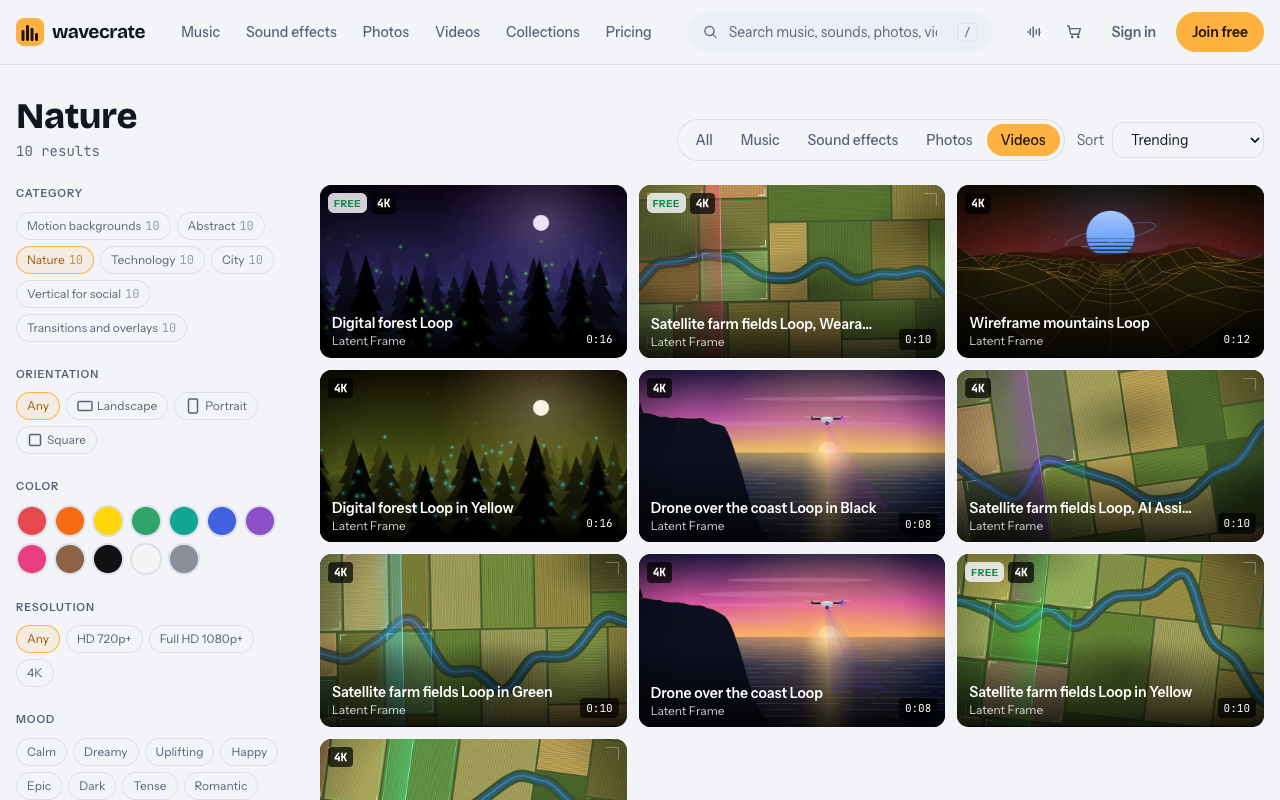
The satellite farm fields scene comes in several versions:
- The plain Loop, marked Premium. Same scene. Standard listed at $29, Extended at $99.
- The Loop in Yellow, marked Free.
- The Wearables version, marked Free.
- The Loop in Green and the AI Assistants version, not marked Free.
The Digital forest Loop was also marked Free that day. If you need real drone shots of your own farm or real field footage, film your own. These loops are a designed look, not a record of a place.
Items can switch between Free and Premium without notice. The Yellow version was marked Free on 11 October 2026. Read the page on the day you download.
Editing satellite farm field loops for an agritech pitch video
A pitch video is mostly talking. Your speaker may hold one point for 30 seconds. A seamless loop can repeat behind them without a visible jump. Some simple editing habits help.
- Do the loop math. One pass is 10 seconds. A 30-second section is three passes. A 45-second section is four and a half, so end on a fade.
- Leave space for text. Put your headline, a market number or your product name on a calm part of the frame.
- Use slow fades. Fade the loop in and out over a second or so. Hard cuts on a calm scene feel abrupt.
- Crop for vertical. The file is landscape 4K. For a vertical social cut, crop a 9:16 window from the 4K frame so you keep enough detail.
- Add your own sound. The loop is silent, so lay your voiceover and music on top.
Pick the file size to match where it plays. The 4K file gives you room to crop. The 1080p file is lighter for a web page or a social post.
Use 1: a creator's own post about precision farming
Say you are a creator who covers farming technology. You post a short YouTube or social video that explains precision farming on your own channel, and the loop runs behind your explanation. If you run the startup itself, skip to use 2: your company's own posts are its own marketing.
This fits the Free license. The Free card reads "Online and social posts, with credit." It lists websites, blogs and social media posts, and monetized channels. The card says "Credit text required next to the photo or in the description", so for a video, put it in the description. A free account gets 3 free downloads a month.
So for this post, download the Yellow loop, use it, and put the credit in the description.
Use 2: the startup's own pitch video
Now say the agritech startup makes its own pitch video. It plays on the company website, in the investor presentation and on the company's social accounts.
That is your own marketing and presentations. Here the Free license stops. For videos, the Free license does not tick presentations or "your own marketing". That row starts at Standard. So even though the Yellow loop is marked Free, a pitch deck or pitch video for your own company still needs Standard.
The Standard card, listed at $29, reads "Your own websites, social, presentations and marketing, no credit needed." It covers websites, social media, apps and presentations, and your own marketing and brand content. It also allows print up to 500,000 copies, and no credit is required.
Standard is also included with Pro, listed at $99 a year or $12 month to month. Pro and the paid licenses are not on sale yet (Wavecrate says purchases open soon), so the prices here are the listed prices for when sales open, while loops marked Free, like the Yellow loop, can already be downloaded with a free account. It gives you the Standard license on the whole catalog, never Extended. Content you publish while subscribed stays covered. If you plan to use several loops across a deck, a site and social posts, compare the two on the pricing page.
One gap to note. The pages do not name pitch competitions, live events or screenings. A pitch shown on a big screen at a live event is not named in the license table. Treat it as not covered by the wording, and check the pricing page before you rely on it.
Use 3: the pitch cut as a paid ad or agency work
The third case is when the same pitch cut runs as a paid ad. Or an agency makes the pitch video for the startup as client work.
Both need Extended, listed at $99. The Extended card reads "Paid ads, broadcast, products for resale and client work." It includes everything in Standard, plus paid advertising and TV broadcast, products for resale, and unlimited print runs and client work.
The page does not define "paid advertising" further. If you pay to put the video in front of people, plan for Extended. If you are an agency and the startup is your client, plan for Extended as well.
Keep your license record
Every license comes with a certificate and a code. Anyone can check that code at the verify page without contacting Wavecrate. Keep the certificate with your project files. Write down which loop you used, which license, and the date you downloaded it. That record helps if someone on your team or a partner asks later.
Frequently asked questions
Is the Satellite farm fields Loop in Yellow real satellite footage?
No. The page says the scene is "rendered in code". It is a stylized view of fields with an AI scan band, not real imagery of a place.
Can I use the Free version in my startup's pitch deck?
Not on the Free license. For videos, presentations and your own marketing start at Standard, so it needs Standard or Pro, once they are on sale, even for a loop marked Free.
Does the loop have sound?
No. The page lists Sound: None, so you add your own voiceover or music.
Will the loop stay marked Free?
Not for sure. Items switch between Free and Premium without notice, so read the page on the day you download.
Get started
Browse Wavecrate: you can join free and download items marked Free now, paid licenses are not on sale yet (purchases open soon), and every download comes with a license certificate and a code anyone can check on its verify page.
Open the loop page, check its current label, and note the license that matches your use. A creator post can run on Free with credit. Your own pitch needs Standard or Pro. A paid ad or agency cut needs Extended. Create a free Wavecrate account to download items marked Free.


Comments
No comments yet.
Sign in or make an account to comment.