Scanner sweep sounds for a sci-fi HUD animation: sync and license
A HUD animation looks clean on mute, but it only feels alive when you hear it work. This guide covers scanner sweep sounds for a sci-fi HUD animation: what the sweep does, how to time it to your motion, how to mix it, and which Wavecrate license each use needs. You will follow one shot from your own channel to a client job.
What a scanner sweep does in a sci-fi HUD
A HUD is the information laid over the screen: targets, readouts, maps. In sci-fi, the HUD often scans something. A line passes over a face, a ship or a room, and data appears behind it.
The sweep sound tells the viewer three things:
- Something is being read. The sweep marks the start of a process.
- How long it takes. The sound moves while the line moves, so the ear tracks progress.
- How it ended. A beep or chime says the scan found its target. A buzz says it failed.
Without sound, the viewer has to read the screen to know the result. With sound, they know before their eyes catch up. On Wavecrate, you can play interface sounds one after another and read each one's license before you build the scan.

The parts of a convincing HUD scan
A good scan is rarely one sound. It is usually a few small parts:
- The start. A short click or tap when the scan begins.
- The sweep. A tone that moves while the line travels.
- The result. A lock-on beep or chime for a match, a buzz for a fail.
Wavecrate's Interface sounds page held all three kinds when we read it on 11 October 2026. It listed Scanner Sweep, Medium, Crisp, Data Beeps, Medium, Crisp, Error Buzz, Success Chime, Soft UI Click, Gentle Notification, Glass Notification, Bubble Pop and two UI Tap sounds. For the cut into or out of the HUD, the Transitions sounds included Digital Glitch and Data Whoosh.
Scanner Sweep, Medium, Crisp: what the page says
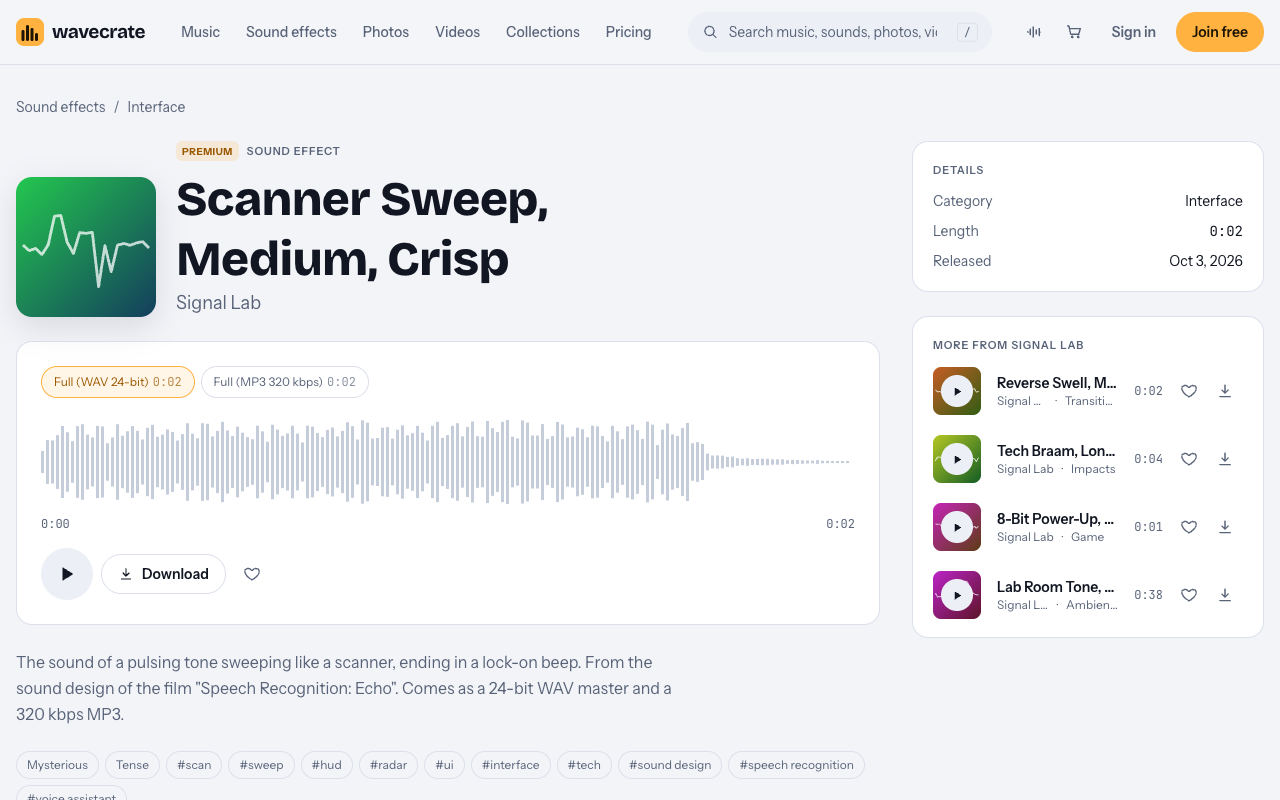
Scanner Sweep, Medium, Crisp is a Premium sound by Signal Lab. Its page describes it as "the sound of a pulsing tone sweeping like a scanner, ending in a lock-on beep." It runs 0:02 and was released on 3 October 2026.
It "comes as a 24-bit WAV master and a 320 kbps MP3." Its tags include scan, sweep, hud, radar, ui, interface and tech, with a mood of mysterious and tense.
The page shows two licenses. Standard is listed at $5 and Extended at $19. There is no Free license, because the sound is Premium. Paid licenses are not on sale yet: Wavecrate says purchases open soon, so these are the listed prices for when sales open, while sounds marked Free can already be downloaded with a free account.
- Standard (listed at $5): online content for one creator or business, all online platforms, monetized, your own business and brand videos, no credit required, and registered channels printed on the certificate. The card also says "Or included with Pro".
- Extended (listed at $19): everything in Standard, plus paid advertising and TV or radio broadcast, apps, games and software, and client work and unlimited impressions.
How to time scanner sweep sounds for a sci-fi HUD animation
Timing is where HUD sound works or fails. Work from the animation, not from the sound.
- Sync the lock-on beep to the lock frame. Find the frame where the reticle locks or the box changes state. Line the beep up with that frame, then slide the rest of the sweep back to fit.
- Trim the sweep to the motion. If the scan line moves for less time than the sound, trim the start rather than the beep. Add a short fade at the cut so it does not click.
- Do not stretch it until it warps. If the motion is longer than the sound, slow the scan line or chain a second pass.
- Mark the start. A soft click on the frame the scan box appears tells the viewer a process began.
Then test it. Watch the shot three times with sound and once on mute. If the mute pass feels the same, the sound is too quiet or out of sync.
Mixing the sweep under voice and music
HUD sounds are support. They should be heard, not noticed.
- Keep it under the voice. If someone speaks during the scan, lower the sweep while they talk.
- Keep it under the music. Set the sweep a little below the track, then lift only the lock-on beep so the payoff reads.
- Pan with the motion. If the line moves left to right, pan the sweep the same way. Small moves are enough.
- Go easy on reverb. A HUD sits close to the viewer, so a big room on a beep feels wrong.
- Check on phone speakers. Small speakers lose the low end, so make sure the beep still cuts through.
- Vary repeated sounds. One click on every icon gets tiring. Use two or three related sounds instead.
Worked example: one target-lock shot, three uses
Say you build one 10 second shot. A reticle drifts across a starship, a scan line passes over it, and the box locks on. You use two sounds:
- Soft UI Click when the scan box appears. It was marked Free on the day of writing, "for button and tap moments".
- Scanner Sweep, Medium, Crisp for the scan and the lock-on beep. It is Premium.
Items can change between Free and Premium, so read each page again on the day you download.
Use 1: a video on your own channel
Soft UI Click is covered by its Free license with credit. That license covers online videos and podcasts on YouTube, TikTok, Instagram, Twitch and podcasts, including monetized channels. It asks for "Credit text required in the description", and a free account gets 3 free downloads a month.
Scanner Sweep has no Free license, so it needs Standard (listed at $5) or Pro. If you would rather not credit the click, Standard on it would remove the credit line too, once purchases open.
Use 2: a video for your own brand
Now the same shot opens a promo for your own studio or product. The Free license does not tick "Your own business and brand content". That row starts at Standard on the pricing page.
So both sounds need Standard here, even the click marked Free. Scanner Sweep's Standard is listed at $5, or Pro would cover both.
Use 3: a client job, a paid ad, or a HUD inside a game or app
Maybe you made the shot for a client. Maybe you pay a platform to show it as an ad. Or maybe the sounds play inside a real HUD in a game or app. Each of these is an Extended row: client work, paid advertising, and apps, games and software.
Both sounds need Extended, including the click marked Free. Scanner Sweep's Extended is listed at $19. Pro does not help here, because it covers Standard only.
Free sounds, Pro, and your certificate
If you only need small beeps for your own channel, two sounds were marked Free on 11 October 2026: Soft UI Click and Gentle Notification ("for alert and chime moments"). Both need credit in the description.
Pro is listed at $8.25 a month billed yearly ($99 a year) or $12 month to month, and it is not on sale yet. It gives a Standard license on everything. Content you publish while subscribed stays covered. It never adds Extended.
Every license comes with a certificate and a code anyone can check on Wavecrate's verify page. For a copyright claim, the pricing page says: "Send the platform your license code or certificate link." It does not promise what the platform will decide.
Frequently asked questions
Is Scanner Sweep free to use?
No. It is Premium, with Standard listed at $5 and Extended at $19, and no Free license. Pro includes its Standard license.
Can I use a Free click in my own brand video?
Not on the Free license. It does not tick "Your own business and brand content", so you need Standard or Pro.
What license do I need for a HUD sound inside a game?
Extended. Apps, games and software are Extended rows, and Pro does not cover them.
Which file should I edit with?
Scanner Sweep comes as a 24-bit WAV master and a 320 kbps MP3. Many editors prefer the WAV for editing, and the MP3 is handy for a quick test.
Get started
Browse Wavecrate: you can join free and download items marked Free now, paid licenses are not on sale yet (purchases open soon), and every download comes with a license certificate and a code anyone can check on its verify page.
Open the Scanner Sweep page, time the lock-on beep to your reticle, and match the license to where your video will run. Create a free Wavecrate account. A free account gets 3 free downloads a month of sounds marked Free.


Comments
No comments yet.
Sign in or make an account to comment.