Start a New 2048 Game: What the New Game Button Does
Pressing New game is the one move in the game that cannot be taken back, so it helps to know what it does first. Here is how to start a new 2048 game: what the New game button does in Evolved 2048 is ask you to pick a mode, end the game you are in and clear the cube. Your best score is kept, with one catch that surprises people: it is kept for each mode.
Start a new 2048 game: what the New game button does
The New game button sits in the top bar, next to Score, Best and Moves, with a trophy button, Sign in, How to play and Settings beside it. Press it and nothing is erased yet. The game asks you to pick a mode first.
On a first visit, that same box opens by itself, so you choose a mode before your first move:
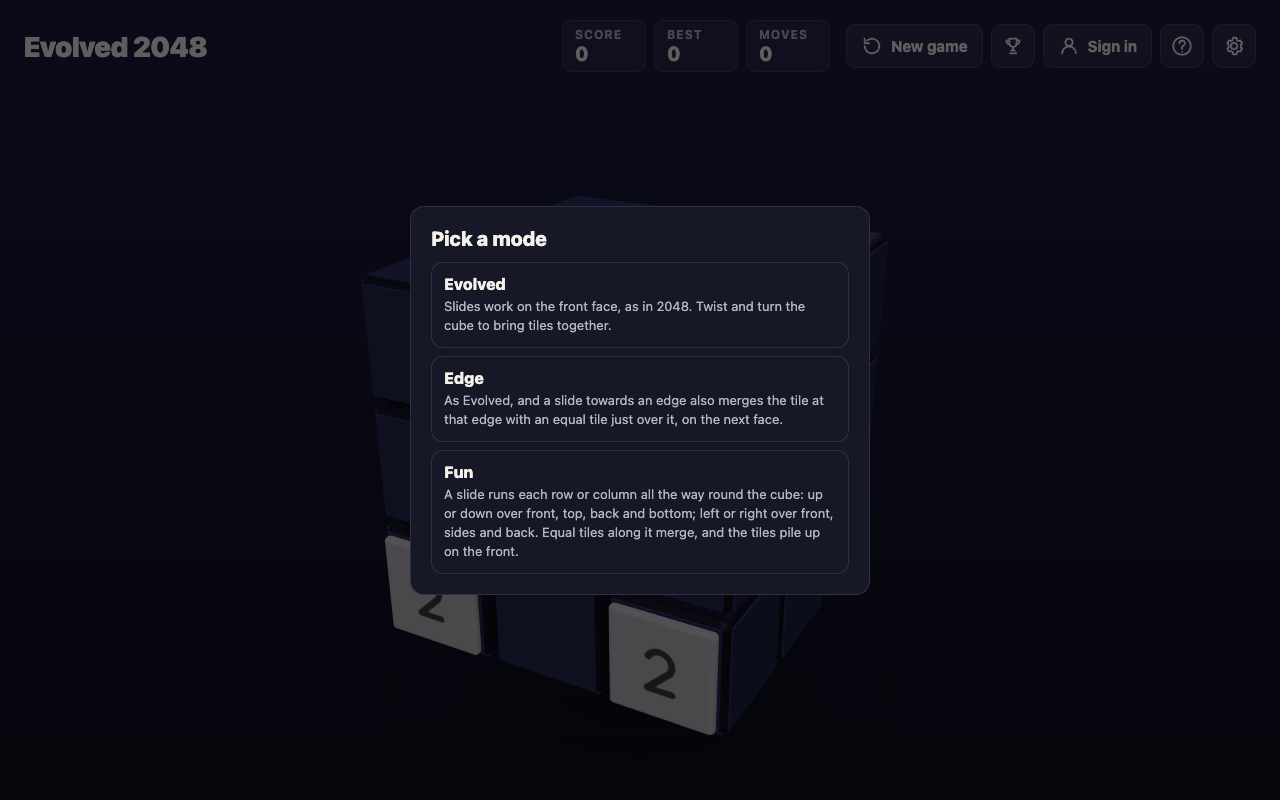
The three modes are written out in the box:
- Evolved: "Slides work on the front face, as in 2048. Twist and turn the cube to bring tiles together."
- Edge: "As Evolved, and a slide towards an edge also merges the tile at that edge with an equal tile just over it, on the next face."
- Fun: "A slide runs each row or column all the way round the cube: up or down over front, top, back and bottom; left or right over front, sides and back. Equal tiles along it merge, and the tiles pile up on the front."
If you want the basics of sliding, twisting and turning before you pick, how to play 3D 2048 covers them.
What the box says in the middle of a game, and what a new game resets
We tested it on 14 October 2026, signed out, in a fresh browser. We chose Evolved, made six slides (Score 20, Best 20, Moves 6) and pressed New game.
A full-screen ad for another vlvd.net site came up first, with a close cross at its top right. We saw this once, so we cannot say it shows every time, and it is not part of the game's rules. After we closed it, the Pick a mode box opened with this line above the three modes: "This game ends and its score of 20 is kept only if it is your best."
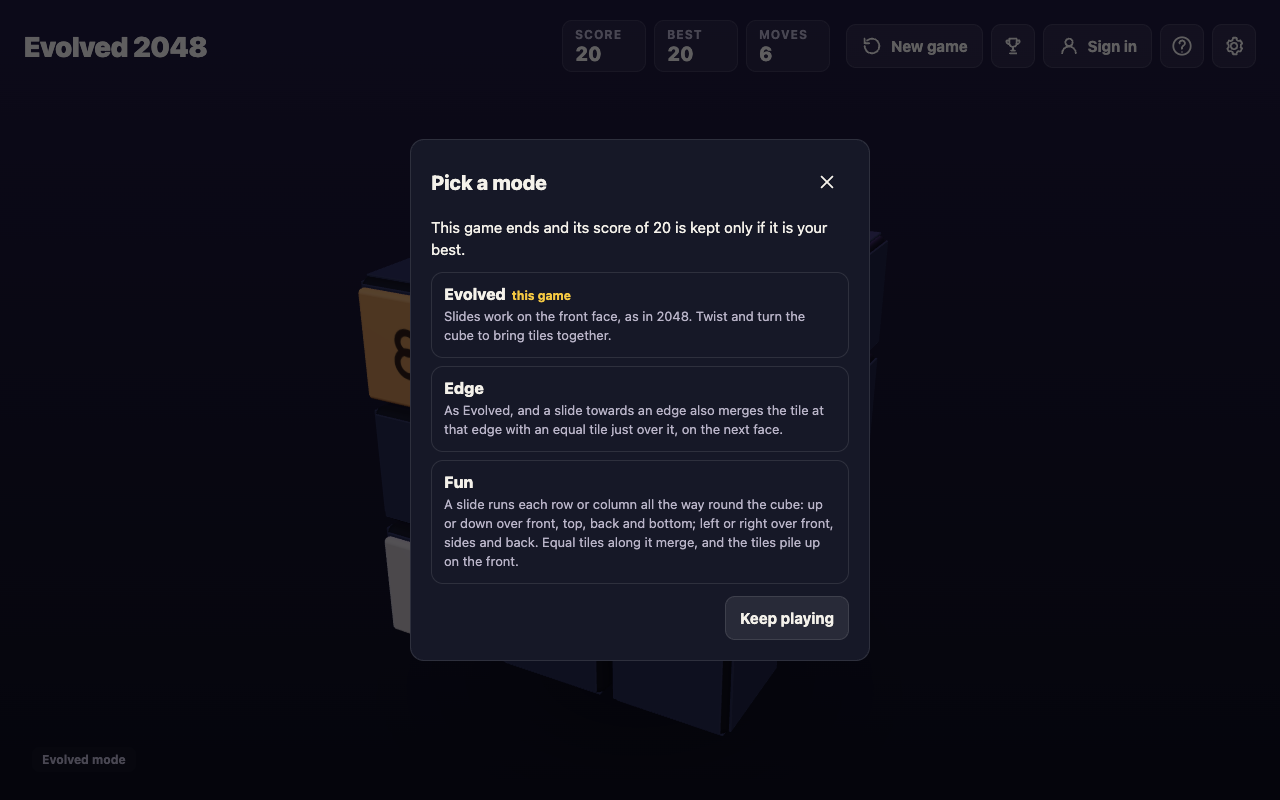
Two details make it a safe box. The running game's mode is marked "this game" in gold, and there is a Keep playing button, plus a close cross. Press either and your game carries on exactly as it was. Nothing changes until you pick a mode.
We picked Edge. The new game started at Score 0 and Moves 0, with two tiles on the front face, and the bottom left of the screen read "Edge mode".
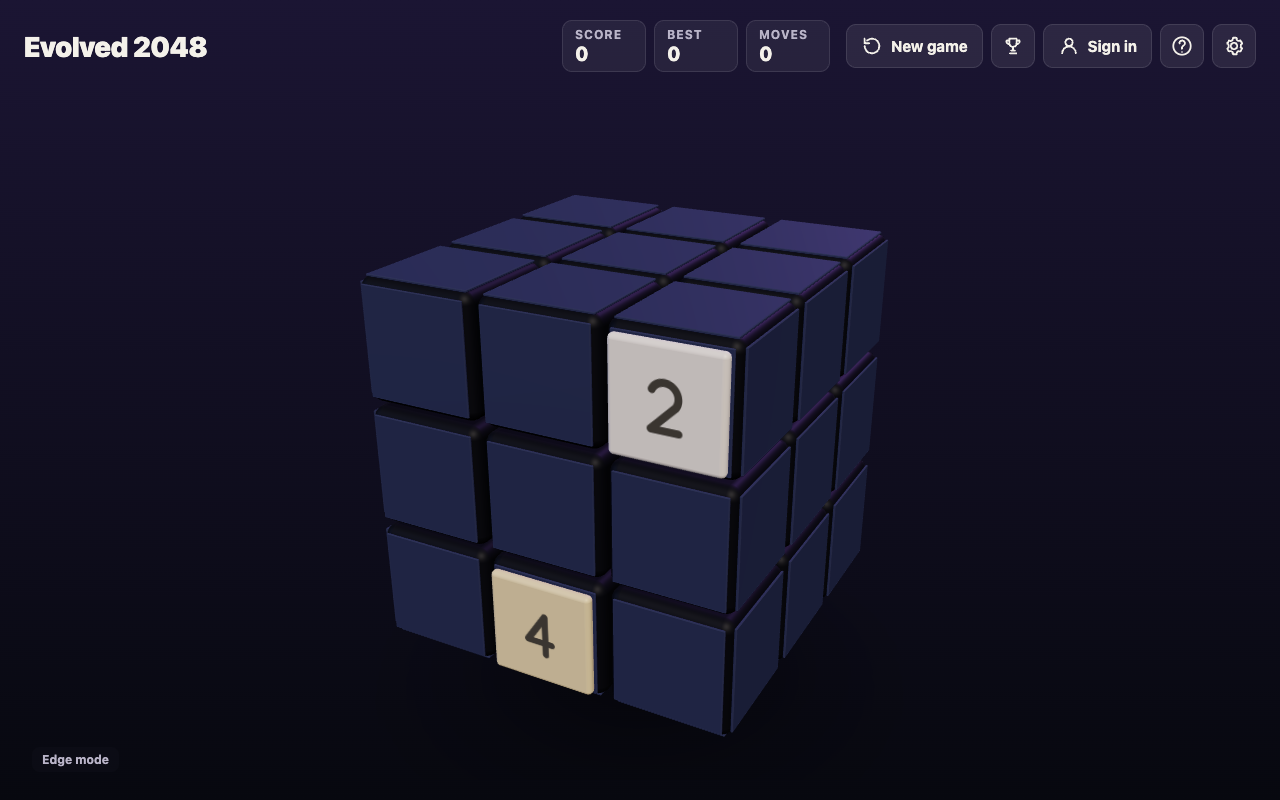
That is the whole reset: the score, the move count and every tile on all six faces. The old cube is gone, and the game does not keep it as a separate saved game. You can pick the same mode you were in, or a different one.
What it keeps: your best score, for each mode
Look at the Best box in the picture above. It reads 0, though our Evolved game had just scored 20. The reason is that the game keeps a best score for each mode. The browser's saved best held three numbers after our test: Evolved 20, Edge 0 and Fun 0.
So the rule in the box works like this:
- If the game you end beats the best for its own mode, its score becomes that mode's new Best.
- If it does not, its score is dropped, and the old Best stays.
- The other modes' bests are not touched.
A Best of 0 after a mode switch does not mean you lost your record. It means you have not played that mode yet. Switch back to Evolved and the 20 is there. Settings says "Your game, best score and settings are saved on this device", so the bests live in your browser. For how the score itself is counted, see 2048 best score: where it is kept and when it resets.
A worked example: three minutes with the button
Here is a short session you can repeat on the live game to see every part of the button.
- Open Evolved 2048 and pick Evolved in the first box.
- Press an arrow key six times and note Score, Best and Moves in the top bar.
- Press New game. Close the ad if one shows, then read the line about your score.
- Press Keep playing, and check that Score and Moves are unchanged.
- Press New game again, pick Edge, and compare Best with what it was.
- Press New game once more, pick Evolved, and watch your first Best come back.
When you finish, you will know the button never costs you a best score. It only ends the current game.
New game, Keep going, reloading and undo
Three actions look like ways to start over, but only one is. A fourth, undo, is not there at all.
New game ends the game and opens the mode box. It is the only way to start a clean cube on purpose.
Keep going belongs to the box that opens when you make 2048. That box is titled "2048!" and reads "You made 2048 in {moves} moves. Keep going for 4096, or start again." It has two buttons, New game and Keep going. Keep going closes the box, and the cube, Score and Moves carry on. New game there opens the same mode box.
Reloading the page does not start over. We played 14 slides, reloaded, and the same Score 64, Best 64, Moves 14 and the same tiles came back. If a game has gone wrong, a reload will not rescue you. If you want to pick a game up later, see how to save a 2048 game and finish it later.
Undo would be the safety net, but the game has none. We tested a slide followed by Control+Z, Command+Z, Backspace, Z, U, Escape and Control+Shift+Z, and none of them changed the board. That is why the box matters. It is your one chance to back out, and it costs nothing: press Keep playing.
Once you pick a mode, the old game is over. There is no way to bring it back, so read the score in the box before you choose. It tells you exactly what is about to end.
When a restart is the right call
Most of the time, press on. A stuck front face is not a dead game, because you can still twist a row or turn the cube to bring tiles round. Restart when one of these is true:
- The game is over: the No moves left box has opened and nothing can move. What to do when no moves are left goes through it.
- You have boxed yourself in, and the best you can reach is below the best for that mode. The box says that score would be dropped anyway, so a restart costs you nothing you would have kept.
- You want to try another mode. This is the only way to change it, because a game keeps its mode until it ends.
What a fresh board looks like
A new game starts with two tiles on the front face. The game keeps a seed, and each new tile takes two numbers from it. One number picks the square. The other picks the value: a 2 when it is under 0.9, otherwise a 4.
So most starts are two 2s, and some include a 4, as the picture above shows. We ran the script's own random code on 10,000 new games: 1,909 began with at least one 4, and 87 began with two. A 4 at the start is not a good or bad sign. It is just the draw.
Frequently asked questions
Does New game delete my best score?
No. The score of the game you end is kept only if it beats your best, and the old Best stays otherwise. Best is kept for each mode, so a mode you have not played shows 0.
Can I get my old game back after pressing New game?
No. There is no undo, and the old cube is gone once you pick a mode. Before you pick one, Keep playing or the close cross returns you to your game.
Does refreshing the page start a new game?
No. In our test a reload brought back the same Score, Best, Moves and tiles. Use New game to start over.
Does the New game button show an ad?
In our one test, pressing it mid-game showed a full-screen ad for another vlvd.net site with a close cross first. We did not test whether it shows every time.
Get started
Open the game, slide a few tiles and press New game to see the box for yourself. You can back out with Keep playing, so there is nothing to lose. Play Evolved 2048, free in your browser on a computer or a phone.
Comments
No comments yet.
Sign in or make an account to comment.