Stock images for slide decks: which license covers a pitch?
Stock images for slide decks look like the easy part of a presentation: find a picture, drop it behind a headline, move on. But a deck is a specific use, and a license can treat it differently from a blog post or a social post. This guide shows how to pick pictures that fit a widescreen slide, which license covers your own deck, a deck you make for a client and a template you sell, and why a photo marked Free can still stop short of your slides.
Why a deck is not the same as a blog post
Pictures you find online are not free to reuse just because they are easy to find. The U.S. Copyright Office's page What is copyright? lists photographs and illustrations among the kinds of work copyright covers, and says copyright exists automatically once a work is fixed. So the picture in a search result belongs to someone, whether or not it carries a notice.
A license says where you may use a picture, and the uses are listed one by one. On Wavecrate's plans and licenses page, the table for photos and videos has a row called "Apps, presentations and your own marketing." That row is the one that decides most slide decks.

Which license covers stock images for slide decks
Here is what the table says for photos and videos, row by row, as it read on 10 October 2026:
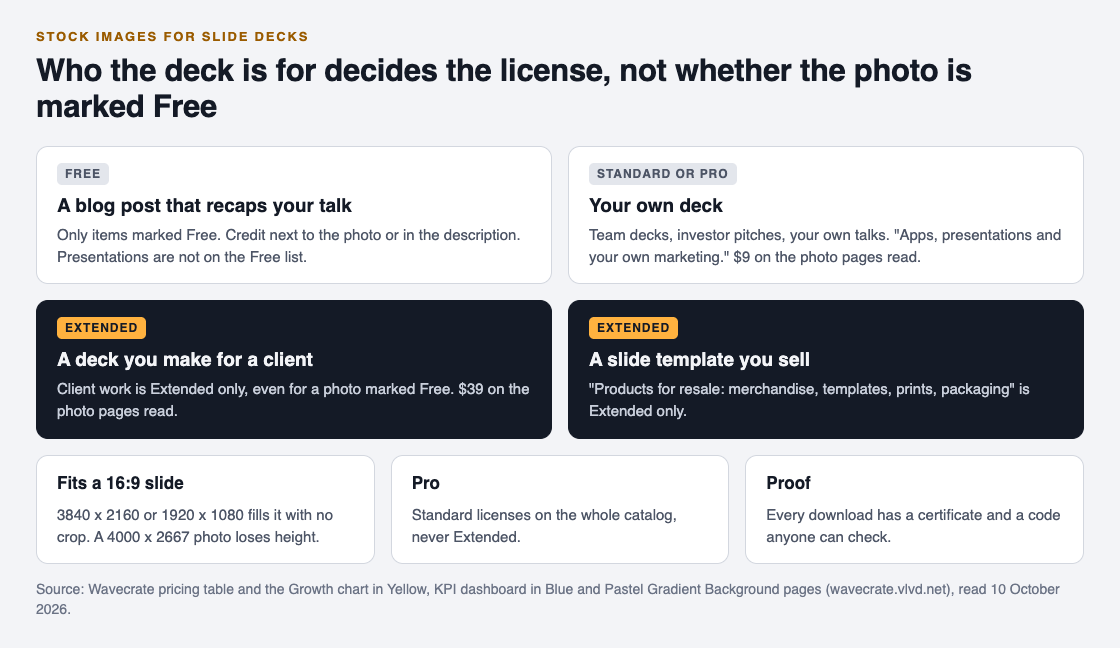
- Free, only on items marked Free: websites, blogs and social media posts, and monetized channels, with "credit text required next to the photo or in the description." It does not tick presentations.
- Standard: adds no credit line; apps, presentations and your own marketing; and print up to 500,000 copies. The photo pages read list it at $9.
- Extended: adds paid advertising and TV broadcast, products for resale (merchandise, templates, prints, packaging), unlimited print runs and client work. The photo pages read list it at $39.
So for your own deck, the floor is Standard. If you print handouts of it, Standard also covers print up to 500,000 copies. Paid licenses are not on sale yet (Wavecrate says purchases open soon), so these are the listed prices for when sales open, while pictures marked Free can already be downloaded with a free account.
The Free photo trap
This catches people out. Growth chart in Yellow, a business picture of "an isometric bar chart rising step by step while a glowing trend arrow climbs above it," is marked Free. That makes it look like a safe pick for a traction slide.
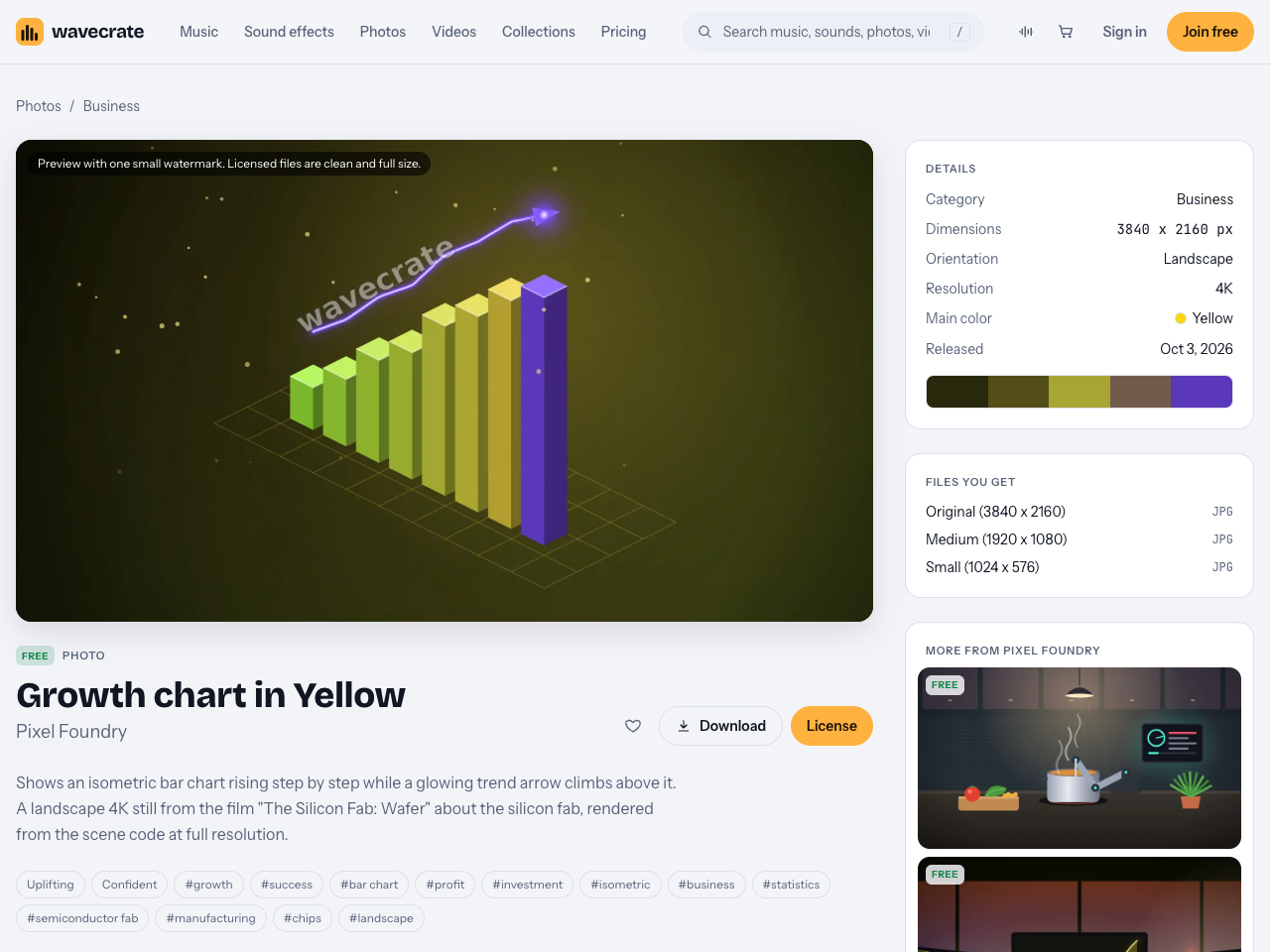
But its Free license covers online and social posts with credit, and presentations are not on that list. For the same picture on a slide, it needs Standard, listed at $9 on its page. The Free license still covers a blog post that recaps your talk, as long as the credit sits next to the photo or in the description.
Picking pictures that fit a widescreen slide
If your deck is widescreen, a 16:9 shape, a picture with the same shape fills the slide edge to edge, with nothing cropped.
- Check the dimensions. Growth chart in Yellow and KPI dashboard in Blue are both 3840 by 2160 pixels, which is exactly 16:9. Growth chart's medium file, 1920 by 1080, is 16:9 too.
- Expect to crop a 3:2 photo. Golden Hour Peaks is 4000 by 2667. To fill a 16:9 slide at full width you keep a band 2250 pixels tall and lose the rest, so leave room at the top or bottom of the subject.
- Filter by color. On Wavecrate's photos page you can filter by color, orientation, resolution and mood, which helps a deck stay in its brand palette.
- Leave space for words. Gradients and textures behind a title are easier to read over than busy photos. The Backgrounds for designers collection describes itself as "gradients, textures and motion loops to put behind titles, slides and social posts."
- Never paste the preview. Photo previews carry "one small watermark." The licensed files are clean and full size.
A worked example: a founder's investor deck
Say you are a founder building a 12 slide pitch deck for investors. You want three pictures.
- The title slide. Pastel Gradient Background, "a light pastel gradient in peach, lilac and sky blue," sits behind your company name. It is your own presentation, so it needs Standard, listed at $9 on its page.
- The traction slide. Growth chart in Yellow goes beside your numbers. It is marked Free, but the Free license does not cover presentations, so this one needs Standard as well, listed at $9 on its page.
- The product slide. KPI dashboard in Blue sits behind a screenshot of your product. Standard again, listed at $9 on its page.
All three files are wide enough for a 16:9 slide. If you build decks every month, Pro, listed at $99 a year or $12 month to month and not on sale yet, gives Standard licenses on the whole catalog. Keep each certificate in the deck's folder; the verify page shows who holds a license, for which item and what it covers, with no account needed.
Moving backgrounds and recorded talks
Some presenters put a slow video loop behind the title slide instead of a still picture. The same rule applies to video. Slow Gradient Flow, "blue and violet gradients drifting slowly, for titles and presentations," is a 10 second Full HD loop marked Free. Its Free license covers websites, blogs and social posts with credit, and presentations are not on that list, so behind your slides it needs Standard, listed at $29 on its page.
If you later post a recording of the talk on your own channel, your slides appear inside a video. Standard covers "your own websites, social, presentations and marketing," so a picture you licensed Standard for the deck is still covered in your own recording. A recording made for a client is client work again, which is Extended.
Decks for clients and templates you sell
Two common deck jobs need Extended, and Pro does not cover either, because Pro gives Standard only.
- A deck you make for a client. Client work is ticked only under Extended, even for a picture marked Free. An agency building a sales deck for another business is in this row.
- A slide template you sell. "Products for resale: merchandise, templates, prints, packaging" is Extended only, so a template pack built around Wavecrate pictures needs Extended for each picture inside it.
If you hold Standard on a picture, the pricing page says that, once purchases open, it can be upgraded to Extended for the difference. Wavecrate has no separate license agreement page today, so if a use is not on the table or the item's cards, treat it as not covered.
Frequently asked questions
Can I use a free stock photo in a presentation?
Not under Wavecrate's Free license. It covers websites, blogs and social posts with credit; presentations start at Standard.
What size should a picture be for a 16:9 slide?
A 16:9 picture fills it without cropping. Files of 1920 by 1080 or 3840 by 2160, like Growth chart in Yellow's, fit exactly.
Does Pro cover a pitch deck I make for a client?
No. Pro gives Standard licenses only, and client work is ticked only under Extended.
Can I print handouts of my deck?
Yes, for your own marketing: Standard covers print up to 500,000 copies. Unlimited print runs are Extended only.
Get started
Browse Wavecrate: you can join free and download items marked Free now, paid licenses are not on sale yet (purchases open soon), and every download comes with a license certificate and a code anyone can check on its verify page.


Go to Photos, filter by your brand color and a landscape orientation, and read each picture's license cards before it goes on a slide.
Comments
No comments yet.
Sign in or make an account to comment.