Success chime sounds for an online course quiz, licensed right
A quiz feels better when a right answer gets a small, clear sound. This guide walks you through success chime sounds for an online course quiz using one real sound, Success Chime on Wavecrate. You will see how to place it, what to pair it with, and which license card on its page fits three common course uses. The answer changes with where the sound plays, so read each use before you download.
Wavecrate licenses royalty-free music, sound effects, photos and videos, and every download comes with a license certificate and a code anyone can check on its verify page.

Why success chime sounds for an online course quiz should stay small
A quiz is a loop. The learner reads, answers, hears a result, and moves on. The sound is there to confirm the answer, not to steal the moment.
A few plain rules help:
- Land the chime on the reveal of the right answer, not before it.
- Keep it under your voice. If you are talking, the chime sits lower than your words.
- Use the same sound for the same event every time. Learners learn the sound fast, and a new chime for each question just adds noise.
That is all the craft most course quizzes need. The harder part is the license, because a course can be a free lesson, a promo, or software, and each one is treated differently.
Meet Success Chime
Success Chime is a sound effect in the Interface category, by Wavecrate Foley Lab. Its page describes it as "a clean, ready-to-drop interface sound for win and complete moments." It runs 0:02 and was released on Sep 7, 2026. Its tags are happy, win, complete and chime.
Success Chime was marked Free on 11 October 2026. Items on Wavecrate can switch between Free and Premium, so read the page on the day you download and go by what it says then.
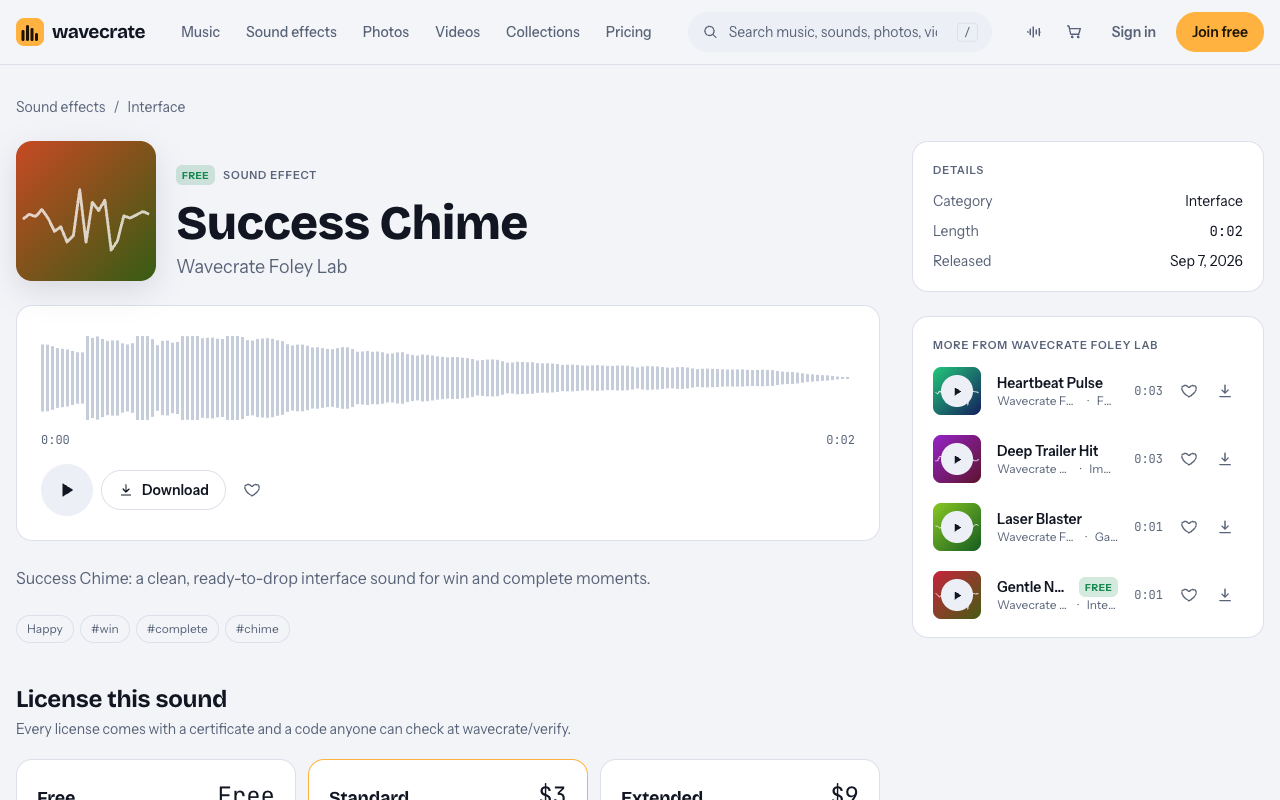
The page shows three license cards: Free, Standard and Extended. Each card lists what it covers. Paid licenses are not on sale yet (Wavecrate says purchases open soon), so the prices below are the listed prices for when sales open; items marked Free, like Success Chime, can already be downloaded with a free account. The rest of this guide takes one course project and runs Success Chime through three uses, one card at a time.
Use 1: your own YouTube lesson with a quiz segment
Say you are a teacher or a creator. You post a lesson video on your own YouTube channel. Near the end, you run a short quiz on screen and play Success Chime each time you reveal a right answer.
This is what the Free card is for. It reads: "Online videos and podcasts, with credit." It lists YouTube, TikTok, Instagram, Twitch and podcasts, and it says monetized channels are fine. The catch is the credit. The card says "Credit text required in the description," so add the credit to the video description, not only on screen.
A free account gets 3 free downloads a month. If you only need one chime for a lesson series, that is plenty.
One limit matters here. The Free license for sounds does not tick "Your own business and brand content." That starts at Standard. A personal lesson on your channel fits Free. A video that sells your course is the next use.
Use 2: a promo video for your course
Now say you sell the course, as a solo creator or as a small school business. You cut a short demo of the quiz and post it on your own site and social accounts to bring in students. That is your own business and brand video.
Success Chime's Standard card lists $3. It reads: "Online content for one creator or business, no credit needed." It lists all online platforms, monetized, your own business and brand videos, and no credit required. The channels you register are printed on the certificate.
The card also says "Or included with Pro." Pro is listed at $99 a year or $12 month to month and is not on sale yet. It gives Standard on the whole catalog, never Extended. Content you publish while subscribed stays covered. If you make many promo clips, compare the two on the pricing page.
Standard does not reach paid ads. If you plan to put money behind the promo as an ad, look at the third use.
Use 3: the chime inside quiz software, an ad, or client work
This is where the sound leaves the video and goes somewhere else. Three cases point to the same card:
- You build the chime into the course platform or quiz app itself, so it plays when a learner taps the right answer.
- You run the course promo as a paid ad.
- You make the course, or its quiz, for a client.
Success Chime's Extended card lists $9. It reads: "Paid ads, broadcast, apps, games and client work." It includes everything in Standard, plus paid advertising and TV or radio broadcast, apps, games and software, and client work and unlimited impressions. A sound playing inside quiz software falls under "Apps, games and software." So all three cases above sit on Extended.
Here is the gap to know about. Wavecrate's pages do not name online courses. They do not say how a lesson video sold as part of a paid course is treated. Treat anything the cards do not name as not covered. Extended is the widest card on the page, so it is the one to look at first, but the page does not say it covers a sold lesson video. If your use is not on a card, do not rely on any license to cover it.
Every license comes with a certificate and a code. Anyone can check that code at the verify page without contacting Wavecrate. Keep the certificate with your course files.
Pair it with a wrong-answer sound
A quiz has two outcomes, so it often wants two sounds. Success Chime sits in the Interface sound kit collection: "Clicks, pops and chimes for apps, games and explainers." It holds six items, all by Wavecrate Foley Lab.
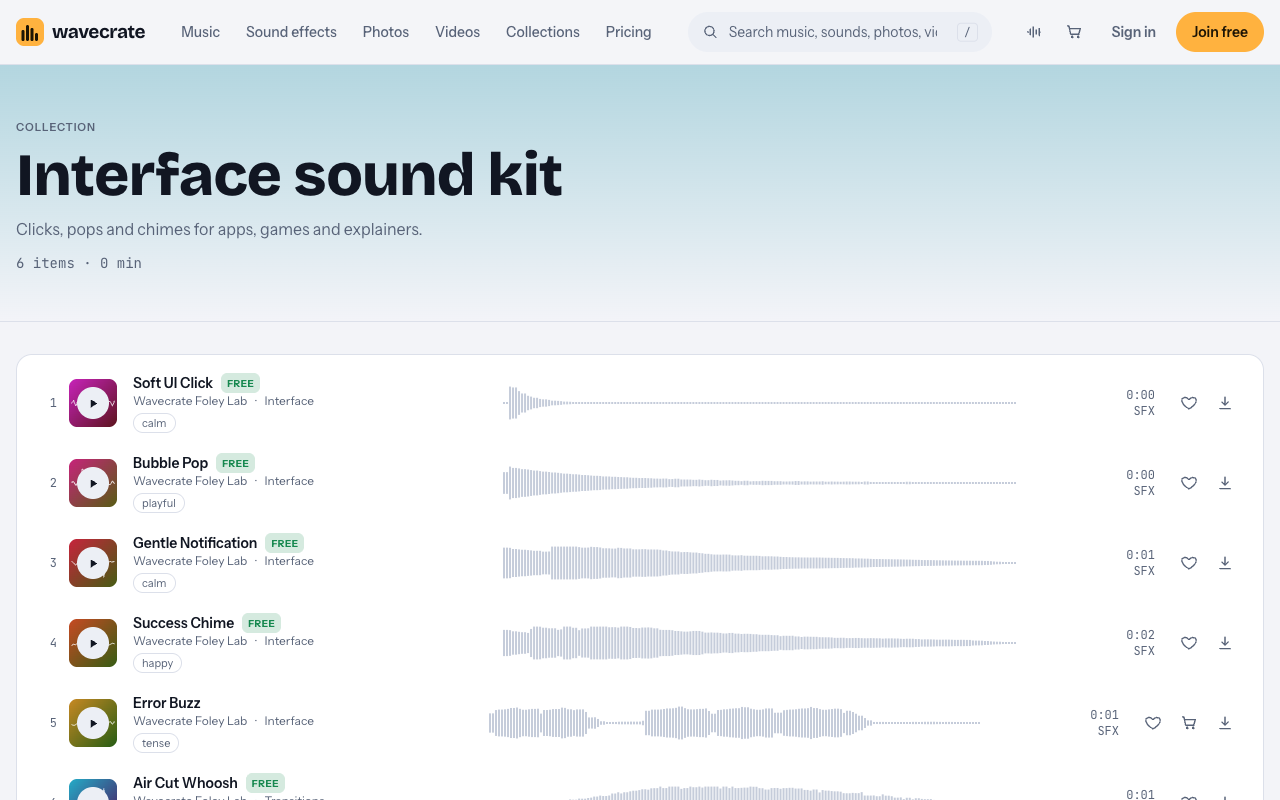
- Error Buzz is the natural pair for a wrong answer. Its page says it is "for wrong and fail moments." It is Premium, not Free. Its Standard card lists $3 and its Extended card $9.
- Gentle Notification was marked Free, tagged calm, 0:01. It suits a softer cue, such as a new question appearing.
- Soft UI Click was marked Free, tagged calm. It fits answer buttons.
- Bubble Pop was marked Free, tagged playful, for a lighter course.
- Air Cut Whoosh was marked Free, a transition sound, for moving between sections.
Note that Error Buzz is Premium, so the Free card does not apply to it. Read each sound's own page, because the cards and prices belong to that item.
If you want more choice, the Interface category lists more sounds. One example is Glass Notification by Signal Lab, which is Premium, with a Standard card of $5 and an Extended card of $19.
Frequently asked questions
Can I use Success Chime in a YouTube lesson for free?
Success Chime was marked Free on 11 October 2026, and its Free card covers YouTube videos, including monetized channels. You must put credit text in the description.
Which card fits a promo video for my course?
A promo for your own course is your own business and brand video. That starts at Standard, which is listed at $3 for Success Chime, or Pro would cover it.
Which card fits a chime that plays inside my quiz app?
A sound inside quiz software falls under "Apps, games and software" on the Extended card. Success Chime's Extended card lists $9.
Does Wavecrate say how a sound in a paid course is treated?
No. The pages do not name online courses or lesson videos sold as part of a course. Treat that use as not covered, and look at Extended as the widest card without assuming it covers that use.
Get started
Browse Wavecrate: you can join free and download items marked Free now, paid licenses are not on sale yet (purchases open soon), and every download comes with a license certificate and a code anyone can check on its verify page.
Open the Success Chime page, play it against your quiz reveal, and note the card that matches where the sound will play. Then create a Wavecrate account to download it and keep your certificate with your course files.


Comments
No comments yet.
Sign in or make an account to comment.