Tension Riser Sounds for a Product Teaser Video
A product teaser is short, and every second has a job. If you are looking for tension riser sounds for a product teaser video, the riser is the part that tells the viewer something is about to happen before they can see it. This guide covers what a riser does, which kind to pick, how long it should run, and how to line it up with your reveal.
What a tension riser does in a product teaser
A riser is a sound that climbs in pitch, volume or brightness over a few seconds. It ends on a cut, a hit or silence. In a teaser it does three things:
- It tells the viewer to pay attention.
- It gives a slow shot a sense of motion.
- It makes the reveal feel bigger than the picture alone could.
Think of it as a promise. The viewer hears the sound rising and expects a payoff. Your job is to deliver the payoff on the exact frame the riser peaks. On Wavecrate, you can preview risers side by side and read each one's license before you pick.

Types of tension riser sounds and when to use each
Not every riser fits every product. Pick by the feel of the thing you are showing.
Synth and noise risers
These climb in pitch with a wash of noise on top. They suit software, gadgets and anything with a clean, modern look. On Wavecrate, Digital Riser, Long, Bright is a 4 second sound described as a synth and noise riser climbing in pitch and peaking on the cut. It comes as a 24-bit WAV master and a 320 kbps MP3.
Reverse swells
A reverse swell is a sound played backward so it builds into a point. It feels softer and warmer than a synth riser. It works for lifestyle products, skincare, food or anything where you want anticipation without menace. The Transitions list includes Reverse Swell, Long, Warm (3 seconds, marked Free) and Reverse Swell, Medium, Warm (2 seconds).
Tension risers for builds and trailers
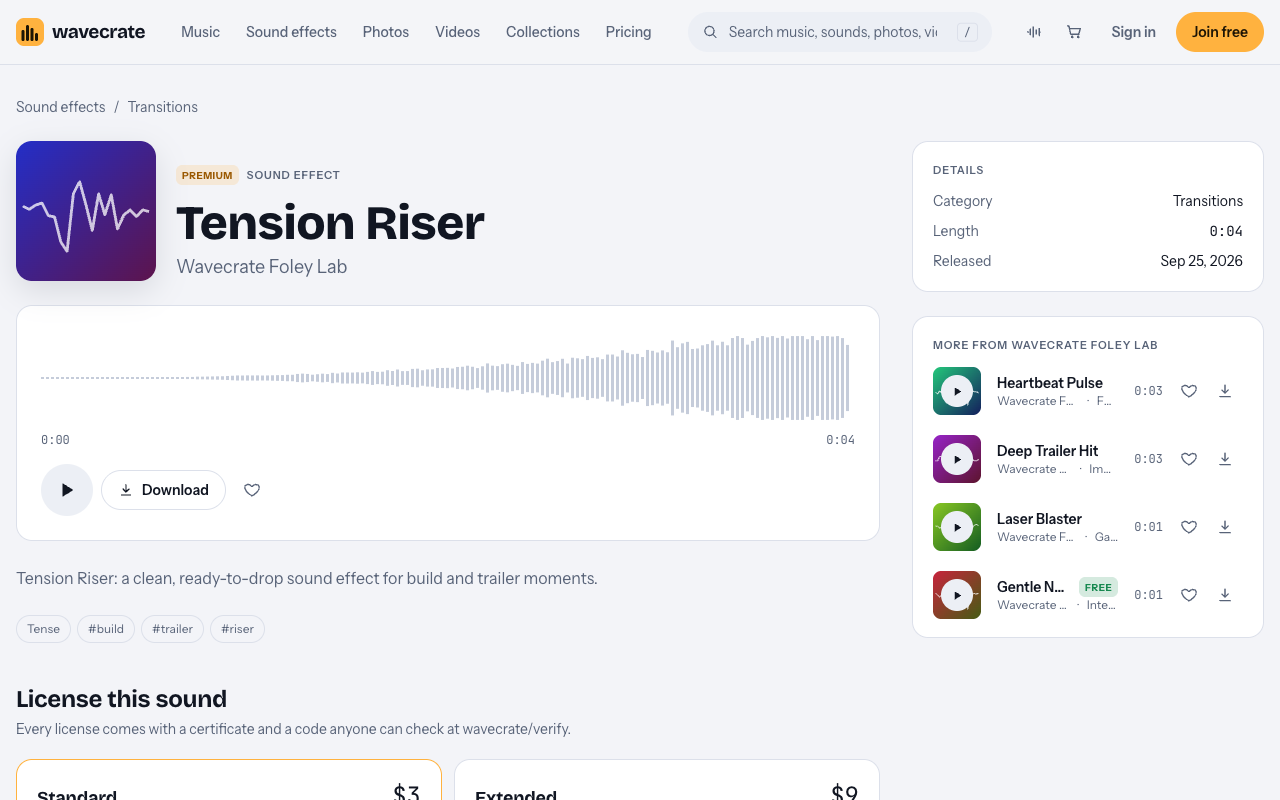
Tension Riser is a 4 second Transitions sound, Premium, with the page note "for build and trailer moments". Use this kind when the product is serious or high stakes: security tools, hardware launches, anything with weight.
Pulse and heartbeat
A heartbeat is not a riser, but it builds tension the same way. Heartbeat Pulse is a 3 second Foley sound described as for heart and suspense moments. Place it under a riser to add a human feel.
How long should a riser be for a teaser video
Short, usually. A 15 to 30 second teaser does not have room for a 10 second build. Most risers on Wavecrate run 1 to 4 seconds: Digital Riser and Tension Riser are 4 seconds, Reverse Swell, Long, Warm is 3, and Reverse Swell, Medium, Warm is 2. The Transitions category lists each length on its browse page, and the sound effects browse page has length filters (Under 10 s, Under 1 min) and a "Shortest first" sort, so you can check before you download.
A rough rule you can test yourself:
- 1 to 2 seconds for a quick cut between two shots.
- 3 to 4 seconds for the main reveal at the end.
- Longer than that only if the visual builds the whole time. Layer two sounds to get there instead of hunting for one long file.
How to time a riser to your product reveal
Here is a worked example. Say your teaser is 20 seconds and the product appears on screen at 0:16 with the logo.
- Pick a 4 second riser. Place its start at 0:12.
- Zoom in on the audio waveform. Find the point where the riser ends or peaks.
- Move the clip so that peak sits on the frame where the product appears, 0:16.
- Add the impact sound on that same frame.
- Play it back with your eyes on the picture, not the waveform. If it feels early, nudge the riser a few frames later.
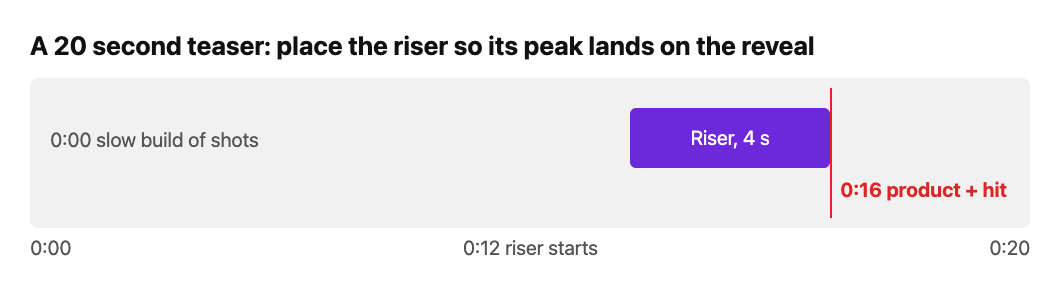
If the picture builds too, for example a slow zoom or a light sweep, make the visual motion end on the same frame. Sound and picture arriving together is what makes the moment land.
For the hit itself, the Impacts category has Deep Trailer Hit, a 3 second sound the page describes as for boom and trailer moments. It sits in the Trailer and tension collection next to Tension Riser.
Layering and shaping risers so they don't sound cheap
One riser alone can sound like a stock effect. A few small moves fix that.
- Layer two risers. Pair a bright synth riser with a warm reverse swell. Offset them by a few frames so they do not start on the same beat.
- Add a low layer. A heartbeat or a quiet pulse underneath gives the riser a floor.
- Fade in, do not pop in. Start the riser quiet. Let it grow with a volume ramp that matches the rise.
- Listen against your music. Music tracks on Wavecrate list their key, for example 7A on Rise of the Ember. A pitched riser can sound off against a track. If one does, try another before you reach for EQ.
Mixing tips: volume, EQ, and the silence before the hit
The mix matters as much as the sound you choose.
Volume
Keep the riser under your voice-over or on-screen text if there is any. It should build the feeling without fighting for attention. Raise it toward the peak, then pull everything back for the hit.
EQ
If the riser and your music both sit in the same range, they will blur. Cut some low end from the riser so your bass and the impact keep their space. If the riser sounds harsh, take a little off the top.
The silence before the hit
This is the trick people skip. Drop the music and the riser out for a beat, a few frames, right before the impact. The hit then lands against silence and feels much bigger. Try 4 to 10 frames and trust your ears.
Tension riser sounds for a product teaser video on Wavecrate
On Wavecrate you can browse the Transitions sound effects. On 13 October 2026 that category listed 10 sounds, including Tension Riser, Digital Riser, Long, Bright, and the two reverse swells. The Impacts category has the hits to pair with them, and the Trailer and tension collection groups big hits, rising tension and epic builds in one place.
Paid licenses are not on sale yet: Wavecrate says purchases open soon, so the prices here are the listed prices for when sales open, while items marked Free can already be downloaded with a free account. Listed prices differ by item, so check the page. As examples from the pages we read, Tension Riser showed Standard $3 and Extended $9, while Digital Riser, Long, Bright showed Standard $5 and Extended $19. Reverse Swell, Long, Warm is marked Free, which means a Free license with a credit line in your description, and a free account gets 3 free downloads a month.
The license matters for a product teaser. The Standard license covers online content for one creator or business, with no credit needed, including your own business and brand content. If the teaser runs as a paid ad, on TV or radio, or is made for a client, the pages say that needs Extended. The pricing page says that once purchases open, you will be able to upgrade Standard to Extended for the difference. Pro, listed at $99 a year or $12 month to month and not on sale yet, gives Standard licenses only, so it does not cover those uses.
Every download comes with a license certificate and a code. Paste the code in your video description, and anyone can check it on the verify page.
Frequently asked questions
What is a tension riser in video?
It is a sound that builds in pitch, volume or brightness and ends on a cut, a hit or silence. In a teaser it points the viewer's attention at the reveal.
How long should a riser be in a 30 second teaser?
Most work best at 2 to 4 seconds. Place the end of the riser on the frame where the product appears.
Can I use a free riser in a product teaser?
Items marked Free have a Free license for online videos and podcasts with a credit line in the description. If you want no credit, or the teaser is a paid ad or client work, check the Standard and Extended cards on the item page.
Do I own a sound after I download it?
No. You get a license to use it, and Wavecrate keeps the copyright.
Get started
Open the Transitions list, preview a few risers, and line one up against your reveal frame. You can join free to download sounds marked Free. See the pricing page for what each license covers.
Browse Wavecrate: you can join free and download items marked Free now, paid licenses are not on sale yet (purchases open soon), and every download comes with a license certificate and a code anyone can check on its verify page.


Comments
No comments yet.
Sign in or make an account to comment.