Where to publish an article about your product if you have no blog
If you are looking for where to publish an article about your product and you have no blog, you do not need to build one first. You can post it on a page of your own on a writing site, in a community your users already read, or on someone else's site. This guide shows what a good home for the article needs, the four kinds of place to post it, how to choose, and a worked example of turning one article into several pieces instead of pasting it everywhere.
What a home for your product article needs
A blog used to mean buying a domain, picking a theme and keeping software up to date, all before you write a sentence. What the article itself needs is simpler:
- A stable address you can share, so the article does not move or vanish.
- A way for readers to follow you, so your second article can reach the people who liked the first.
- A way to be found, through topic pages, feeds or a community.
Your product page says what the product does. An article does a different job: it explains the problem, how you thought about it, and who the product is for. If you want a structure for that kind of post, see how to write a product launch post people actually read.
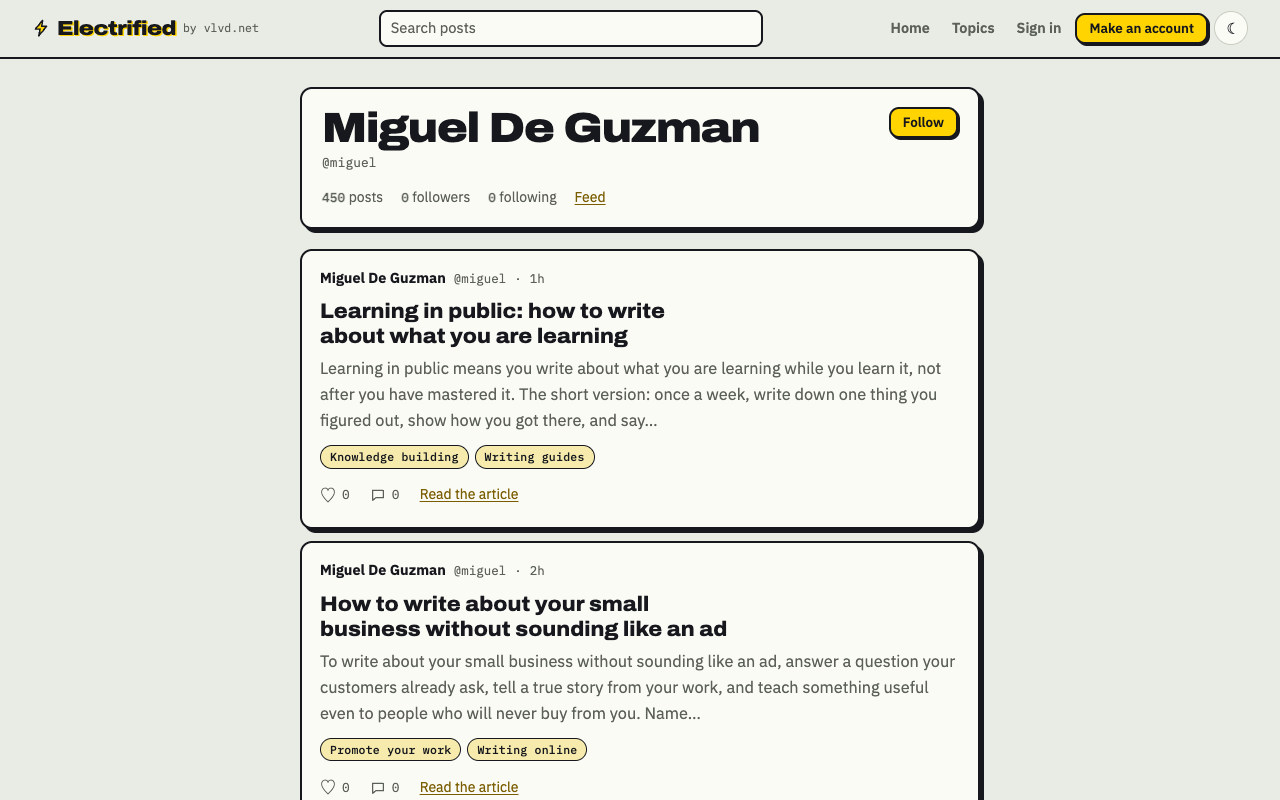
A page of your own: your posts, a Follow button and a feed, with no blog to run.
Option 1: a page of your own on a writing site
A writing site gives you your own page without running a site. On Electrified, making an account asks for four things: your name, a handle, an email, and a password of at least 8 characters. Your page lives at /@yourhandle. The handle uses letters, digits and underscores, from 3 to 20 characters. Choose it with care, because Settings cannot change it later.
Here is the workflow for one product article. The product is made up for this example: a small tool that turns meeting notes into task lists.
- Open the editor at
/writeand choose Article. A note is capped at 500 characters with no title, so it suits a quick update, not a full explanation. - Give it a title of up to 140 characters, such as "Why I built a tool that turns meeting notes into tasks".
- Write the body in sections. Start each one with
##and a heading:## The problem,## What I tried first,## How it works now,## Who it is not for. - Open the Preview tab. It shows the post the way it will look once published.
- Add up to 5 topics, separated by commas:
Productivity, Meetings, Side projects. Each topic links to a page of every post about it. - Click Save draft. Only you can see a draft, and search engines never see it. When it reads right, click Publish.
Once published, the post keeps its address. Your page lists your posts with your bio and a Follow button. You also get an Atom feed at /@yourhandle/feed.xml, so anyone with a feed reader can subscribe, and the post appears in the site feed at /feed.xml. Readers can like and comment on published posts.
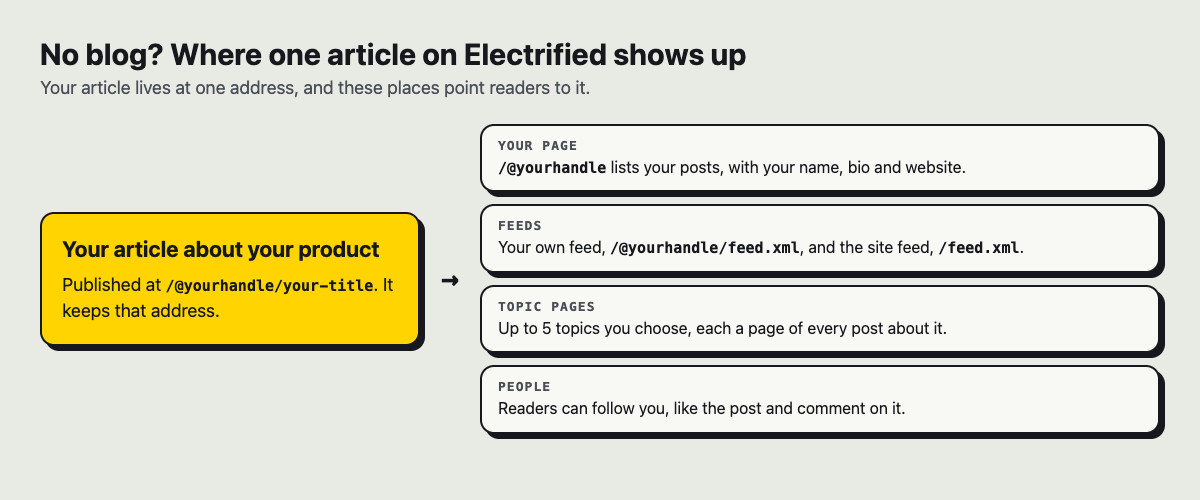
One article, one address, and the places that point readers to it.
If you draft with a writing assistant, you can make a personal token in Settings. A token lets a tool save and edit your drafts. It cannot publish, delete, like, comment or follow, so publishing is always a click you make yourself. One limit to know: there is no password reset yet, so keep your password somewhere safe.
Option 2: communities where your users already talk
Forums, discussion boards, maker communities and developer sites are where many of your future users already spend time. A useful post there can start a conversation, and the replies can show you what readers did not understand.
Most communities ask the same things of you. Read the rules before you post. Put the full lesson in the post itself, not a teaser that only makes sense if people click away. Say plainly that you made the product. Then answer the replies, including the critical ones. "What I learned getting my first 10 users" is a lesson; "Check out my app" is a pitch.
For more on this, see how to promote a side project by writing about it.
Option 3: guest articles on other people's sites
Another site's editor may publish your article if it is useful to their readers. Industry blogs, trade publications and partner companies sometimes take contributed articles.
This takes the most back and forth. You pitch, wait, edit to their style, and give up control of the final version. In return, the article sits in front of readers who already read that site. Pitch a topic, not your product: "How small teams can stop losing action items after meetings" is a pitch an editor can use, and your tool can appear as one example inside it.
Option 4: a short note that points to the full article
Not every place needs a whole article. On Electrified, a note is a post of up to 500 characters with no title. Use one to share one finding from your article, with a link to the full piece. It gives people who follow you something short to read, and the long version stays in one place.
How to choose where to publish an article about your product
Ask four questions about each place.
- Ownership. Can you edit, unpublish or delete the post yourself? On Electrified you edit with Save changes, unpublish back to a draft, or delete for good.
- Search. Can search engines read the page? Electrified's robots.txt lets search and AI crawlers read the site, keeps them out of the editor and settings, and points them to a sitemap that lists published posts. No place can promise a ranking. Links inside most writers' posts on Electrified carry
rel="nofollow ugc", so do not count on them to help your own site's search ranking. - Audience. Is there a group of readers already, or do you bring your own? A community or a guest spot puts you where readers already gather. A page of your own gives you tools rather than readers: a page, a feed, topic pages and a Follow button. Who finds you depends on the work you put out.
- Effort. A post on your own page waits on nobody but you. A community post needs you around to reply. A guest article waits on an editor.
Many people combine them: one home for the full article, and shorter, rewritten pieces where readers already gather.
Worked example: one article, four pieces
Pasting the same article into five places gives anyone who follows you in more than one of them the same text twice, and each community gets a post written for someone else. Write one full article, then build new pieces from it. With the made-up meeting-notes tool:
- Home version. Publish the full article on your own page: the problem, what you tried, how it works, who it is not for.
- Community version. Rewrite one section as its own post. "What I tried first" becomes "Three ways I tried to track action items, and why two failed". New title, new opening, the lesson in full.
- Guest version. Pitch the general problem to another site, with your tool as one of several examples.
- Short note. One finding in under 500 characters, with a link to the full article.
Each piece stands on its own and adds something the others do not. Keep writing on the same subject and the articles become a body of work: see how to build knowledge around a topic by writing about it.
Frequently asked questions
Can I publish the same article on more than one site?
Often you can, but check each site's rules first, because some editors want to publish an article before anyone else does. Rewriting each version for its readers usually serves them better than pasting the same text everywhere.
Will an article on a writing site show up in search?
Only if search engines can read it, and no site can promise a ranking. On Electrified, published posts are open to search crawlers and listed in the sitemap, while drafts are never seen by search engines.
Is a product article on a community site seen as self-promotion?
It can be, if the post is mostly a pitch. Follow the community's rules, say that you made the product, and put the useful lesson in the post itself.
Can I move my posts to my own blog later?
You can start a blog any time, but Electrified has no tool to import posts from another blog, so plan the move from your side. Your Atom feed carries your newest 100 posts in full as HTML, which helps, but keep your own copy of each article as you write it.
Get started
Make an account, write one article with clear ## sections, add a few topics, preview it, and publish. Then look at the topics page to see what others write about.
Make an account on Electrified: write about your product, topic or idea on your own page, one article at a time, and let readers follow along.
Comments
No comments yet.
Sign in or make an account to comment.