3D 2048 on a phone: swipe, drag and turn the cube
You can play 3D 2048 on a phone with nothing but your thumbs. There are no buttons for the moves: you slide, twist and turn the cube by dragging on it. This guide shows where each drag starts, what it does, how to hold the phone, and what we saw in our own first minute on a phone-sized touch screen.
3D 2048 on a phone: three gestures
The game has three moves, and each one has its own drag. The app's own label for the cube sums it up in one line: "Swipe the front face to slide, drag the top or right face to twist, drag around the cube to turn it."
- Slide: swipe on the front face. Tiles slide as in 2048, and two equal tiles merge into their sum.
- Twist: drag a row on the right face sideways, or a column on the top face up or down. That layer turns a quarter and carries its tiles to the next face.
- Turn: drag on the empty space around the cube. The whole cube turns, and the game says plainly that turning is free.
So the rule on a touch screen is simple. Where your thumb lands decides the move. The direction you drag decides which way it goes.
If you are new to the game itself, read how to play 3D 2048 first. It covers the rules, the keyboard and how a game ends. This post is only about playing with touch.
How to hold the phone
Hold the phone upright. On our phone-sized screen, the Score, Best and Moves counters sat along the top, and the cube filled the middle with clear space above and below it. The New game, How to play and Settings buttons sit in the top corner, away from the cube.
One thumb is enough: hold the phone in one hand and play with the other thumb. The front face is the big face pointing at you, a 3 by 3 block of squares. The top face is the strip above it, and the right face is the strip on its right side.
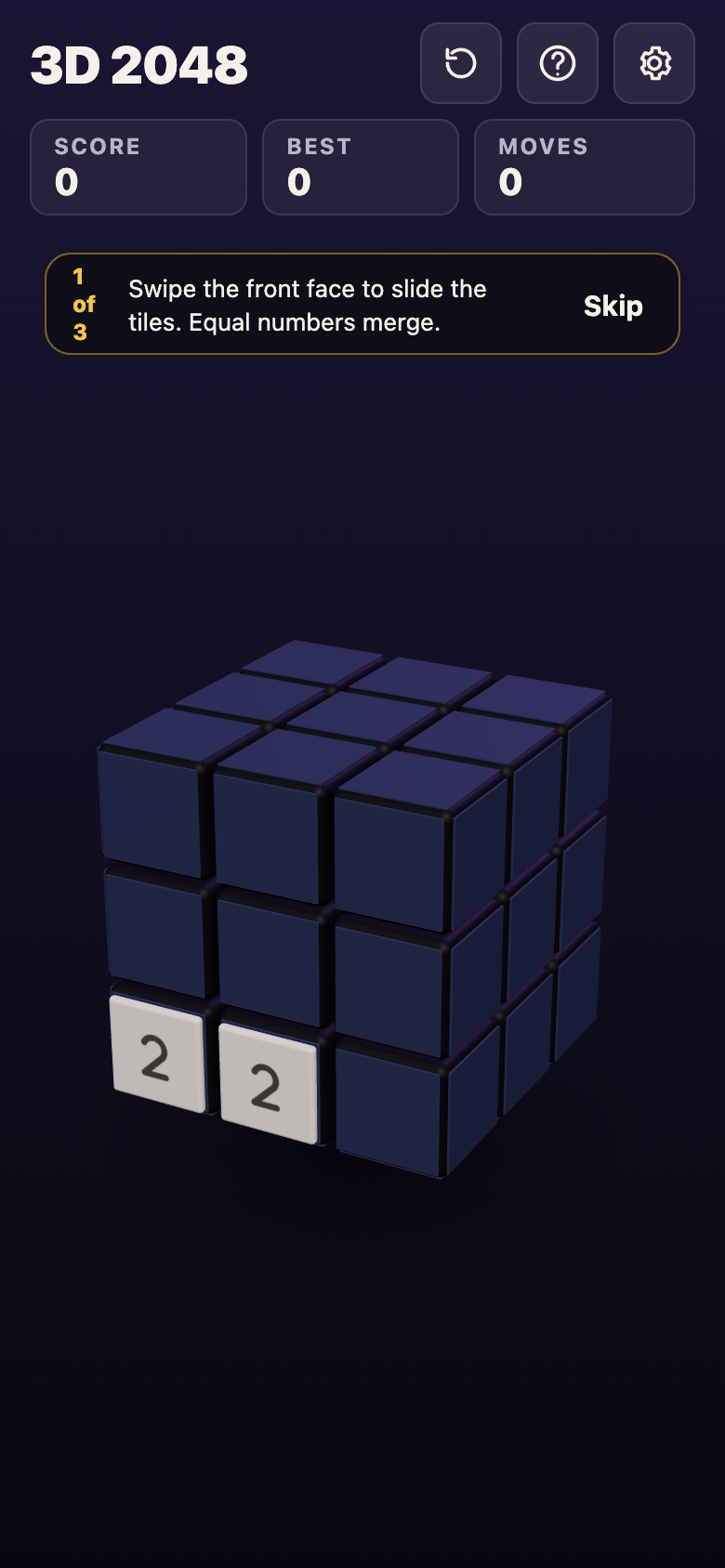
A new game on a phone-sized screen: two 2s on the front face and the first of three tips.
A new game shows three tips in turn, marked "1 of 3". The first one reads: "Swipe the front face to slide the tiles. Equal numbers merge." Read the next two, or tap Skip.
Swipe the front face to slide
Put your thumb down inside the front face and swipe left, right, up or down. Every tile on that face slides as far as it can in that direction, and equal tiles that meet merge. After the slide, a new 2 or 4 appears on the front face when it has room.
Start the swipe well inside the front face, not on its edge. A drag that starts off the cube is read as a turn, and a drag that starts on the top or right face is a twist. If a swipe changes nothing, the game tells you: "Nothing moves that way. Try another way, or twist a row."
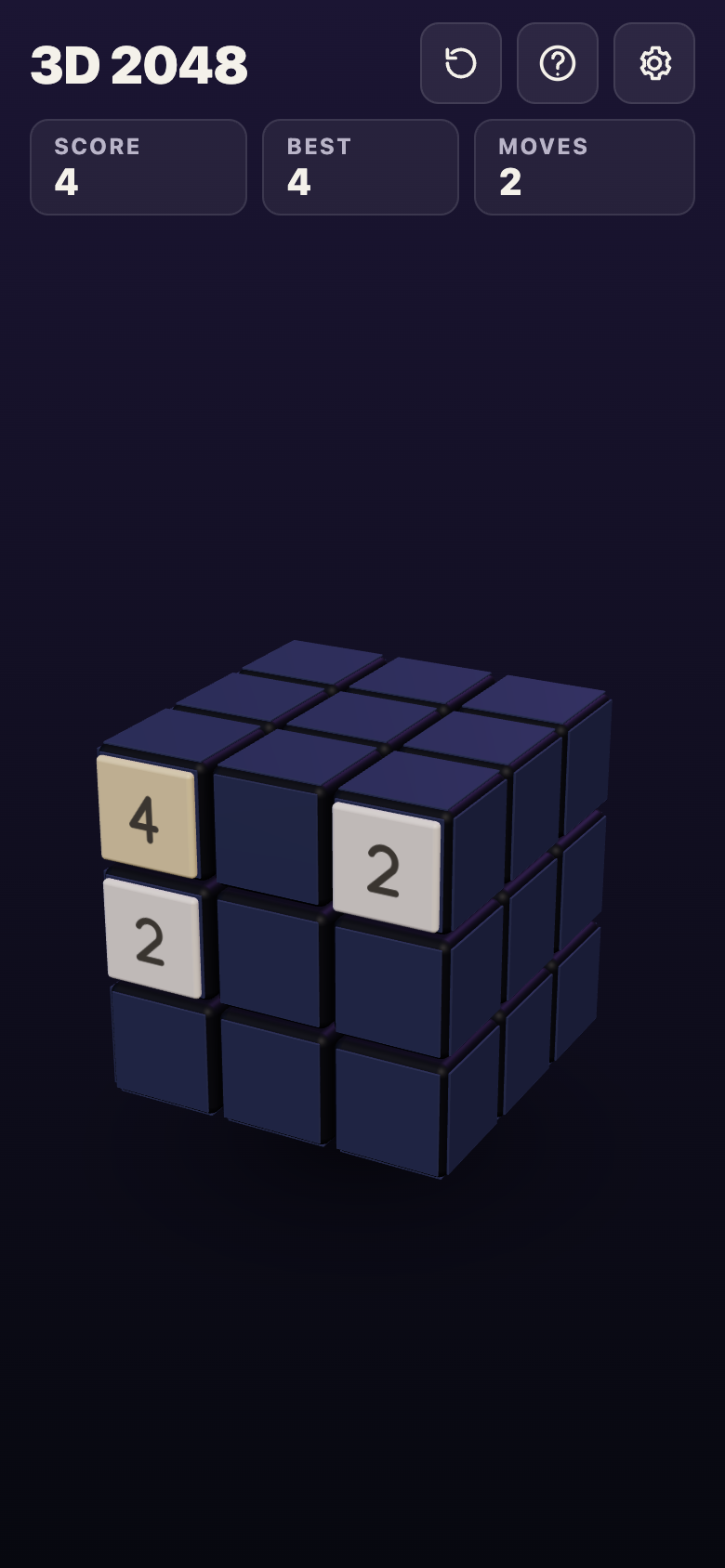
After two swipes, left then up: the two 2s have merged into a 4, and the counters read Score 4 and Moves 2.
Drag the right or top face to twist
A twist moves one layer of the cube, tiles and all, like a row on a Rubik's cube. On a phone you do it by dragging one of the side faces you can see.
- A row of the right face, sideways. Put your thumb on a square of the right face and drag left or right. That row turns a quarter, and the matching row of the front face goes round with it.
- A column of the top face, up or down. Put your thumb on a square of the top face and drag toward you or away. That column turns a quarter, and the matching column of the front face goes with it.
The right and top faces look thin, because you see them at an angle. Aim for the middle of a square, not the line between two squares. A twist counts as a move and adds a new tile, and it needs one empty square for that tile.
Drag around the cube to turn it
To see another side, put your thumb on the empty space around the cube and drag. The whole cube turns, and another face comes to the front. The space below the cube is the largest empty area on an upright phone, so it is the easiest place to start this drag.
Turning is free. It adds no tile and the Moves counter does not go up. Turn, look at every face, then decide on your next slide or twist.
Your first minute on a phone, step by step
Here is the first minute we played on a phone-sized browser screen with touch input, signed out. Your first tiles will land somewhere else, but the gestures work the same way.
- Open the game and skip the tips. The counters read Score 0, Best 0 and Moves 0. Two 2s sat side by side in the bottom row of the front face.
- Swipe left on the front face. The two 2s merged into a 4. Score went from 0 to 4 and Moves from 0 to 1, and a new 2 appeared.
- Swipe up on the front face. The tiles slid to the top. Score stayed at 4 and Moves went to 2, with a 4 and a 2 now in the top row.
- Twist the top row. We put a thumb on the top square of the right face and dragged left. The top layer turned a quarter and carried the 4 and the 2 off the front, round to the next face. Moves went to 3, Score stayed at 4, and a new 2 appeared on the front.
- Turn the cube. We dragged from left to right across the empty space below the cube. The whole cube turned, and the face holding the 4 and the 2 came round to the front. Moves still read 3, and Score still read 4.
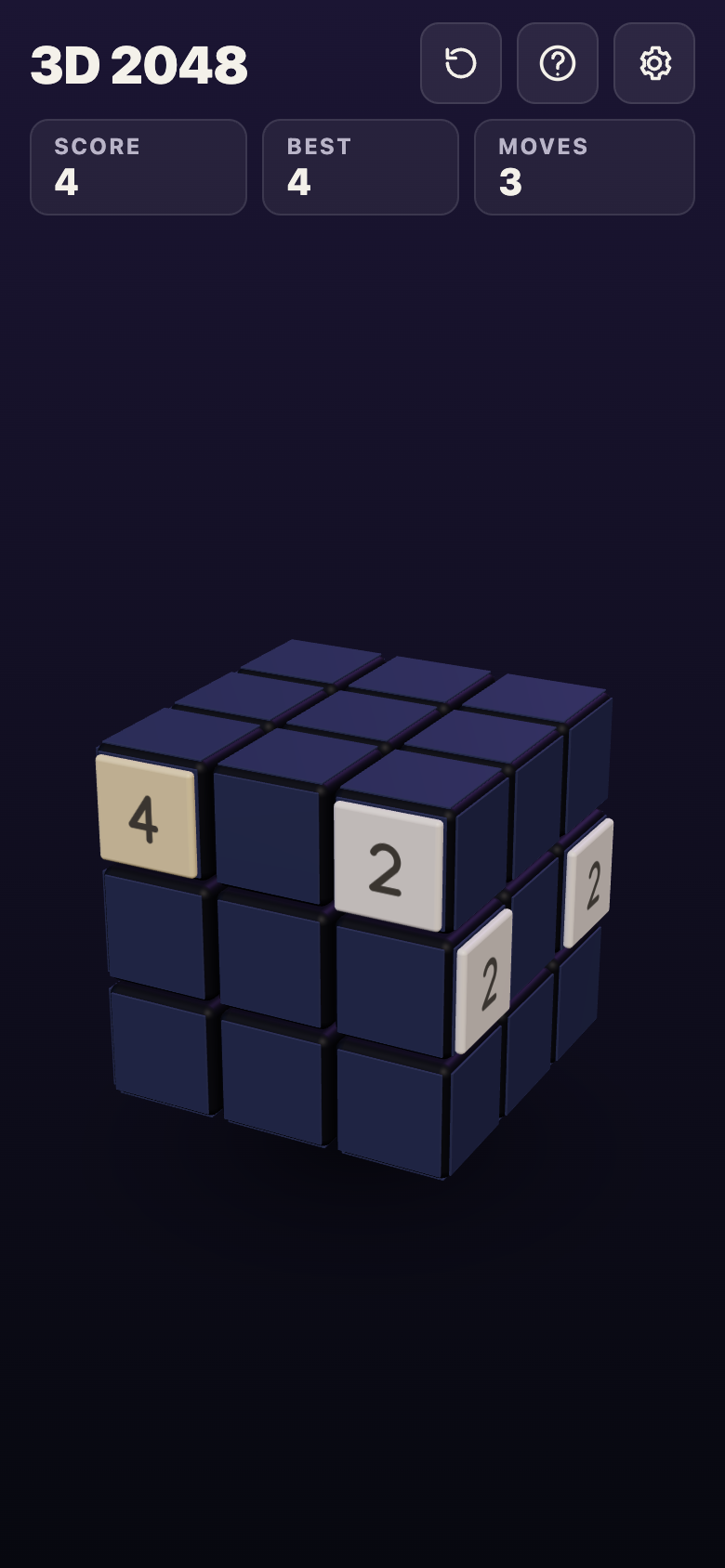
After the turn: the 4 and the 2 carried away by the twist are back on the front, and Moves still reads 3.
Slides and twists cost a move. A turn costs nothing. For what to do with these moves once you know them, see 3D 2048 tips.
Sound, motion and your saved game on a phone
Tap the Settings button in the top corner. It has four controls that matter on a phone:
- Master volume, Sound effects and Music, each set to Off, Low, Mid or High. Turn Music to Off if you play on a bus or in bed.
- Reduced motion, set to Device, On or Off. Pick On if the cube's movement is too much for you on a small screen.
Under the controls the game says: "Your game, best score and settings are saved on this device." There is no account and nothing to sign in to. Close the tab, come back later on the same phone, and your game is where you left it. A game on your phone and a game on your computer are separate.
Frequently asked questions
Can I play 3D 2048 on a phone?
Yes. It plays in your phone's browser, and it is free. Swipe the front face to slide, drag the right or top face to twist, and drag around the cube to turn it.
Why did my swipe turn the whole cube?
Your thumb probably started off the cube. Start a slide well inside the front face, and start a turn on the empty space around the cube.
Does turning the cube use up a move?
No. The game says turning is free, and in our test the Moves counter stayed at 3 after a turn.
Is my game saved if I close the browser?
Yes, on the same device. The game, your best score and your settings are saved on that phone only.
Get started
Open the game on your phone, hold it upright, and play the first minute above: two swipes, one twist on the right face, and a free turn from the space below the cube.
Play 3D 2048: it is free and plays in your browser on a computer or a phone.
Comments
No comments yet.
Sign in or make an account to comment.