Ambience and room tone sounds for video: which license?
Ambience and room tone sounds for video sit under your dialogue and fill the gaps between cuts. Most viewers never notice them, so it is easy to forget they need a license like any other audio. This guide covers what they do, when to record your own, and which license fits which kind of video, using Wavecrate's ambience sounds as read on 10 October 2026.
Wavecrate has a set of ambience loops and room tones, and every download comes with a license certificate and a code, so you can show what covers each background sound.

What ambience and room tone do in an edit
Room tone is the sound of a space with nobody talking: soft air, a hum, a far-off fan. When you cut out a cough or a long pause, the background can drop to silence for a moment. Viewers feel that drop even if they cannot name it. A low bed of room tone under the whole edit hides those seams.
Ambience is the bigger version of the same idea. Rain on a window, a server room, a quiet lab. It tells the viewer where they are before anyone speaks.
A common case: you record a side-by-side screen recording with your webcam, then trim your mistakes. Each cut leaves a small jump in the background noise. A looping room tone on its own audio track, kept very low, smooths them over.
Quiet sounds still need a license
A sound being quiet does not make it free to use. The U.S. Copyright Office says copyright protects original works, sound recordings among them, as soon as they are fixed in a tangible form. So 20 seconds of someone else's fan noise is still someone else's recording.
Background sounds also get reused. You might drop the same loop into a dozen videos over a year. If the license behind it is unclear, all twelve share the same problem. Sorting it out once saves you later.
Royalty-free, Creative Commons and your own recording
Three ways to get a background sound, and what each means:
- A library license, like Wavecrate's: you get permission, not ownership. The pricing page says it plainly: "You get a license to use it. We keep the copyright."
- Creative Commons: a set of licenses the creator picks. Creative Commons' own guide says CC BY allows commercial use with credit, while anything marked NC allows only noncommercial use. Read the exact license on each file.
- Your own recording: no library license is involved, because you made it. Just make sure it did not pick up someone else's music playing in the room.
Wavecrate items are not Creative Commons. They are licensed under the site's own Free, Standard and Extended terms.
Recording your own room tone, or using a loop
The classic method is to record it on set. Before or after a shoot, ask everyone to stay still and record 30 to 60 seconds of the room. It matches your dialogue because it is the same space and the same microphone.
The catch is that people forget. Or the room was noisy, or you are editing someone else's footage. That is when a library loop helps. Several of Wavecrate's ambience sounds are described as "looping seamlessly", so they can run under a long edit.
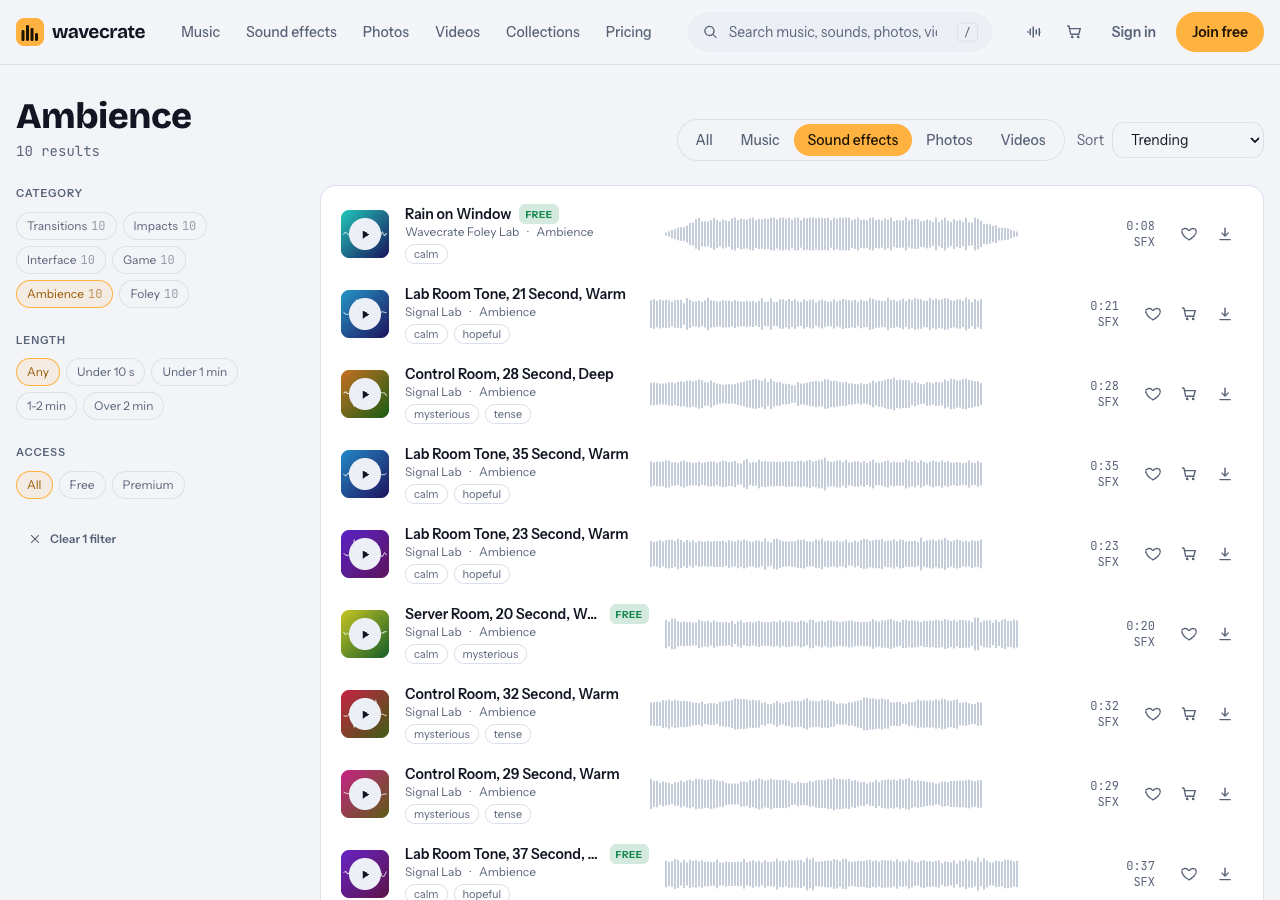
The Ambience category on 10 October 2026: 10 sounds, three of them marked Free.
To audition quickly, use the keyboard. Space plays or pauses, Left and Right skip 5 seconds, and Shift with Left or Right moves to the previous or next item. Listen to the loop point on headphones before you pick one.
Which license covers ambience and room tone sounds for video
For music and sound effects, Wavecrate has three licenses. This is what the pricing page and the sound pages say each one covers.
- Free, only on items marked Free: YouTube, TikTok, Instagram, Twitch, podcasts and monetized channels, with credit text in the description. A free account gets 3 free downloads a month.
- Standard: "Online content for one creator or business, no credit needed." It adds your own business and brand videos, and prints your registered channels on the certificate. Pro (listed at $99 a year, or $12 month to month, and not on sale yet) includes Standard on the whole catalog.
- Extended: "Paid ads, broadcast, apps, games and client work." Pro never includes it.
Paid licenses are not on sale yet: Wavecrate says purchases open soon, so the prices below are the listed prices for when sales open. Items marked Free can already be downloaded with a free account. Listed prices differ by item, so read each page. On 10 October 2026:
- Lab Room Tone, 21 Second, Warm (Premium): "a quiet research lab with soft air, equipment hum and a monitor beep". Standard $5, Extended $19, as a 24-bit WAV and a 320 kbps MP3.
- Lab Room Tone, 37 Second, Warm: the same description, marked Free. Free with credit, Standard $5, Extended $19.
- Server Room, 20 Second, Warm (Free): "fan noise, mains hum and the odd disk seek". Standard $5, Extended $19.
- Rain on Window (Free, 0:08): Standard $3, Extended $9.
A worked example: one loop, three jobs
Say you edit interviews, and you need a soft room bed under the cuts. You pick Lab Room Tone, 37 Second, Warm, because it is marked Free and runs long enough to loop under a scene.
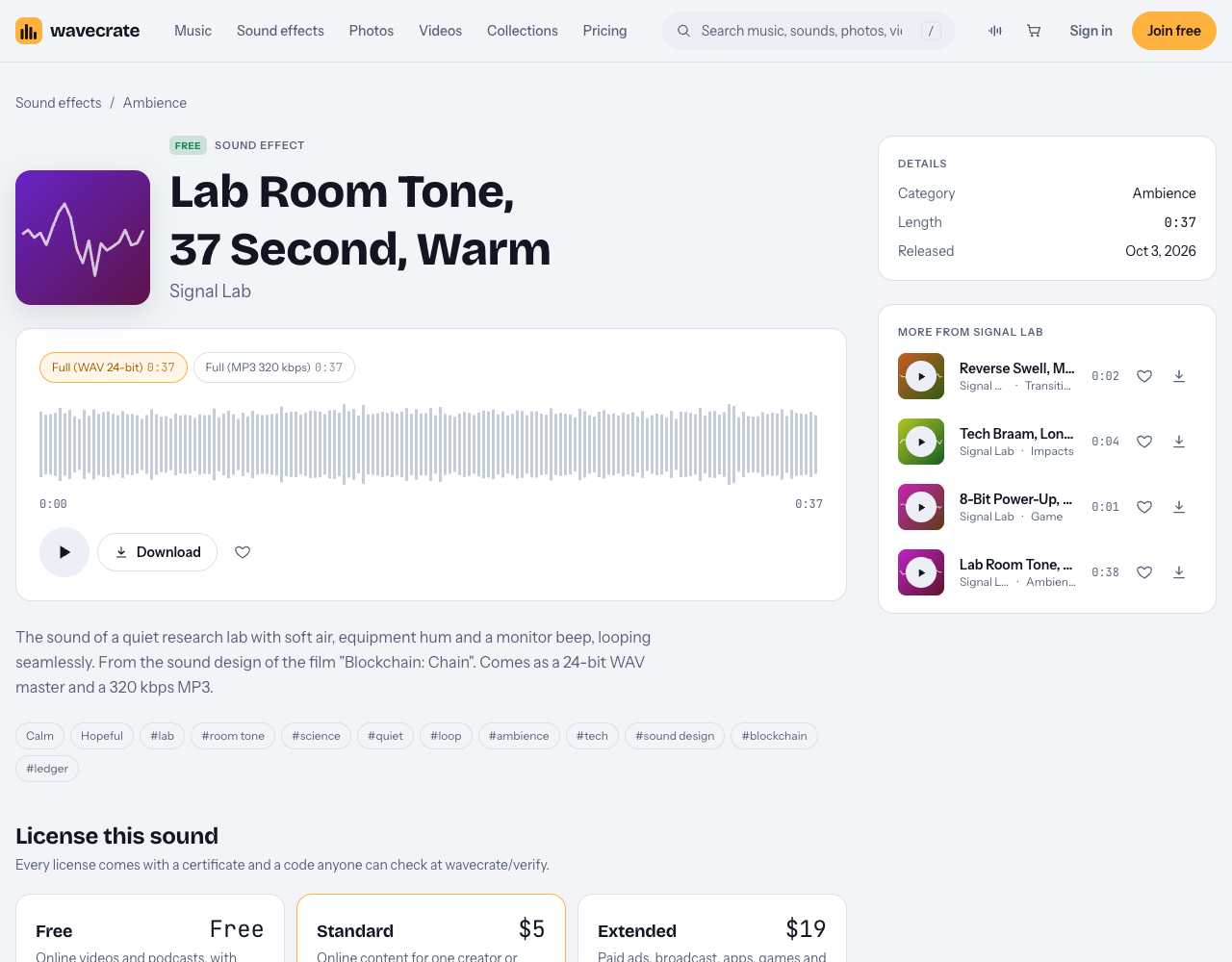
One sound, three licenses. The use decides which one you need.
- An interview on your own YouTube channel, with credit text in the description: the Free license covers it.
- The same interview cut for your own company's website and socials: that is your own business and brand content, which starts at Standard. So it needs Standard (listed at $5 on this page, or Pro), even though the sound is marked Free.
- An interview you edit for a client, or one that runs as a paid ad: both are Extended only (listed at $19 on this page). The pricing page says that, once purchases open, Standard can be upgraded to Extended for the difference.
A quick test before each download: whose video is it, where will it run, and is anyone paying to show it?
Keep a record for every project
Every Wavecrate download comes with a certificate and a code. The verify page shows the licensee, the item, the license type and your registered channels, so a reviewer can check it without contacting Wavecrate.
- Make a
licensesfolder inside each project folder. - Save each certificate there, named after the sound and license, for example
lab-room-tone-37s-standard. - Paste the license code into the video description when you publish.
If a claim ever arrives, the pricing page says to send the platform your license code or certificate link. What the platform does next is up to the platform.
Frequently asked questions
Do I need a license for room tone I recorded myself?
Not from a library, because you made the recording. Check that it did not pick up someone else's music in the background.
Is a sound marked Free enough for a business video?
No. On Wavecrate the Free license covers online videos and podcasts with credit, and your own business and brand videos start at Standard.
Can Creative Commons ambience go in a monetized video?
It depends on the exact license. Creative Commons says NC licenses allow only noncommercial use, while CC BY allows commercial use with credit.
Does Pro still cover my videos after I cancel?
The pricing page says videos you published while subscribed stay covered forever. New downloads after Pro ends need a free download, a single license or Pro again.
Get started
Open the Ambience sounds, set the access filter to Free to try a loop with credit, and match the license to where your video will run before you download.
Browse Wavecrate: you can join free and download items marked Free now, paid licenses are not on sale yet (purchases open soon), and every download comes with a license certificate and a code anyone can check on its verify page.


Comments
No comments yet.
Sign in or make an account to comment.