Book club meeting notes: share the talk with members who missed it
Good book club meeting notes are short. They name the book and the pages you covered, list the two or three questions that started the best arguments, and keep a few lines people loved, so a member who missed the meeting can catch up in five minutes. The easiest way to get there is to record the call, read the transcript afterwards, and write the notes from that instead of from memory. Our post on recording a book club discussion on a call with a transcript walks through the recording side for groups that meet on Google Meet. This post picks up after the call ends and covers what to put in the notes and how to share them.
If your club meets online, Cheap Recorder runs in Google Chrome and saves your voice and the other side of the call as one file on your own computer, with a timed transcript you can turn into notes.
Why book club meeting notes keep your group together
Book clubs rarely fall apart over a bad book. They fade when people miss two meetings in a row and feel too far behind to come back. Notes give those members a way back in. They also help the people who were there. A month later, nobody remembers who argued that the narrator was lying, or which chapter you agreed to stop at.
What to capture: the book, the big questions and the best lines
You do not need minutes. You need enough for someone to join the next conversation. Focus on three things.
- The book and the range. Title, author, and the exact chapters or pages covered. This is the line people check first.
- The big questions. Two or three questions that got the room talking, with a sentence on where people landed. Disagreement is worth recording. "Half of us thought the ending was earned, half thought it was rushed" tells an absent member more than a neat summary.
- The best lines. A quote from the book someone read aloud, or a sharp comment from a member. One or two is plenty.
Add the practical bits at the end: next book, next date, who is hosting, and what to read by then.
A simple book club meeting notes template you can copy
Paste this into a shared document and fill it in after each meeting.
- Date and who came: first names are enough.
- Book: title, author.
- Covered: chapters or page range.
- Overall mood: one sentence. "Most of us loved the first half and struggled with the middle."
- Question 1: the question, then where the group ended up.
- Question 2: same again.
- Question 3 (optional): same again.
- Lines worth keeping: one quote from the book, one from the discussion.
- Spoiler section: anything that gives away later events, below a clear warning.
- Next time: book, pages, date, host.
That is usually between 150 and 300 words. If yours runs much longer, cut the summary of the plot. Members can read the book for that.
Taking notes without missing the conversation
The person writing notes during a meeting is the person not talking. In a small group, that is a real loss. Most clubs end up with a note taker who says little, or with notes that trail off after the first twenty minutes.
Recording the call fixes this. Everyone talks, and the notes get written afterwards. If you only want a reminder of a good moment while it happens, glance at the timer and jot the time down on paper, for example "31:40, Sam on the letter scene." Cheap Recorder lets you press M or Add marker during a recording, and a short note confirms the time. With the default single MP4, though, those marker notes show while you record but are not saved, so a scrap of paper with times on it is the simpler habit.
If someone records a voice memo after an in-person meeting instead, the same approach works. This guide to turning a voice memo into text on a PC in Chrome covers that route.
Using a call transcript to write the notes in ten minutes
Here is a workflow that fits a monthly club on Google Meet.
- Before the call, name the recording. Type something like
Book club Middlemarchin Name this recording. Each recording gets its own folder, named with the date, the time and that name, so a year of meetings sorts neatly. - Check the transcript language. The language menu beside Live transcript under Options goes back to its default each time the recorder page opens. If your club meets in Spanish, set it again before you start.
- Pick the call's tab. In the Call audio tile, press Pick the call tab..., choose the Meet tab and tick Share tab audio. Your microphone and the call are mixed into one recording. The Google Meet guide has the details.
- Go sound only if you like. Switch off Record my webcam and pick no screen, and you get an M4A audio file instead of a video. That is all you need for notes.
- After the call, open the transcript file. It sits in the recording's folder as plain text, with the time of each line. It opens in any text editor.
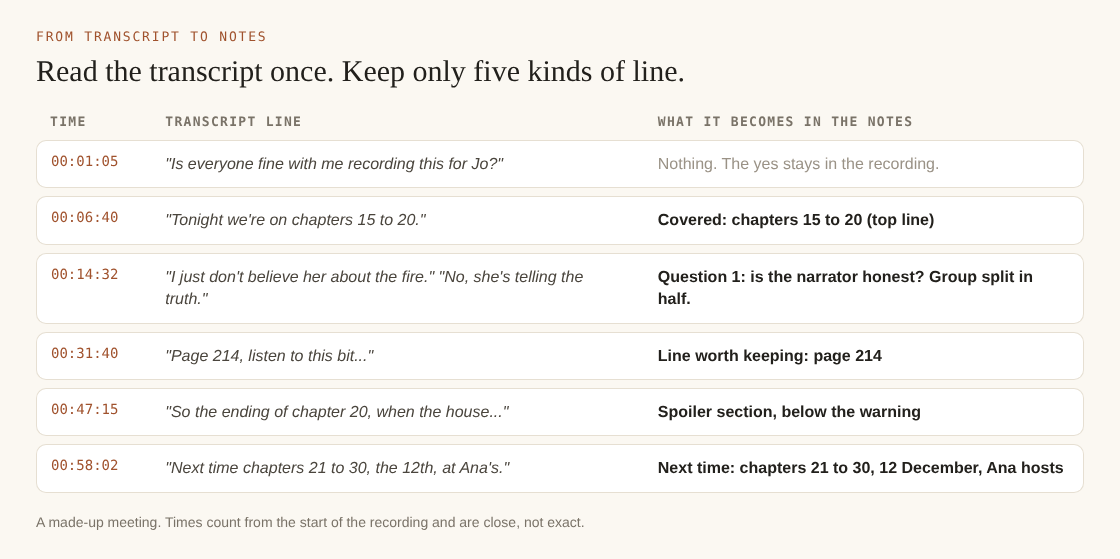
One pass through the transcript: keep the range, the questions, the best lines, the spoilers and the next meeting.
Now write. Skim the transcript for the spots where lines get short and come quickly. That is usually where people were disagreeing, and it is your question 1 and question 2. Copy the times next to each question. If a line is garbled, play the recording at that time and listen for ten seconds.
One thing worth knowing about labels. On plans that include speaker detection, each transcript line is labelled with the loudest source: your microphone's name, or Meeting for the other side of the call. Everyone on the far end of a call comes through one Chrome tab, so they all share that one Meeting label. You will still need to work out who said what from context, which is easy in a club where you know everyone's voice. You can type a real name into a Speaker box, such as your own name instead of your microphone's model name, and press Save captions.
Also note that the transcript is made from what Chrome hears on your microphone, so a headset or desk microphone close to your mouth beats a laptop's built-in one. Wear headphones on the call to stop the other voices coming out of your speakers and back in. The live transcript guide covers languages and captions.
Sharing notes with absent members without spoilers
Members who missed a meeting are often behind on the reading too. A careless summary can ruin the book for them. A few habits help.
- Put the page range at the top. Anyone who has not reached it knows to stop reading.
- Keep spoilers in their own section. Put a line like "Spoilers for chapters 15 to 20 below" and leave a few blank lines before it.
- Write questions, not answers, in the top half. "Was the narrator telling the truth about the fire?" invites someone in. "We decided she set the fire" does not.
- Send the notes, not the raw recording. A transcript of an hour of friends talking is long, and people say things casually on a call they would not write down. The notes are the version meant for sharing.
Ask first before you record at all. Tell people at the start of the first call, and again any time a new member joins. Recording calls may need everyone's agreement depending on where you all live.
Keep the notes in one place every member can find. A single shared document works better than a chain of messages. If you want help keeping it up, a short request asking a member to take a turn writing notes goes a long way.
Frequently asked questions
Should someone be the official note taker at every meeting?
Rotating the job works better than giving it to one person, because nobody burns out and everyone gets to talk most months. If you record the call, the note taker can join in fully and write the notes afterwards from the transcript.
Do I need permission to record our book club call?
Ask everyone and get a clear yes before you start. Depending on where you and the other members are, recording a call may need everyone's agreement, and it is the polite thing to do anyway.
How long should book club meeting notes be?
Aim for one screen, roughly 150 to 300 words. Cover the page range, two or three questions, one or two good lines and the next meeting details, and leave the plot out.
Where should we keep notes from past meetings?
Keep them in one shared document, with the newest meeting at the top. If you record calls with Cheap Recorder, each meeting's recording and transcript are saved in a folder on your own computer named with the date and time, so you can go back to the source if a question comes up. The guide to where recordings are saved explains the folder layout.
Get started: record your next book club call with a transcript in Chrome
Before your next meeting, do a one-minute test call with a friend and play it back, so you know the call's sound and your microphone both come through. Then follow the steps in our post on recording a book club discussion with a transcript and use the template above to write your notes the same evening.
The Free plan includes recording, the live transcript and captions, and 12 hours of recording a month, which is plenty for a monthly club. Your recordings are written to a folder you choose on your own computer. Note that while the live transcript is on, Chrome sends your microphone audio to Google to turn it into text.
The free plan needs no card. Try Cheap Recorder in Chrome, and your recordings stay on your own disk.
Screen recording that is cheap and easy.
Visit cheaprecorder.com↗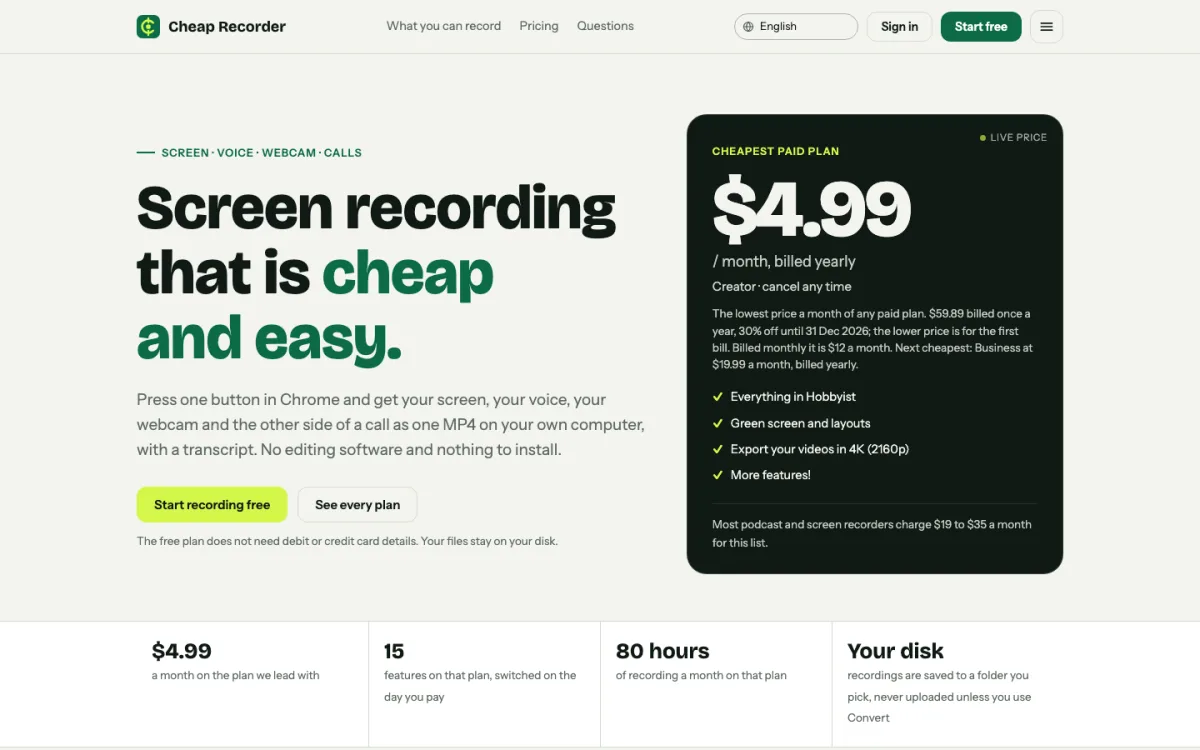
Comments
No comments yet.