How Do Mobile Games Handle Portrait and Landscape Screens?
How do mobile games handle portrait and landscape screens? They take one of three paths: lock the game to one orientation, scale the same picture into either shape with bars around it, or rearrange the layout so the field, the score and the touch buttons each move to a sensible spot when you turn the phone. The third takes the most work and feels best on a phone you might hold either way.
To see that third path in a real game, Tank City Reboot gives you two free tank games that run in your browser on a computer or a phone, upright or sideways, with nothing to install and no account needed to play.
Why it matters: how do mobile games handle portrait and landscape screens?
A phone screen is long and thin. Held upright, it is much taller than it is wide; turned sideways, the reverse. A game designed for one shape can look cramped or lost in the other.
Three things change when you rotate:
- Space for the game. A square or wide play field leaves big empty bands in portrait.
- Where your thumbs go. In landscape, both thumbs rest on the left and right edges. In portrait, they sit near the bottom, close together.
- Room for information. The score, lives and level indicator need a home that does not cover the action.
Locking orientation: picking portrait or landscape
The simplest answer is to choose one shape and refuse the other. A native app declares this in its settings, and the phone simply will not rotate the game. Two-thumb action games often lock to landscape; one-handed puzzle games often lock to portrait. That saves design time, but players who prefer the other grip are stuck.
Browser games have a harder time locking, as you will see below. Many show a "rotate your device" message instead.
Supporting both: scaling, letterboxing and safe areas
If you allow both orientations, the first job is fitting the game picture into a screen whose shape keeps changing. There are three common choices:
- Fit (letterbox). Scale the picture until it touches two edges, and fill the rest with bars or a background. Nothing is cut off and nothing is distorted.
- Fill (crop). Scale until it touches all four edges, and cut off whatever spills over. No bars, but parts of the field may vanish.
- Stretch. Pull the picture to fit both directions, so circles turn into ovals.
A square play field makes fit the natural choice. Tank City Reboot's board is a square of 13 by 13 tiles, drawn at 208 by 208 pixels, so it fits cleanly inside either shape and leaves a band of spare space on one side. That band is useful, as the next section shows.
Pixel art adds one rule: scaling a tiny image up blurs it unless the game uses point filtering, which copies each pixel as a hard square. Tank City Reboot draws its textures that way; the soft glow behind tanks and shots is the one exception, explained in our post on how glow effects and soft light work in 2D games.
Then there are safe areas. Notches, camera holes, rounded corners and the home bar eat into the screen, and their position moves when you rotate. On the web, you opt into the full screen with viewport-fit=cover in the viewport meta tag, then pad your buttons with env(safe-area-inset-left), env(safe-area-inset-bottom) and the like. A Fire button hidden under a notch in landscape is a classic bug.
Rearranging the HUD and touch controls on rotation
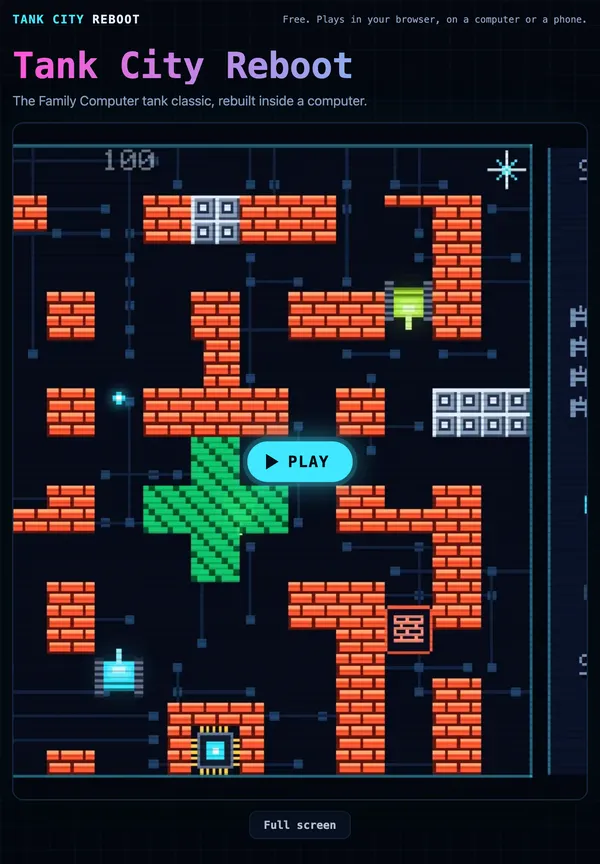
The usual trick is to put the HUD in the spare band that letterboxing creates. Tank City Reboot does exactly this. Its page asks the browser one question with a CSS media query, @media (orientation: portrait), and swaps the shape of the game box: 280 by 224 on a wide screen, 224 by 264 on a tall one. On a wide screen, the side panel sits to the right of the field. On a tall, portrait screen, it becomes a strip above the field. In the first game, that panel shows SCORE, HI (your best score), one small tank icon for each enemy still to come this stage, your lives, an OC meter for your cannon's overclock level, and the STAGE. In Tank City Zero Day, it shows the chain multiplier, the wave, the core's integrity, a DASH bar and the upgrades you have picked.
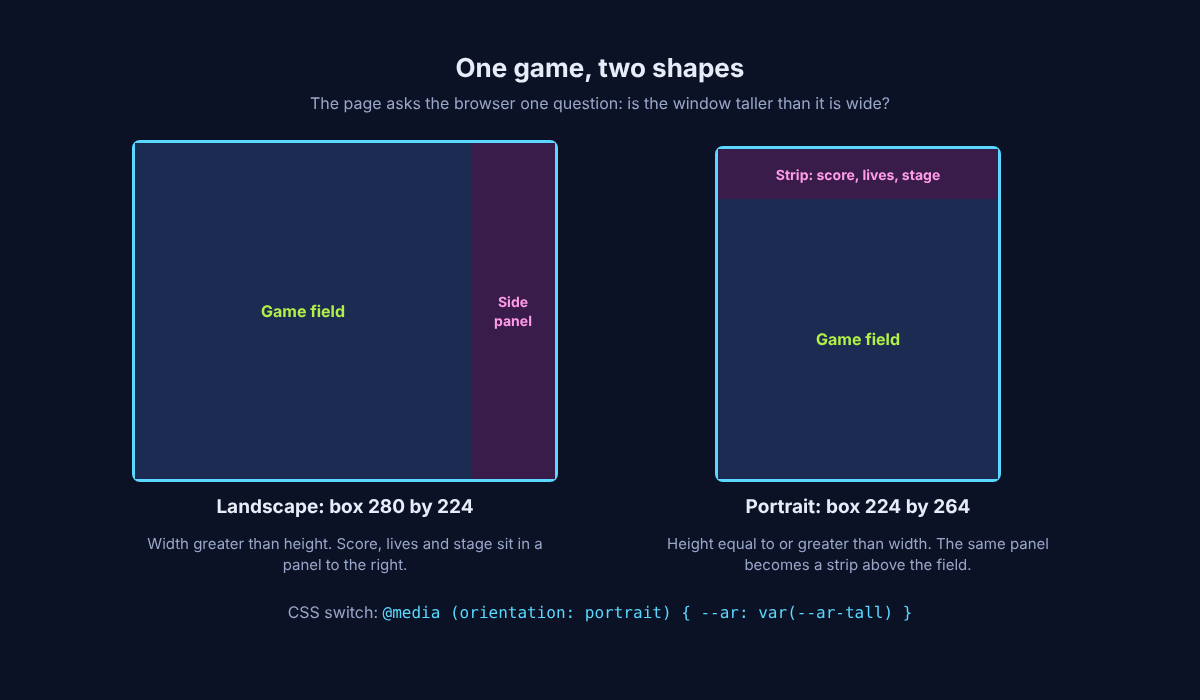
The same game in two shapes: the panel moves, the field stays square.
Touch controls follow a different rule: anchor them to the corners, not to the field. In Tank City Reboot, the touch pad floats over the game in portrait or landscape. A round direction pad sits at the bottom left. Fire sits at the bottom right, with a second, smaller button just to its left and a little higher. Pause sits at the top right. Because each button hugs a corner, your thumbs find them in either grip.
Here is a worked example. Hold your phone upright and start the first game. Your left thumb works the pad, and your right thumb taps Fire. The panel is a strip above the board, out of the way of your thumbs. Now turn the phone sideways. The panel sits to the right of the board, and the buttons still sit in the corners. In the first game the pad picks the nearest of four directions, and the second button, labelled B, also fires. In Zero Day the pad reads eight directions and the second button is Dash.
One detail is easy to miss: the layer between the buttons takes no touches, so a swipe there still scrolls the page, except in full screen.
How browser games handle rotation and the Screen Orientation API
A browser game cannot set an app setting; it has to react to rotation with web tools. To detect the shape, most games use a media query. In CSS, @media (orientation: portrait) applies styles when the viewport is at least as tall as it is wide. As MDN notes, this tests the viewport, not the device: opening the soft keyboard on a portrait phone can make the viewport wider than it is tall, so landscape styles apply. In JavaScript, matchMedia("(orientation: portrait)") tells you the current shape and fires a change event when it flips. Many engines simply compare the window's width and height on every resize.
The Screen Orientation API goes further. screen.orientation.type reports values like portrait-primary, and screen.orientation.lock("landscape") asks the browser to hold one orientation. The catch, in MDN's words: locking is typically enabled only on mobile devices and only in full screen, and a browser that cannot lock throws an error. So a browser game cannot count on locking. It has to work in both shapes or show a rotate message.
Full screen varies by device too (see how full screen works in browser games). Tank City Reboot has a Full screen button that keeps the touch pad on screen. On an iPhone, where the browser has no full screen for a page, the player fills the window instead and gives you a button to leave.
Rotation is not the only interruption. When you switch away from the tab, Tank City Reboot releases every touch button, so you never come back to a tank stuck driving into a wall.
Testing orientation across phones, tablets and notches
Orientation bugs hide until someone turns a real device. A short routine catches most of them:
- Use your browser's device mode. Desktop developer tools emulate phone sizes and rotate them, for a quick first pass.
- Rotate mid-game. Start playing, then turn the phone. Check that the field rescales, the HUD moves and no button lands under a finger you need for something else.
- Test a phone with a notch. Rotate both ways. The notch switches sides, and your safe-area padding should follow.
- Test a tablet. Tablets are closer to square, so check the middle case still looks right.
- Switch apps and come back. Leave the tab while holding a button, then return. Nothing should be stuck pressed.
- Open the keyboard. If your game has a text box, tap it in portrait and check the layout does not jump to landscape.
You can run this routine on Tank City Reboot in a few minutes. Open it on your phone, press Play (the page loads a game only once you press Play or Full screen), then rotate and watch where the panel and the pad end up. You need a current browser with WebGL 2, such as recent Chrome, Edge, Firefox or Safari.
Frequently asked questions
Why do many action games force landscape mode?
Landscape gives a wide view and puts each thumb on its own edge of the screen, which suits a joystick on one side and buttons on the other. Locking also means the designers only have to build and test one layout.
What happens to the game state when I rotate my phone?
In a well built game, nothing: the score, position and timers carry on, and only the layout redraws. That is why you test a rotation in the middle of play.
Can a browser game lock screen orientation?
Sometimes. The Screen Orientation API's lock() method is typically allowed only on mobile devices in full screen, and some browsers do not support it, so browser games usually support both shapes or ask you to rotate.
Is letterboxing better than stretching the screen?
For most games, yes. Letterboxing keeps shapes and pixel art true, and the spare bands can hold the score or controls, while stretching distorts everything to avoid a few bars.
Get started: play Tank City Reboot on any screen
Hold your phone whichever way you like and guard the CPU core against twenty malware tanks a stage. For a faster game, Zero Day adds eight-way moves, dashes and an upgrade pick after every wave.
Play Tank City Reboot: it is free, plays in your browser on a computer or a phone, and needs no account.
The Family Computer tank classic, rebuilt inside a computer.
Visit tankcityreboot.vlvd.net↗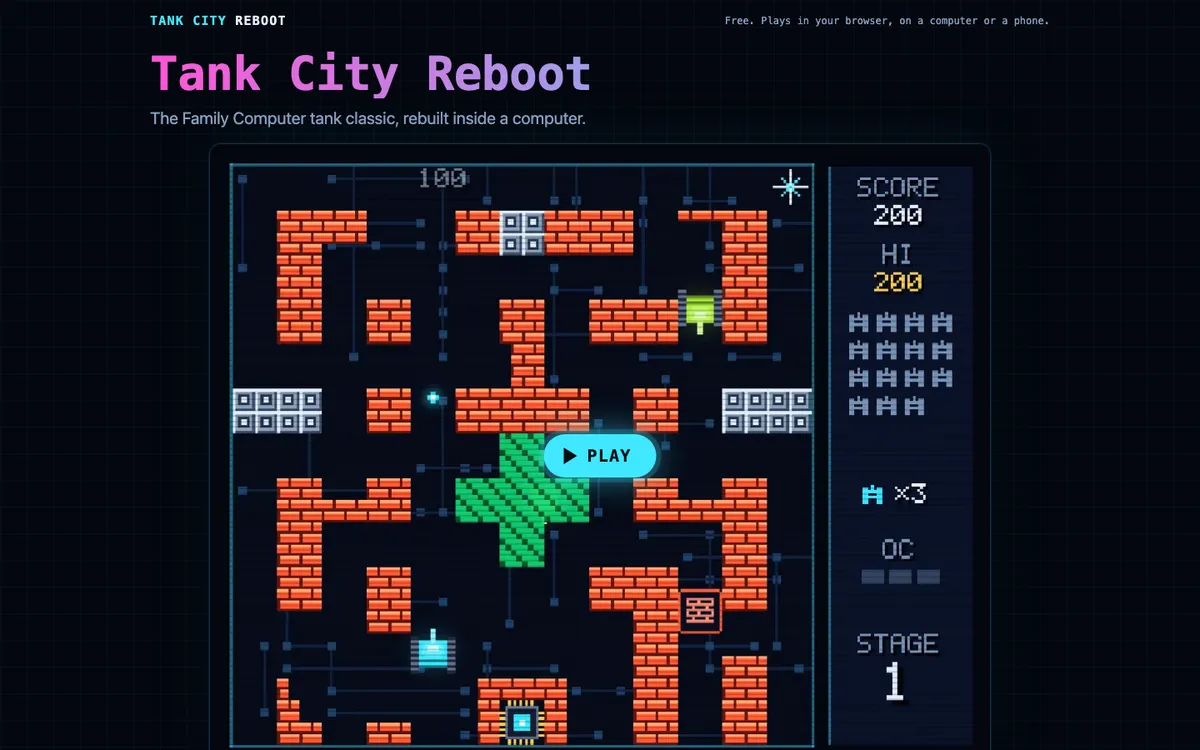
Comments
No comments yet.