How Does Full Screen Work in Browser Games? Enter, Leave, Fix
How does full screen work in browser games? The game asks your browser to give one part of the page the whole screen, the browser says yes only right after you click, tap or press a key, and on a computer Esc takes you back out. This guide walks through each step, why browsers set these rules, how a game stays sharp when it grows, and what changes on a phone.
To try each step as you read, open Tank City Reboot, two free tank games that play in your browser on a computer or a phone, with a Full screen button under the game and no account needed.
How does full screen work in browser games, in plain words?
A web page normally lives inside the browser window. Around it you see tabs, the address bar and your system's taskbar or dock. Full screen removes all of that. One element of the page, usually the game or a box around it, covers your whole display.
This is not the same as a bigger window. A maximized window still shows the browser's own controls. Full screen hides them, and the browser keeps track of which element is filling the screen so it can put everything back when you leave.
For a game, that means more room for the play field and nothing at the edges to pull your eye or catch a stray click.
The Fullscreen API: how a page asks for the screen
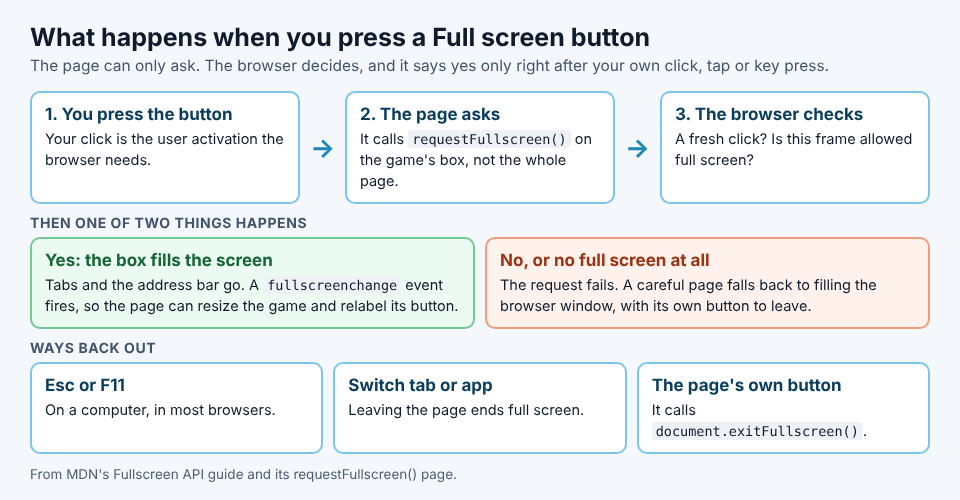
Browsers give pages a built in tool for this, the Fullscreen API. MDN, the web's main reference, describes it as a way to show one element and everything inside it in full screen, and names an online game as the example. It has three parts:
- A request. The page calls
requestFullscreen()on one element, such as the box that holds the game. - A way out. The page can call
document.exitFullscreen()to leave, for example from its own button. - A signal. The browser fires a
fullscreenchangeevent on the way in and on the way out, so the page can resize the game and update its buttons.
The browser is in charge the whole time. The page can only ask. If the request breaks a rule, it fails and nothing changes on screen.
Why a game needs your click before it can go full screen
MDN's page on requestFullscreen() says the call needs "transient user activation": you have to interact with the page, such as clicking a button, just before it. A page cannot go full screen by itself when it loads, or on a timer.
The reason is trust. A page that could take over your screen whenever it liked could hide the address bar and pretend to be something else. Tying full screen to your own action means it only happens when you asked for it.
That is why games put full screen behind a button. There is a second rule too: full screen is governed by a browser permission called fullscreen, so a game embedded in a frame on another site may not be allowed to use it at all. Opening the game's own page fixes that.
A worked example: pressing Full screen on Tank City Reboot
Here is what happens, step by step, when you press the Full screen button under the first game. The page's own code is public in the page itself, so each step below is what that code does.
- The game loads. The page loads a game only when you press Play or Full screen, so this one press does both.
- The page asks. It calls
requestFullscreen()on the player box, not the whole page, with the option to hide the browser's navigation. - The browser answers. If it says yes, the game fills your display and the button now reads Leave full screen.
- If it cannot, because the browser has no full screen for a page (an iPhone is the case the page names) or the request fails, the player fills the browser window instead, with a button marked with a cross at the top right to leave.
- Give the game focus. Click or tap the game once. Keys reach the game only once it has focus, and while it has focus the arrow keys and Space do not scroll the page.
Step 4 is the part worth copying if you build games. A page that only asks for full screen leaves phone players with a button that does nothing. A page that falls back to filling the window gives everyone a bigger game.
How to exit full screen, and the Esc key
MDN's guide to the Fullscreen API says pressing Esc or F11 leaves full screen, and so does going to another page, changing tabs or switching to another app. It also tells developers to make sure players know about Esc, which is why most browsers show a short notice as you enter.
One thing to know in Tank City Reboot: Escape is also one of the game's pause keys, along with P and Enter. In full screen, Esc is the browser's key for leaving, so if you want to pause and stay in full screen, press P or Enter instead. On a gamepad, Start pauses.
Staying square and sharp on a bigger screen
Your screen might be wide, tall or very high resolution, and a game has to fit all of them without looking wrong.
Keeping the shape
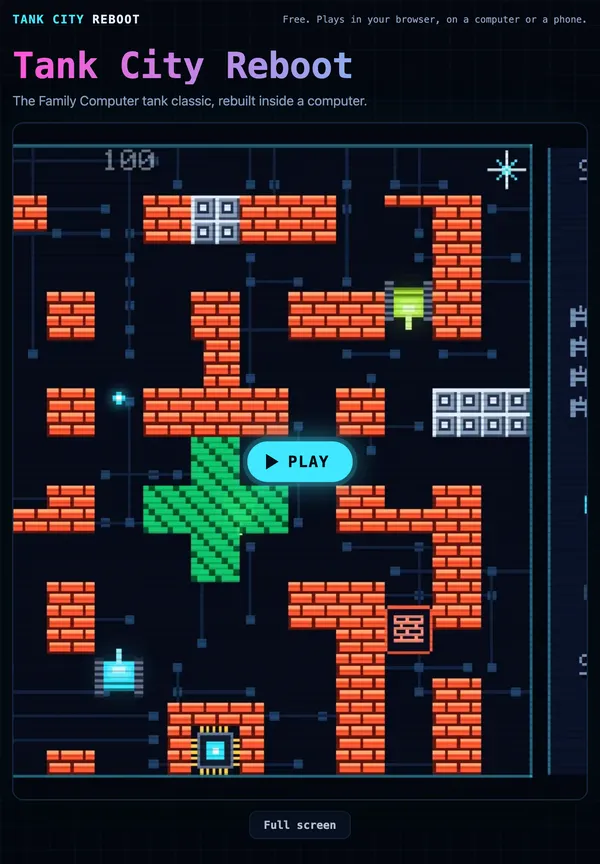
If a game simply stretches its picture to the screen's shape, square tiles turn into rectangles. Good games keep the shape and use the leftover space for something else. Each Tank City Reboot map is a square of 13 by 13 tiles, and the side panel with your score, lives and stage moves to suit the screen: to the right of the field on a wide screen, a strip above it on a tall one.
Keeping it crisp
When a small picture is drawn larger, the computer has to fill in the pixels between. Smooth filtering blends neighbours, which suits photos but blurs pixel art. Point filtering copies each pixel as a hard edged block. Both games build their textures in code with point filtering, so tanks and walls stay crisp on a big monitor. The one exception is the soft glow behind tanks and shots, which uses smooth filtering on purpose. Our post on point filtering goes deeper.
A bigger, sharper field helps in play. It is easier to spot an encrypted zone that hides a tank, or to watch your shot meet an enemy shot as they cancel each other out.
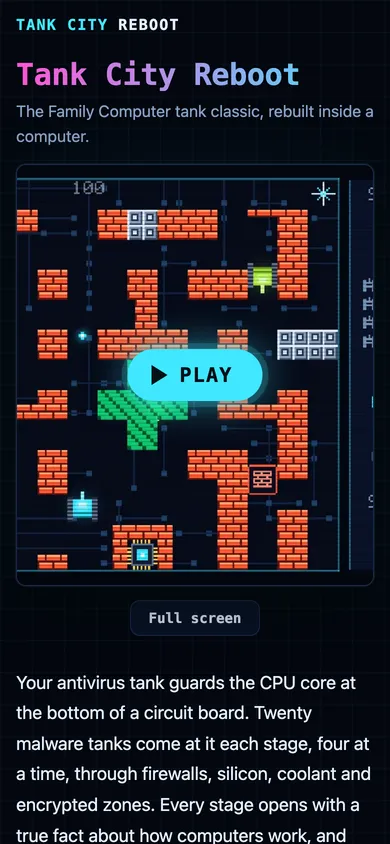
Full screen on phones and tablets
MDN marks the Fullscreen API as limited availability, because it does not work in some widely used browsers. On a phone, three things change.
The fallback matters. Where the browser has no full screen for a page, as on an iPhone, Tank City Reboot fills the window instead. You get a bigger game either way.
There is no Esc key. You leave with the game's own button. On Tank City Reboot it sits at the top right.
Your fingers are the controller. On a touch screen, once the game has loaded, a touch pad floats over it in portrait or landscape: a round direction pad at the bottom left, Fire at the bottom right with a smaller second button beside it, and Pause at the top right. Full screen keeps the pad on screen. Outside full screen, a swipe in the space between the buttons still scrolls the page; in full screen it does not, so a stray swipe will not pull you away mid stage. If you switch to another tab, every touch button is released.
In Tank City Zero Day, the second game, the pad reads eight directions and the second button is Dash.
Frequently asked questions
Is full screen safe in browser games?
Browsers only allow it right after you click, tap or press a key, and on a computer Esc or F11 takes you out. Switching tabs or apps ends it too.
Why does the Full screen button do nothing?
The browser may have refused the request, or have no full screen for pages at all, or the game may sit in another site's frame without permission. Open the game's own page and press the button again; a well made game falls back to filling the window.
Why do my keys stop working in full screen?
The game needs focus. Click or tap it once, and your keys go to the game instead of the page.
Why does Esc throw me out instead of pausing?
In full screen, Esc belongs to the browser. In Tank City Reboot, pause with P or Enter, or Start on a gamepad.
Get started: play Tank City Reboot in full screen
Open the game, press Full screen, then click the game once. Move with the arrow keys or WASD, fire with Space, J or Z, and pause with P. On a phone, use the touch pad and the leave button at the top right. It needs WebGL 2, which a current Chrome, Edge, Firefox or Safari has.
Play Tank City Reboot: it is free, plays in your browser on a computer or a phone, and needs no account.
The Family Computer tank classic, rebuilt inside a computer.
Visit tankcityreboot.vlvd.net↗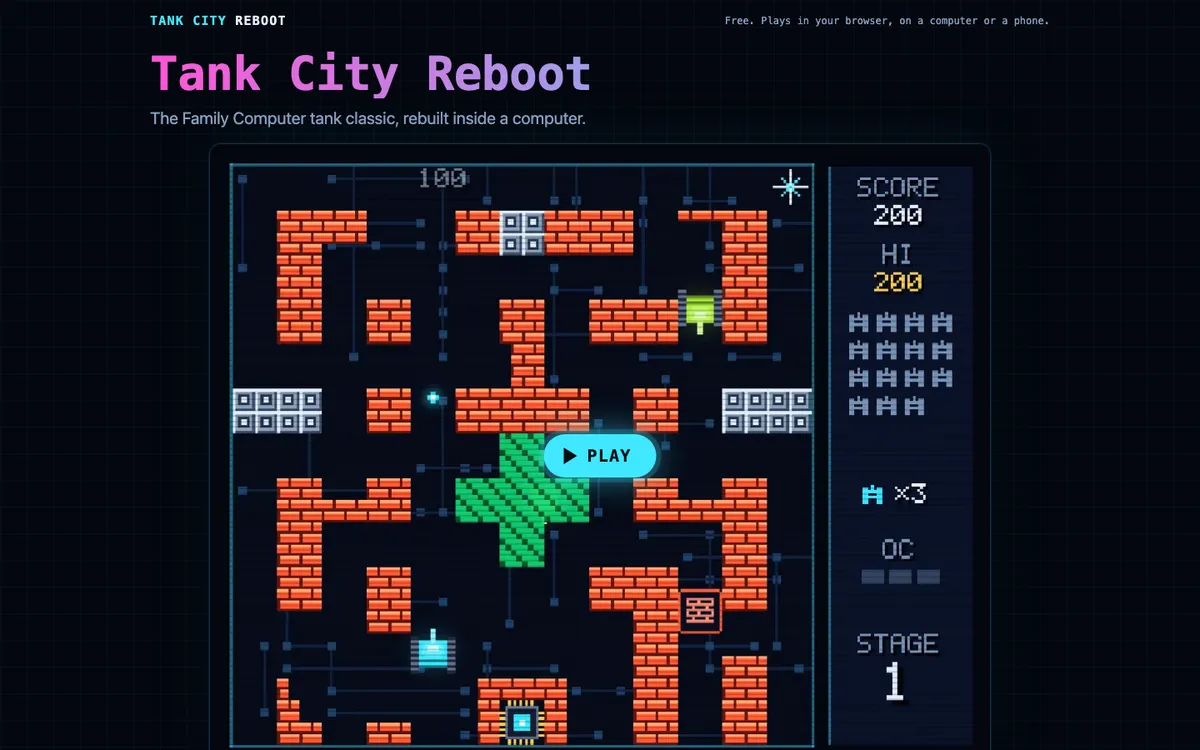
Comments
No comments yet.