How to Plan a 2048 Slide Three Moves Ahead on a Cube
Here is how to plan a 2048 slide three moves ahead on a cube: pick the merge you want, work out what each of the next three moves does to the board, and only then press a key. The game has no undo, so the check in your head is the only one you get.
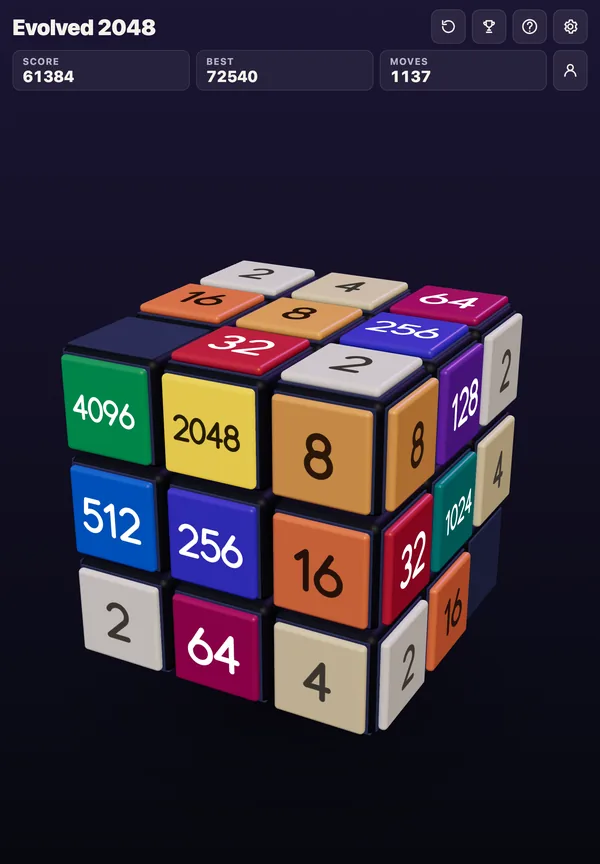
Evolved 2048 gives you a cube to practise on: it is the 2048 puzzle on a cube you turn like a Rubik's cube, free in your browser on a computer or a phone, and turning the cube costs nothing, so you can look at every face while you plan.
Why plan three moves ahead on a 2048 cube
The cube has six faces of nine squares, 54 in all. That sounds roomy, but slides only work on the front face.
On 9 October 2026 a test game played with slides only got stuck at move 46: the front face was full and could not slide, the score was 332, and the other five faces were empty. Plenty of room was left, but none of it could be reached by sliding. A twist before the front filled up would have used it.
Three moves is a good horizon. It is short enough to hold in your head, and long enough to catch a move that looks good now and costs you two moves later. The test below shows how much that can matter.
What changes when 2048 is played on a cube
Four rules decide how you plan. Know them before the steps.
- A slide works on the front face. Equal tiles merge into their sum, and a tile made in a merge does not merge again in the same slide. See can one slide merge twice for the detail.
- A twist is a move too. It turns one row or column a quarter and carries its tiles to the next face. It adds no points, counts one move and adds a new tile. On a keyboard, 1, 2 and 3 twist the top, middle and bottom row right, 4, 5 and 6 twist the left, middle and right column up, and Shift twists the other way.
- A turn is free. Shift and an arrow key turns the whole cube. It adds no points and counts no move.
- New tiles are mostly 2s. Every slide or twist adds a 2 or a 4, on the front face when it has room. The game picks the square at random among the empty ones, and the tile is a 2 when its random number is under 0.9, so about nine in ten are 2s.
On a phone you swipe the front face to slide; the swipe controls post covers that.
The last rule matters most. You cannot know where the next tile lands, so a good plan is one that still works wherever it appears.
Step 1: pick an anchor corner and keep a spare face
Choose one corner of the front face to hold your biggest tile, and plan every slide to leave it there.
Then keep one face as spare room. The game's own No moves left box puts it this way: keep room on one face so a twist can still bring tiles round to their match. A twist needs one empty square for its new tile, and if the cube is full the game says "The cube is full. Merge two tiles on a face to make room before you twist." Plan your merges so you never get there.
Step 2: scan the front face, then the other faces
Write down every pair of equal tiles that touch in a row or column of the front face. Those are your free merges.
Then turn the cube with Shift and an arrow key to look at the other faces. It costs no move, and four turns the same way bring the cube back. You are looking for two things:
- A tile on a side face that matches a tile on the front.
- A row or column that one twist could carry onto the front, next to its match.
The How to play box describes the second one as bringing a tile from the side next to its match on the front. In Edge mode, add a third check: a slide towards an edge of the front face also merges the tile at that edge with an equal tile just over it, on the next face.
Step 3: run three moves before you commit
Now run the plan, the same way each time.
- Name the goal. For example: merge the two 16s, then the 32s that result.
- Play the first move on paper. Move every tile in the line you slide. The pair nearest the wall you slide towards merges first, and a new tile does not merge again in that slide.
- Add an unlucky new tile. Put a 2 on the empty square that hurts most. If the plan still works, keep it. If not, look for another first move.
- Repeat for moves two and three.
- Check the exit. After three moves, is the anchor tile still in its corner, and is there still an empty square for a twist?
If a plan needs a twist, count it as one of the three moves, because it adds a tile just as a slide does.
A worked example: how to plan a 2048 slide three moves ahead on a cube
On 23 October 2026 I tested this on the live game, signed out, in Evolved mode, with a set-up board and a fixed seed so every game gets the same new tiles. The front face, top to bottom, was 4 4 8, then 8 and two empty squares, then 16 and two empty squares. The other five faces were empty.
I played all 64 ways to press three arrow keys in a row and read the saved game after each key. A key that moves nothing is not a move, so only 37 of the 64 made three moves. Of those 37, the scores were 0, 24, 28, 56 or 60.
The first move shows why one move of lookahead is not enough. Left and Right each scored 8 (4 and 4 make an 8), while Up and Down scored nothing. So a player who takes the best score now starts with Left or Right. Left then leads to two plans that look identical after two moves:
- Plan A: Left, Left, Up. The second Left merges the top row's two 8s into a 16. Score 24 after two moves. The third move, Up, adds only a small merge of two 2s. Score 28.
- Plan B: Left, Down, Up. The Down slide merges the two 8s in the left column into a 16, and it leaves two 16s stacked in that column. Score 24 after two moves, the same as Plan A. Up then merges the two 16s into a 32 in the top left corner, and two 2s into a 4. Score 60.
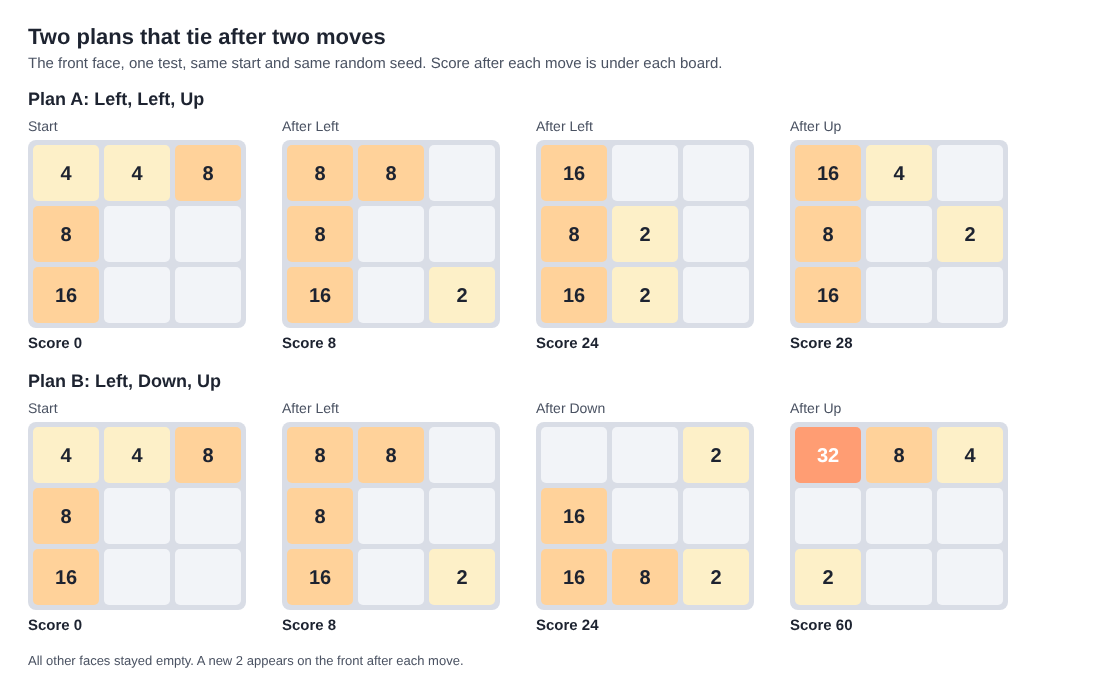
Both plans score 24 after two moves, and only the third move tells them apart. Two sequences reached 60 and six reached 56, out of 37 that made three moves. This is one board and one seed, so treat it as an example of the habit, not as a rule for every board.
A twist can be part of such a plan too. In a test on 11 October 2026 the front had a 16 in its middle left square and the right face had a 16 in its top left square. Shift and 1 twisted the top row the other way and put the right face's 16 on the front's top left, above the first 16. A new 2 appeared, Moves read 1 and Score 0. Then Up merged the two 16s into a 32 in the corner, Score 32, Moves 2. Two moves, one of them a twist, and the anchor ended where you wanted it.
Common planning mistakes and how to avoid them
Planning around where the new tile will land
It lands on a random empty square of the front face, or anywhere if the front is full. Do not build a plan that needs it in one place. Build one that survives it anywhere.
Counting a merged tile twice
A tile made in a merge does not merge again in the same slide. Three equal tiles in a row, 2 2 2, slid left give 4 2, not 8. If a plan needs a double merge, split it into two slides.
Forgetting that a twist costs a move
You can twist a layer back with Shift and its key, but that counts as a second move and adds a second new tile. A twist is not a free peek. A turn is.
Filling the front and leaving the rest empty
That is the stuck game from earlier. Twist before the front is full, while you still have the one empty square a twist needs.
Moving the anchor to chase one merge
If a slide pulls the biggest tile out of its corner, ask whether the merge is worth it. Usually it is not.
Frequently asked questions
How far ahead should I plan in 2048 on a cube?
Three moves is a practical limit. Each new tile lands at random, so a longer plan stops being reliable. Plan three, play the first, then look again.
Does turning the cube use up a move?
No. A whole-cube turn adds no points, counts no move and adds no tile, so use it to look at the other faces while you plan.
Can I undo a bad slide?
No undo was found in the game; the usual undo keys changed nothing in a test. A twist can be twisted back with Shift and its key, but that counts as another move and adds another new tile.
What ends the game?
In Evolved mode, the game ends when all 54 squares are full and no face has two equal tiles side by side. In Edge mode, equal tiles across an edge also count as a possible merge.
Get started with Evolved 2048
Open the game, pick a mode, and try the three-move check on your first board. Turn the cube to scan the faces, name one goal, and run the moves in your head before you press a key.
Play Evolved 2048: it is free and plays in your browser on a computer or a phone.
The 2048 puzzle on a Rubik's cube, and past 2048.
Visit evolved2048.vlvd.net↗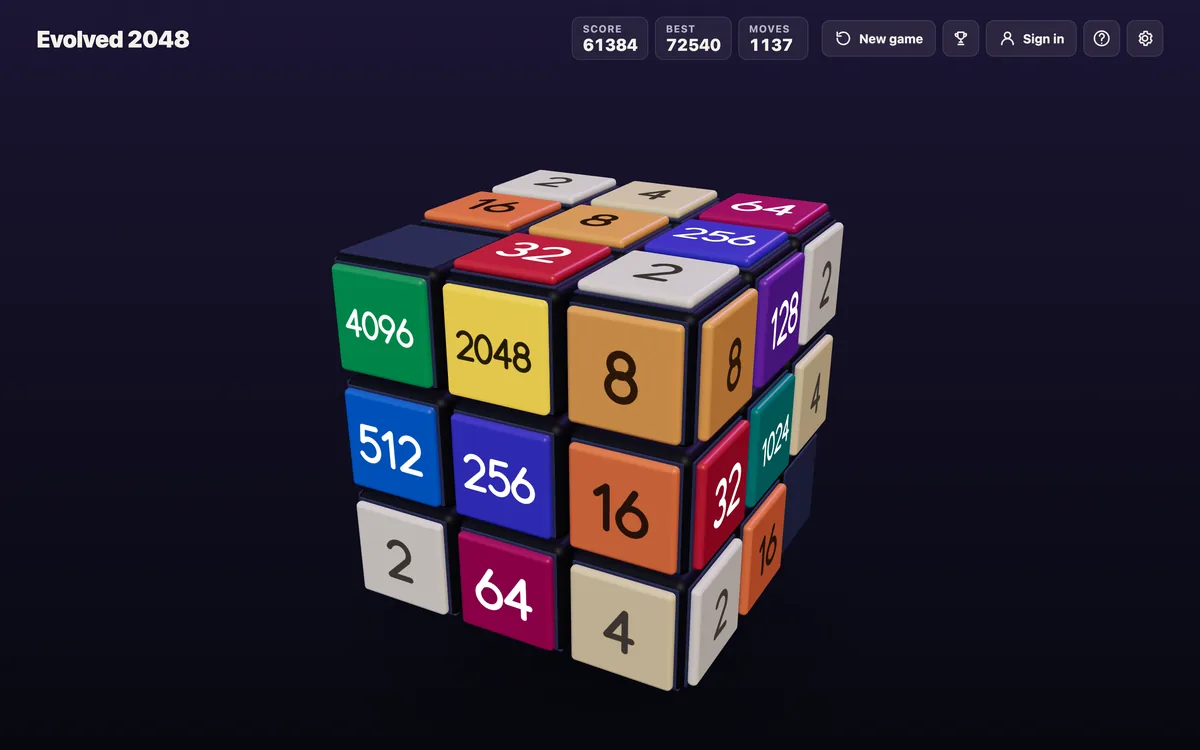
Comments
No comments yet.
Sign in or make an account to comment.