Stuck at 1024 in 2048: Why the Board Fills Up and Fixes
Being stuck at 1024 in 2048 feels like bad luck, but the board usually locked up many moves earlier. Here is why the board fills up and what to try, with worked examples from test games played on the live game.
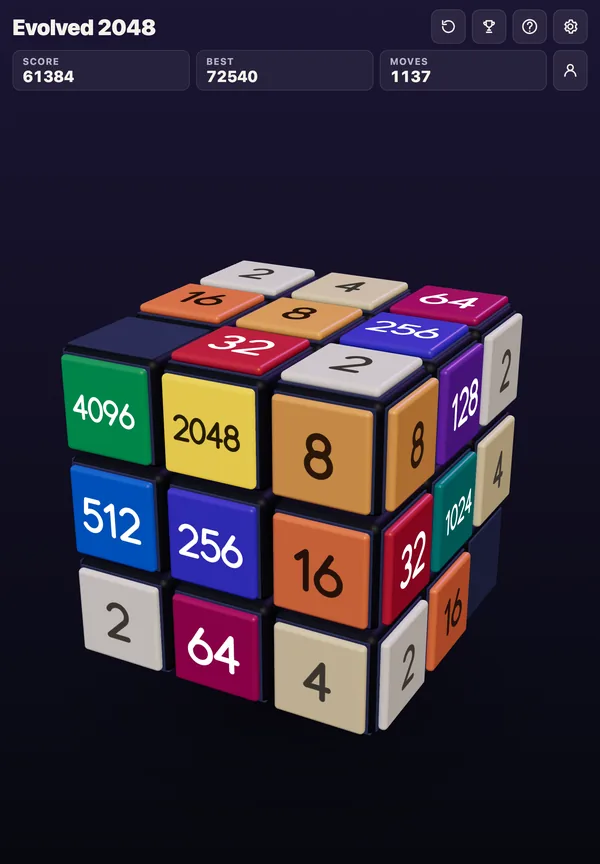
If you want to practise the same ideas with an escape hatch, Evolved 2048 puts the puzzle on a cube you turn like a Rubik's cube. When the front face jams, you can twist a row or column to bring tiles round from the other faces.
Why you get stuck at 1024 in 2048
A 1024 tile is only halfway to the goal in terms of work. To make 2048 you need a second 1024, which means 1024 points' worth of smaller tiles, all built next to the first one and merged in order. Every one of those small tiles has to find a partner.
Meanwhile the game keeps adding tiles. In Evolved 2048, every slide or twist adds a 2 or a 4. The script picks a 2 whenever its random number is under 0.9, so about nine new tiles in ten are 2s. In 10,000 new tiles from the game's own random code, 1,001 were 4s. Those small tiles land in squares you did not choose, often right beside your big ones.
That is the squeeze. The board gets one new tile per move, and the only thing that removes a tile is a merge. A slide with one merge removes one tile and adds one, so the count stays level. A slide with no merge makes the board one tile fuller. Near 1024 you carry big tiles that need many small merges to grow, so you make plenty of moves that merge nothing.
How the board fills up: the real cause
The cause is not too many tiles. It is too many different tiles with no equal neighbours. A full board can still be alive if equal tiles touch. A board with room can be nearly dead if every tile sits beside a different number.
Here is a real stuck face from a test game played with slides only. It stopped at move 31 with a score of 148:
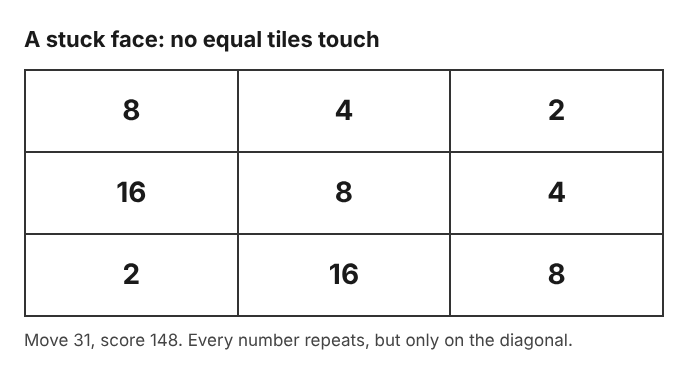
A stuck front face: every number repeats, but no two equal tiles are side by side.
- 8 4 2
- 16 8 4
- 2 16 8
Look at it for a moment. Every 8, 4, 2 and 16 appears more than once, yet no two equal tiles touch. The same numbers run in diagonals instead of rows. That pattern is what a board looks like when small tiles were allowed to scatter.
Order of moves did not save the games either. I started from the same position and played four slide orders by script. They got stuck at move 28, 32, 37 and 42, and the best tile was 32 every time. That is a handful of games, not a study, but it shows that pressing arrows without a plan ends quickly on a 3 by 3 face.
Pick a corner and never leave it
The usual fix is to choose one corner for your biggest tile and refuse to move it. Use two directions most of the time, such as Left and Down for the bottom left corner. Use a third only when you must. Keep the fourth direction for emergencies.
When a direction cannot move anything, the game says "Nothing moves that way. Try another way, or twist a row." So a blocked direction is a hint to try another way, not a penalty.
I also ran slide-only games with a fixed seed, once per corner, with a mirrored key order. The results were one game each, so do not read them as averages:
- Seed A: bottom left scored 432 with a 64 tile, bottom right 400 with a 64, top left 264 with a 32, top right 136 with a 16.
- Seed B: top left scored 600 with a 64, bottom right 244 with a 32, bottom left 204 with a 32, top right 176 with a 32.
The pattern to notice is not which corner won. Every one of those games ended with the front face full and the other five faces empty. A single face is small, and slides alone cannot use the rest of the cube.
Keep your biggest tiles in one row
Once the corner is set, build a descending row along one edge: biggest in the corner, next biggest beside it, and so on. Then a merge at the far end can ripple back toward the corner.
I set up a board to show it. The front face had a top row of 64 32 16 (left to right) and a middle row of 4 8 16, with the bottom row empty:
- Up merged the two 16s into a 32 at the top right. Score 32, Moves 1.
- Left merged 32 and 32 into a 64 next to the 64. Top row 64 64. Score 96, Moves 2.
- Left again merged 64 and 64 into a 128 in the top left corner, and two 2s on the bottom row into a 4. Score 228, Moves 3.
Three moves, one chain. That works because the tiles were in order. If the 32 had been at the far left and the 64 in the middle, nothing would have lined up.
Remember the rule that limits chains: a tile made in a merge does not merge again in the same slide. Sliding left, a row of 2 2 2 became 4 2, and 2 2 4 became 4 4. The pair nearest the wall you slide toward merges first. Plan the next slide, not just this one.
Merge small tiles before they scatter
Since most new tiles are 2s, clutter is mostly 2s and 4s. Clear them while they are still near each other. A single 2 sitting away from the rest is a problem you are letting grow.
Gaps do not stop a merge. In my merge test, a left slide turned 2 _ 2 into a 4, with Score 12 and Moves 1 across the whole test row set. So two small tiles on the same row or column can join even with an empty square between them.
Where a new tile appears is not up to you. In Evolved 2048 it goes on a randomly picked empty square of the front face, or any empty square if the front is full. You cannot steer it. What you can do is leave your small tiles in a tidy lane, so a random 2 is likely to land next to another one.
Which moves to avoid near 1024
Near 1024 a few habits cost the most:
- Pulling the corner tile out. One slide in the wrong direction moves the big tile off its anchor, and rebuilding the row takes many moves.
- Twisting a layer that holds your big tile. A twist moves the whole layer a quarter turn. In my test, the front's own squares in that row left for the next face. Twist a layer only if you mean to send tiles away.
- Twisting, then twisting back. There is no undo that I saw. Control+Z, Backspace and other keys did nothing. A twist can be reversed with Shift and its key, but that counts as a second move and adds a second new tile. In my test, Moves read 2 and four tiles became six.
- Twisting on a full cube. A twist needs one empty square for its new tile. Otherwise the game says "The cube is full. Merge two tiles on a face to make room before you twist."
Turning the whole cube is different. It is free: no points, no move counted, no new tile. Use it to look at the other faces before you commit to a twist. Scoring is simple. A slide adds the value of every tile its merges make, and a twist or a turn adds no points, so there is no bonus for anything except merging.
What to do when the board is almost full
This is where a cube changes the picture. On a flat board, a jammed face is the end. Here, the front being stuck is just the cue to twist.
In my slides-plus-twists test game, I twisted whenever the front was stuck. It reached 128 at move 118, filled all 54 squares at move 165 with a score of 1160 after 39 twists, and was not over, because the front had no slide while other faces still had equal tiles side by side. The slide-only game, by comparison, locked at move 46 with a score of 332 and five empty faces.
Here is a worked example. Say your front face has a 16 on the middle left square and the right face has a 16 just over the top right edge. Use Shift and 1 to twist the top row to the left. The right face's 16 lands on the front's top left, above the other 16. A new 2 appears and Moves goes up by 1. Then press Up, and the two 16s merge into a 32 in the top left corner.
The twist controls are quick to learn:
- Drag a row on the right face sideways, or a column on the top face.
- On a keyboard, 1, 2 and 3 twist the top, middle and bottom row right. 4, 5 and 6 twist the left, middle and right column up. Shift twists the other way.
- Turn the whole cube by dragging the space around it, or with Shift and an arrow key.
The game's own advice, shown in the No moves left box, is to keep room on one face so a twist can still bring tiles round to their match. That is the cube version of "do not let the board lock." Spend your empty squares on purpose.
When a game ends, write down the move number and what was in the corner. The post on how to spot a lost 2048 game early shows which signs to look for, and why you keep getting stuck in 2048 covers the wider causes.
Frequently asked questions
Why does 2048 get stuck at 1024?
Each move adds a tile, and only merges remove one. Near 1024 you need a lot of small merges to build the second 1024, and small tiles with no equal neighbours fill the board before you get there.
Is getting stuck luck or skill?
Both. New tiles are a 2 about nine times in ten and land on random squares. In my test, the same start played in different key orders still locked between move 28 and move 42, so a plan matters more than a lucky tile.
Can I undo a bad move in Evolved 2048?
I saw no undo. A slide that moves nothing costs nothing, and a twist can be twisted back with Shift, but that counts as a second move and adds a second new tile.
When does the game actually end?
It ends when all 54 squares are full and no face has two equal tiles side by side. In Edge mode the rule also counts equal tiles across an edge.
What does the cube add compared with a flat board?
Twists carry tiles from other faces onto the front, and turning the cube is free. A jammed front face is a reason to twist, not the end.
Get started with Evolved 2048
Try the corner plan on the front face, keep one empty square free, and twist when the slides run out. Play Evolved 2048: it is free and plays in your browser on a computer or a phone.
The 2048 puzzle on a Rubik's cube, and past 2048.
Visit evolved2048.vlvd.net↗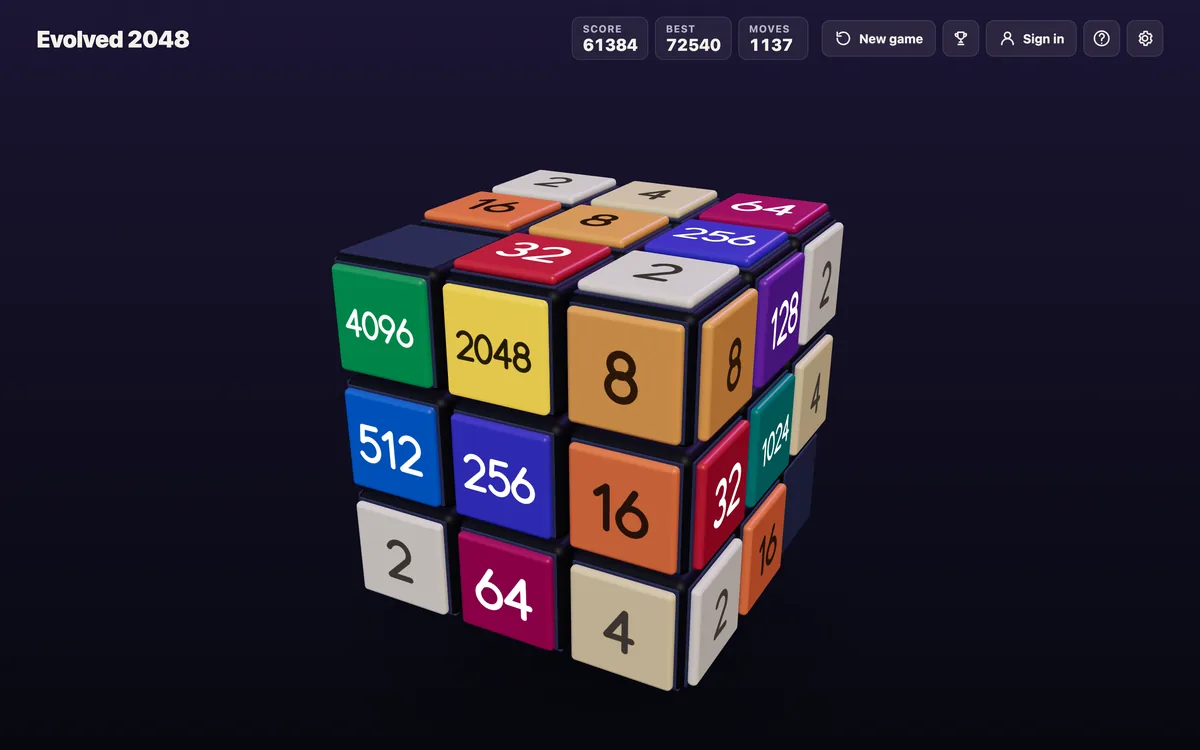
Comments
No comments yet.
Sign in or make an account to comment.