2048 Dead Board: How to Spot a Lost Game Early
A 2048 dead board is a position that is already lost, even though the game has not ended yet. Most players only see it at the last move. This guide covers the 2048 dead board: how to spot a lost game early, while you still have empty squares and a few choices left. The short answer: the game ends when every square is full and no two equal tiles touch, and you can see that coming when empty squares run low, big tiles sit cut off from their matches and no move makes a merge.
Evolved 2048 is the 2048 puzzle on a cube you turn like a Rubik's cube, free to play in your browser, so each sign below can be checked on a real board and a face that looks dead from the front often has a rescue.
What a dead board means in 2048
The cube has six faces of nine squares, 54 in all. The game's own rule reads: the game ends when all 54 squares are full and no face has two equal tiles side by side. In Edge mode the rule adds one case: no two equal tiles may sit side by side across an edge either.
Notice what the rule does not say. A front face with no slide left is not a dead board. In a test game on 9 October 2026, played with slides and twists, all 54 squares were full at move 165 with a score of 1160. The front had no slide, but other faces still had equal tiles side by side, so the game was not over. Turning the cube is free and brings those faces to the front.
That gives two states to tell apart:
- Stuck front: no slide works on the front face, but a turn or a twist might.
- Dead board: nothing works anywhere on the cube, and the game ends by itself.
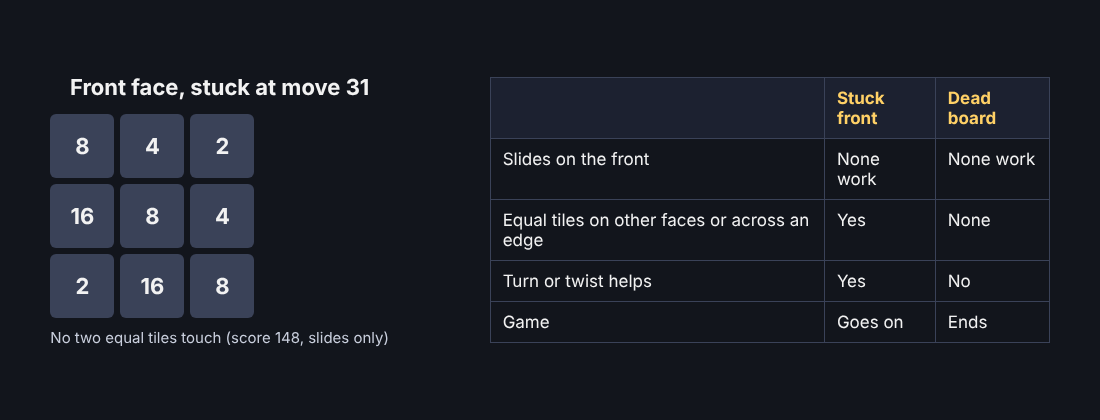
Your job is to notice the slide toward the second state long before you reach it. For what happens at the very end, the post on 2048 game over covers the last box, and the one on a full board that is not always over covers the test above in more detail.
2048 dead board: how to spot a lost game early
These are the signs I would trust, roughly in the order they show up.
- The front face is full or nearly full. New tiles land on a random empty front square. Once the front is full they land on any empty square, so tiles start to scatter across the cube.
- The front has no equal neighbours. A face where every tile differs from the ones beside it refuses every slide. The game answers: "Nothing moves that way. Try another way, or twist a row."
- You are out of empty squares. A twist needs one empty square for its new tile. With none, the game says: "The cube is full. Merge two tiles on a face to make room before you twist."
- Your big tiles sit apart from their matches. Two 128s on opposite faces help only if a turn or a twist can bring them together.
- A small tile sits between two big ones. A lone 2 between a 64 and a 32 stops them meeting along that row.
- You keep repeating the same two slides. If left and right grow nothing, you are only adding new tiles.
Slides alone reach the first sign fast. Four slides-only test games on 9 October 2026 all got the front stuck between move 28 and move 42, with scores from 160 to 260 and a best tile of 32. In another slides-only game the front was full at move 46 with a score of 332, while the other five faces were empty. That game died on the front while most of the cube sat unused. A twist would have carried tiles onto those empty faces.
Broken chains and trapped tiles
Broken chains
A chain is a run of tiles in order, such as 64, 32, 16, so each merge feeds the next. On 11 October 2026 I set up a front face with the top row 64 32 16 and the middle row 4 8 16. Up merged the two 16s into a 32. Left merged 32 and 32 into a 64 next to the other 64. Left again made a 128 in the corner. Three moves, score 228.
Picture a 2 dropped between the 64 and the 32 in that top row. The 32 can no longer slide up to the 64 along the row, and the 2 merges with neither. Every stray 2 or 4 has to be cleared before the chain works again. The post on keeping free space explains why those stray tiles cost you room.
Trapped tiles
A trapped tile has different values all round it on its face, while its match waits on another face. On 11 October 2026 I put a 16 on the front's middle-left square and a second 16 on the right face's top-left square, just over the front's top right edge. Shift and 1 twisted the top row left, which put the right face's 16 on the front's top-left square, above the other 16, and a new 2 appeared. Then Up merged them into a 32. Two moves, score 32.
The same start with 1 and no Shift twisted the top row the other way: the 16 went on round to the back face and nothing merged. Know which way a key turns before you press it.
A one-minute check before you commit
- Turn the cube to see all six faces. Turning is free. Drag, or press Shift and an arrow key. Moves and Score stay put.
- Count your empty squares. A twist needs one. With none, only a merge on a face can open room.
- Look for equal neighbours on every face. In Edge mode, also look across edges, where a tile at the edge can merge with an equal tile just over it.
- Ask where each big tile could go. Find a tile that a quarter turn of a row or column would park next to its match. The twist keys post lists which key does what.
- Count the cost. Every slide or twist that moves something adds a 2 or a 4, usually a 2. That new tile can land on the square your plan needed.
If steps 2 and 3 both come up empty and no twist helps in step 4, you are close to a dead board. If step 4 finds a twist, you are still on a stuck front, and the next section is for you.
Rescue moves that work
Twist before the cube is full
The keyboard twists are 1, 2 and 3 for the top, middle and bottom row right, and 4, 5 and 6 for the left, middle and right column up. Shift twists the other way. The 16 example above is a rescue: one twist, one slide, one merge.
Use the Edge mode merge
In an Edge mode test on 15 October 2026, an 8 on the front's top middle and an 8 on the top face's bottom-row middle made a 16 on the front with one slide up. A neighbouring column did not merge. If you play Edge mode, a pair across an edge counts as a live pair.
Do not count on undo
I found no undo. A twist can be twisted back with Shift and its key, but that counts as a second move and adds a second new tile. In my test, key 4 and then Shift and 4 took the board from 4 tiles to 6. A rescue that adds two tiles may cost more than it saves.
When to restart instead of playing on
Restart when your check shows nothing left to build on:
- The cube is nearly full and no face has an equal pair, including across edges in Edge mode.
- You are only moving to delay the end, not to grow a tile.
- Your largest tiles are split between faces and no twist joins them.
Pressing New game asks first. The box says: "This game ends and its score of {score} is kept only if it is your best." So a restart costs you nothing if the score is not a record. Best scores are kept for each mode, so a record in Evolved does not touch your Edge best.
When a game does end, the box gives the same advice as this guide: "Next time, keep room on one face so a twist can still bring tiles round to their match." Twist while you still have empty squares, keep one face as your workspace, and look at all six faces every few moves. I have not tested these checks in Fun mode, which slides tiles round the cube differently.
Frequently asked questions
How do I know a 2048 game is truly over?
The game ends when all 54 squares are full and no face has two equal tiles side by side. In Edge mode, equal tiles across an edge count too. The game stops itself and shows its end box.
Is a stuck front face the same as a dead board?
No. If the front cannot slide, you can still turn the cube for free or twist a row or column to carry tiles round. The board is dead only when nothing works anywhere.
Can I undo a bad move?
I found no undo. A twist can be twisted back with Shift and its key, but that counts as a second move and adds a second new tile.
Does a lost game cost me my best score?
No. A game's score is kept only if it is your best, and best scores are kept for each mode. Starting a new game asks you first.
Get started with Evolved 2048
The fastest way to learn the signs is to watch a board tighten and try the rescue moves yourself. Pick a mode, keep room on one face and check every face before you twist.
Play Evolved 2048: it is free and plays in your browser on a computer or a phone.
The 2048 puzzle on a Rubik's cube, and past 2048.
Visit evolved2048.vlvd.net↗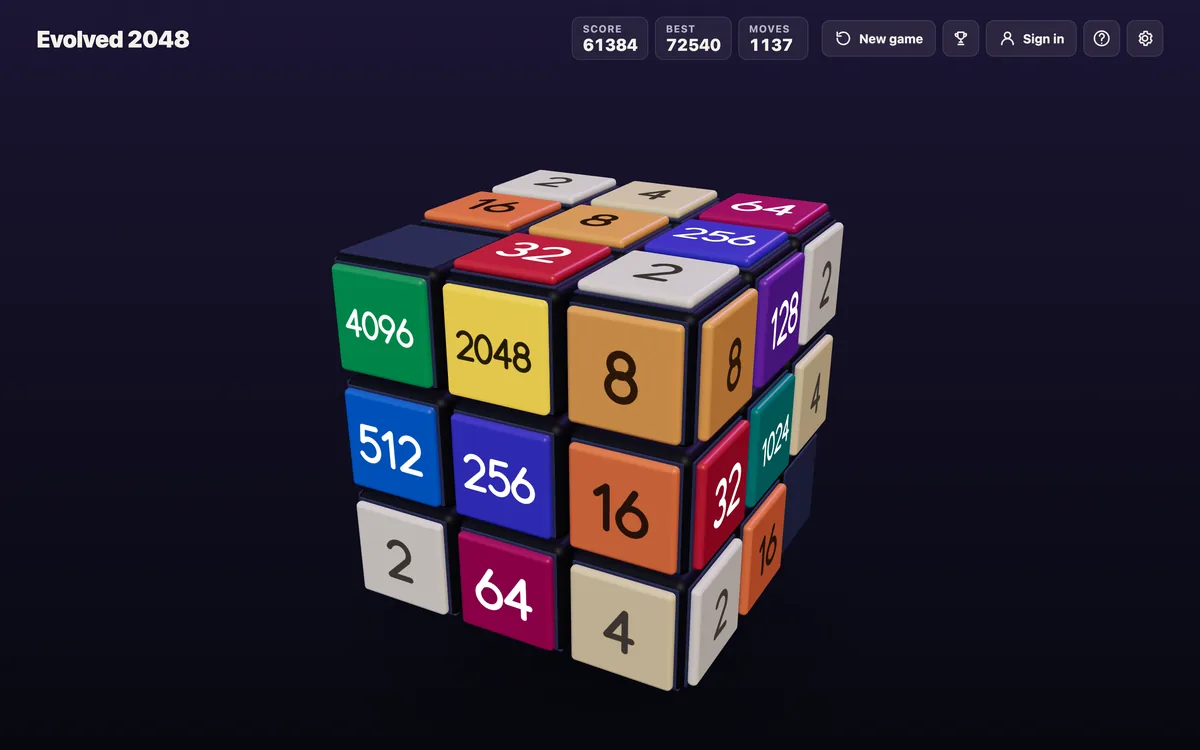
Comments
No comments yet.
Sign in or make an account to comment.