Virtual Joystick in Games: How a Touch Pad Steers
A virtual joystick in games is a control drawn on a touch screen. Your thumb takes the place of the plastic stick on a gamepad, and the game reads where your thumb sits against the centre of the pad to decide which way to steer. This post explains how a touch pad does that, what it copies from older controllers, and how two real tank games read it.
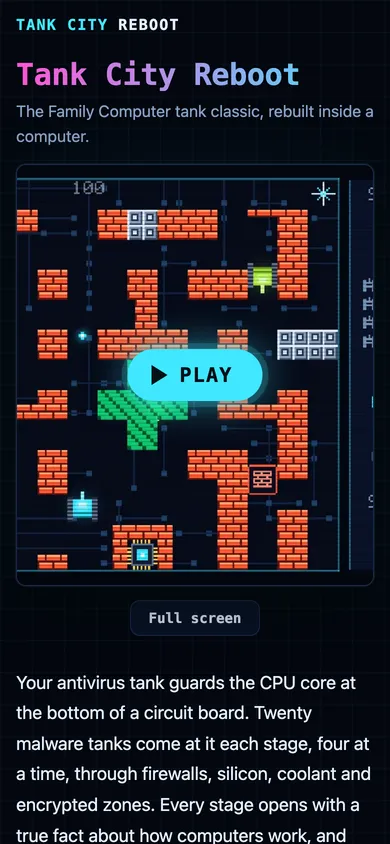
Tank City Reboot is a free pair of tank games that play in your browser on a phone or a computer, so it gives you a touch pad to try with nothing to install and no account.
What a virtual joystick in games really is
A physical joystick moves, and a sensor reports its angle. A virtual joystick has no moving part. The screen knows only where a finger touches and where it slides. The game turns that touch into the same kind of signal a stick or a key would send: a direction, and in some games an amount.
Most touch pads have a base, usually a circle, that marks the centre. Your thumb's position against that centre is the input. Press right of centre and the tank goes right. Slide to the upper right and it goes up and right, if the game has diagonals.
The name is looser than it sounds. Some touch pads act like an analogue stick and report how far you push. Others act like a direction pad and report only which way. The next two sections show why that difference matters.
How a touch pad turns a thumb into a direction
On every frame the game does a little geometry.
- It finds the centre of the pad.
- It measures where your thumb is against that centre, as an angle.
- It maps the angle to a direction the game understands.
- It sends that direction to the tank, the same way a key press or a gamepad would.
Step three is where games differ. A game can let the angle be anything, which gives smooth steering in every direction. Or it can sort the angle into a fixed set of slices, so the tank only ever moves one of four or eight ways. Tank games often sort, because a tank that moves in a few set directions lines up cleanly with a grid of walls.
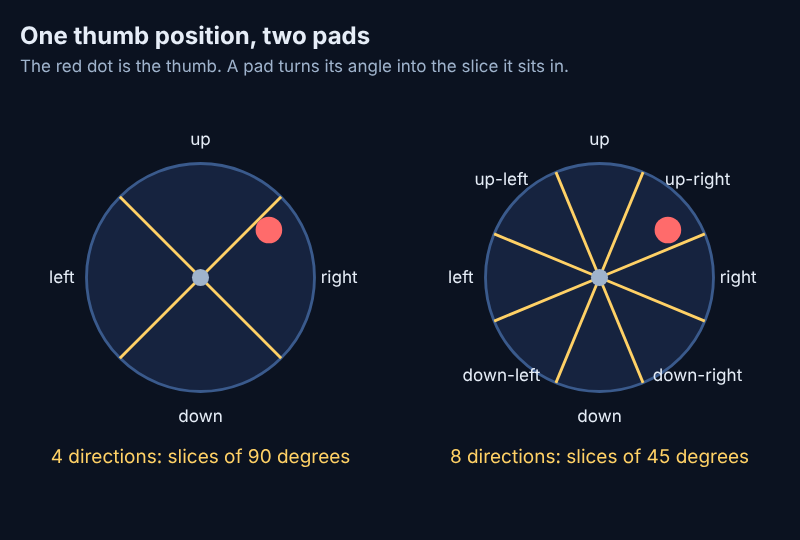
Here is a worked example. Put your thumb a little above and to the right of the centre, about 35 degrees above straight right. A four-slice pad owns 90 degrees per direction, so 35 degrees still sits in the "right" slice and the tank drives right. An eight-slice pad owns 45 degrees per direction, and its "right" slice stops at 22.5 degrees above straight right. Your thumb is past that line, so the tank drives up and right. The same thumb gives two different moves because the pads cut the circle differently.
What a touch pad copies from the D-pad and the joystick
The touch pad did not invent any of this. Arcade games already split into two camps. Wikipedia's joystick page lists a four-way joystick in a 1973 arcade game and an eight-way joystick used for movement in a 1975 shooter, so "four directions or eight" is an old choice.
The direction pad, or D-pad, came next. Wikipedia's D-pad page describes a switch under each of four directions, with a diagonal pressing two switches at once, which gives eight directions at 45 degree intervals. A touch pad that reads eight slices of 45 degrees is that same idea drawn on glass. The same page notes that, with the rise of touch screens, some applications now offer virtual D-pads.
So when a touch pad calls itself a joystick, it may really be a D-pad. The difference shows up when you slide your thumb slowly: a stick-style pad changes speed or angle smoothly, a D-pad-style pad jumps from one direction to the next. If you want the full story of the two movement styles, see 4-way vs 8-way movement.
Virtual joystick vs gamepad and keyboard
A touch pad is a trade. You can play anywhere, and you give up some feel.
- Gamepad. You feel the stick or the pad under your thumb and nothing covers the screen. Using a gamepad in a browser game takes only a few steps.
- Keyboard. Keys are on or off, so there is no "how far" to measure. Two keys together can make a diagonal.
- Virtual joystick. There is no click or travel under your thumb, and your thumb can hide part of the screen. In return it needs nothing but the phone.
For fast action games the touch pad has one real advantage over tapping a spot on the screen: you can change direction without lifting your thumb.
Tips to steer more precisely on a touch screen
- Rest your thumb. Keep it lightly on the glass instead of holding it in the air, which tires and drifts.
- Use small moves. If the pad sorts into slices, you do not need to swing to the edge. Push just past the centre and hold.
- Look at the tank, not the pad. Your thumb finds the pad by feel after a few rounds.
- Know your slices. On a four-slice pad, a thumb near a diagonal can flip between two directions, so aim at the middle of a slice.
- Choose your route early. A pad gives no feedback, so pick the next turn a moment before you need it.
How Tank City Reboot uses touch steering
On a touch screen, both games draw a touch pad over the game once the game has loaded. It does not show on a computer. The layout is the same in both:
- A round direction pad sits at the bottom left.
- Fire sits at the bottom right. A second, smaller button sits just to its left and a little higher.
- Pause sits at the top right. The button to leave full screen also sits there.
The pad floats over the game in portrait or in landscape. The space between the buttons takes no touches, so a swipe there still scrolls the page, except in full screen. Note the name: the page calls it a direction pad, and what it does is read slices, which makes it a D-pad on glass more than an analogue stick.
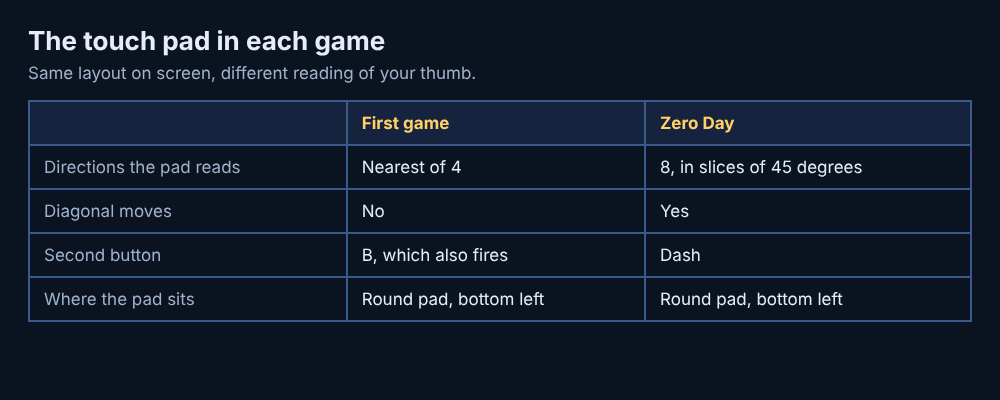
The two games read the pad differently, which makes them a good way to feel the slices.
- In the first game, the pad picks the nearest of four directions. Its second button, labelled B, also fires.
- In Tank City Zero Day, the pad reads eight directions, each a slice of 45 degrees, and the second button is Dash. You cannot be hit mid-dash, so that button is your escape when shots close in.
That is the worked example from earlier, in a real game. Swing your thumb toward the upper right in Zero Day and the tank moves on the diagonal. In the first game it picks whichever of up or right is nearer to your thumb.
A few more details help. If you switch away from the tab, every touch button is released, so your tank does not keep driving with a stuck thumb. Full screen keeps the touch pad on screen. On an iPhone, where the browser has no full screen for a page, the player fills the window instead and gives you a button to leave.
Quick steering matters most when the shots come at you. Zero Day has a boss every fifth wave; see boss phases for what it throws at you, and aimed shots for why standing still is the wrong answer.
Frequently asked questions
What is a virtual joystick in games?
It is a pad drawn on a touch screen that your thumb drags to steer. The game reads where your thumb is against the pad's centre and turns it into a direction.
Why does my tank go the wrong way on a touch pad?
Often your thumb sits near the edge of a slice, so a small slip lands in the next one. Press nearer the middle of the direction you want, and keep your moves small.
Is a virtual joystick the same as a D-pad?
Not always. A stick-style pad can report how far you push, while a D-pad-style pad reports only which way. The Tank City touch pad is the second kind: it sorts your thumb into four or eight directions.
Does Tank City Reboot work with a gamepad as well?
Yes. Both games take arrow keys or WASD on a keyboard, a gamepad, or the touch pad on a touch screen.
Get started
The quickest way to learn how a touch pad steers is to use one. Open the site on your phone, press Play, tap the game so it has focus, and try the first game's four directions. Then try Zero Day's eight, and use Dash to feel the difference.
Play Tank City Reboot: it is free, plays in your browser on a computer or a phone, and needs no account.
The Family Computer tank classic, rebuilt inside a computer.
Visit tankcityreboot.vlvd.net↗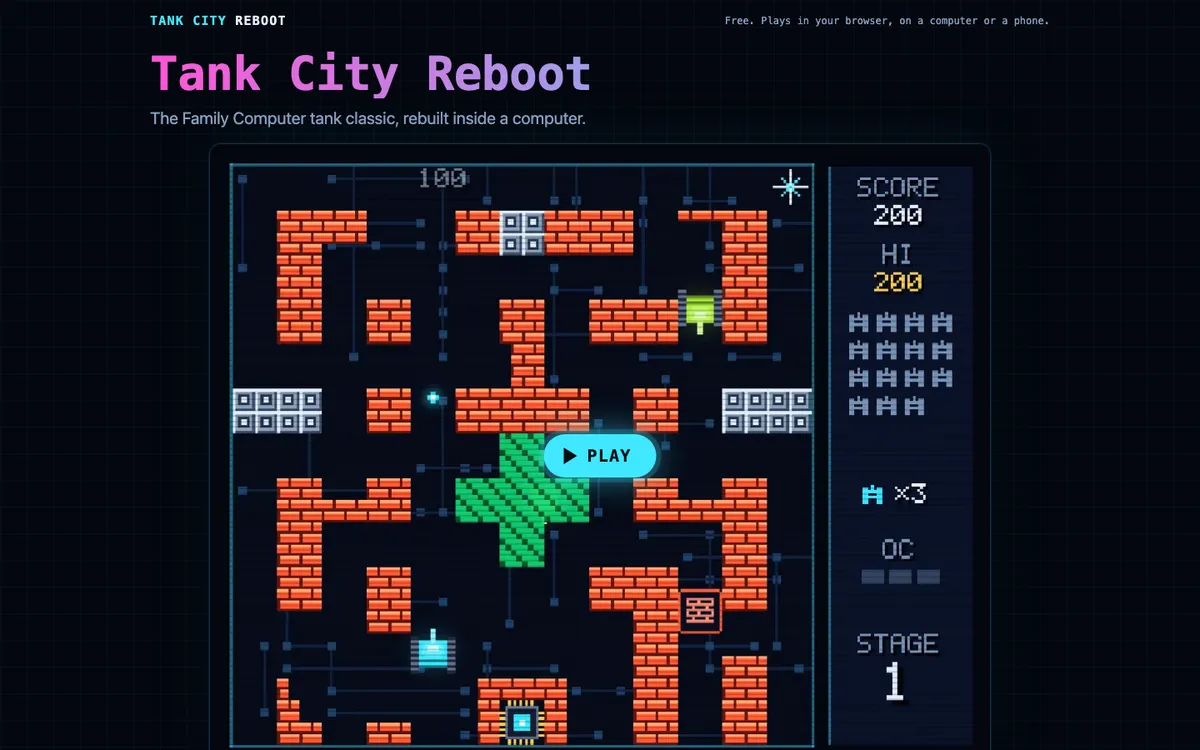
Comments
No comments yet.
Sign in or make an account to comment.