Why Do Arrow Keys Scroll the Page in Browser Games?
Why do arrow keys scroll the page in browser games? Because the browser owns those keys until the game claims them. On a normal web page the arrow keys and the space bar scroll. If the game does not have keyboard focus, or has it but never tells the browser to skip that default, your tank turns and the whole page jumps at the same moment.
Tank City Reboot is a free pair of tank games that play in your browser, and once you click the game, the arrow keys and Space drive and fire your tank while the page stays still.
Why do arrow keys scroll the page at all?
A browser game is a guest inside a web page. The page has its own rules, and one of the oldest is that the keyboard scrolls it. When you press a key, the browser sends a keydown event to whatever element has focus. Listeners on that element can react. Then, unless one of them cancelled it, the browser runs the key's default action, and for an arrow key or Space that action is scrolling.
So two different things can go wrong:
- The game does not have focus. The key goes to the page, the page scrolls, and a game that listens only on its own canvas never hears the key at all.
- The game has focus but does not cancel the key. The tank moves and the page scrolls too. This is the case you notice most: the game works, but the screen lurches every time you steer.
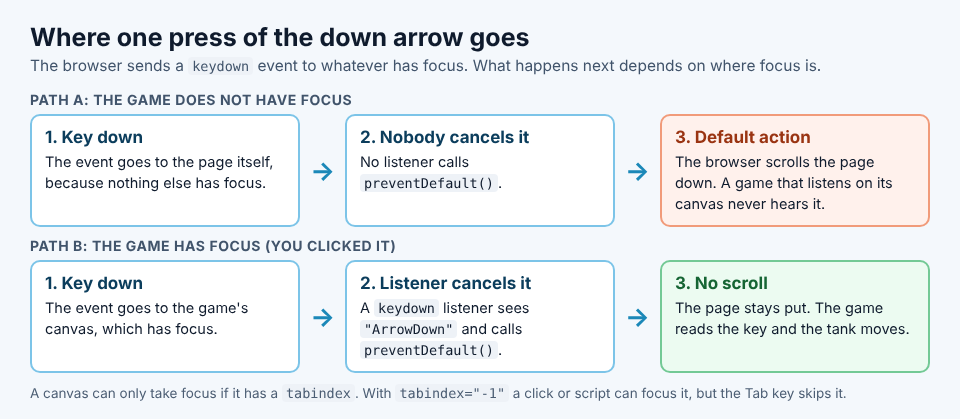
The same key press, with and without the game holding focus.
Focus: why clicking the game changes everything
Focus answers one question: which element gets the keyboard right now? Only one element has it at a time. When a page first loads, no game has it, so your keys scroll.
Try this on almost any browser game that sits inside a longer page:
- Load the page and press the Down arrow. The page scrolls.
- Click inside the game area and press Down again. The game reacts, and in a well built game the page does not move.
- Click the text below the game and press Down. The page scrolls again, because focus left the game.
That third step is why scrolling seems random. You did not change anything in the game. You clicked somewhere else, maybe to read the controls, and focus moved with your click.
For developers there is one catch. Games usually draw into a canvas element, and a canvas does not take focus on its own. It needs a tabindex attribute. MDN's tabindex reference explains the choice: any valid value lets a click or a script focus the element, and a negative value, usually -1, keeps it out of the Tab key's order.
How preventDefault stops the scroll
The fix in code is short. Listen for keydown on the game element, check the key's name, and call preventDefault() for the keys the game uses. MDN describes preventDefault() as telling the browser that the event is being handled, so its default action, such as page scrolling, should not be taken.
A few details matter:
- Cancel on keydown. The scroll belongs to the key press, so a
keyuplistener is too late. - Use the key's name. KeyboardEvent.key gives
"ArrowUp","ArrowDown","ArrowLeft","ArrowRight", and a single space for Space. MDN's key values page adds that older browsers may report"Spacebar"instead; Firefox did until version 37. - Do not make the listener passive. A passive listener that calls
preventDefault()changes nothing. - Attach it to the game, not the whole document. Block arrows everywhere and readers who never touch the game lose a basic way to move through the page.
- Leave Tab alone. The W3C's rule on no keyboard trap says that if keyboard focus can move into a part of a page, the keyboard must be able to move it out again.
The guiding idea: claim the keys while the game has focus, and give them back the moment it does not.
Quick fixes when the page keeps jumping
You cannot change a game's code, but you can usually stop the jumping in a few seconds.
- Click inside the game first. Click the play area itself, not the border or the text around it.
- Click again after any detour. If you clicked a menu, a link or the address bar, focus left. One click on the game brings it back.
- Use letter keys if the game takes them. W, A, S and D do not scroll a page, so movement stops fighting the browser.
- Go full screen. With the rest of the page out of view, there is nothing left to scroll.
Full screen is the strongest of these. If you are not sure how to enter or leave it, the guide on how full screen works in browser games walks through both, and the gamepad checklist covers the other way to keep your hands off scrolling keys.
The four lines a real game page uses
Here is the worked example: the keyboard code on Tank City Reboot's own game pages, read from the live page on 28 October 2026. Both games, the first at the home page and Tank City Zero Day, use the same four pieces.
- A focusable canvas. The game's canvas carries
tabindex="-1", so a click or a script can give it focus. - Focus without a jump. A small function calls
canvas.focus({ preventScroll: true }). By default, focus() scrolls the element into view;preventScroll: truestops that, so taking focus does not move the page either. - Focus at the right moments. Pressing Play starts the game and focuses it, and any press on the canvas (a click or a tap) focuses it again.
- Cancel only six names. A
keydownlistener on the canvas checks a set of six key names, the four arrows," "and"Spacebar", and callspreventDefault()only for those.
Notice what is not there. Nothing listens on the whole document, so once you click outside the game, the arrows scroll the page again, exactly as a reader expects. And Tab is not in the list, so the keyboard can always leave the game.
How Tank City Reboot keeps the keys on your tank
From the player's side, that code turns into a simple routine. The page loads a game only when you press Play or Full screen, and until then it scrolls like any page. The line under the first game says what to do: "Click the game, then play with the arrow keys and Space. A gamepad works too."
Try it in the first game, where your antivirus tank guards the CPU core at the bottom of a circuit board:
- Press Play, then click the board once.
- Hold Up and tap Space. The tank rolls and fires, and the page stays where it is.
- Click the text below the game and press Down. The page scrolls, because focus left.
- Click the game once more and you are back in control.
If you would rather never press a scrolling key, move with W, A, S and D and fire with J or Z. Pause takes P, Enter or Escape.
In Tank City Zero Day, the line under the game reads "Click the game, then play with the arrow keys, Space to fire and Shift to dash. M turns the music off. A gamepad works too." You hold Space, J or Z to keep shooting, and after each wave you pick one of three upgrades with up and down, then Fire, so the same keys run the menu.
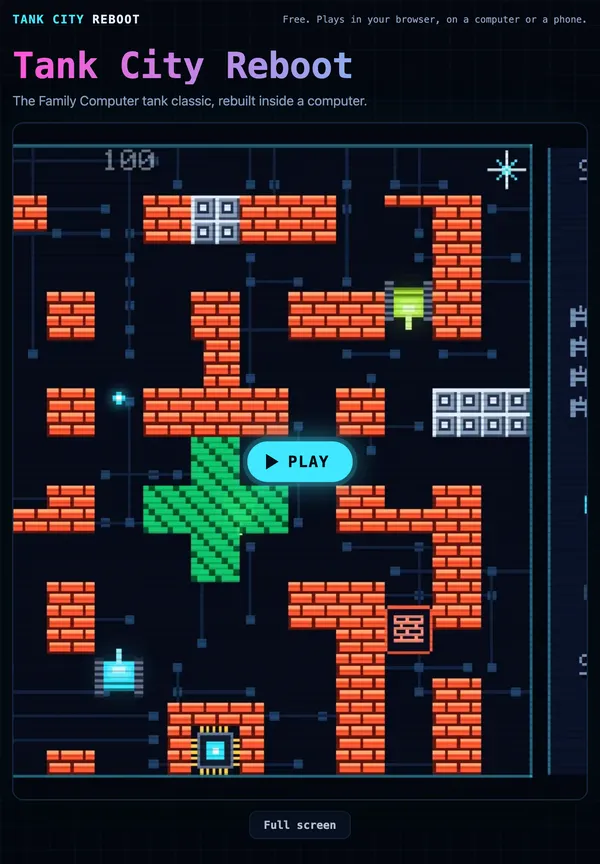
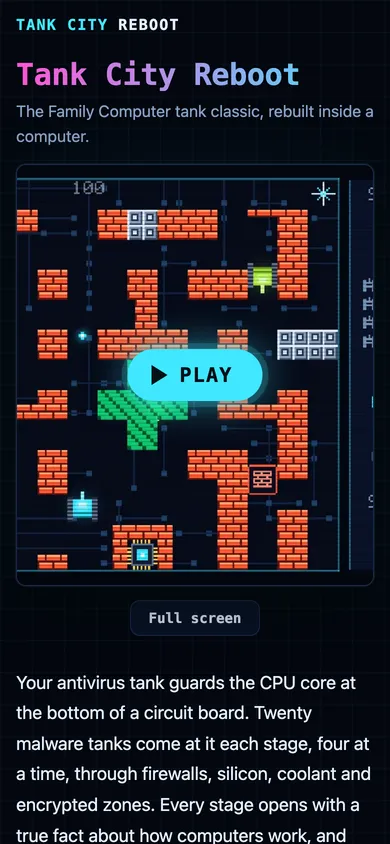
Phones get the same care. On a touch screen a pad appears once the game loads: a round direction pad at the bottom left, Fire at the bottom right and Pause at the top right. The layer between the buttons takes no touches, so a swipe there still scrolls the page, except in full screen. If you switch to another tab, every touch button is released, so your tank does not keep driving while you are away.
Frequently asked questions
Why does the space bar also scroll the page?
Scrolling down is the space bar's default action on a web page. A game that fires with Space has to cancel that default while it has focus, or the page jumps with every shot.
Is it safe to block arrow key scrolling on a web page?
Yes, if you block it only while the game has focus and only for the keys the game uses. Leave Tab alone so keyboard users can always move out of the game.
Why does scrolling only happen sometimes in the same game?
Focus moved. Clicking a menu, a link, the text around the game or the address bar takes the keyboard away from the game, and one click on the game gives it back.
Can I use WASD instead of arrow keys to avoid scrolling?
Often, yes, since letter keys do not scroll a page. In Tank City Reboot you can move with W, A, S and D and fire with J or Z.
Get started
Press Play, click the game once, and drive with the arrows or W, A, S and D. It runs in a current Chrome, Edge, Firefox or Safari, on a computer or a phone, and needs no account to play.
Play Tank City Reboot and keep every key on your tank.
The Family Computer tank classic, rebuilt inside a computer.
Visit tankcityreboot.vlvd.net↗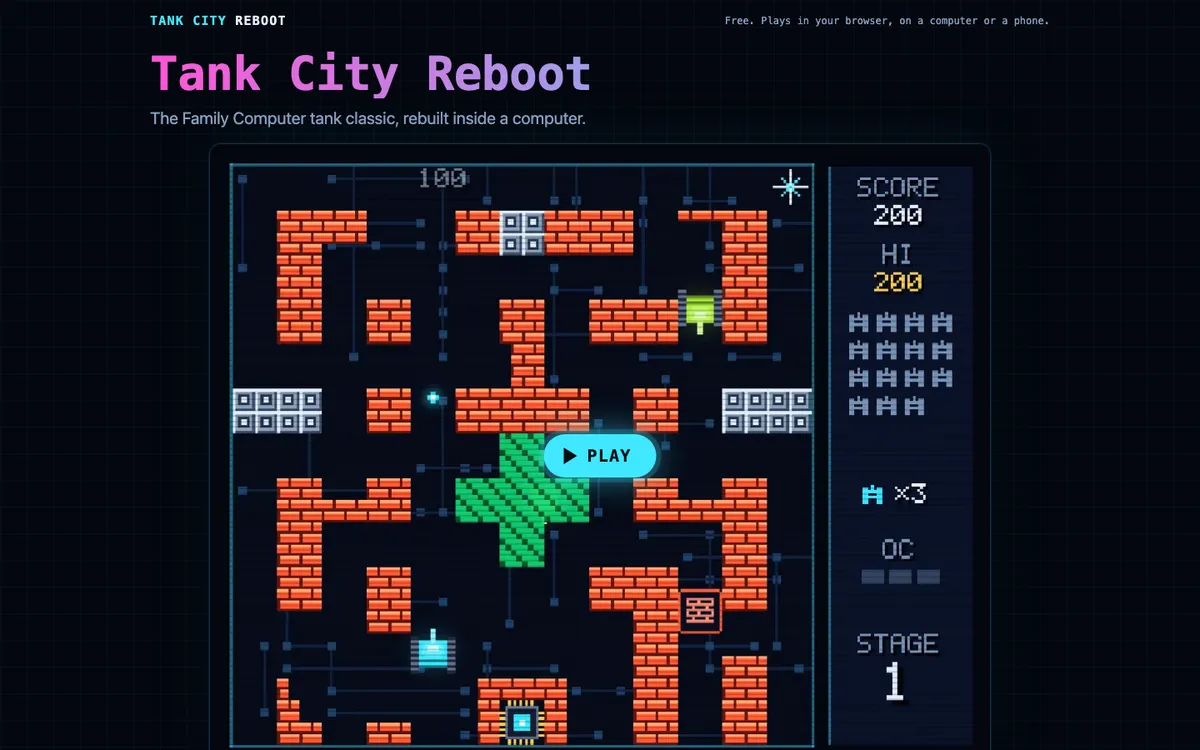
Comments
No comments yet.