How to photograph a cat that will not sit still
If you want to know how to photograph a cat that will not sit still, the short answer is to stop asking it to pose. Pick a relaxed moment, switch the flash off, use a mode built for movement, focus on the eyes, shoot a burst, and keep the sharpest frame. A cat that will not hold a pose is normal, not a failure on your part.
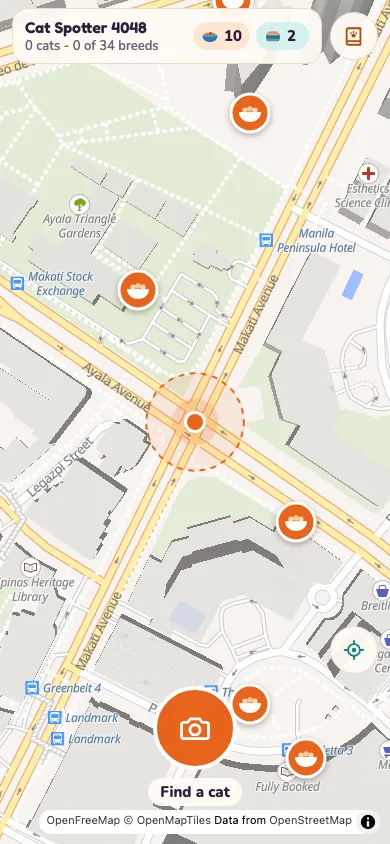
If you want an excuse to practise framing real cats, Cat Go is a game in your web browser where you photograph a cat you meet, say which breed it is, toss in-game treats to win it over and keep it in your Catdex.
Choose the moment before you lift the camera
Cats Protection's photography tips start with timing. Try taking the photo just after your cat has eaten or naturally woken up, because they are more likely to be a bit sleepy and relaxed. If you would rather catch play, its video tips suggest picking the time of day when your cat is usually most active, such as just after a meal or early in the morning.
PDSA, the UK pet charity, adds a trick for a pet that is always on the go: it can be much easier to photograph it asleep. Take the picture from the animal's level instead of standing over it, and turn the shutter sound off so you do not wake it.
Either way, keep your phone or camera close by. Cats Protection's filming advice says you never know when the perfect opportunity will arrive, and PDSA points out that many phone cameras open straight from the lock screen, so you are ready when the pose happens by itself.
Set up the room: light on, flash off, background clear
Most of the setup is about light and calm. Cats Protection says to make sure the flash is off because it could startle your cat, and to shoot outdoors or in a well-lit room instead. PDSA agrees that a sudden bright flash might spook a pet and make it run away, which is the opposite of what you want.
- Face the light. A backlit subject appears dark like a silhouette, so keep soft light behind you or pointed at the cat.
- Tidy the scene. Cats Protection's video tips say removing distractions keeps the cat as the main focus.
- Keep quiet. Its filming advice compares it to wildlife photography: noise can disturb the subject.
- Skip the zoom on a phone. It degrades the photo, so crop in afterwards instead.
For a black cat, a tortoiseshell or any coat that gets lost in the frame, the light and background matter even more; the post on photographing a black cat goes through it.
Switch the camera to a mode built for movement
This is where a moving cat differs from a sleeping one. Cats Protection says smartphone cameras are often quite simple, but some have a pet mode or a portrait mode, and a camera app can give you more settings. On a compact camera it suggests portrait mode if the cat is sitting still and an action mode if it is in a playful mood.
For a cat on the move, it recommends continuous autofocus, which keeps a moving subject in focus, and a fast shutter speed, which helps you capture sharp shots even if the cat moves. If there is not enough natural light, raise the ISO instead of using the flash. When the cat is sitting still, switch back to single point focus so you can place it on the eyes.
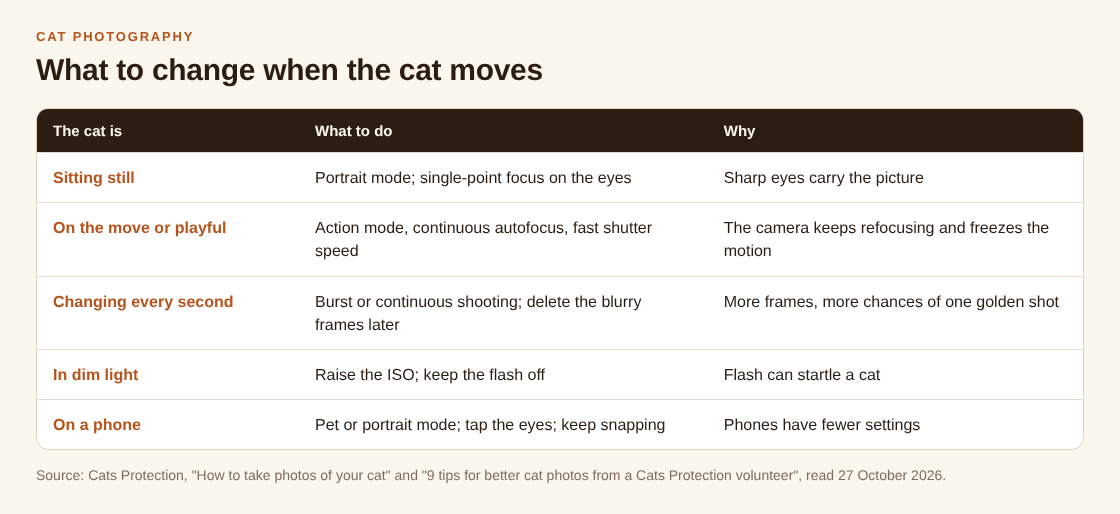
Whatever the mode, focus on the eyes. Cats Protection says to tap the screen just before the shot, and that the best point to focus on is the cat's eyes.
Shoot a burst, then keep snapping
A cat that is lively and alert makes the most dramatic photo and the hardest one. Cats Protection's volunteer photographer says to take lots of shots in quick succession in the hope that at least one will be golden. With a camera, use burst or continuous shooting. On a phone, keep snapping and delete the duds afterwards.
PDSA describes burst mode the same way: it takes a few photos in one click, one after the other, which is good for fidgety pets or an action shot. You then go through them and pick the least blurry. The cost is a bit of storage and a minute of deleting.
Do not discard the shots where the cat looks away. Cats Protection notes that photos of cats looking away from the camera also carry lots of emotion.
Get its attention without chasing it
You cannot tell a cat where to look, and Cats Protection is honest about that: cats do not always play ball. Getting their attention by clicking your fingers or dangling a toy is hard when you are holding a camera or phone. Cats Protection's suggestion is to enlist some help, such as someone who dangles a toy out of view of the camera.
If you are alone, let the cat do its own thing and be ready. A zoom lens helps because you do not need to invade the cat's personal space. If you do not know the cat, do not push for a picture at all; the guide on approaching a cat you don't know covers how to let it come to you first.
How to photograph a cat that will not sit still: a ten-minute session
Here is a worked example that uses only the habits above. It suits a cat you live with, on an evening or morning when it is relaxed.
- Wait until the cat has just eaten or woken up. Cats Protection says this is when it is most likely to be relaxed.
- Tidy the spot, turn the flash off and move to the brightest part of the room, with the light on the cat and not behind it.
- Pick portrait or pet mode on your phone. If the cat starts to play, switch to action mode on a camera, or just keep snapping.
- Tap the cat's eyes and hold the shutter for a burst. Stay quiet and let it do what it wants.
- If a second person is there, ask them to dangle a toy out of view for a moment of attention.
- Stop when the cat has had enough, then go through the frames and keep the sharpest.
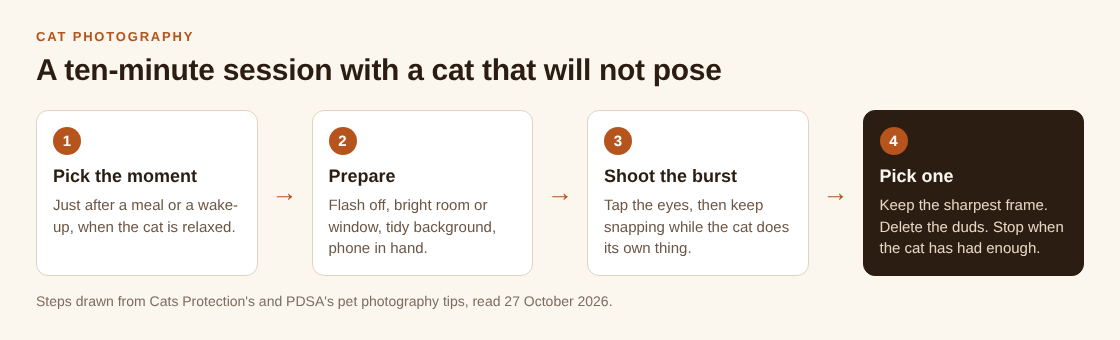
The first few sessions will mostly give you duds. The habit is the point: with a burst and a bit of patience, one frame in the run tends to have the eyes sharp and the cat doing something worth keeping.
Practise on the cats you meet with Cat Go
Cat Go turns the same habit into a walk. It runs at catgo.vlvd.net in your browser, and it needs your camera and your location allowed in the browser. You catch a cat by taking its photo, and the camera screen says "Fit the whole cat in the frame." That matches Cats Protection's filming tip to fit all of your cat in the frame and leave a little room around the edges.
If no cat is found, the game says "No catch this time" and "Scanning is free - no food was used", so a bad frame costs you nothing in the game. When a cat is spotted, you answer "Which breed is it?" from a list. Most cats you meet are mixed breed, and mixed breed is always a safe pick. A catch is saved to your Catdex with its breed and the place you found it.
The camera in the game is for cats you meet outside. Keep your distance and let them be, as in the post on photographing a cat with your phone.
Frequently asked questions
How do I take a sharp photo of a cat that keeps moving?
Use a fast shutter speed or an action mode if your camera has one, switch on continuous autofocus, tap or place the focus on the eyes and shoot a burst. Cats Protection recommends all of these for a cat on the move.
Should I use flash to photograph a cat?
No. Both Cats Protection and PDSA say the flash can startle a cat or spook it into running away. Use a bright room or natural light, and raise the ISO if you need more light.
What is burst mode, and does my phone have it?
Burst mode takes several photos one after another each time you press the shutter. PDSA says most phones and cameras have it. If yours does not, keep tapping the shutter and delete the duds later, as Cats Protection suggests.
Can I only photograph a cat that is asleep?
No, but PDSA suggests it as an easier start for a pet that is always on the go. Take the picture from the cat's level and turn the shutter sound off.
Get started
You do not need a perfect shot to begin. Walk, find a cat, fit the whole cat in the frame and see what the camera makes of it. Allow your camera and location in your browser, then play Cat Go: walk anywhere, photograph a real cat, lure it with food and catch it.
Walk anywhere, find a real cat, and catch it.
Visit catgo.vlvd.net↗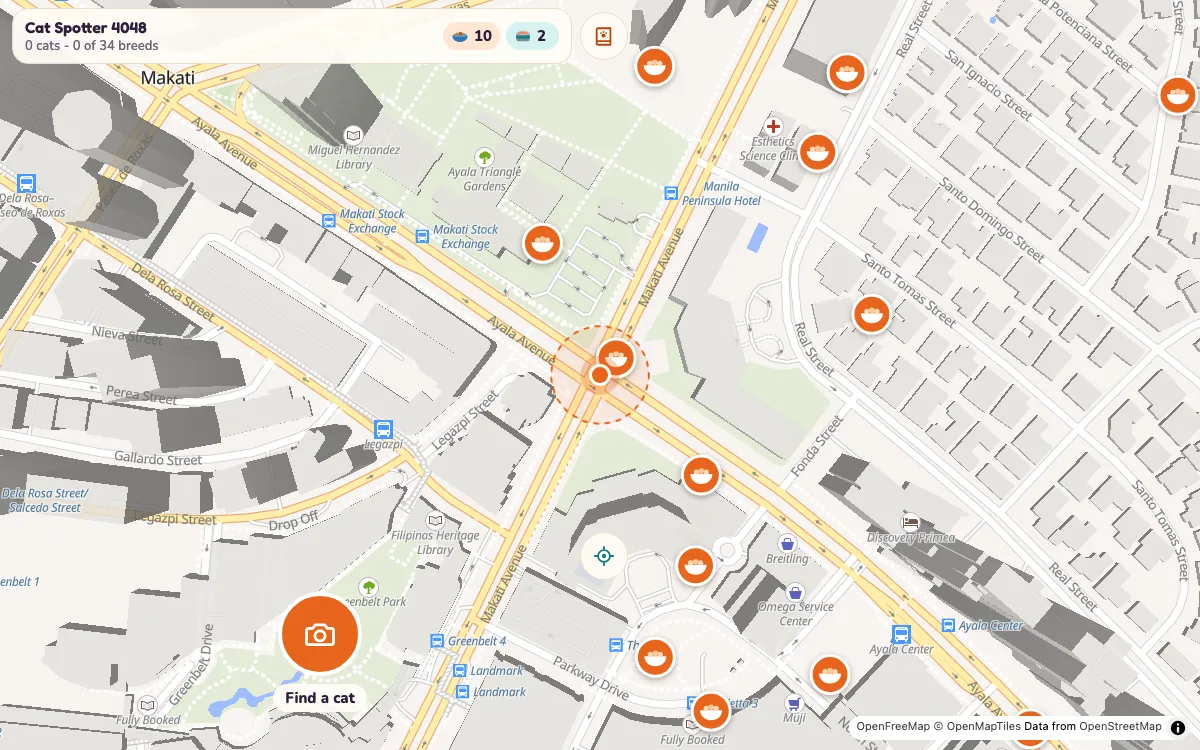
Comments
No comments yet.