Keyboard Focus: Why a Browser Game Needs a Click First
Keyboard focus is the reason a browser game asks you to click it before your keys work. A web page holds many things that could use a key press: the page's own scrolling, links, buttons, a text box and the game. The browser sends each key to one of them only, the element that has focus, and clicking the game is how you hand focus to it.
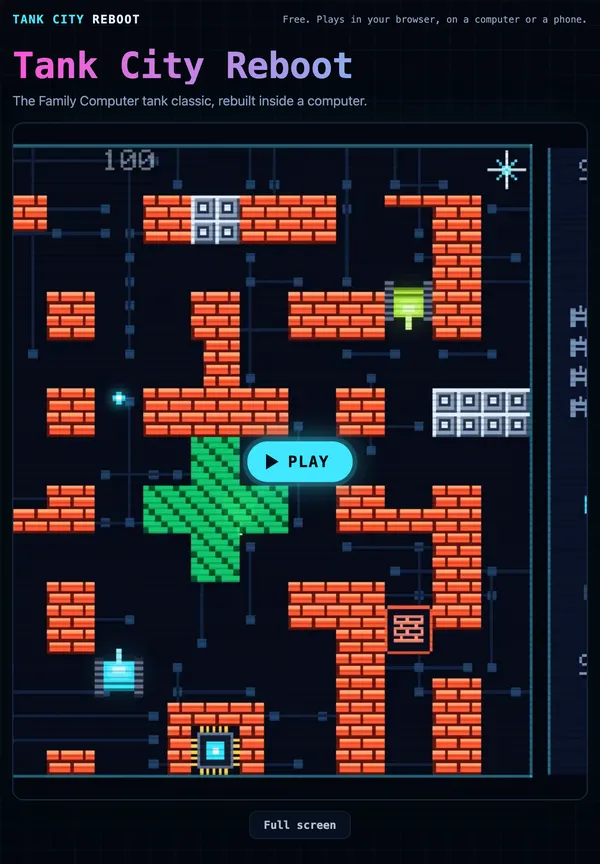
You can see this on Tank City Reboot, two free tank games that play in your browser with nothing to install: press Play, click the game, and the arrow keys and Space drive your tank instead of scrolling the page.
What keyboard focus means
At any moment, one element on a page is the one that receives keyboard events. The browser calls it the focused element, and a page can read it as document.activeElement. When you click a text box, it takes focus and your typing goes into it. When you click empty space, focus goes back to the page itself.
MDN's page on the keydown event puts the rule plainly: the target of a key event is the element that currently has focus, and if no suitable element has focus, the target is the page's body. The event then bubbles up through the page to the document and the window.
So a game that draws on a canvas only hears your keys once that canvas has focus. Until then, a key press is the page's business.
What happens to a key press before you click
Each key has a default action that the browser runs if nobody stops it. On a normal page:
- The down arrow scrolls the page a little.
- Space scrolls it down about a screen.
- Tab moves to the next link or button.
Open a game page and press the down arrow before you click anything. Focus is on the body, the game is not listening, and the page scrolls. Your tank stays still. That is not a bug in the game. It is the browser doing exactly what it does on every other page.
It is also a good thing. If a game grabbed every key the moment a page opened, you could not scroll down to read the rules or the cards under it. Focus lets you choose when the keyboard belongs to the game.
How a click gives the game focus
Not every element can take focus. Links, buttons and form fields can by default. A canvas cannot, unless the page adds a tabindex attribute to it.
The usual choice for a game is tabindex="-1". MDN's tabindex page explains that a negative value means the element is not reached with the Tab key, but it can still be given focus, by a script or a click. That fits a game well: tabbing through a page skips it, and clicking it lets it hear your keys.
The second half of the trick is preventDefault(). Once the game has focus and you press the down arrow, the browser would still scroll the page by default. A keydown listener on the canvas can call preventDefault() on the event, which tells the browser to skip its default action, so the arrow moves the tank and the page stays put.
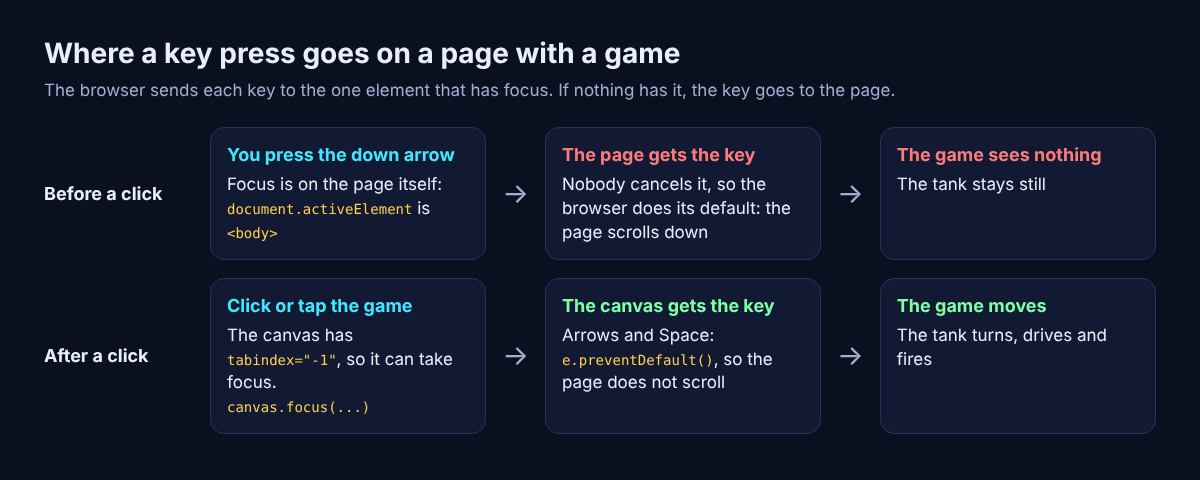
Before a click the page gets the key and scrolls; after it, the canvas gets the key and cancels the scroll.
Worked example: keyboard focus in a real game page's code
Here is how both Tank City pages handle it, read from their live source. You can follow along by opening the page and viewing its source in your browser.
- The canvas can take focus. The game sits in
<canvas id="game-canvas" tabindex="-1">. The-1keeps it out of the Tab order but lets it be focused. - One helper gives it focus. The script defines
const focusGame = () => canvas.focus({ preventScroll: true }). ThepreventScrolloption, described on MDN's focus() page, stops the browser jumping the page to show the focused element. - It is called at four moments. When you click Play, when the game has finished loading, whenever you press on the canvas (a
pointerdownlistener), and 50 milliseconds after you enter or leave full screen. - Six keys lose their default. A keydown listener on the canvas checks the key against
ArrowUp,ArrowDown,ArrowLeft,ArrowRight, Space andSpacebar, and callspreventDefault()for those only. Other keys still behave as usual. - The hint says it in plain words. The line under the first game reads: "Click the game, then play with the arrow keys and Space. A gamepad works too." The line under Tank City Zero Day adds Shift to dash and M to turn the music off.
Notice that the listener sits on the canvas, not on the whole page. If you click the text under the game, the canvas loses focus, its listener stops hearing keys, and the arrows scroll the page again. That is the behaviour you want: the keyboard follows your last click.
The page also loads nothing heavy until you press Play or Full screen, so focus and the download both wait for you. If you want to see what happens during that wait, read how a loading progress bar knows how far along it is.
Keys still not working? Quick fixes
Work through these in order. Most problems end at the first step.
- Click the game itself. If the arrows scroll the page, focus is somewhere else, often on a button you just pressed, such as Full screen or Music. One click on the play area fixes it.
- Wait for the game to load. Keys do nothing until the game has started.
- Check for a pause. P, Enter or Escape pauses, and gamepad Start does too. Press one again to carry on.
- Click again after switching windows. Another window takes focus while you use it; when you come back, click the game once to be sure it has focus again. There is more on this in what happens to a browser game when you switch tabs.
- Try another way to play. You can also move with WASD and fire with J or Z, or use a gamepad: move with the stick or pad and fire with A.
- Use a current browser. The games need WebGL 2, which a current Chrome, Edge, Firefox or Safari has.
All of the controls, on keyboard, gamepad and touch screen, are listed in tank game controls for keyboard, gamepad and touch.
Frequently asked questions
Why do my arrow keys scroll the page instead of moving the game?
The game does not have keyboard focus, so the browser runs the arrow keys' default action, which is scrolling. Click or tap the game once, and the arrows go to it.
What does tabindex="-1" do?
It lets an element take focus from a click or a script while keeping it out of the Tab order. Games use it on their canvas so a click can hand it the keyboard.
How can I see which element has focus?
Open your browser's developer console and type document.activeElement. It shows the focused element, or the page's body when nothing else has focus.
Does clicking the game give it access to my computer?
No. A click only tells the browser to send your key presses to that part of the page. The game still runs inside the browser, and clicking elsewhere hands your keys back to the page.
Get started
Now you know the rule: press Play, click the game, then play. Your tank guards the CPU core of a computer, and every enemy, power-up and wall is named for a real computing or security idea that the page explains. For eight-way moves, dashes and an upgrade after every wave, open Tank City Zero Day instead.
Play Tank City Reboot: it is free, plays in your browser on a computer or a phone, and needs no account.
The Family Computer tank classic, rebuilt inside a computer.
Visit tankcityreboot.vlvd.net↗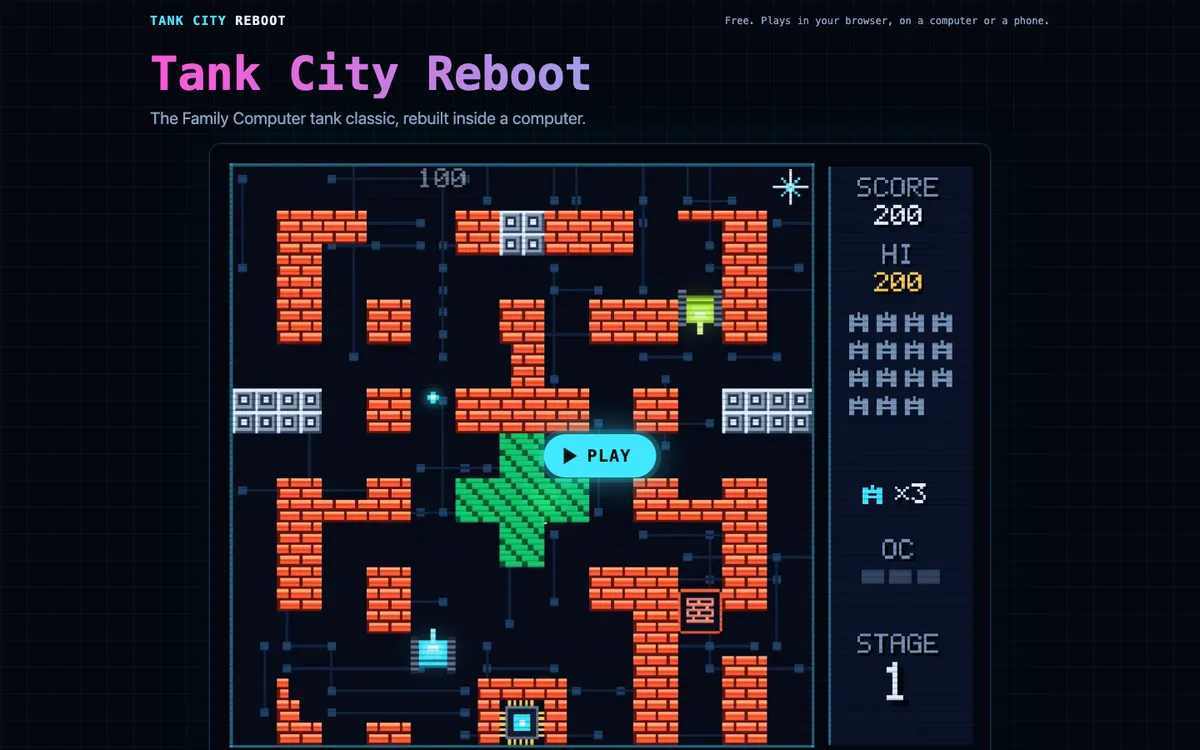
Comments
No comments yet.