2048 Shift turn: does turning the cube count as a move?
The 2048 Shift turn is free. When you hold Shift and press an arrow key in Evolved 2048, the whole cube turns, and the Moves box does not go up, your Score does not change and no new tile appears. A slide and a twist are different: each one counts a move and adds a tile.
If you want a game that plays 2048 on a cube you can turn, Evolved 2048 is free in your browser on a computer or a phone, and its turn costs nothing.
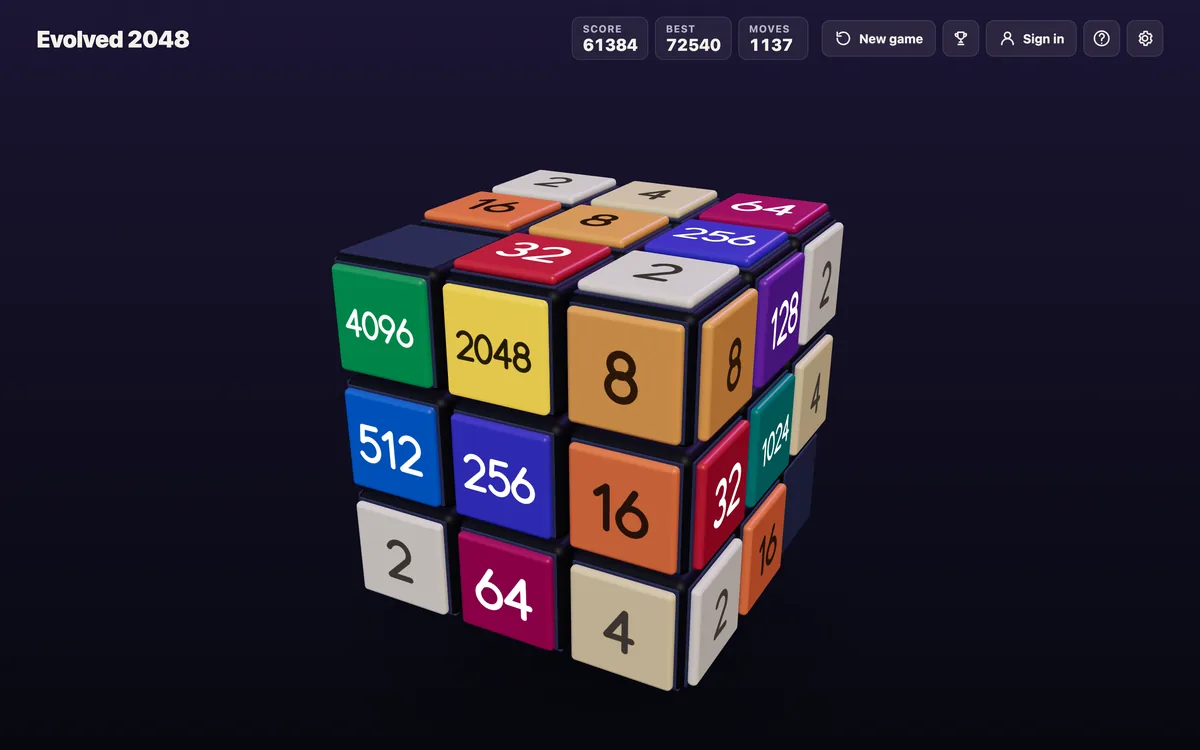
What the 2048 Shift turn does to Moves
The game's How to play box says it in four words: "The whole cube turns. Turning is free." The page's own code agrees. A slide counts one move, a twist counts one move, and a whole-cube turn counts none.
A test on a set-up cube in a browser on 16 October 2026 shows it. Shift and Left, Right, Up and Down were pressed in turn. Each time the faces came round, and Moves and Score stayed at 0. Four Shift and Left presses in a row put the cube back where it started. Shift with W, A, S or D turned it the same way as Shift with the arrow keys, and also left Moves alone.
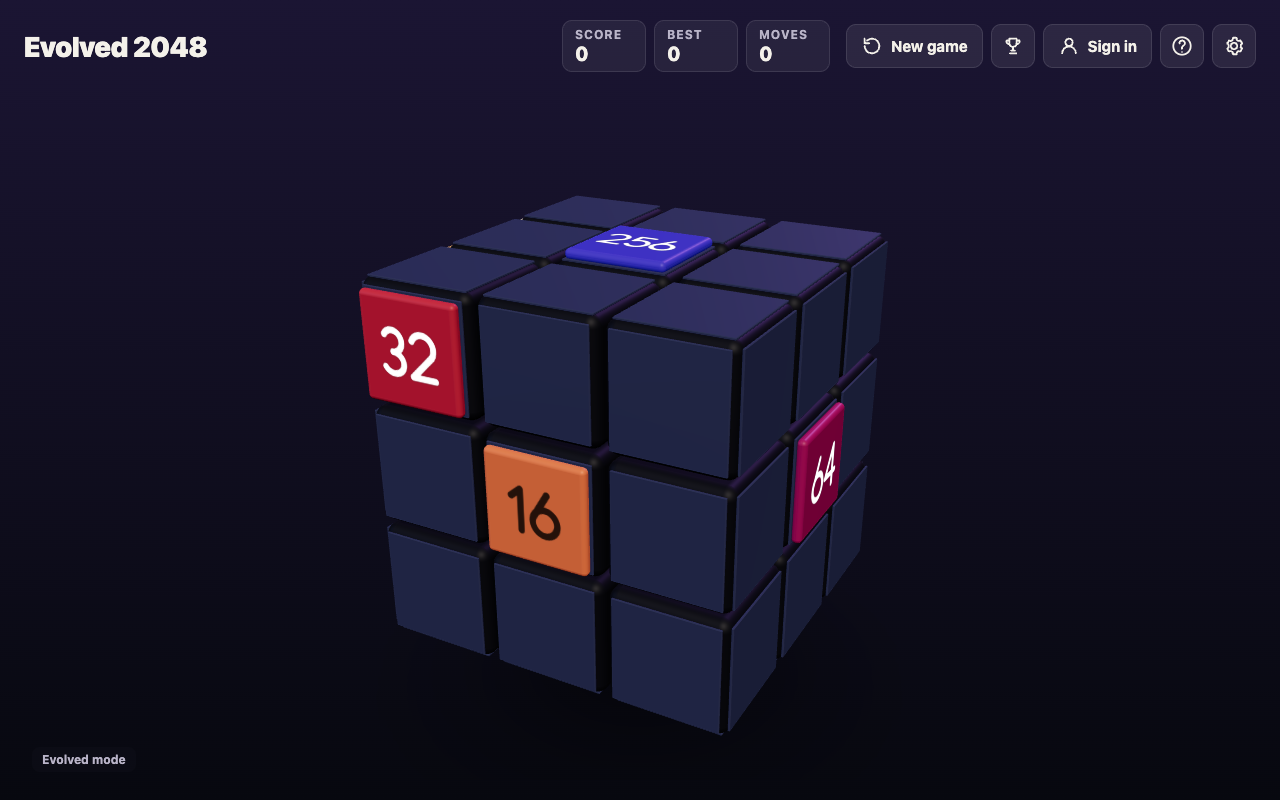
These tests ran on 11 and 16 October 2026. They were not repeated in each of the three modes, so treat the "free" line as the game's own words and the tests as one cube each.
Slide, twist and turn side by side
It helps to see the three actions in one list. Each row says what the Moves box, the Score box and the tiles do.
- Slide (an arrow key or W, A, S, D): when tiles move, Moves goes up by 1, the Score goes up by the value of each tile the merges make, and a new 2 or 4 appears. If nothing moves, Moves stays put and the page says "Nothing moves that way. Try another way, or twist a row."
- Twist (keys 1 to 6, or a drag on a side face): Moves goes up by 1, the Score does not change, and a new tile appears. A twist needs one empty square for that tile.
- Turn (Shift and an arrow key, or a drag around the cube): Moves stays, the Score stays, and no tile appears.
In the 11 October key test, the arrow keys and W, A, S, D each added 1 to Moves, and keys 1, 2, 3, 4 and 6 did the same. Key 5 changed nothing, and added nothing to Moves, because every square of that middle column was empty. A twist with nothing to carry is refused, not counted.
A worked count of a short game
Here is a count you can repeat. It follows a test of 9 October 2026, played signed out with the keyboard.
- Start a game. Moves reads 0.
- Press Left. Moves reads 1.
- Press Up. In that test a 4 had been made from two 2s by now, so Moves read 2 and the Score read 4.
- Press Shift and Left. The cube turns to a face with no tiles on it. Moves still reads 2, and no new tile appears.
The turn changed what you see, not what the game counts. In a longer test the same thing held: with the game stuck at move 31 and Score 148, Shift and Left turned the cube to an empty face and left both numbers as they were.
Why a free turn matters for your plan
Moves is the number the game shows when you reach the big tile: "You made 2048 in {moves} moves." A turn does not add to it, so you can look at the cube from any side without paying for it in that count.
It also does not add a tile. That is the second thing a free turn gives you. A slide or a twist fills an empty square with a 2 or a 4, and on a cube with 54 squares, space is what you play for. A turn leaves the number of tiles exactly as it was.
So a turn is the right tool when you want to look or to line up. Use it to bring a face with a pair of equal tiles to the front, then slide to merge them. Our post on how to turn the whole cube in 2048 shows what each key does to the faces.
When a turn does not help
A turn can only bring tiles to the front. It cannot merge anything, and it cannot make room. If the front face is full and has no equal neighbours, turning to a face that has tiles gives you a new set to slide, but turning to an empty face gives you nothing to slide. In an early test game the front was full at move 46; a turn to an empty face and a slide moved nothing, and the page showed the "Nothing moves that way" line.
In that spot you need a twist, which does cost a move and adds a tile. The game's own end box says the same thing when no moves are left: "Next time, keep room on one face so a twist can still bring tiles round to their match."
There is no undo, so plan the turn
A turn is free, but a twist is not, and a twist cannot be taken back for free either. In a test on a set-up board, Control+Z, Command+Z, Backspace, Z, U, Escape and Control+Shift+Z were pressed, and none of them changed anything. A twist can be twisted back with Shift and its key, but that counts as a second move and adds a second new tile. In that test, key 4 and then Shift and 4 took Moves to 2 and the tiles from 4 to 6, with the Score still 0.
So use the free turn to look first. Turn to the face you think holds the match, check it, and only then twist or slide. If the face is wrong, turn again. Turning costs you nothing, and twisting back does.
For the keys, see 2048 keyboard controls. For the rest of what counts, read the moves counter post.
A turn in the first-game tips
The first-game tips teach a turn too. The third tip reads "Drag the space around the cube to turn it and use the other sides. Turning is free." In a tip test, a Shift and Left on the first tip did not move the bar on, because each tip waits for its own action. On the third tip, a Shift and Left, or a drag across empty space, closed the tip bar.
Frequently asked questions
Does turning the cube add a move in 2048?
No. In Evolved 2048 a whole-cube turn adds no move, no points and no new tile. Only a slide that moves tiles and a twist count a move.
Does a twist cost more than a slide?
Both add 1 to Moves. A slide adds the value of each tile its merges make to the Score, and a twist adds no points. Both add a new 2 or 4.
Which keys turn the cube?
Hold Shift and press an arrow key, or Shift and W, A, S or D. You can also drag the space around the cube.
Can I undo a turn?
You can turn back the other way with the opposite arrow, and it is free. The game has no undo key: the common undo shortcuts did nothing in the test.
Get started
Open Evolved 2048, make two slides, then press Shift and Left and watch the Moves box. It stays where it was. Then try the same start with a twist, and compare. Our post on how to play Evolved 2048 has the rest.
Comments
No comments yet.
Sign in or make an account to comment.