What Happens When You Pause a Game? The Pause Screen Explained
What happens when you pause a game? It stops moving its world forward, but the program itself keeps running. It still draws the screen, still listens for your buttons, and still waits for the one press that says "go again." That is the whole pause screen explained in two sentences. The rest of this post shows how it works inside the game loop, what keeps going in the background, and why some games cannot pause at all.
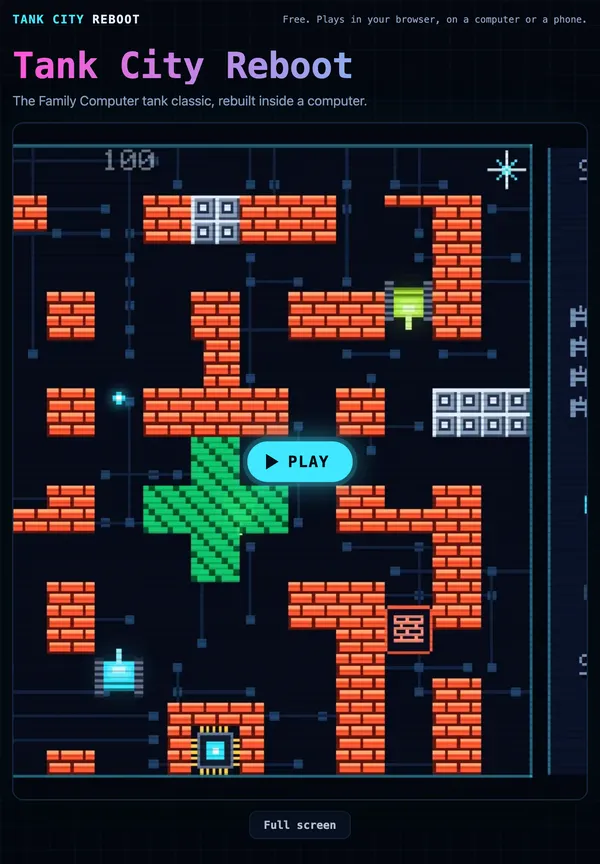
To test each idea while you read, Tank City Reboot gives you two free tank games that run in your browser on a computer or a phone. It has a plain pause key and a power-up that works like a partial pause, so you can try both and feel the difference.
What happens when you pause a game: the short answer
A game is a loop that runs many times a second. Each pass through the loop does three jobs:
- Read input. Which keys, buttons or touches are down right now?
- Update the world. Move tanks, fly shots, count down timers, check hits.
- Draw the frame. Paint the result on your screen.
Pausing skips step 2. Steps 1 and 3 keep going. The game keeps reading input, because it has to notice when you unpause. It keeps drawing, because otherwise your screen would show nothing at all, or a frozen image the game no longer controls.
So a paused game is not stopped. It is running a loop where time does not move. If the loop itself is new to you, start with how a game loop works.
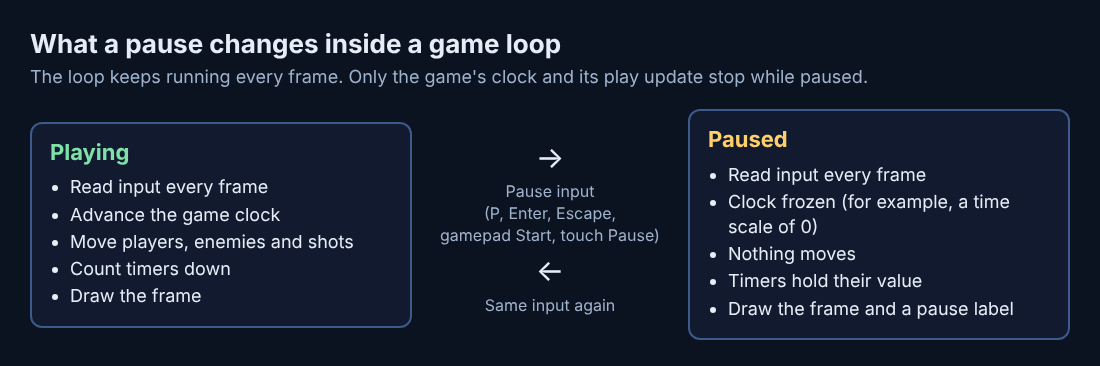
Inside the game loop: how pausing freezes time
Most games move things by time, not by frame. Each pass, the loop measures how long it has been since the last pass. That gap is often called the time step. A tank moving at 50 units per second, over a step of 1/60 of a second, moves a little under one unit.
Pausing usually means one of two things in code:
- The update step is skipped entirely, so nothing in the world gets a chance to move.
- The time step is multiplied by zero, so every system runs but nothing changes.
Either way, every timer in the world freezes. A shield with four seconds left will still have four seconds left when you come back.
Game engines build the second way in. Unity's Time.timeScale page says that when the time scale is set to zero, "your application acts as if paused if all your functions are frame rate independent." It also notes that fixed physics steps are not called at zero. The catch is in the "if": any code that moves things per frame, and ignores the time step, keeps moving.
There is a related problem pausing has to dodge. If a frame takes a long time, say because your computer stalled, the next time step is huge. A tank could jump through a wall in one step. Tank City Reboot handles this by capping each frame's time step at 1/30 of a second, so however long a stall lasts, the world only moves a small, safe amount in one pass. The post on delta time in games goes deeper.
Games also use tiny pauses on purpose. In Tank City Zero Day, the second game on the site, each enemy kill freezes play for 0.035 seconds. Losing your tank freezes it for 0.18 seconds, and destroying the boss for 0.3 seconds. During these "hit stops" the play update and effects pause, and the screen keeps drawing. You do not notice them as pauses. You feel them as weight behind each hit, which is why they are called hitstop.
A worked example you can try
Open the first game, press Play, then click the game so it has focus. Start stage 1, FIREWALL. When the first malware tank is halfway down the board, note where it sits and press P. The game shows PAUSED. Count to five, then press P again and play resumes. Check the tank: in five seconds of real time, the game's world moved not at all.
Pause works from several controls:
P,EnterorEscapeon a keyboard- Start on a gamepad
- The Pause button at the top right of the touch pad on a phone
Now compare that with the Breakpoint power-up. When you pick it up, every enemy freezes for eight seconds, but you keep moving. That is a pause applied to only part of the world. The game's own card explains the name: "A breakpoint makes a debugger pause a running program at a chosen line." Programmers use breakpoints to freeze code and look around. The game turns that into eight seconds where you can line up shots on frozen malware. The post on breakpoints in debugging explains the real tool.
What keeps running while the game is paused
Even with the world frozen, plenty still runs:
- Drawing. The game keeps painting frames, often with a menu or a "PAUSED" label on top.
- Input. The game must watch for the unpause button, plus any menu choices.
- Menus and animations. Many pause menus have their own blinking cursor or sliding panels. These use a separate clock that ignores the pause.
- Music and sound. Some games stop the music, some lower it, some keep it playing. That is a design choice, not a rule.
- The system around the game. Your browser, your operating system and anything online keep going no matter what.
Input on a touch screen has one extra trap. If you switch apps while your thumb is on a button, the game might never hear the button let go. The section on leaving the tab below shows how the game handles that.
Why online games often can't pause
A pause works because one program owns the clock. When you press Pause, nothing else needs to agree.
Online games share a clock across many players. A server keeps the world going for everyone. If one player could freeze it, every other player would freeze too. So many online games give you a menu that covers the screen, but the world behind it keeps moving. Your character can still be hit while you look at settings.
Where an online game does offer a shared pause, it comes with rules every player has agreed to, because one player's pause is everyone's pause.
Tank City Reboot runs on your own device, with no online match to hold up, so the pause is a true pause.
What makes a good pause screen menu
A pause screen is often the screen players see most, after the game itself. Good ones share a few traits:
- Instant. The world should freeze the moment you press the button, not a beat later.
- Easy to undo. The same button that paused should unpause. Tank City Reboot works this way: press the pause control again to resume.
- Clear state. You should see that you are paused, in plain words.
- Safe defaults. The first option should be Resume. Quit and Restart should be harder to hit by accident.
- Useful info. Score, lives, stage and time are handy to check while frozen.
- Several ways in. Keyboard, gamepad and touch should all reach it.
Pausing when you leave the tab
A browser game has one more way to be paused: you walk away from it. MDN's Page Visibility API page says the browser sends a visibilitychange event when you switch tabs or minimize the window. It also says most browsers stop sending animation frame callbacks to background tabs, and slow down timers there.
So a hidden tab often freezes on its own, but not cleanly. Whatever was held down when you left can stay held down in the game's eyes. Tank City Reboot's page listens for that event, and when the tab is hidden it releases every touch button it is tracking, so your tank does not drive off on its own when you come back.
The safe habit is simple: press Pause before you switch away. Then the game is frozen on purpose, with PAUSED on screen in the first game, and nothing is left held down.
Frequently asked questions
Does pausing a game save your progress?
Not by itself. Pausing freezes the world in memory, and saving writes it somewhere lasting, which are two separate jobs. In Tank City Reboot, each game remembers your best score in that browser, not a paused run.
Does a paused game still use CPU or battery?
Usually yes, because the game keeps drawing frames and reading input while paused. It often uses less, since the world update is skipped. Most browsers also stop drawing for tabs you are not looking at.
Why do some games keep playing music when paused?
Music often runs on its own clock, apart from the frozen world. Some designers keep it playing so the pause feels calm rather than dead. In Tank City Zero Day, you can switch the music on or off with M or the Music button.
Can you pause an online game?
Usually not in the full sense. The shared world keeps going on a server, so a pause menu just covers your screen while play continues. Some online games allow limited shared pauses by vote or with a cap.
Get started: try the pause screen in Tank City Reboot
The best way to understand pausing is to feel it. Open the first game, press Play, and click the game so your keys reach it. In stage 1, wait until a few malware tanks are on the board, then press P to see PAUSED. Resume, and later grab a Breakpoint to watch the enemies freeze while you keep moving. Two kinds of pause, one minute apart.
Then try Zero Day and watch for the tiny hit stop each time an enemy is destroyed. Once you know it is there, you will spot it in a lot of games.
Play Tank City Reboot: it is free, plays in your browser on a computer or a phone, and needs no account.
The Family Computer tank classic, rebuilt inside a computer.
Visit tankcityreboot.vlvd.net↗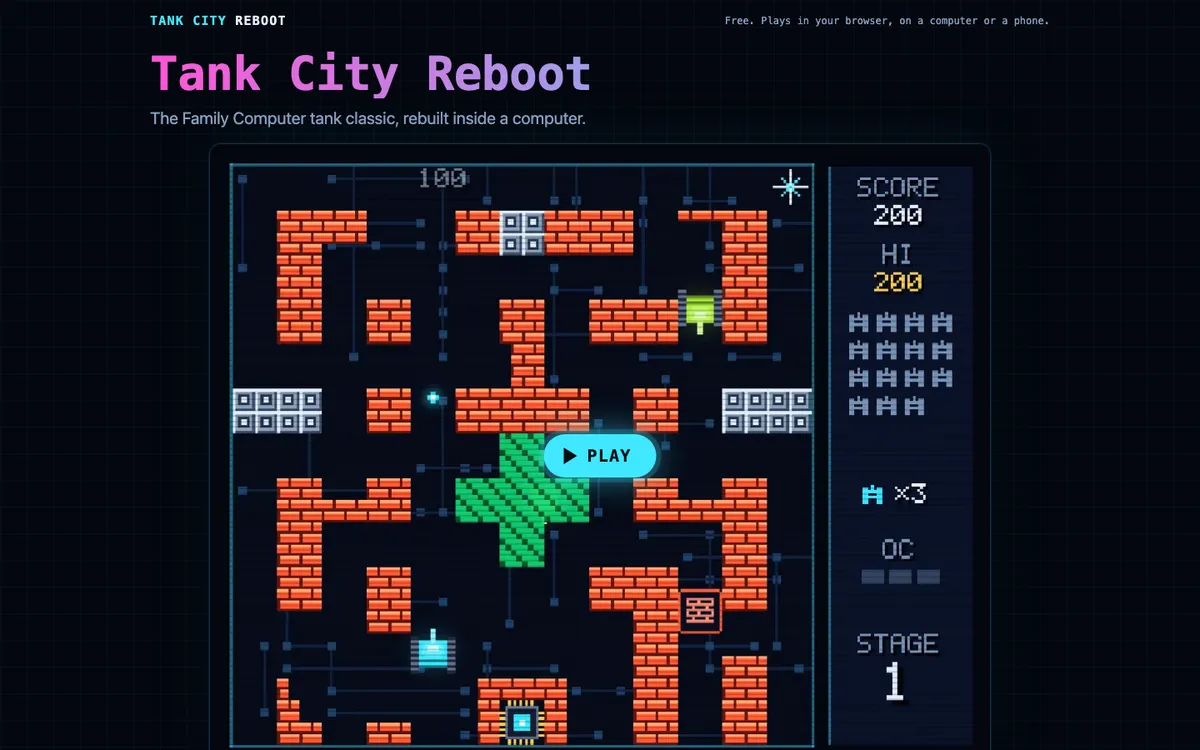
Comments
No comments yet.